Package Model Action Buttons
Refer to Support
The Venetian uses Modeling and they would like to know if there is a way to sort or eliminate some of the action buttons in the Model drawer.
From the Service Order Item they select View - Model.
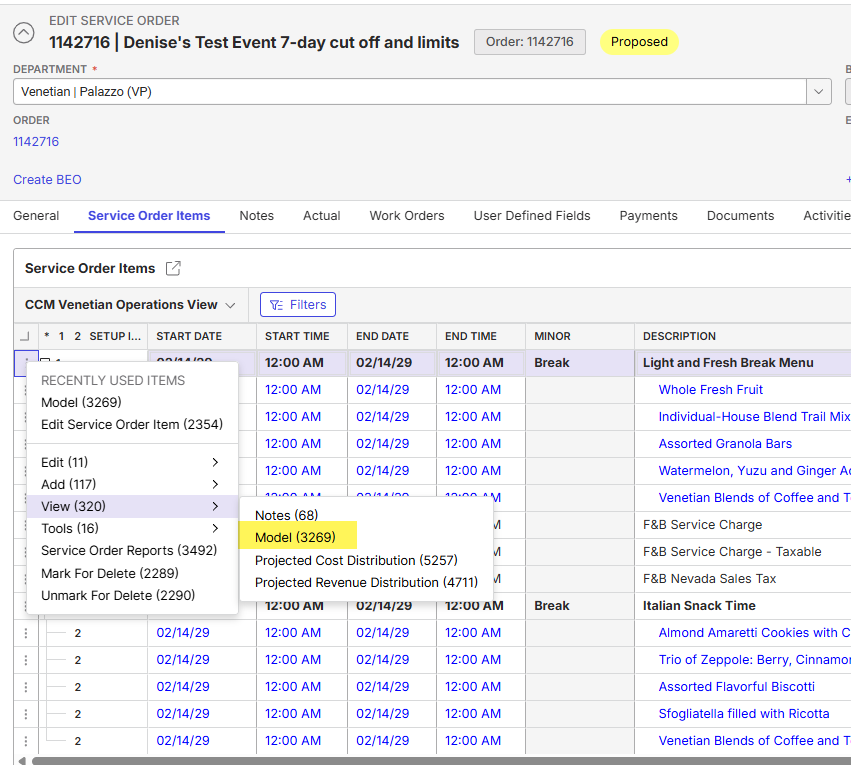
Once the Model drawer opens, they'd like to only see “Add Price List Item”. Is there a way to hide the Add Package Item and Add Resource options to reduce clicks? I tried denying those two specific actions with Access Exceptions, but that removed the entire action button from that Service Order Item window.
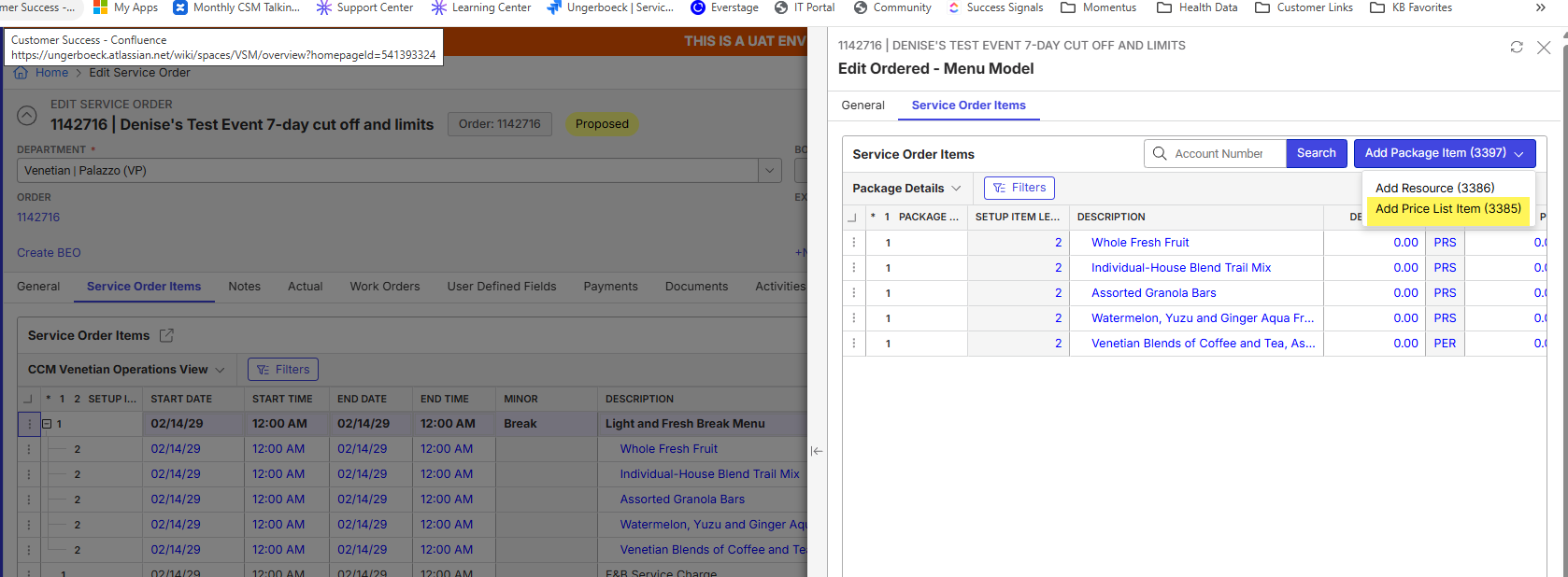
The request from the Venetian team is an efficieny improvement. They are just looking for opportunities to reduce clicks wherever possible once they get to the new UX.
-

Amy Durbin What are they trying to do in the Model drawer. Typically when you are modeling a package you want to add items to the package you are modeling.
-
Carissa Harrison Here is the context I received from Denise at the Venetian.
We were taught to add the price list item. We avoid resource item because there are so many duplicate items assigned to various departments. Price list works best for us to ensure we get the correct item. Some items can change slightly between price lists and this avoids the need to carefully read the verbiage. I don’t believe we’ve ever used package items, we’ve just been training everyone to use price list to avoid issues. -
This sounds like a bug. This action is probably misconfigured in metadata which could be why when the action restrictions are applied it applies to the entire button not the individual action.
Please sign in to leave a comment.
Comments
3 comments
Date Votes