Unable to update inventory item through transaction batch
Answered
- Description of the issue: Unable to update inventory item through transaction batch
-
Account name: H3 (Hamilton City Council)
Region: APAC - Client version: 25.3
-
Steps to reproduce:
- Login as usiadmin/ITRocks2014
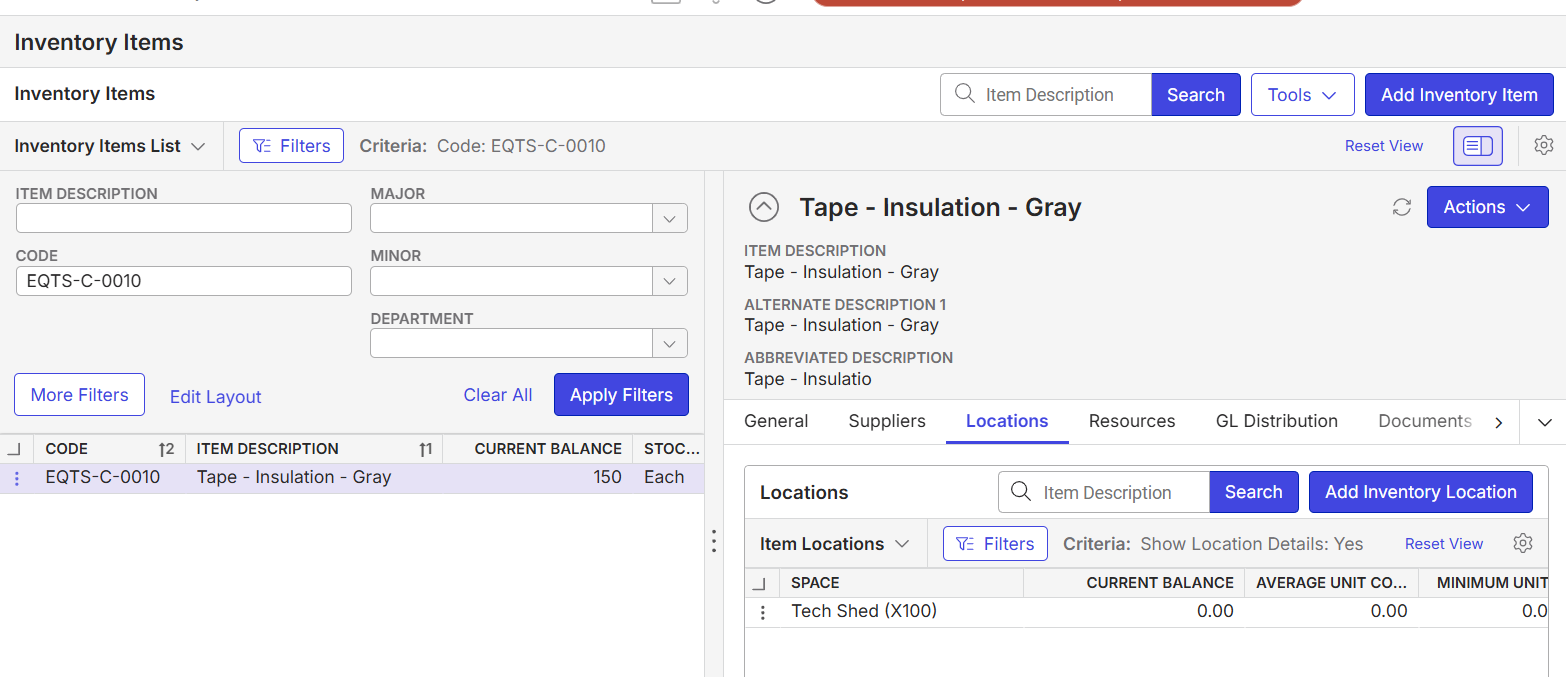
- Main menu > Inventory Items. Search for items with category group = consumables. search for EQTS-C-0010 and note it has count = 150 with no location
- Go to Main Menu > Inventory Transaction Batches> Add> Enter basic details > Apply Changes
- Click Add Restock > Enter item details > add unit 100 >Save > Batch is created
- Post the batch > Success message display.
- Go back to 'Main menu > Inventory Items' search for EQTS-C-0010, note that the current balance is not updated.
- Note that the location is now added to this item. This issue is only seen for consumable items.
- Observed results vs Expected results: Inventory items count does not update
- What is the job the client is trying to accomplish: Run inventory transaction batch to update the count and location
- Business impact if not resolved: Normal : Impacting as user has to update manually
- Links to articles where you've looked for solutions and also other steps you've taken to research the issue:
- Link to Zendesk ticket: Ticket: Inventory items not displaying… – Momentus Support Center – Zendesk
- Local v30 URL: https://supportwebap.ungerboeck.com/HamiltonCC_Test_0578017085_USI_V30/app85.cshtml?
- User Login: usiadmin/ITRocks2014
-

Mike Schepker please advice if this is a bug?
-

I'm not sure. Nicole Loh Do you have any ideas on this one?
-

Hi Anitha, took me a while, but it is because non-stock is ticked for the item. https://supportcenter.ungerboeck.com/hc/en-us/articles/1500007191782-Inventory-Items Please see the non-stock section where it says it does not affect inventory balances or valuation.
Please sign in to leave a comment.
Comments
3 comments
Date Votes