Report attachments not in correct file format (PDF)

Issue Summary
- Description: Report attachments sent in 'All file' file format instead of PDF
- Business Impact: [Explain how this issue affects the customer’s operations or workflow]
Environment Details
- Site URL: https://rwc27.wetrack.com/
- Affected User Name: Nicola Alesbrook
- Affected User Email: nicola.alesbrook@worldrugby.org
Reproduction Steps
- Navigate to Reports, select a report and under Actions choose 'Share Immediately'
- Add your user to share the report with
- Select PDF format under 'Attach Report to Email' and send report
- In the email you receive, click the attachment to save it
- Note the file type of the attachment
Verification
- Reproduced on: https://supportteam.wetrack.com
Behavior Description
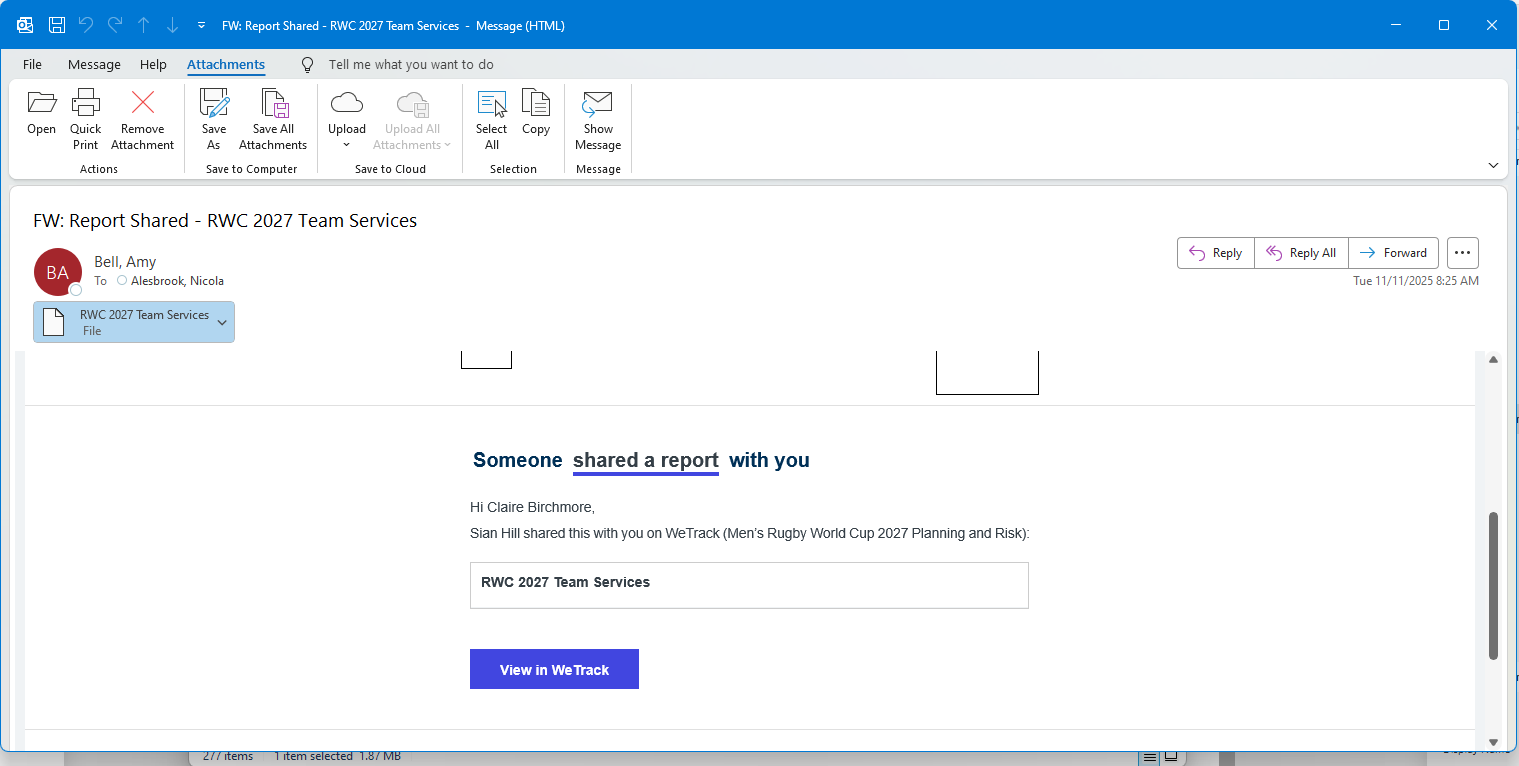
- Actual Outcome: The attachment does not have a pdf extension
- Expected Outcome: The attachment has a pdf extension
Supporting Evidence
You can see the file does not have a PDF extension
-

Hey! This is a bug and should be raised on Jira.
Just an FYI, Documentus is when there is confusion of whether something is a bug or an expected outcome. for things that are clearly bugs, we dont need to add them here.
My team has validated and added the bug - https://ungerboeck.atlassian.net/browse/WTB-2586
You can use this to track information and add any context, in case we missed it. -
Luke Mintert - we tried to verify this on rwc27 site that you mentioned and are receiving emails with PDF attachments.
We have tried with the report you shared in the screenshot (RWC 2027 Team Services) as well and get the pdf everytime, in the right format.
There is however another issue with this report in particular - the user who created this report is now deleted from the system. We are fixing that issue but we cant replicate the issue of attachments with missing .pdf extension on WR or our other environments.
In your post you said you recreated this on support website. Can you share link to the report for which you got the attachment in the wrong format, please? -
Hi Vernica Lodha Thanks for the reply!
I just worked with Kaleena and we were able to reproduce on the Support site where the pdf extension does not come through. Here is a link to one of the reports: https://supportteam.wetrack.com/e899dd21-2dbb-400c-a4e1-97b4fa3a4424/reports/preview/20388/83788, but it is happening on all reports that you share as PDF . We were able to reproduce on https://supportteam.wetrack.com/. The files do not have a pdf extension and instead just says, FILE
Please let me know if you need any additional info!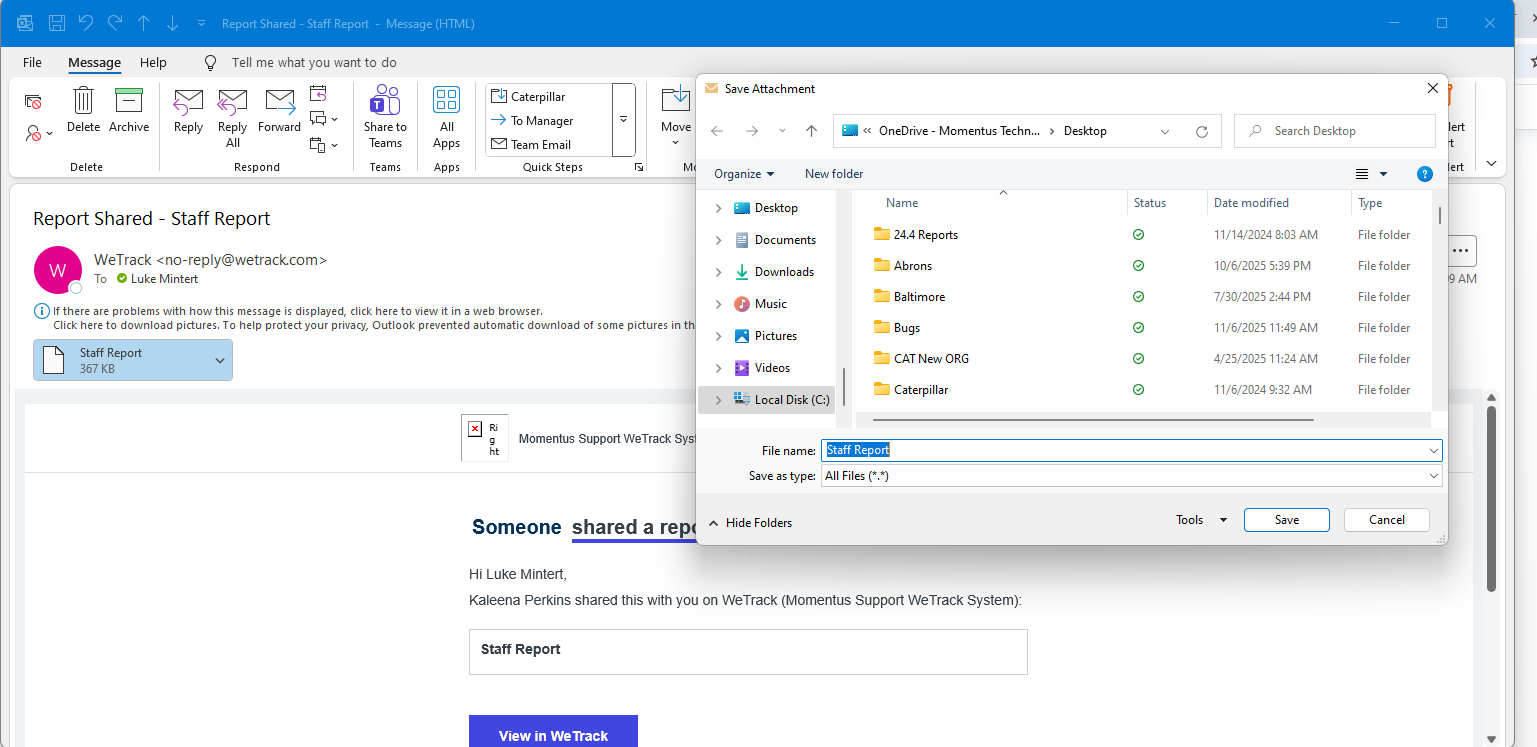
-
Hi Team - After further testing with Ivan, we found that the issue only occurs in the ‘Old’ Outlook Email Application. When using the ‘New’ Outlook Email Application or Browser based Outlook the file comes over successfully as a PDF.
Please sign in to leave a comment.
Comments
4 comments
Date Votes