Function Notes - Rearranging After Changing Text Color
Answered
Zendesk Ticket: https://ungerboeck.zendesk.com/agent/tickets/358145
Account: Sun Life Assurance Company of Canada
Region: US
Articles used in your research:
https://supportcenter.ungerboeck.com/hc/en-us/articles/204552698-Note-Classes
https://supportcenter.ungerboeck.com/hc/en-us/articles/204568118-Add-and-Manage-Functions
General
Business impact if not resolved: Users have to manually arrange notes rather than using prebuilt templates.
Short Summary of issue (issue description): Changing the font color on a note populated from a note class causes the text to rearrange unexpectedly. Upon saving, the note content is stored in a different order than originally displayed.
Macro Vertical: Corporate
Debug Environment:
Customer DB Location: Hosted
Database: QESample253
Server: 10.98.101.165\QE_ENVIRONMENT,1433
Version: 25.3.9447.32267 (20251112)
V30 Link: https://qe.ungerboeck.com/25_3
User Login: edwinh/edwinh
Recreation Steps:
- Log into: https://qe.ungerboeck.com/25_3 >> User Login: edwinh/edwinh
- Navigate to event ID 66359 and edit it
- On the Functions tab, locate the ‘Event’ function and edit it
- On the ‘Edit Event Function’ window go to the ‘Notes’ tab and click Add Note
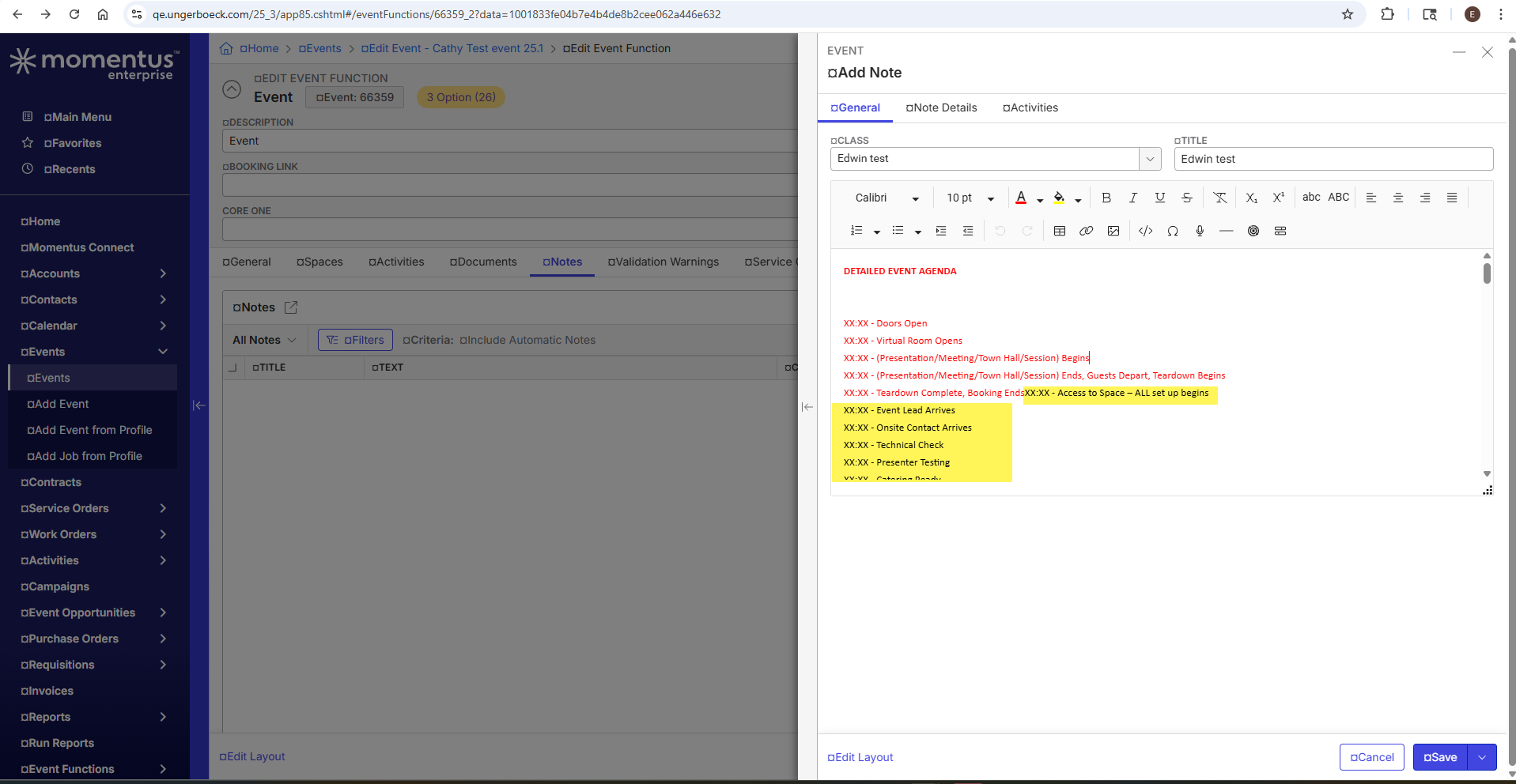
- The ‘Add Note’ prompt will open:
- Select the Edwin test note class
- The note text will populate > Selected part of the text and changed the font color from red to black.
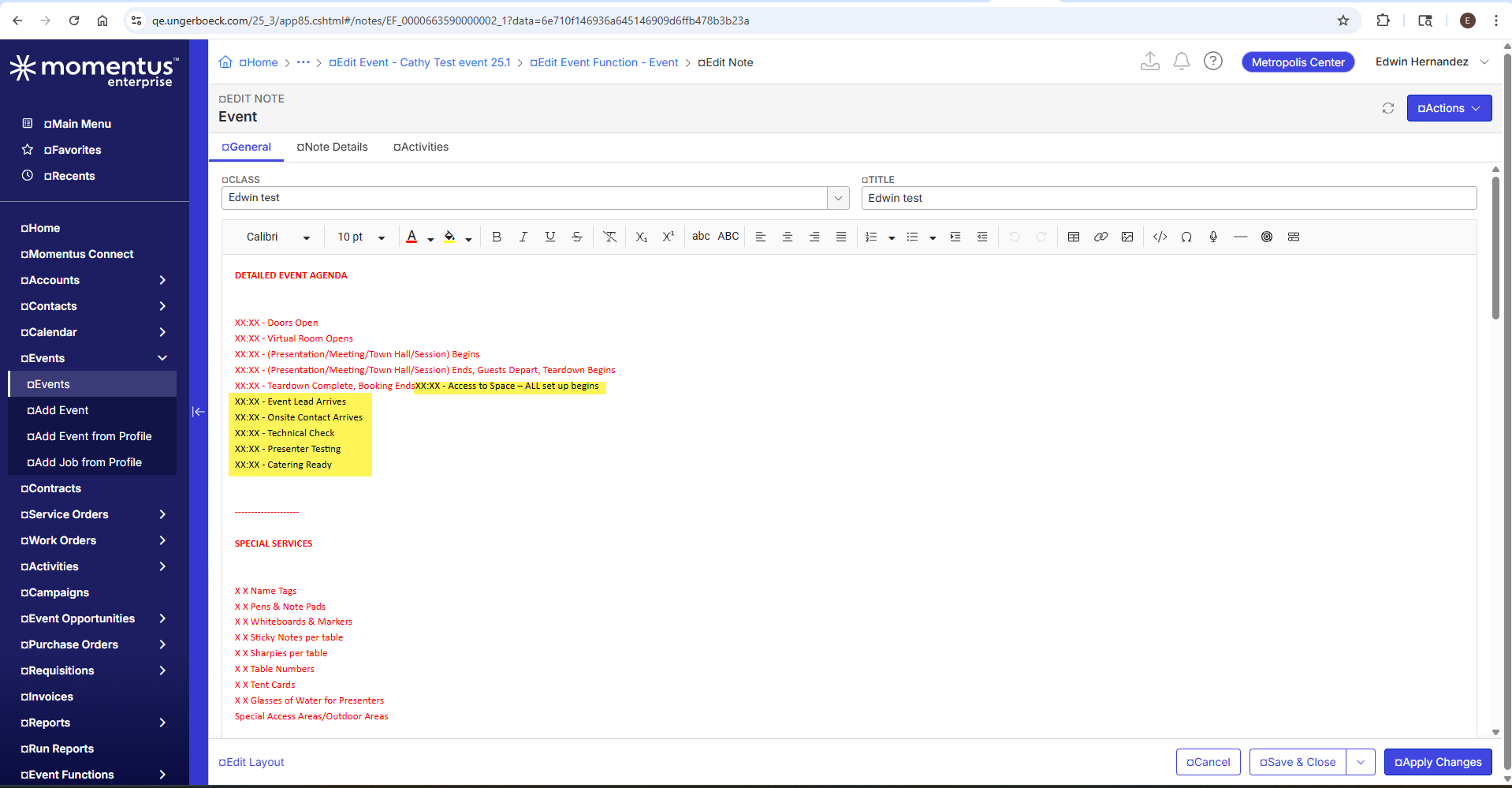
- Upon changing the font color, the text rearranged unexpectedly.
- After saving the note, the text was stored in a different order than originally populated from the note class.
...
Observed vs. Expected Results: When changing the font color of a note populated from a note class with text with preselected font color, the text rearranges unexpectedly. Upon saving, the note content is stored in a different order than originally displayed.
What does the client want to accomplish: To apply font color changes to selected text without altering the original structure or sequence of the note content.
Attachments:
Attachments or screenshots: - Recording: https://share.birdie.so/mqDfG79p
-
-
I've reviewed this with Mike Schepker and confirmed that the issue is caused by bad data within the rich text field. Based on this, I’m marking the case as resolved.
Please sign in to leave a comment.
Comments
1 comment
Date Votes