Crystal Reports - Via 'Email to Myself' functionality.
Answered
Zendesk Ticket: https://ungerboeck.zendesk.com/agent/tickets/371734
Account: Google, LLC
Region: US
Articles used in your research:
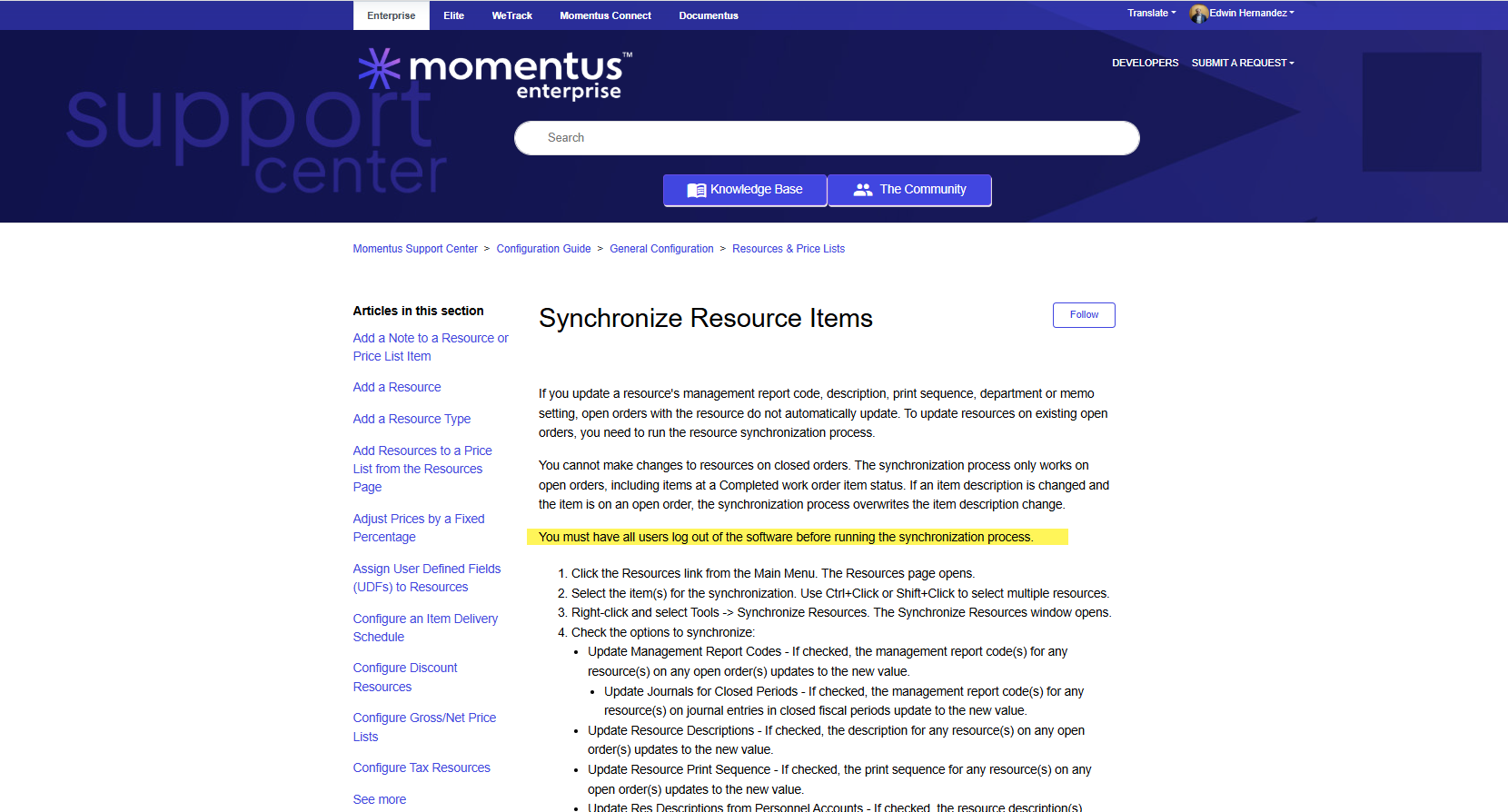
- https://supportcenter.ungerboeck.com/hc/en-us/articles/204552178-Manage-User-Personnel-Accounts
General
Business impact if not resolved: Google users are unable to utilize the “Email to Myself” feature within the report viewer and are not receiving activity notifications. This is due to Google’s security policy, which blocks emails sent from BackOffice on behalf of a Google domain. As a result, any email originating from a Crystal Report using a Google-associated address is rejected.
Short Summary of issue (issue description): The “Send via Email” and “Email to Myself” actions triggered from Crystal Reports default to the user’s personal email address. When this address belongs to a Google domain, Google’s security policy prevents delivery.
What does the client want to do? Why do they want to do this?: The client is seeking best practices or configuration guidance to resolve this issue. Specifically, we would like to know if it’s possible to change the “send from” address to a neutral domain such as "noreply@ungerboeck.com" or "noreply@gomomentus.com", and if so, how to implement this change.
Macro Vertical: Corporate
Debug Environment:
Customer DB Location: Hosted
Database: QESample253
Server: 10.98.101.165\QE_ENVIRONMENT,1433
Version: 25.3.9427.36666 (20251023)
V30 Link: https://qe.ungerboeck.com/25_3
User Login: edwinh/edwinh
Recreation Steps:
1. Log into: https://qe.ungerboeck.com/25_3 >> User Login: edwinh/edwinh (your own credentials)
2. Change your Org to 10: Metropolis Center (10).
2. Navigate to Service Orders from the global side navigation bar and locate Service Order #293524.
3. Update the Order Contact to your own user contact to ensure email delivery.
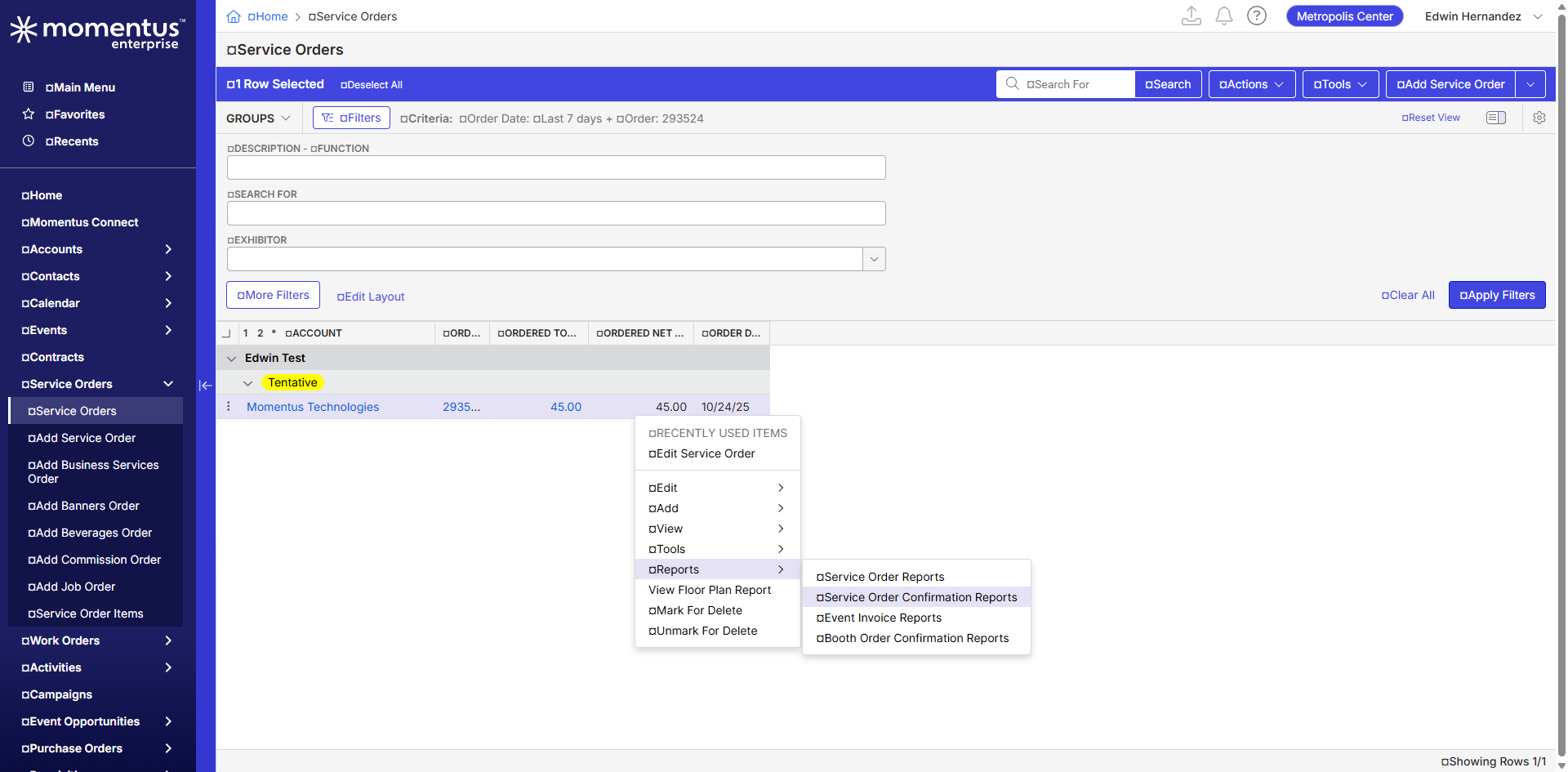
4. Right-click on the order and select Reports > Service Order Confirmation Reports.
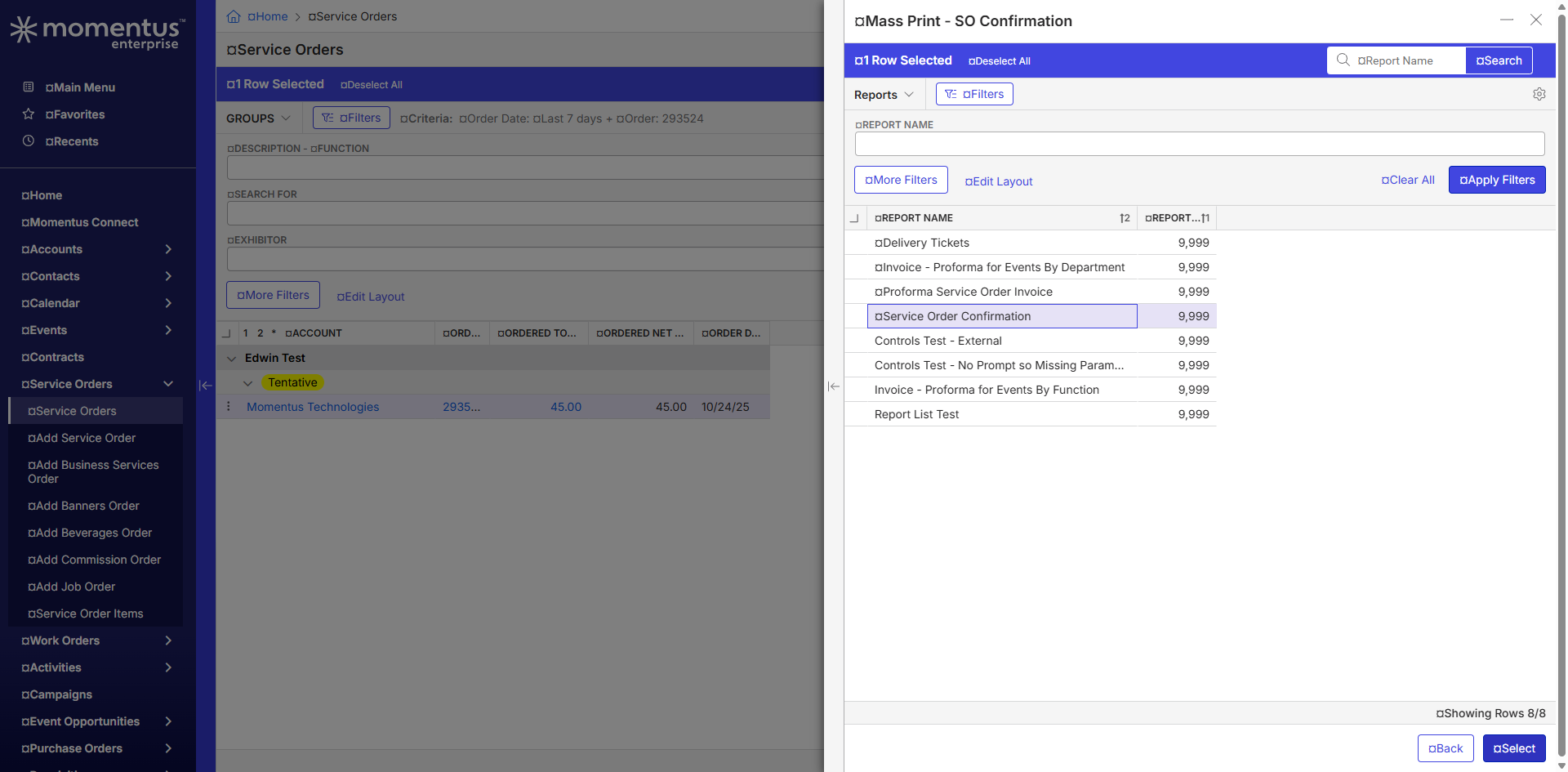
5. In the report prompt window: > Select Service Order Confirmation > Click Select
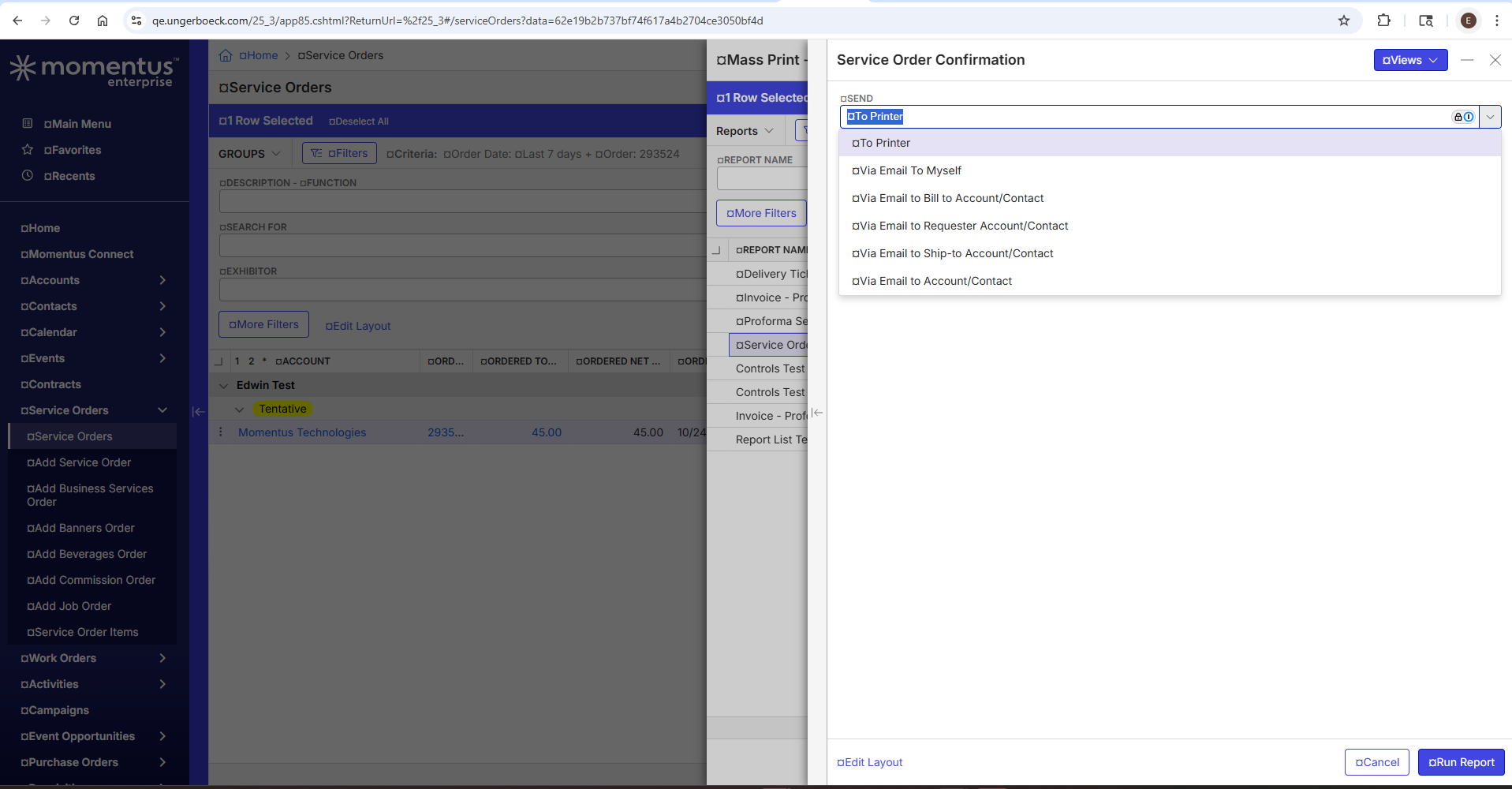
6. Test Via Email To Myself > You can test "Send via Email" running other reports.
7. Observe that the email consistently uses the address listed in your personnel account. Note: If no personnel account is linked to your user, you will received a Failed message.
…
Observed vs. Expected Results:
• Observed: Emails sent from BackOffice using a Google domain are blocked by Google’s security policy.
• Expected: Users need to be able to receive emails and activity notifications.
Attachments:
Attachments or screenshots:



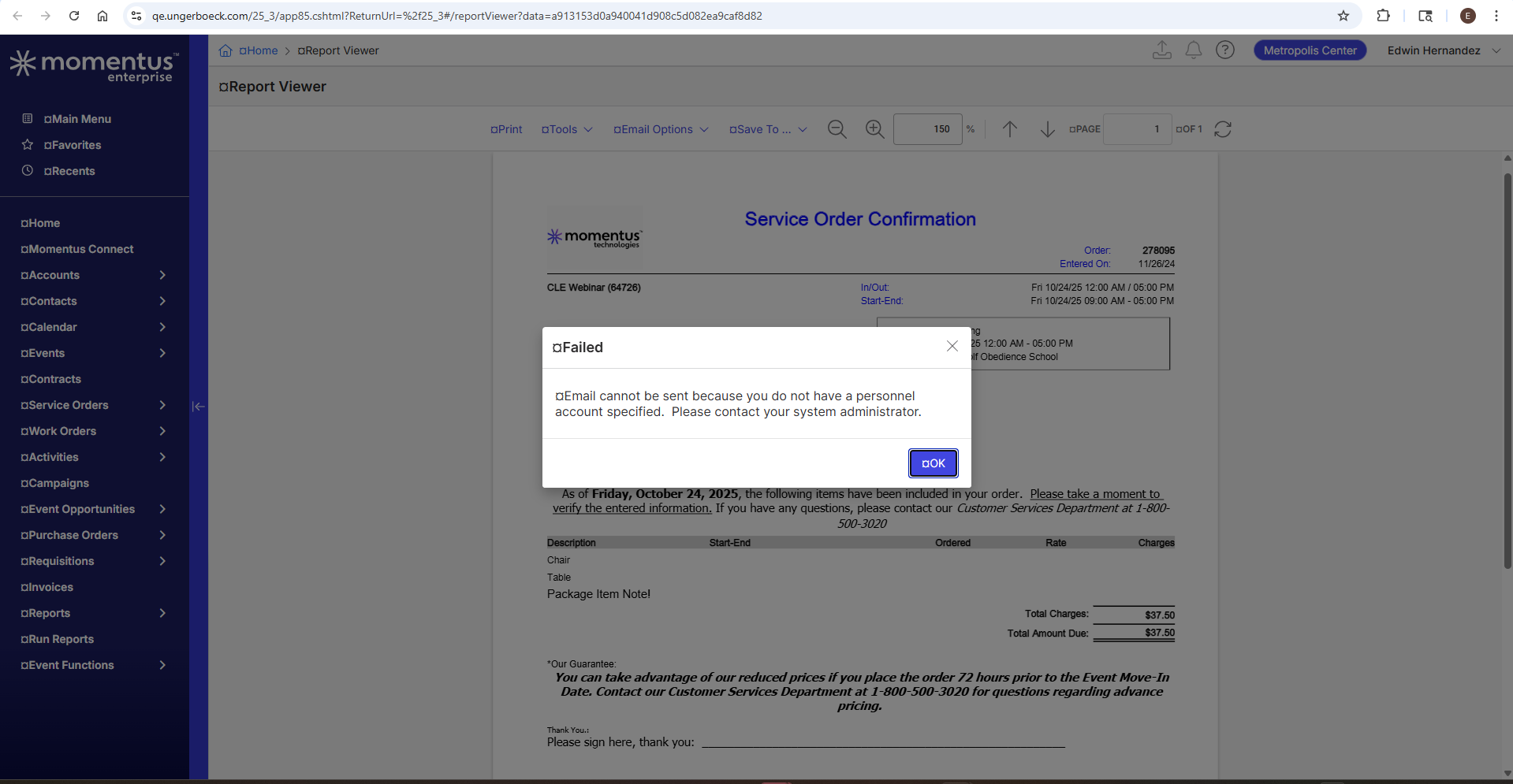
-

Seth Halvaksz need a PM to give guidance here on if/how we can alter the Sent From email address when emailing reports or sending Activity Reminder emails.
-

I'll investigate if there's a workaround.
I understand you want to set the send from address to a generic address like no-reply@something.com when emailing a report to yourself or sending Activity Reminder emails.
I understand this happens because Google is blocking emails sent from Google's domain, because we don't sign emails with a user's domain with DKIM or SPF.
-
Tony, here's what i received from Dustin:
1) Sending email to myself: Not possible to change the “send from” address. This would be an enhancement request to change.
2) Sending email from the report viewer: If they attach it to an email from the report viewer and they have access to shared email addresses, they can change the from address in the send email window. The feature is called 'Send of behalf of'.
3) Activity reminder emails. with the 'email recipient now' feature, I believe it pulls from the web config email which is normally a noreply@gomomentus.com. I know that activity notifications from the azure service that send them based on the due date does use the email from the web config.
IT is the only one allowed to make this change

Please sign in to leave a comment.
Comments
3 comments
Date Votes