Summary Field Calculation using Advanced Search
Answered
Zendesk Ticket: 368258
Account: Puyallup Fair & Events Center (Washington State Fair)
Region: US
Articles used in your research: Summary Fields
General:
Business impact if not resolved: Incorrect figures in summary fields could result in incorrect report data
Short Summary of issue (issue description): Summary field is not calculating when resources are selected via Advanced Search versus selected directly from the dropdown
Macro Vertical: Convention Centers
Debug Environment:
Customer DB Location: Hosted
Database: Puyallup_Prod_0495932110_USI
Server: Debug-US,1433
Version: 25.2.20250915
V30 Link: https://supportwebus.ungerboeck.com/Puyallup/app85.cshtml?
User Login: usiadmin / ITRocks2014
Recreation Steps:
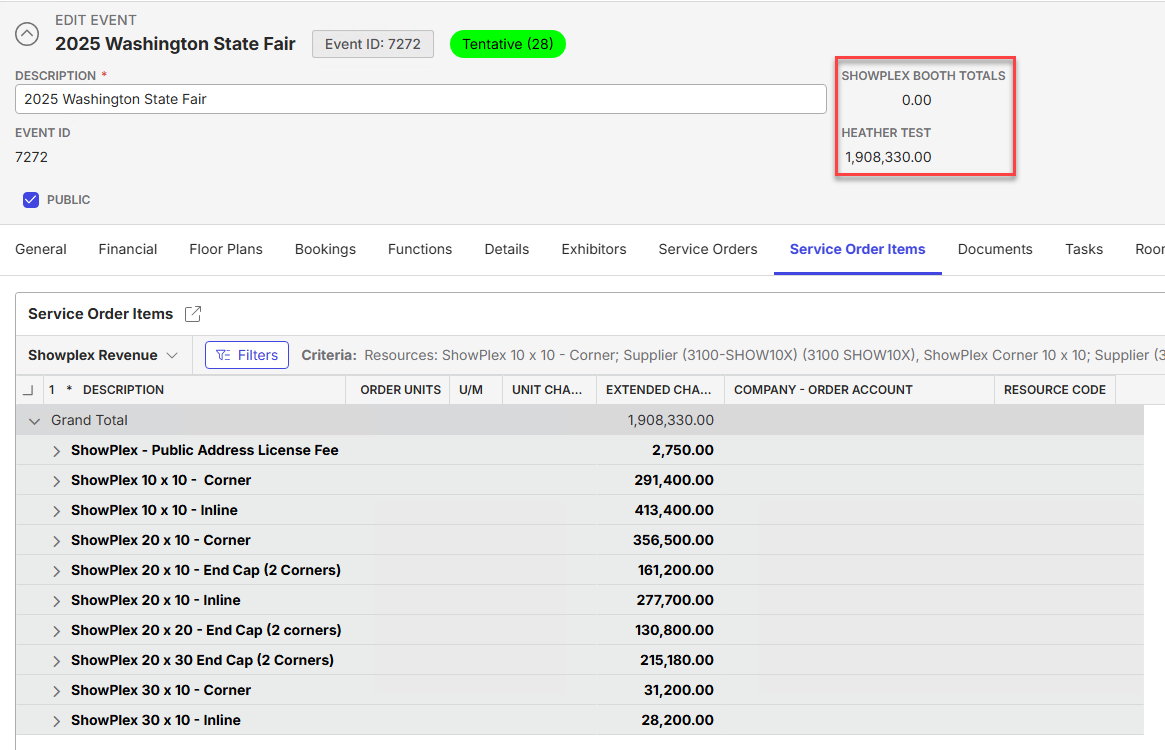
- Navigate to event ID 7272
- Notice there are two summary fields in the Quick Info section - "Showplex Booth Totals," that shows $0, and "Heather Test," that shows $1,908,330.00
- Click Edit Layout
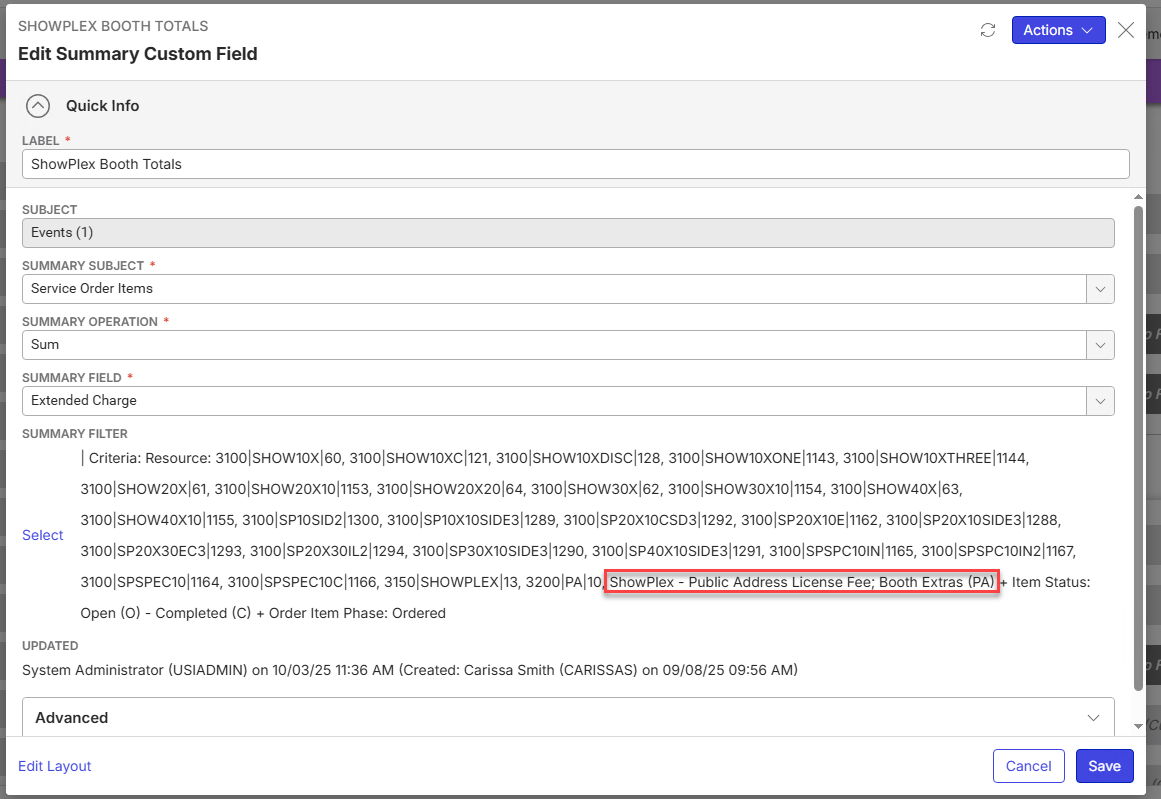
- Click the Edit button on the custom summary field "Showplex Booth Totals"
- Notice the resources all show their resource codes but not their names - this field's resources were selected via Advanced Search
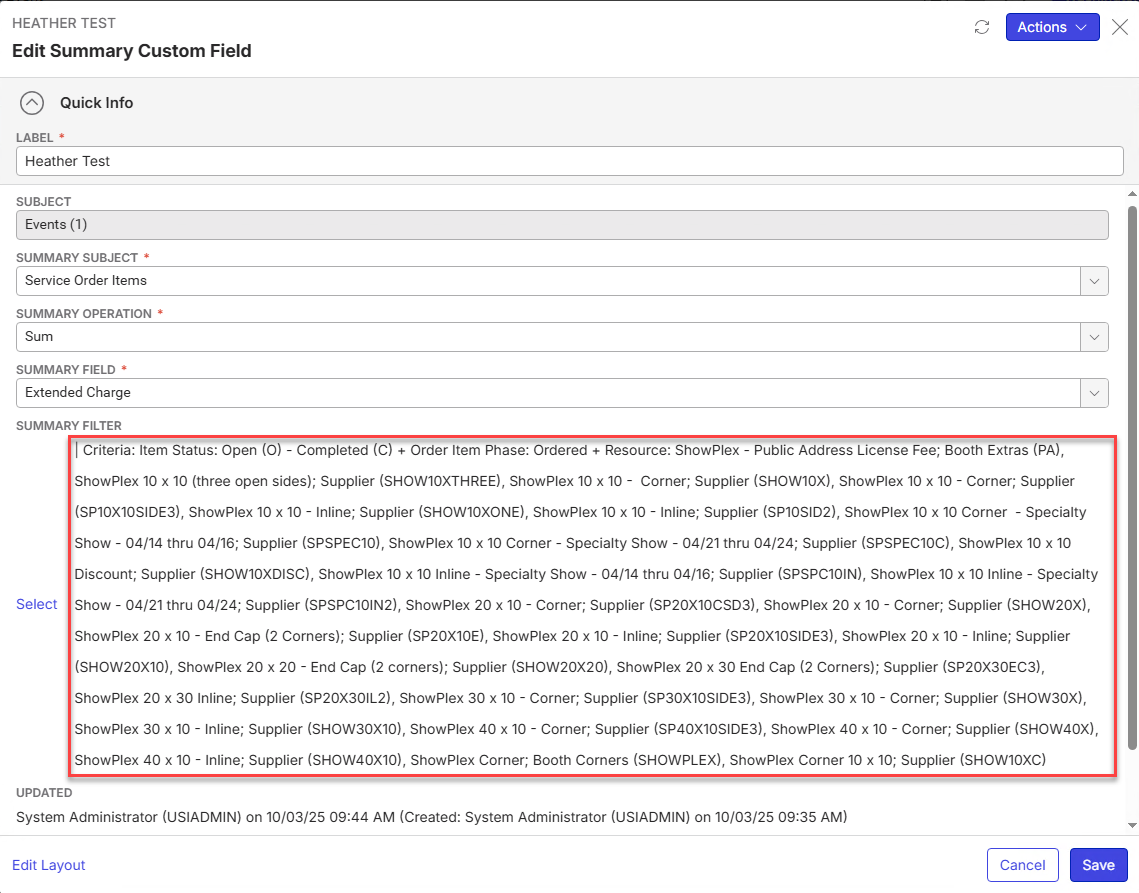
- Click the Edit button on the custom summary field "Heather Test"
- Notice the resources all show their names and codes - this field's resources were selected from the dropdown and not via Advanced Search
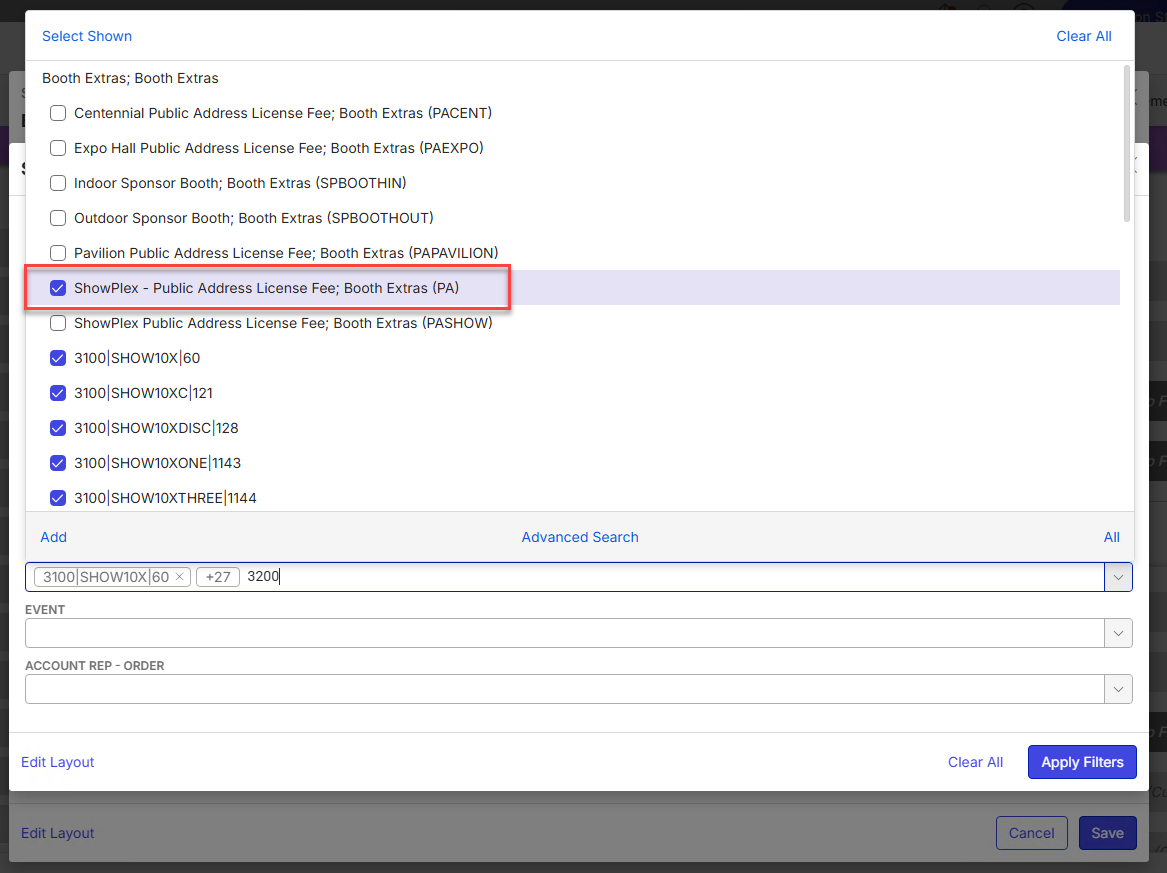
- If you navigate back to the other summary field "Showplex Booth Totals," and click Select in the Summary Filter section, then select a resource from the dropdown in the Resources field, you notice the resource you just selected now appears by its description and not just the code
- Click Save and view the Edit Event window again, you will notice the field is now picking up the total for the resource you just selected via the dropdown but not the ones selected via Advanced Search.
Observed vs. Expected Results: Would expect the resources that were selected via Advanced Search to be calculated into the summary field
What does the client want to accomplish: Accurate figures in summary field
Tagging: Cathy Herrick please advise
Attachments:
Attachments or screenshots:


-

Heather Lightsey in the filters, switch out the Resource field with the Resources (plural) field. That's the correct filter field to be using.
-
Anthony Costantino well I feel dumb. Thank you so much - that did the trick!
-
Heather Lightsey don't feel dumb, how do you think I learned this for myself the first time? LOL
Please sign in to leave a comment.
Comments
3 comments
Date Votes