ESC Order Items Section in Layout
Answered
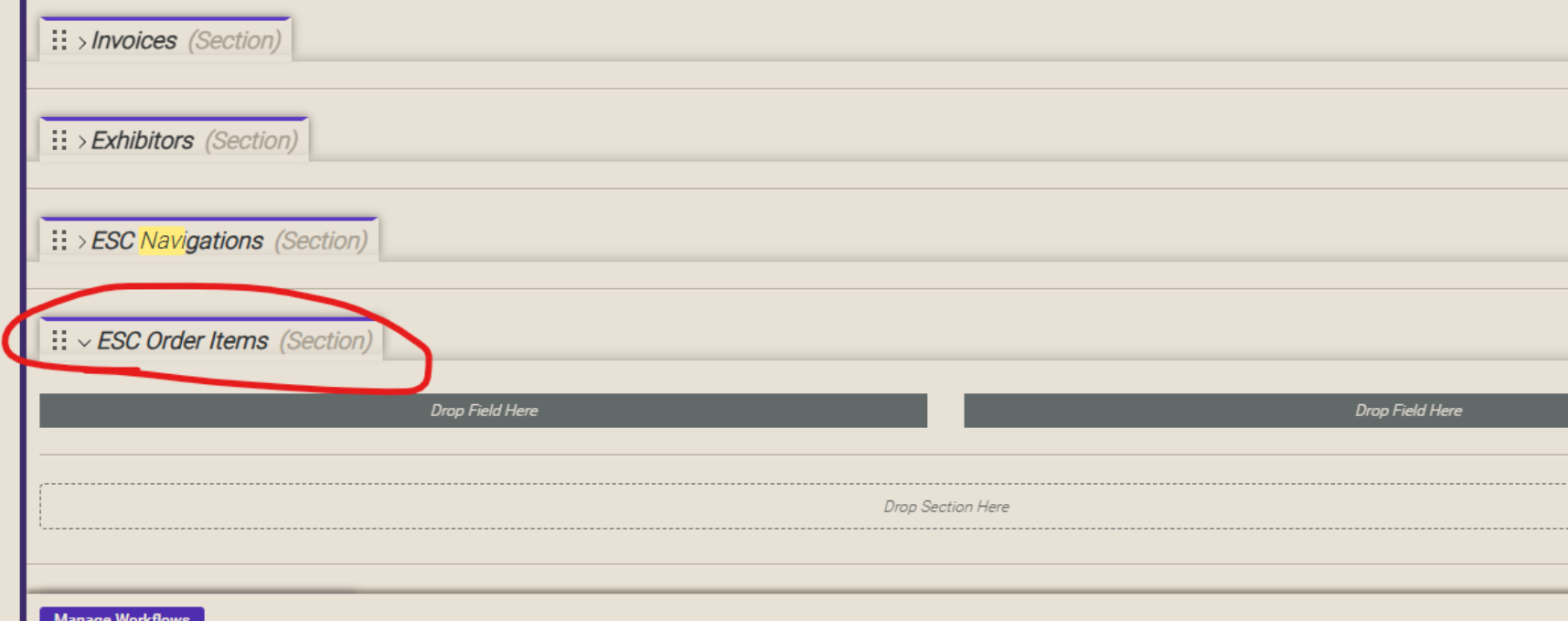
Is the ESC Order Items section in the Events window layout a valid section? I have a customer asking about it's use but when she pulls it into her layout, nothing appears there. Is it dependent on something else?
-

Here's the response i received from engineering
TL;DR: There are two reasons that section might not be showing:
1) They need to have the ESC COnfiguration filled on the Event.
2) They need to have the fields that go in that section actually in tht section. With no fields in the section, the seection wont show
All of these sections only fill when you have the ESC Configuration field on the Event filled and they're all part of the "Event-level overrides" suite of ESC features. (Event-level overrides are confusing, complicated, and difficult to maintain, fyi)
ESC Navigation: Shows the nav links from the ESC config associated with the event and allows you to disable/override them at the event level. This feature is not recommended for customers to use because it frequently creates confusion over what ESC pages are active on the site.
ESC Deadlines: Shows the Deadlines on the ESC config associated with the event, and allows you to disable/override them at the event level.
ESC Order Items: This is a section that normally contains a couple of fields: "Excluded Resource Departments", "Excluded Resource Categories", and the "Excluded Items" section. All of these fields and sections start empty and allows the user to select Departments, Categories, or exact resources to be excluded from the ESC store for this event. Again, another feature that I don't recommend customers use cuz they end up confusing themselves when something in ESC isn't showing.
-
Thanks Seth Halvaksz - This is great info!
Please sign in to leave a comment.
Comments
2 comments
Date Votes