🐛 Possible Bug - Scheduled Reports failure reason not displayed
Refer to Support
-
Environment Observed
- Where was the issue observed? NA
- Account Name Mondavi Center for the Performing Arts
- Account ID account-1992-A
-
Is this a converted account?
- No
- Date Converted (if known) n/a
-
Issue Scope
- How widespread is the issue? One customer
- Event Name : n/a
- Event ID n/a
-
Was the issue reported by the client?
- Yes
- Client Contact Name (if yes) Jack McDowell
- Client Contact Email (if yes) jmcdowell@ucdavis.edu
-
What’s the problem?
- Jack has scheduled a report and it is failing to send
- Notes in the app indicate failure, but no clarity on why, what is expected behavior for failures?
- Client is not receiving email with scheduled report in it or the failure notification
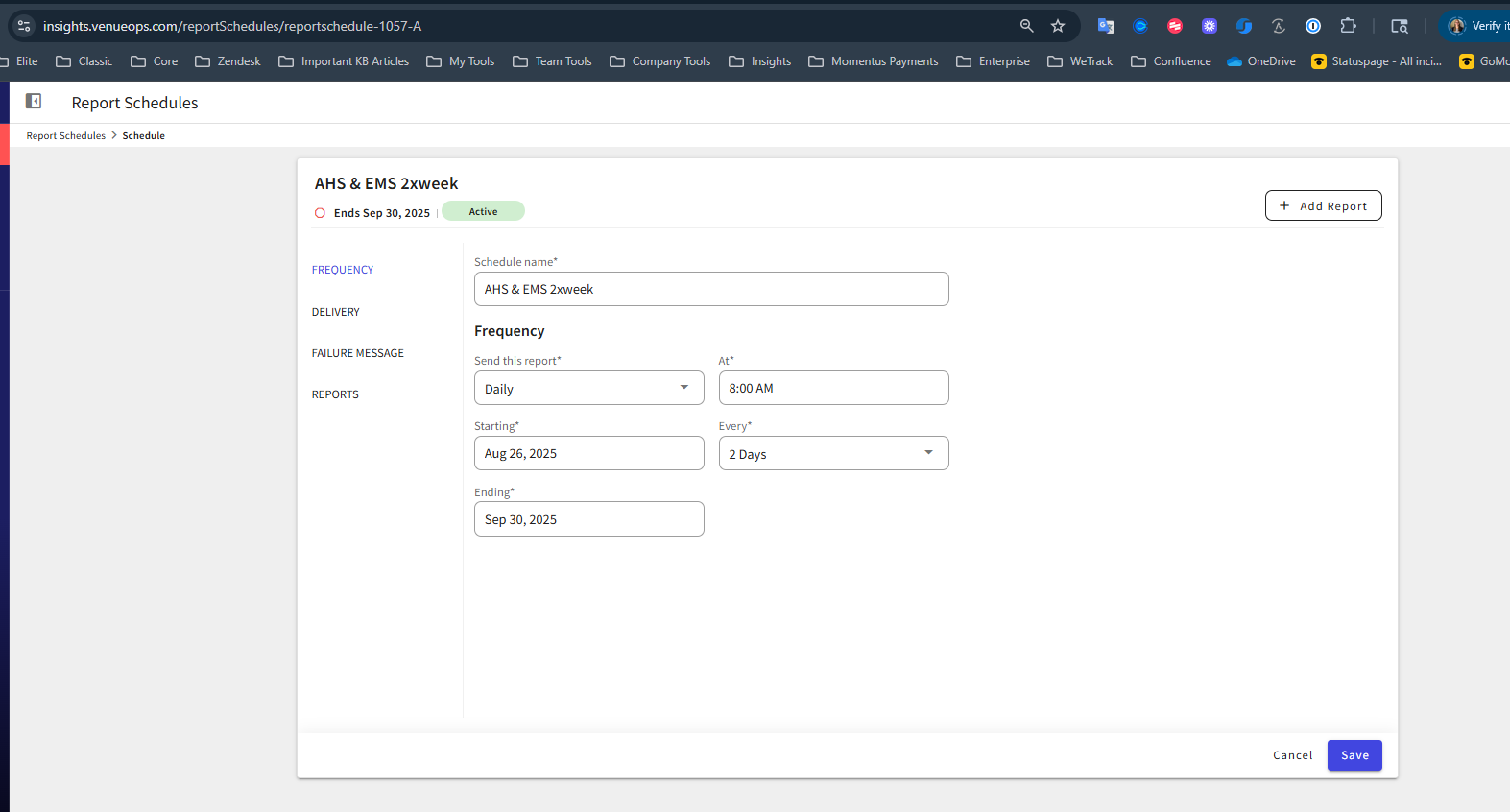
- Failure notice emails appear to be showing up intermittently. Last failure email received was 9/12. With a schedule of every other day the report should've run on 9/14 & 9/16 @ 8 am. Neither day has captured an attempted run of the scheduled report.
-
Is the issue reproducible?
- Yes
-
If reproducible, where?
- Sandbox
- Demo/Staging/Pitstop Account *Consulting TESTING DemoOps (snapshot: *Cohort TRAINING DemoOps)
- Demo/Staging/Pitstop Event ID n/a
-
Steps to reproduce the issue
- Sign into account with Insights Admin
- Go to Insights Admin > Report Schedules
- Configure a new schedule or reconfigure the existing test schedule (TEST - Kristi)
- Set time for run close to current time
- After time passes see if success or fail
- sign into mailtrap to look for email that should result in pass/fail
- sign into Postmark to review pass/fail email (if testing in sandbox, make sure to sign into the sandbox server)
-
Expected behavior
- Pass and Failure emails should be delivered each time pending the result of the scheduled report job
-
Troubleshooting steps already taken
- created a new schedule that was to run and did not receive email pass/fail, checked in Postmark for result, none found
- created a schedule for a different report, no emails received, nothing logged in Postmark
- Tried replicating in Sandbox and observed successful run of a scheduled report in Mailtrap, was not able to get a failure test to run
-
Workaround identified?
- No
-
Attachments available?
-
Postmark most recent failure email

Report Schedule defined by customer
Scheduled report failure note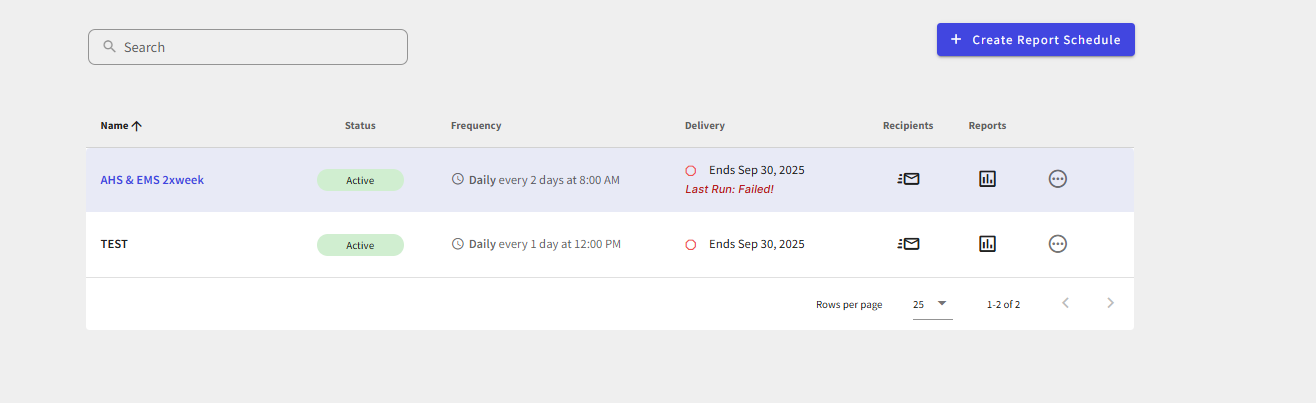
-
- Zendesk ticket link (for Support use) https://ungerboeck.zendesk.com/agent/tickets/368068
Additional Questions Support has:
- Need more clear explanation around reason for failure and date
- Does a “Failed” run stop all future runs of the scheduled report?
-
Elizabeth Fox @... - Need some advice on expected behavior for this feature
-
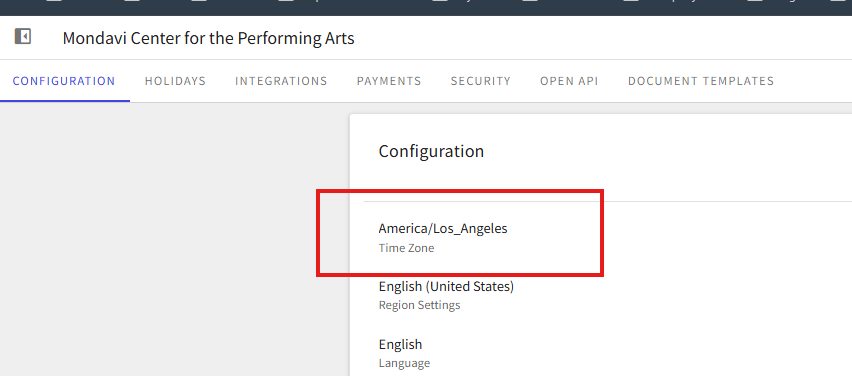
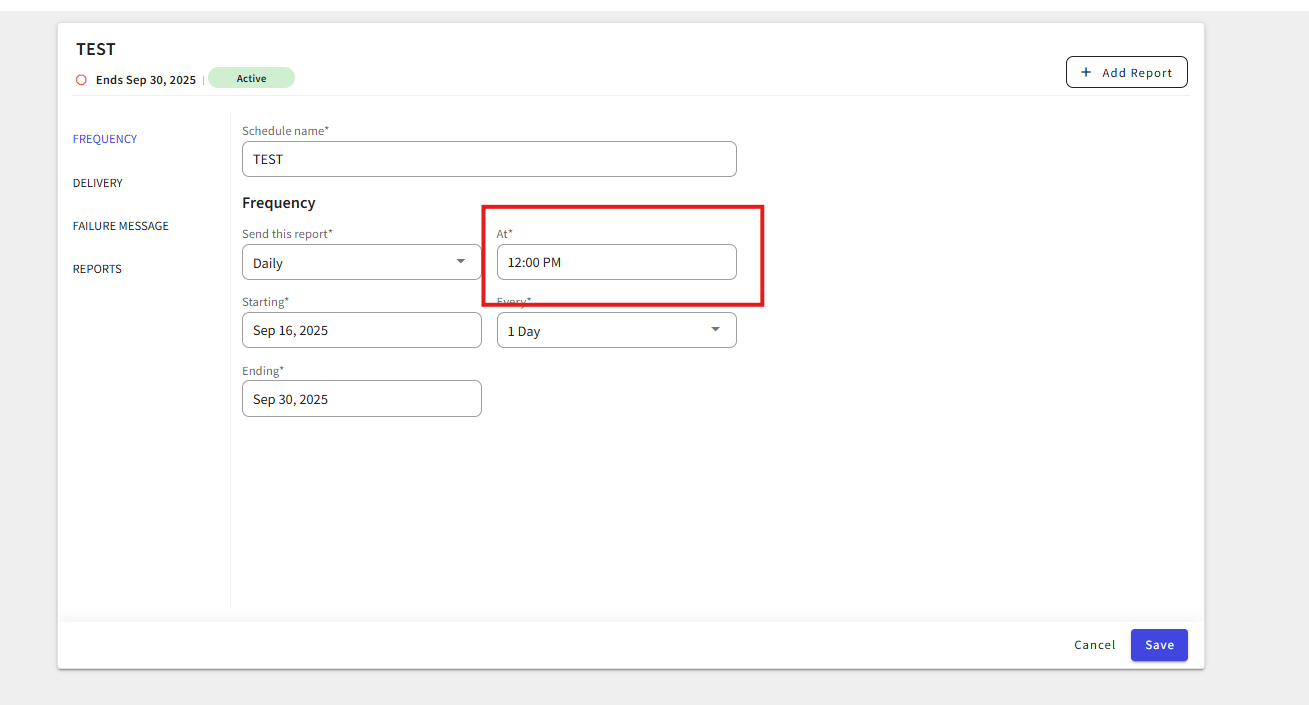
An update to this to say it did finally run at 3 PM EDT, which is 3 hours after its scheduled run time I expected. Is it possible the time field is looking at the region settings of the account?

-

Quick update from the client. They now state that none of their users are receiving the report emails.
-

Hi Kristi Miles
Yes, I believe the schedule does take the tenant's time zone into account. That said, if they set it for 12:00pm, they should get the report (or failure notification) not too long after that, in their local time…
I will take a look at their set up on my Friday 18th Sept -
Hi Kristi Miles
I can't see any obvious cause for failure. Please create a bug for this.
To answer the Additional Questions Support has:- Need more clear explanation around reason for failure and date
- This could be quite a complicated thing and not always successful, hence the scope was just to notify that it's failed
- Does a “Failed” run stop all future runs of the scheduled report?
- It should not, the schedule should try again at the next scheduled date and time, if successful or failed, the Delivery msg should update accordingly
- Need more clear explanation around reason for failure and date
-
Hey @...
Thanks for the additional info. We'll put that in our arsenal for later. We'll get the bug logged today and put a link to it in this post for safekeeping.
-
@... interesting, so continuing to play around with this schedule for Mondavi, Their region settings are America/Los Angeles (pst) and my local browser settings are America/New York (est)
When trying to test that report to run at an earlier period, I get validation issues saying the time is in the past from the same period. So the scheduler is using Region setting for the schedule running itself, but my local settings for time validation.
7:55 PST = 10:55 EST
-
Here is the Jira - https://ungerboeck.atlassian.net/browse/VOPS-6873
-
Thanks Alex Weygandt.
Yeh, Kristi Miles, while the schedule itself works based on the Tenant time zone (most practical as the schedule is server-side), the UI validation appears to reference the user's local time. 9/10 time those will match, but could be confusing for admins that travel or are based out of the venues time zone.
Please sign in to leave a comment.
Comments
9 comments
Date Votes