Service order item filters

Zendesk Ticket: 366589
Account: Calgary TELUS Convention Centre Authority
Region: Americas
Articles used in your research: unable to find any related materials.
General
Business impact if not resolved: Minimal impact. The client is seeking clarification on how to include or exclude fields in the Filter section for service order items
Short Summary of issue (issue description): Client would like the Main Menu / Navigation Menu "Service Order Items" window be the default window for any service order item access. Ex Events, Service Orders, and other windows. Reasoning is the filter selections shown from viewing service order items via navigation menu has more options available the client would like to utilize as compared to accessing service items from an order or event.
Macro Vertical: Convention Centers
Debug Environment:
Customer DB Location: Hosted
Database: CTCC_Prod_2007415759_USI
Server: Debug-Canada,1433
Version: 25.22025080401
V30 Link: https://supportwebus.ungerboeck.com/CTCC_PROD
User Login: usiadmin / ITRocks2014
Recreation Steps:
Main Menu > Service Orders
Main menu > service orders
Search any order (27241) > Service order items
Click filters > filter box appears with different selections compared to the two above
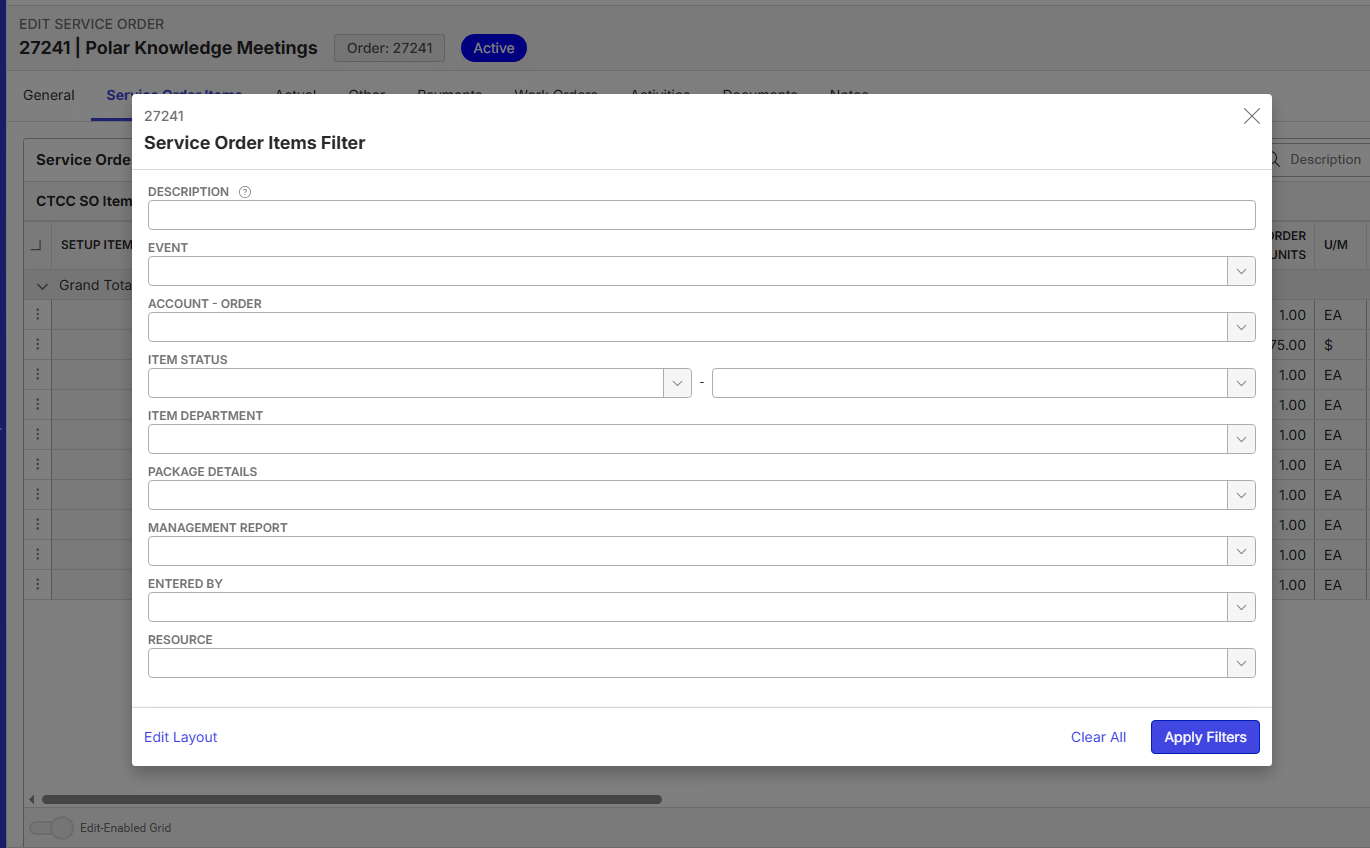
Event
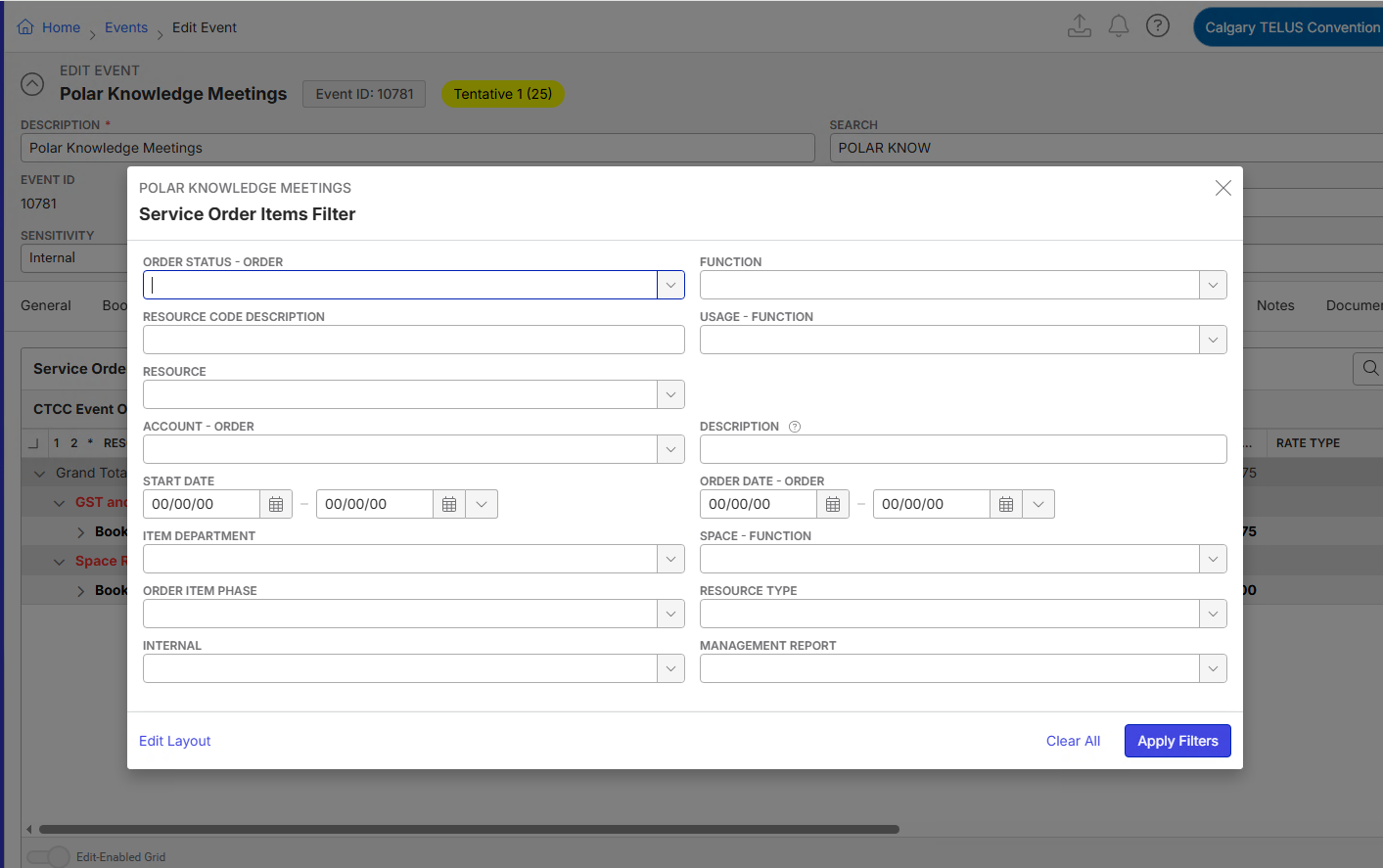
Events > choose any event with service order items (10781)
Click more filters > Order Item Phase does show but the filter selections are different
Main Menu > Service Order Items
Main menu > select drop down next to service orders
Service order items > more filters
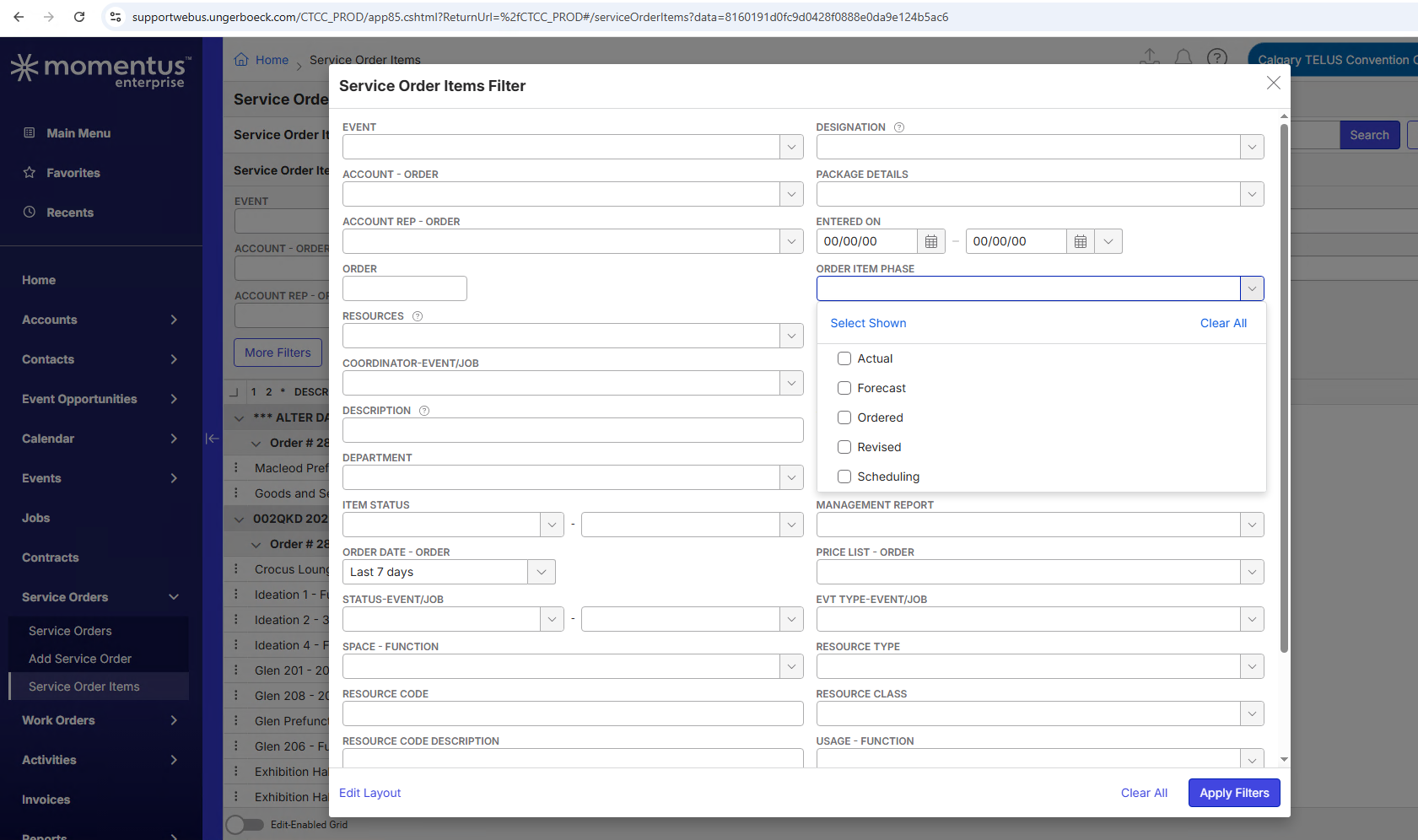
Observed vs. Expected Results: The above screenshots show the filter selections vary depending on how a user is access service order items. Is there a way to have the filters shown on the Main Menu / Navigation Menu "Service Order Items" window for all others?
What does the client want to accomplish: Knowledge of whether the filters are configurable for all windows with service order item access.
-

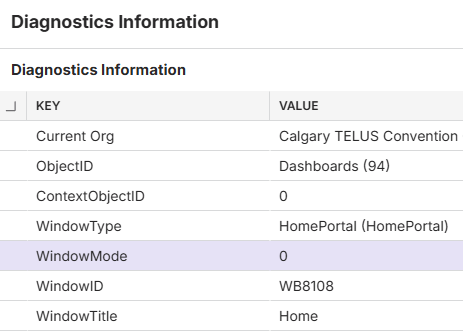
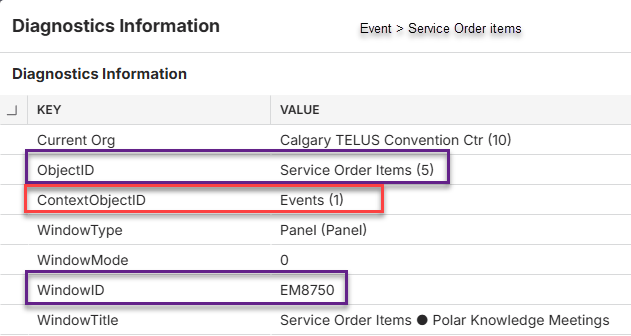
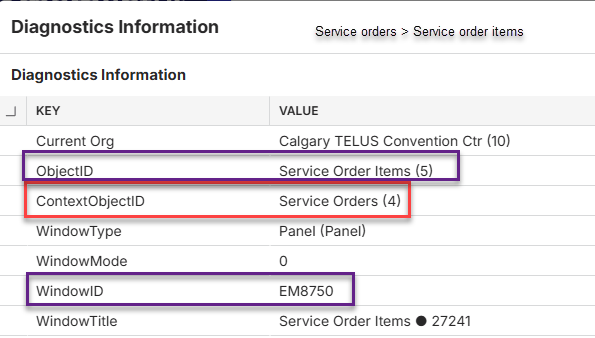
Zach Lono - I'm wondering if the ObjectID, ContextObjectId etc are all the same on each of these windows or not?
This would be found on Diagnostics Information - can you check that and retag me when you know?

-
Cathy Herrick Here are the current settings from their PROD:
-
Carissa Harrison - I'm thinking that the reason there are different layouts on the filter search is that the ContextObjectID is different which each way the SO Items window search is accessed (See below screenshots). And this probably occurred as a result of changes to improve breadcrumbs: https://supportcenter.ungerboeck.com/hc/en-us/articles/29568572082071-What-s-New-in-the-New-UX-2024-4-2025-1-Updates
So this would be working as designed then, however it would be very time consuming for clients to update their filter search window layouts for every individual way a search page is accessed instead of each way inheriting what has already been set - do we have any workaround or best practice rec for this?Main Menu > Service Order Items

Event > Service Order Items
Main Menu > Service Orders > Service Order Items
-

Cathy Herrick You are correct, that section grids filter layouts are different because the subject that is being filtered is in a different context in each grid.
For example: It doesn't make sense to filter by order number(s) if the order items grid is already in context of 1 order when viewing a specific Service Order. It doesn't make sense to filter by event id(s) if the order items grid is already in context of 1 event.
Please submit this as product feedback.
Please sign in to leave a comment.
Comments
5 comments
Date Votes