Unable to delete some Dashboards
Answered
-
Description of the issue: Unable to delete some of the Dashboards
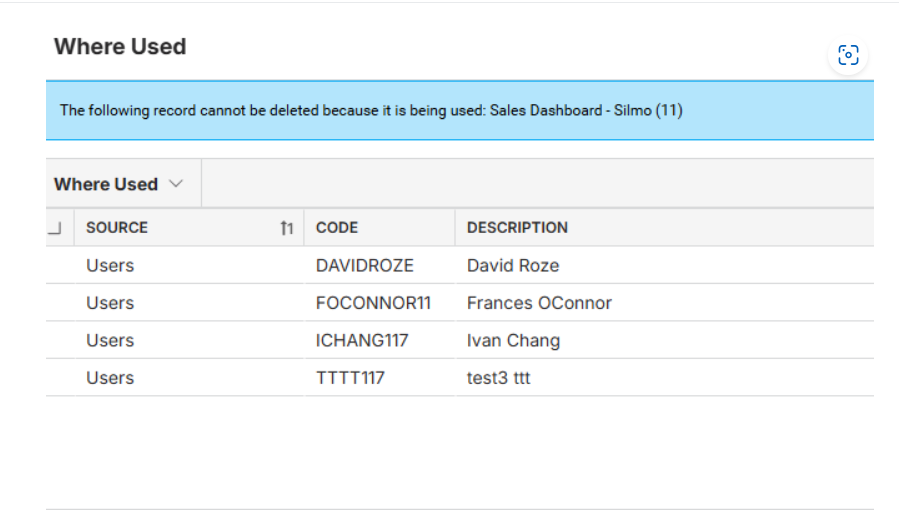
For example, we want to delete the dashboard named 'Sales Dashboard - Silmo.' When we try to delete it, we receive a message saying, 'The following record cannot be deleted because it is being used,' followed by a list of users who are currently using the dashboard.
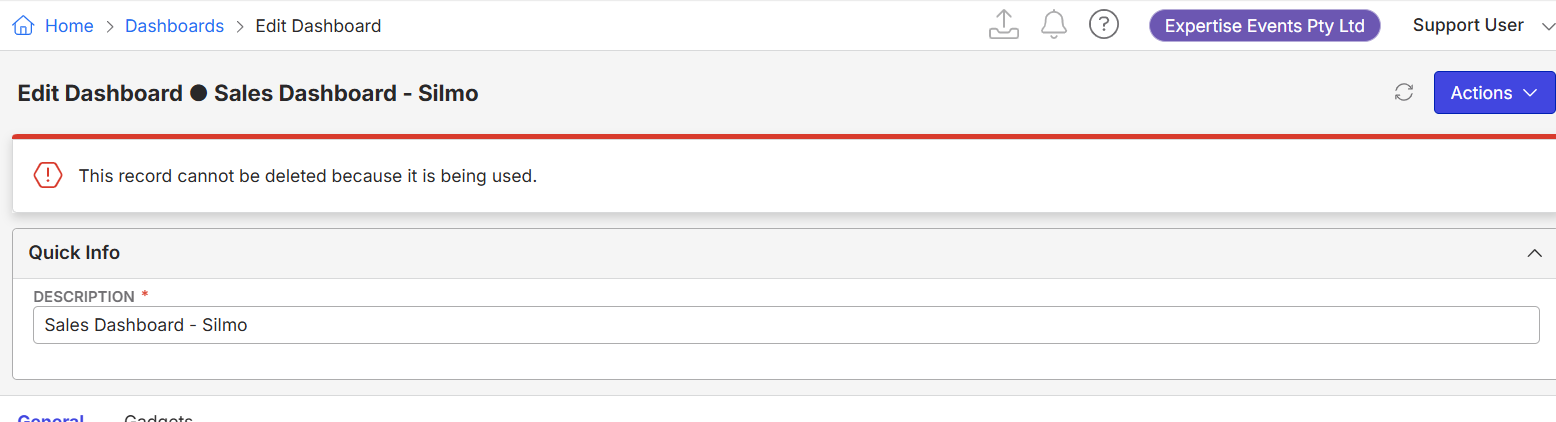
After this, we go into each user and remove the associated dashboard. Then, we attempt to delete the dashboard again. However, we are still unable to delete it. Since we've already removed all users from it, there is no user list associated with the dashboard anymore. We only see the message: 'This record cannot be deleted because it is being used,' but there is no indication of which users are still using it, as we have already removed them.
Below are the screenshots which shows deleting dashboard before removing associate users and after removing associated users
-
Do we have any other method? Are we missing something? Please guide us.
Account name: Expertise Events Pty Ltd (EE) - Region: APAC
- Client version: 25.1
-
Steps to reproduce:
1. Go to Dashboard from main menu
2. Search for the Dashboard (e.g - Sales Dashboard - Silmo)
3. Edit the Dashboard → Click on Actions → Delete
This will show us message “This record cannot be deleted because it is being used” but we don't see the list of users who are using the dashboard so that we can remove this dashboard from each user
- What is the job the client is trying to accomplish: They are trying to delete multiple dashboards
- Business impact if not resolved: Not such as they can still inactivate the dashboard but they would like us to delete them
- Links to articles where you've looked for solutions and also other steps you've taken to research the issue: Dashboards – Momentus Support Center
- Link to Zendesk ticket: Ticket: Cannot Delete Dashboards – Momentus Support Center – Zendesk
- Local v30 URL: https://supportwebap.ungerboeck.com/ExpertEvents_Prod_1557833371_USI_V30
-

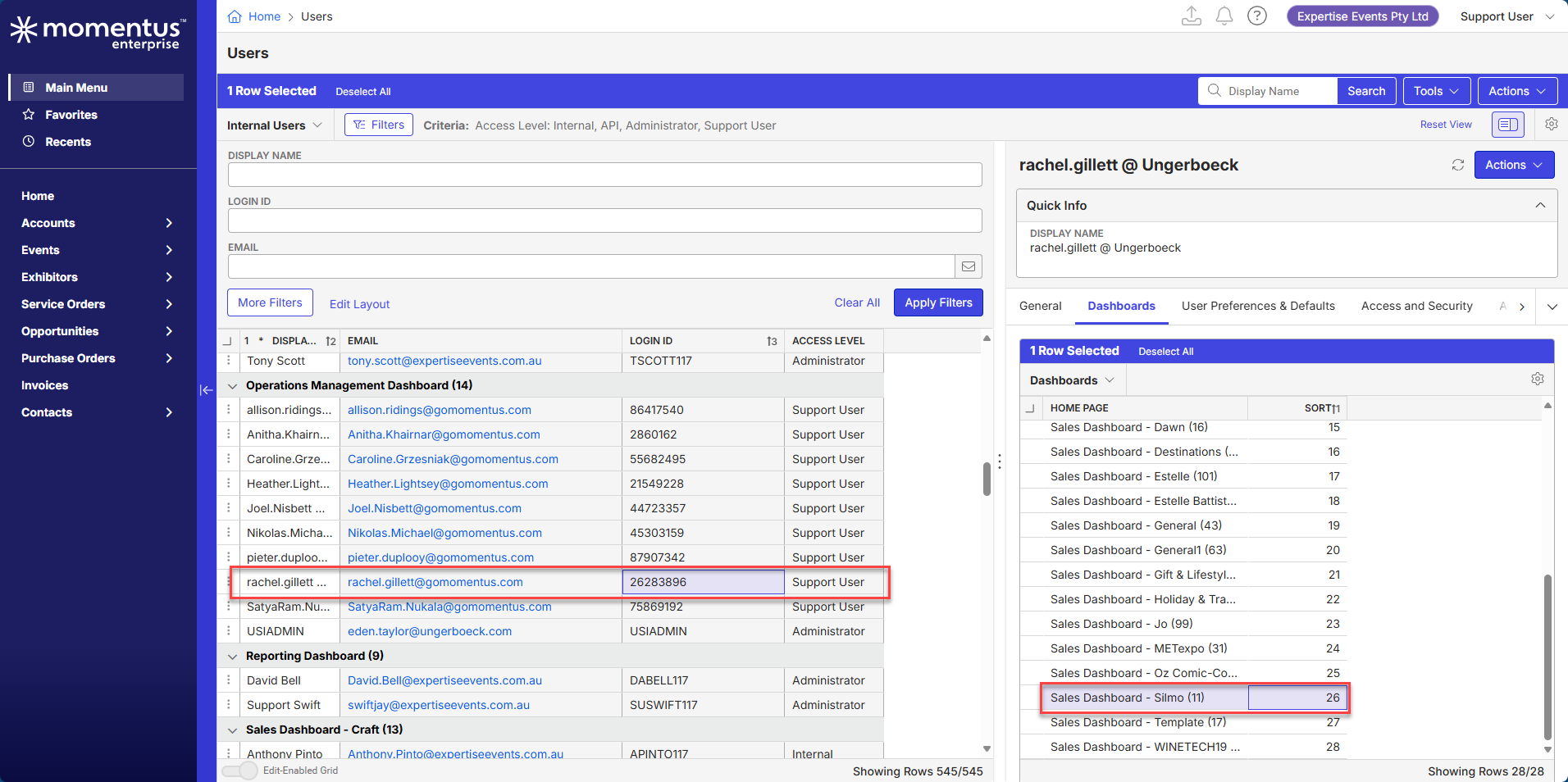
Hi Akash Satalkar , it looks like the Dashboard in question was also assigned to a Support User, which you can't see unless you login to the environment as a Support User (not even USIADMIN could see this type of user). We've run into this issue before where customers are trying to delete dashboards that Support Users are assigned to and they get an error message even though it looks like there is no one assigned to whatever dashboard they are trying to delete. Once you login as a Support User (using your Okta login info), you should be able to see this user and remove the dashboard from her profile, allowing the customer to successfully delete the dashboard. Hope that helps!
-
Hi Heather Lightsey
Thank you so much for your inputs. We will follow the same going forward. -

Thanks Heather Lightsey
-

Hey all! I've added a callout to the Dashboards article letting people know that if they for sure have removed all users (active and retired) and still are getting the message that it can't be deleted because it's in use, to submit a ticket (and include the name of the dashboard!).
Please sign in to leave a comment.
Comments
4 comments
Date Votes