Pricing Schemes Editing/Saving error message
Answered
- Description of the issue: Unable to add more than one row in the Pricing Schemes window and error message popping up when more than one row is added
- Account name: Merivale
- Region: APAC
- Client version: 24.4 (issue occurs in all versions)
-
Steps to reproduce:
- Log in with usiadmin/ITRocks2014
- Using the home menu tab, type and navigate to the ‘Pricing Scheme’ view
- Right click and edit, edit pricing scheme, on any of the following listed rows
- Right click and ‘add row’ then hit save
- Edit pricing scheme again and add another row, now when saving you will encounter an error message
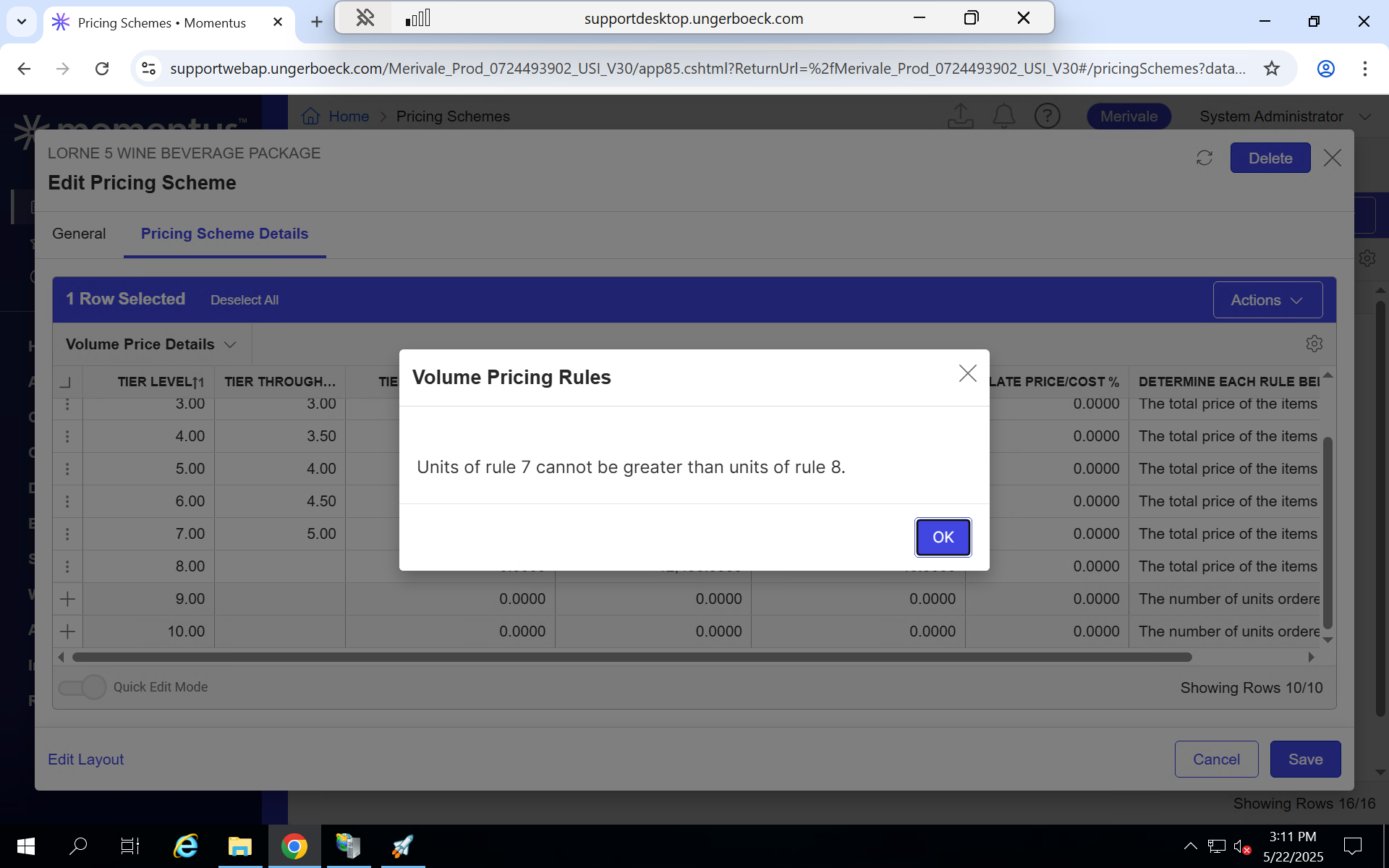
- Observed results vs Expected results: The ‘Volume Pricing Rules’ error message displays no matter what values are entered, and always when more than one row is added. Expected result is to be able to add more than one row at a time and be able to enter values and save without error message.
- What is the job the client is trying to accomplish: Client would like to able to add more than one row and also be able to save their progress in the editing pricing scheme window without it closing (this has been resolved in 25.1 with the save progress button but the issue of adding more than one row without error message persists)
- Business impact if not resolved: Client has suggested it will waste more time as the process is tedious
- Links to articles where you've looked for solutions and also other steps you've taken to research the issue: N/A
- Link to Zendesk ticket: https://ungerboeck.zendesk.com/agent/tickets/357111
- Local v30 URL: https://supportwebap.ungerboeck.com/Merivale_Prod_0724493902_USI_V30/app85.cshtml?ReturnUrl=%2fMerivale_Prod_0724493902_USI_V30
-

Tyler Boukouvalas what articles did you review to try and answer this question? We want to ensure documentation is updated if there are gaps.
-
Hi Seth Halvaksz this was the only article I could find https://supportcenter.ungerboeck.com/hc/en-us/articles/360050455773-Pricing-Schemes but didnt have any information on adding multiple rows
-
Mike Schepker could you review this
-

This looks like a bug to me, probably the timing in the saving process. Tyler Boukouvalas does the same thing happen in classic UX?
-
Mike Schepker Yes this is happening in all the versions of the UX
-
Tyler Boukouvalas I'd say it's still a bug. I was going to suggest reverting to classic UX as a workaround if it worked there.
-
Tyler Boukouvalas relooking at the screen shot and what you posted, it's not clear if they are actually entering units prior to inserting the second new row. For instance, it sounds like they are inserting a row, not entering units, then inserting another row. Is this what they are doing? If so, then this would NOT be a bug. They should be entering the units as they enter the rows.
Please sign in to leave a comment.
Comments
7 comments
Date Votes