User does not see Custom Fields
Answered
Hi team,
I am struggling with an issue for Jaarbeurs and I can not find the solution:
Business Case: I have an User who can not see Custom Fields; in this specific case it is about Summary and Formula Fields. As admin or any other user, I see the following columns in my view:
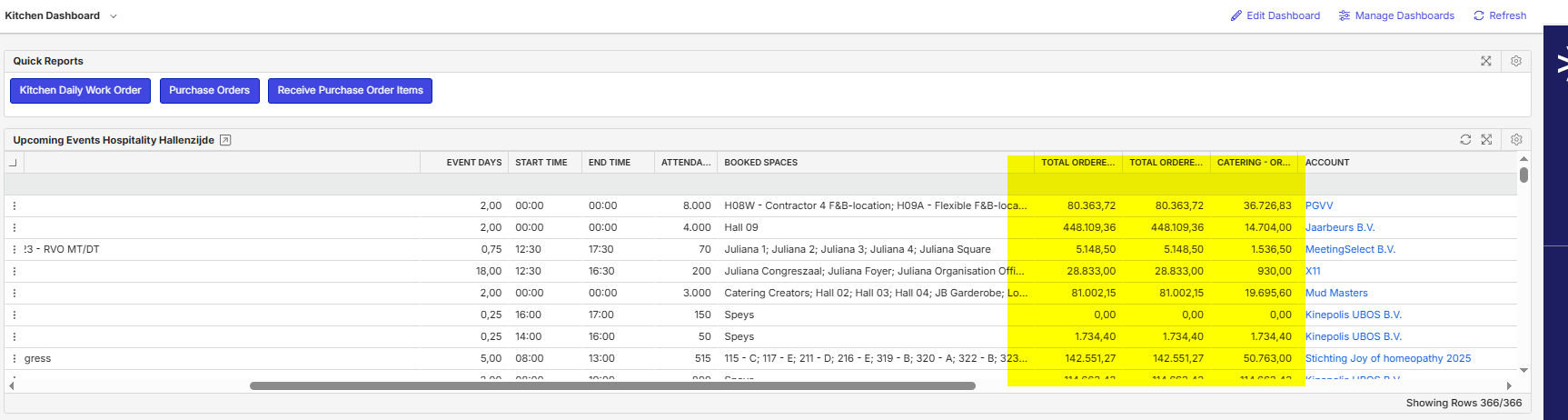
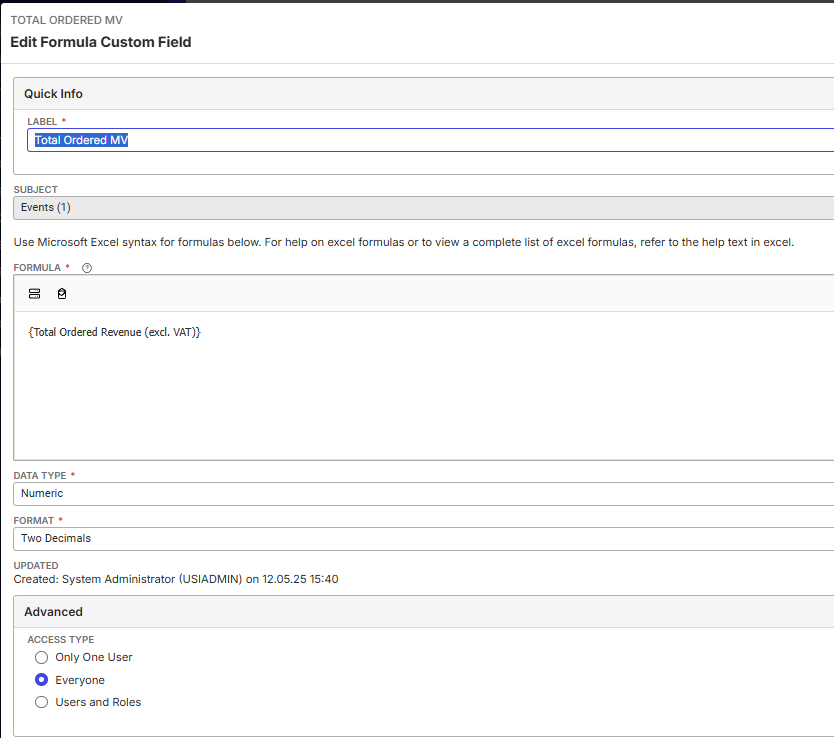
Two of them are Summary Fields and one of them is a Formula Field just showing the value of one of the Summary Fields.
The Kitchen User sees exactly the same view, but without the three columns. Also, the fields are not visible in the Show Columns Option for them.
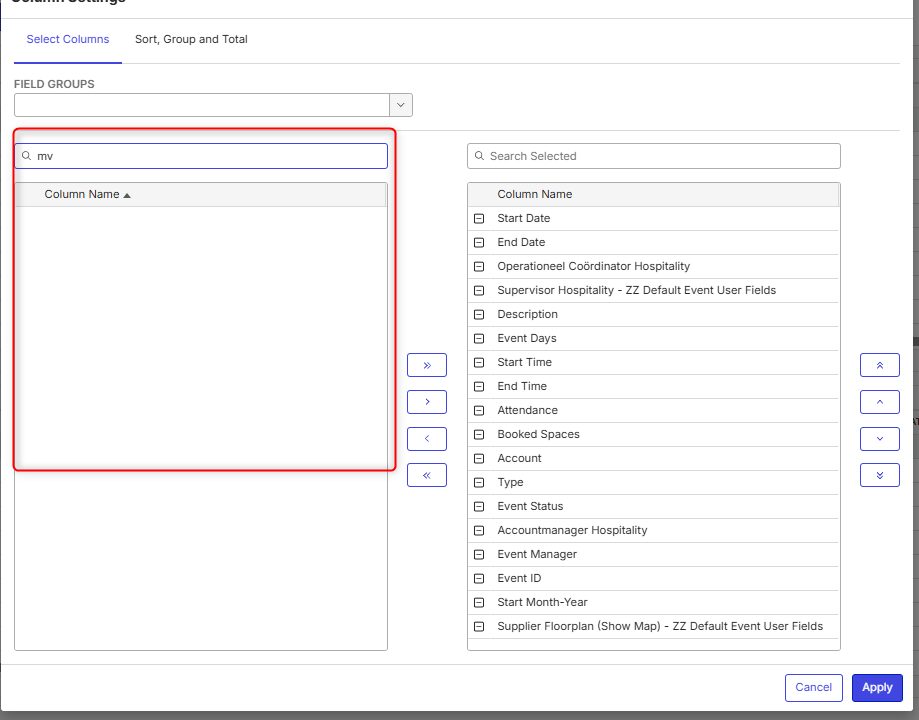
So it seems it is related to access with Custom Fields in general.
It happens for the same user with an Express License and Professional License (I tested both). Also, I have checked and compared all the System Features, Access Restrictions and Field Restrictions, with a role with access but I could not find any differences.
Also the Access on the fields itself are checked and set to Everyone:
When I change role, the other user can see the columns as expected. It is just this role.
Does anybody has any experiences with this issue?
- Description of the issue: See above
- Account name: Jaarbeurs
- Region: EMEA
- Client version: 25.1
-
Steps to reproduce:
- Open Kitchen Dashboard with USIADMIN Role > Columns are visible- Open Kitchen Dashboard with Kitchen Role > Columns are not visible
- Observed results vs Expected results: I am trying to understand why the columns are not showing.
- Business impact if not resolved: Revenue fields can not be seen by Kitchen Department.
- Links to articles where you've looked for solutions and also other steps you've taken to research the issue: https://supportcenter.ungerboeck.com/hc/en-us/articles/360007711654-Custom-Fields#h_01HW5M2RAXS660YHDZ2S16GYQ4
- Link to Zendesk ticket: N/A
- Local v30 URL: N/A
Sarah Götza and myself have checked the most possible configurations, but couldn't figure it out. Any other consultants experience with this topic? Anthony Costantino Samy Kheloufi Maximilian Fankidejski ?
-

Minka Verkaar can user see other custom fields? Is this isolated to only these fields?
-
No, the user (and the role) can not see any custom fields. None.
-
I wasn't sure which environment or specific role to look at, Minka, so I used Production and looked at the Catering Kitchen role. If that was the right one, I notice you don't have the Report Builder feature set assigned to the role. I think that is your problem. Add it and see if that allows the fields in question to appear.
-
If that's not it,… I also believe custom fields will be hidden IF the user does not have access to the underlying subject/fields that the summary field references. For example, if I'm not allowed access to Service Order Items, then I'm also not able to see any summary fields that aggregate on Service Order Items.
-
Hi! Thanks Anthony Costantino for your time spend on this topic!
- Report Builder Feature has been added to the Role, but still no fields visible.
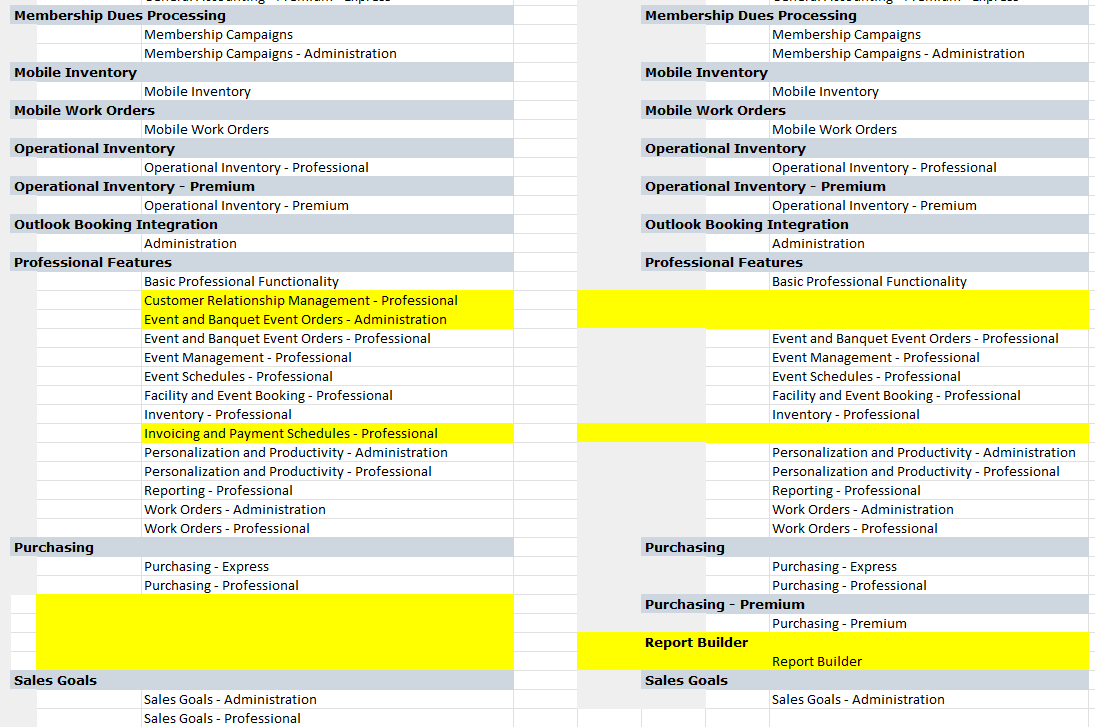
- I believe the Role has access to Service Orders/Service Order Items etc. in the Features, that has been tested as well, but still no result. I have compared the Features with another role which does have access and see the differences below. I don't think the access in Service Order Items is related to Feature:
(Yes, there are also some Features which are unneeded for these roles, but that is another topic ;-))
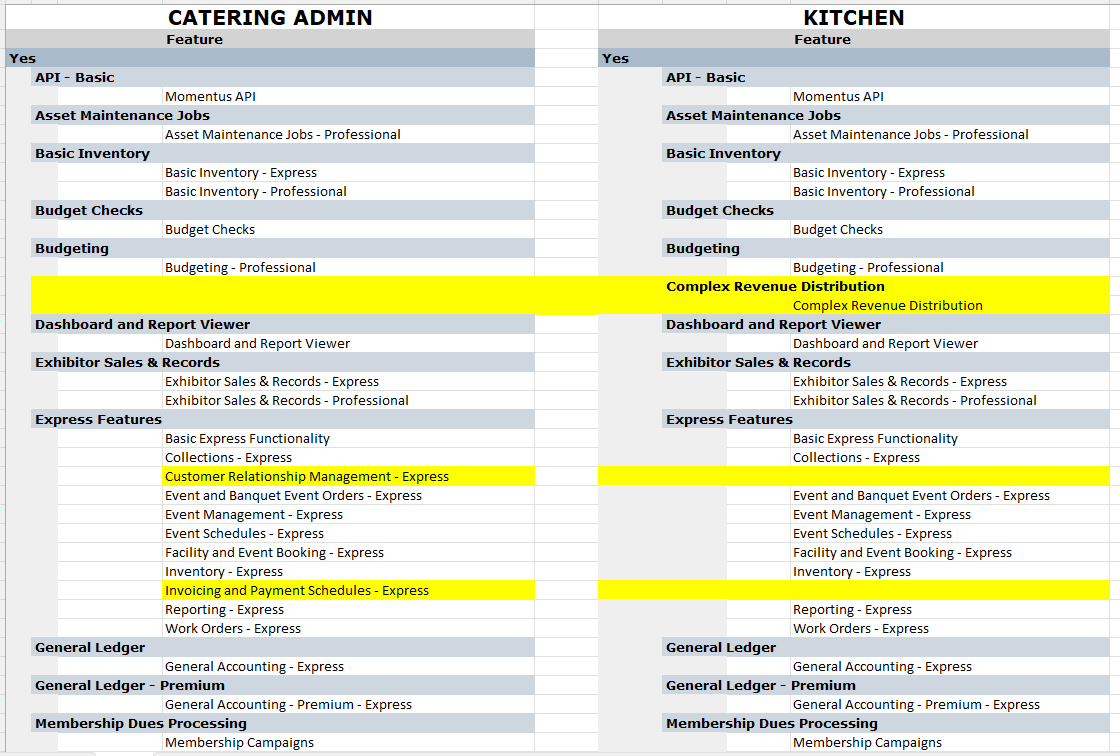
- Also, no difference between Express/PROF.
I also compared the Access Privileges and they are the same.
I am out of my options ;-)
-

Thanks Tony for helping out.
Minka, i'm not sure what to suggest here. Other than to continue to try to compare a user that can see the custom fields, with a user that cannot. You should be able to isolate the difference.
-

For the ones who are interested what caused this issue: the Custom Field was build on the field ‘ Local Extended Charge’ which is part of the Invoicing & Payments Feature. The same field is also available in the Basic Express Functionality, but with a different ID.
Even though the users did have access to Service Order Items, this specific field is set in a different feature which caused the issue.
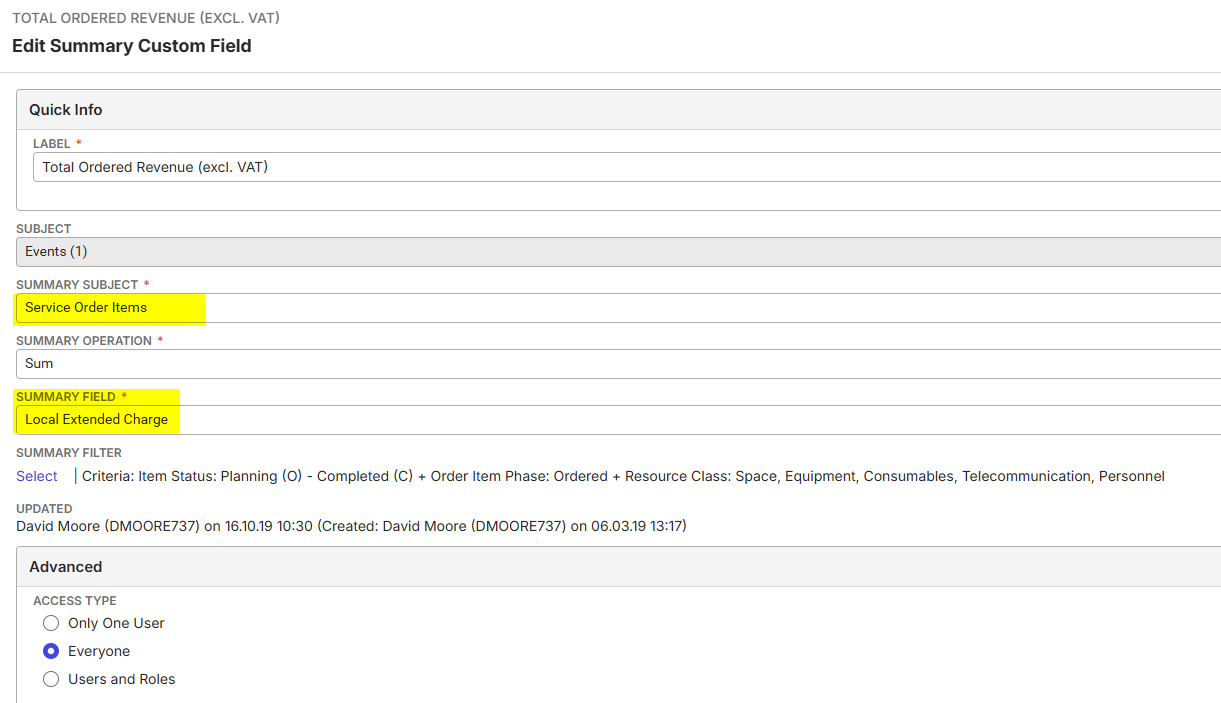

I have granted this role access for only the second ‘Local Extended Charge’ and the user can see the field(s) now.
For now, the issue has been solved.
Please sign in to leave a comment.
Comments
7 comments
Date Votes