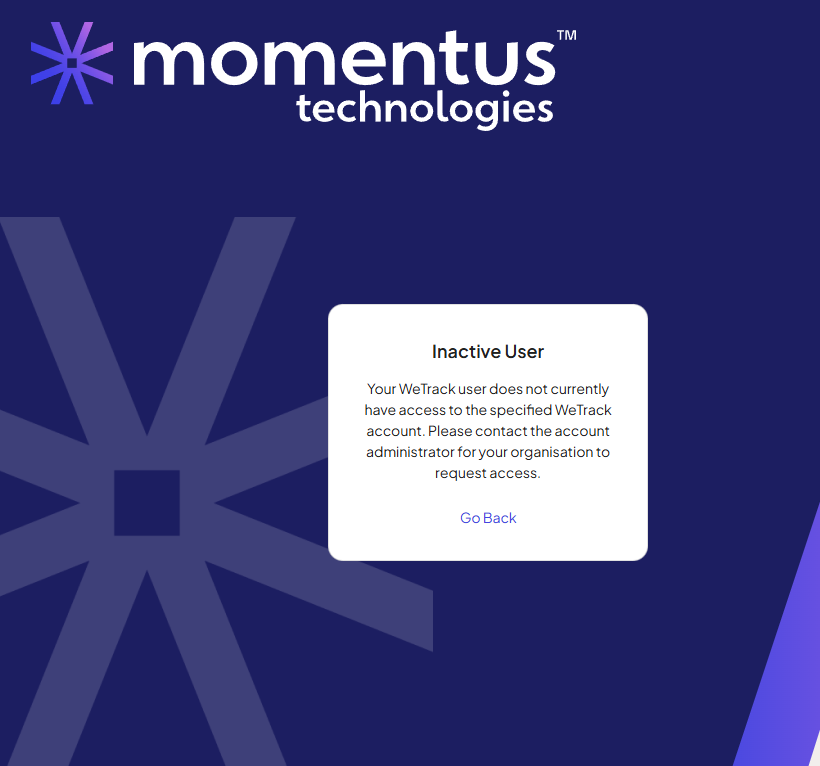
Inactive User message if browser window closed then trying to use WeTrack again

- Account name Arena Group
- Region EMEA
- Description of the issue
- A user receives an Inactive User message when trying to use WeTrack if they had closed their browser window down from the previous session. In order to sign in again, they need to reset their password. This happens repeatedly, on various devices and various browsers. The browser cookies have been cleared
- They want to not have to reset a password each time the browser window is closed.
- A user receives an Inactive User message when trying to use WeTrack if they had closed their browser window down from the previous session. In order to sign in again, they need to reset their password. This happens repeatedly, on various devices and various browsers. The browser cookies have been cleared
- What you've already tried or suggested. Suggested clearing cache, suggested different browsers or different devices.
- Business impact if not resolved - Dissatisfaction with software ease of use.
- Attach relevant files (such as screenshots)
- Links to articles where you've looked for solutions and also other steps you've taken to research the issue.
Searched in Zendesk for tickets with inactive errors, login issues, searched in KB.
What could be causing this?
-
-

-
Bumping this one. @... any ideas? Thanks!
Please sign in to leave a comment.
Comments
3 comments
Date Votes