RCI (Registration Check-In) - How to remove licensed users?
Answered
Hi,
My client, AIS, have enquired about removing a specific licensed user who is leaving the company from the application. Can you advise how this can be done, please? It is something the client can do themselves or does a ticket need to be submitted?
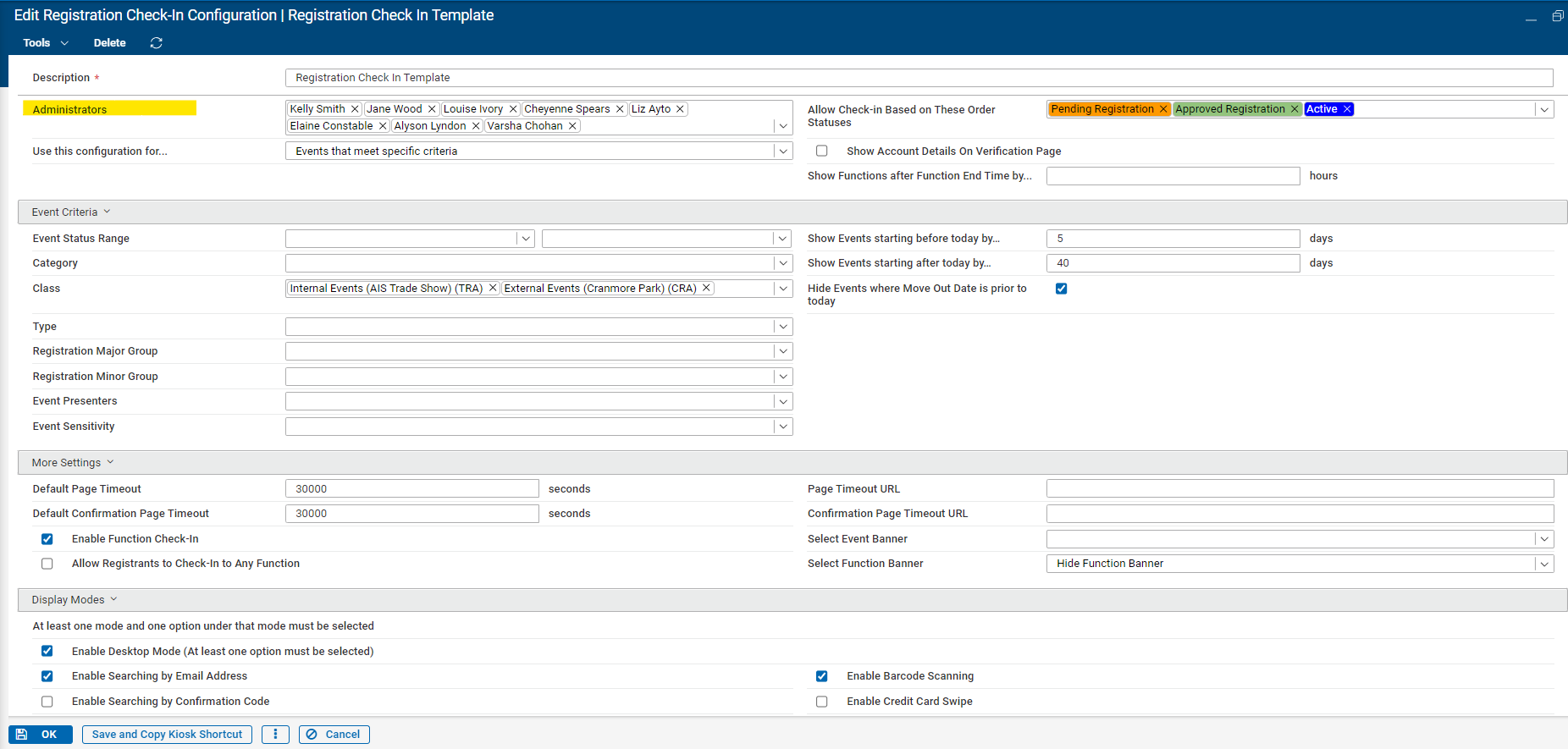
I had a look at the RCI article (Registration Check-In (RCI) – Momentus Support Center (ungerboeck.com) and also the configuration in the back office and not able to locate anything obvious.. unless it has to do with removing the administrator? However, the specific user is not mentioned in the administrator field.
Thanks!
-

I'm not 100% sure on this one. I know there is a page in myUSI that lists out RCI Licenses. Nothing has been updating there in almost a year. I do see @..., Mike Schepker, and Anitha Khairnar on the entered/changed stamps so maybe they can help us out.
-

As far as I know, that hasn't changed. Licensed users are still managed through MyUSI.
Here is the documentation that I have from 2023 (I've created a Confluence page for other Support team members)
NOTE: In order to manage RCI licenses in MyUSI you must have the RCI role added to your user.
Adding a New RCI License
If a customer purchases a license for the RCI mobile app, a license code will need to be generated for each device (1 license per device). To create a license code do the following:
- Login to MyUSI
- Go to RCI License from the Main Menu
- Click Add to add a new license
- Enter the number of licenses to generate.
- Choose the customer account for the license
- Enter the Zendesk case number for the license request
- Click OK to save.
Resetting an RCI License
If a customer calls in and needs their license to be reset (for instance, they received a new phone), do the following:
- Login to MyUSI
- Go to RCI License from the Main Menu
- Find the existing license using the search and edit the record
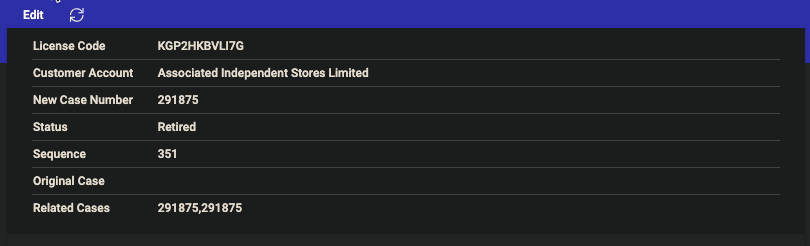
- Change the Status from Active to New. This will break the link between the license and the original device. A related case number may be entered for record purposes.
Retiring an RCI License
If a customer cancels their RCI license, or if the original license needs to be retired and a new one generated, do the following:
- Login to MyUSI
- Go to RCI License from the Main Menu
- Find the existing license using the search and edit the record
- Change the status from Active to Retired. This will prevent that license from being used to access the RCI app.
-
I should also note, that's for the RCI mobile iOS app, not the web application. There is no user or device-specific licensing for that.
-
Hi Mike Schepker thanks for the above information. That's very useful!
Can I ask whether there is a limit on how many users can be licensed for the RCI mobile app or is it unlimited? Thanks!
-
Ella Fancett Yep, there is a limit. I don't know if it's still handled this way, but there's a number of users field on the RCI license. They should only get the number of licenses they've purchased. If they need additional, they need to purchase additional or deactivate an existing license to move it to a new device.
-
Hi Mike Schepker Thank you! that's really helpful :)
-
I just tried the ‘retire’ user step on MyUSI however, when i click save, the changes do not change for some reason…. what else would i need to do?

The client also asked whether they are able to log users out of the RCI mobile app out themselves. Is that possible or do we have to do this in the backend on their behalf? Thanks
-
It worked for me. Maybe it's an issue with your user.
I don't know if you can log out of the RCI app. Maybe reach out to Product or Quality. I no longer have it installed.
-
Thanks, Mike! Not sure why i can't retire the user on my side for some reason..
Seth Halvaksz looping you in on the conversation to see if you could assist with more info on whether licenses are assigned to devices (you always have to use the same device to use the app) or email assigned (user can log in/out app to use on any device). If the latter.. can you direct me to instructions on how users can do this themselves?
Thanks!
-
Ella Fancett They are per device, not user. If the user gets a new phone, the old license needs to be reset as outlined above in order for them to use it on a new phone. It's not tied to their email address.
-
Hi Mike,
Thank you and noted!
Please sign in to leave a comment.
Comments
11 comments
Date Votes