How to use Add Discount & Add Surcharge Functionality when having different Resources?
Refer to Product Ideas
Hi team,
I have a question about the designed functionality and Best Practise ‘Add Discount’ and ‘Add Surcharge’ in a Service Order and the requirement to use two different Resources for this.
Business Case: the customer would like to report on Discount Resources and Surcharge Resources and would like to set up two different Resources for this. However, in the Resource Type you can only link one Resource, which is also mentioned in the Support Article:

(Source: https://supportcenter.ungerboeck.com/hc/en-us/articles/211809997-Configuring-Surcharge-Resources)
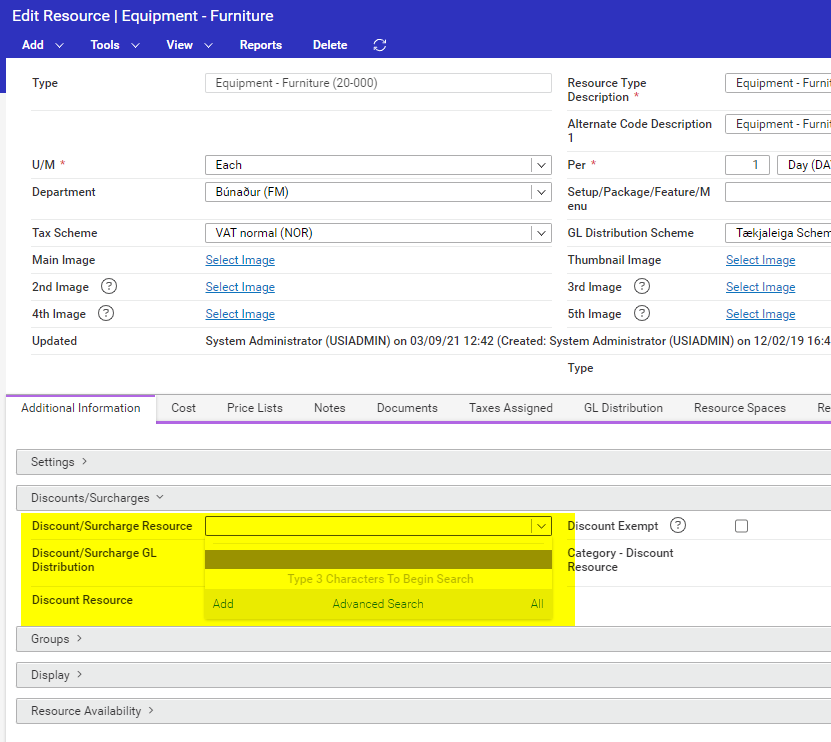
Question 1:
> Is there any option to use two difference Resources for this? Especially when they have for example two different GL Distribution Schemes? I can think of duplicate the Resources in another Resource Type, but I don't like this idea very much.
Question 2:
> If we need to stick with one Resource, I am looking for a way to report on the Discounts and Surcharges. In the Service Order Item I can add the following columns:
For Discount: Discount Percent/Discount Amount/Discount Category/Discounted Item
For Surcharge: Surcharge Percent/Surcharge Amount.
The Surcharge Category and Surcharged Item are missing. Where can I see the Surcharge Category and the flag that the item has a Surcharge?
Thanks
Minka
-
Hi @... can you help me out with the case above?
Thanks
Minka
-

Both questions will need to turn into enhancement requests.
Please sign in to leave a comment.
Comments
2 comments
Date Votes