Clean Up Opportunity Types
Refer to Product Ideas
I would like to know what our Best Practise is regarding Opportunity Types (UDF's) and when you would like to remove/retire fields. Business Case: the customers has 100-s of UDF-sets and fields, but would like to start cleaning them up. Questions I have
- Is there an easy way to see if a field is being used in a Lay Out or external application (like ESC/OSB/EXP)?
- I don't see an option to ‘retire’ a field, only delete, am I correct?
- If you delete an UDF, what happens with the historic data in that field?
Thanks
Minka
-

Hi Minka, I recommend retiring the entire UDF set, and not individual fields within the set. I would not delete them as that will negatively impact existing data, probably leave an orphan code instead of the real value.
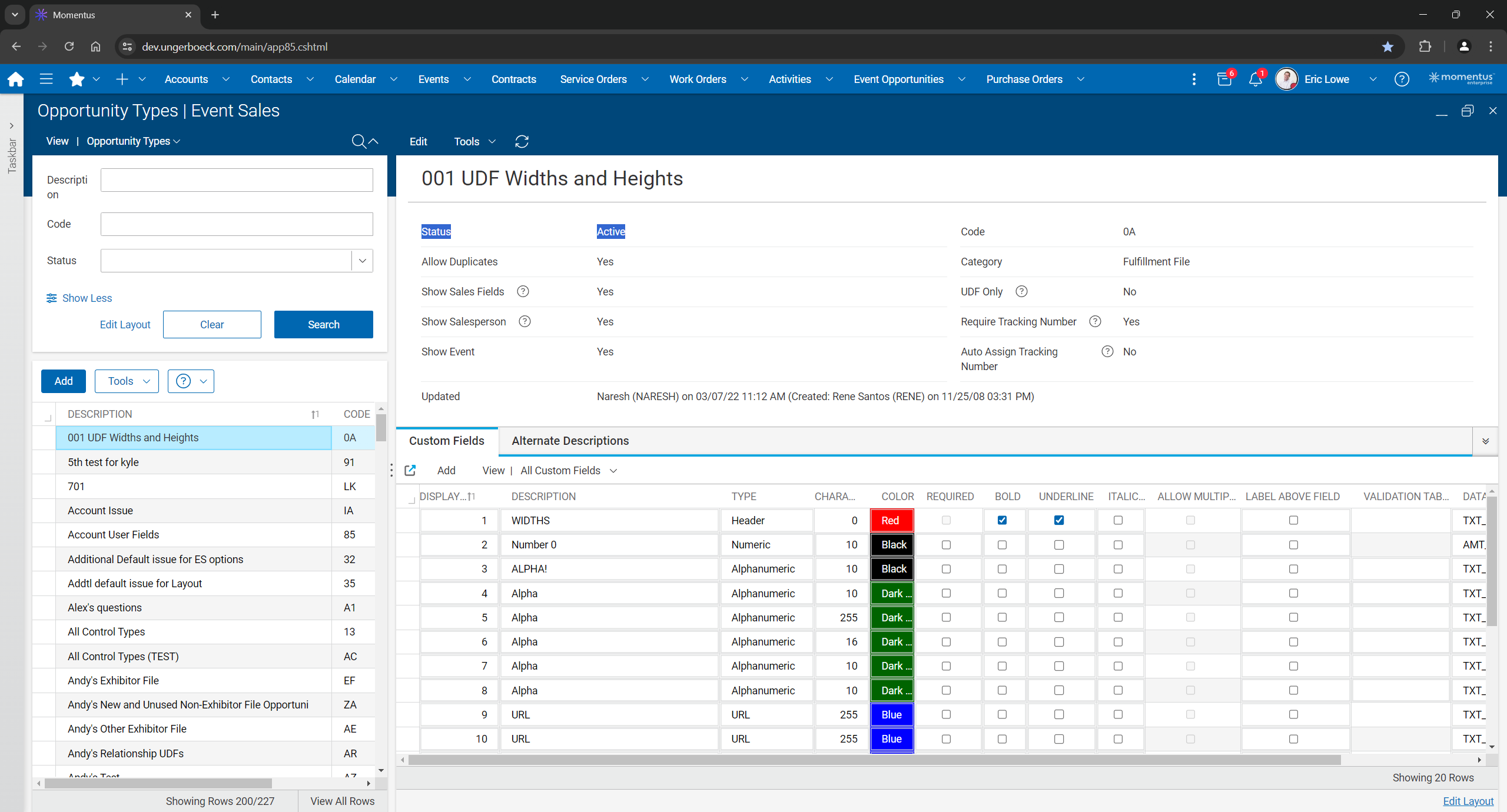
Let's see if anyone else has a better solution.
-
Yes, I have seen that option. But if I would like to keep let's say 50% of the fields in that set? In that case I need to set up the other 50% as new fields, which can give a lot of work if these fields are already linked in configurations or (Crystal) Reports.
With the orphan code the Database Field remains in use, correct?
-
Let's see if @... has any suggestions when he returns.
-

We do not have an out of the box way to see where a UDF is being used in the system. Adding that in would be an enhancement request. The ability to retire a specific UDF and/or the ability to clear a UDF would also need to be treated as an enhancement request.
I've seen customers change the label to DO NOT USE for UDFs they are no longer using. I've seen others just delete and reuse but that leads to possible bad data in the field.
-
Thanks @... for now. I have add the enhancements into Pendo, I think the option to retire an single UDF (in stead of the whole set) will be a nice enhancement for all our verticals. The option to see where are they being used will be a next step, but less important than the ‘retire-option’.
Please sign in to leave a comment.
Comments
5 comments
Date Votes