Red Error received when opening Booking Calendar: Unable to cast object of type 'System.DBNull' to type 'System.String

This issue was experienced in all regions and seems to be affecting customers after patching or upgrading to the June 24.2 release and has had code changes made on https://ungerboeck.atlassian.net/browse/VENEM-3727 - patching to the most recent 24.2 should help to address this for the client.
The issues seems to be caused by data saved to the server cache, although we have not yet identified what data is the cause or how it is created.
If your client is not able to patch right away there is a short term solution which is to clear server cache for both servers the client is load balancing in between.
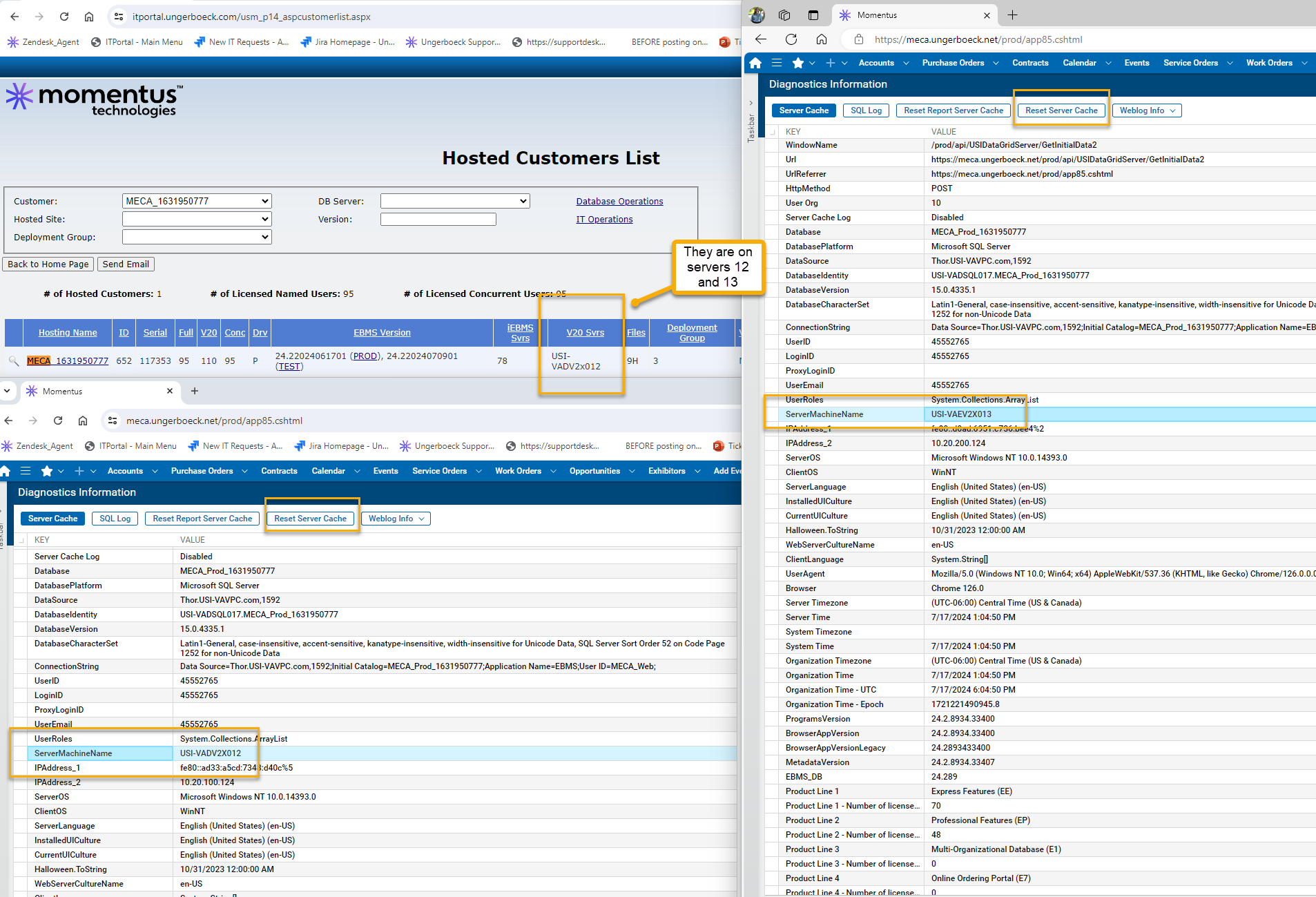
1. Log into the customer's v30 environment, note that you will want to do this for both of the servers they are load balancing between.
2. The easiest way to accomplish this is to attempt to log in on different browsers until you hit a different server - alternatively you could try accessing their site from your main computer and then also access on Support Desktop.
3. Once logged in, open the Diagnostics Information window (Ctrl+Shift+~).
4. Scroll down the list until you see ServerMachineName > validate that you have browser instances open to each server (you can see what servers you should expect on the IT Portal, below screenshot). Every customer is load balanced between 2 servers, if you see server 12 then it means they are on both 12 and 13. If you see server 5 it means they are on 5 and 6, etc.
5. Once you have validated you are on both servers then click the ‘Reset Server Cache’ button on both browser instances (screenshot). Resetting server cache can affect ongoing processes, so we want to perform that action as little as possible - hence why you are ensuring you have the two servers open first before you reset on either one and not asking the customer to have their users attempt this (because then they would have multiple users doing it over and over).
Please sign in to leave a comment.
Comments
0 comments