After latest patch multiple Roles change display name

- Description of the issue: After latest patch multiple Roles change display name
- Account name: Brisbane Convention & Exhibition Centre (BCEC)
- Region: APAC
- Client version: 26.2
-
Steps to reproduce:
- Main menu > Roles. Add columns ‘display name’, ‘ID’
- Note that many IDs are having ‘FINANCE’ as display name
- Customer has mentioned that this might have happened after the TEST update on 11th Aug to 26.22026071301
- Only DALE has access to make changes to roles and no changes have been made recently
- Need to find how this change occurred with no trace in audit log
-
Observed results vs Expected results:
- Random changes in the role details should not occur
-
What is the job the client is trying to accomplish:
- Investigate the reason it occurred
- Business impact if not resolved:
-
Links to articles where you've looked for solutions and also other steps you've taken to research the issue:
- No reference tickets
- Audit log does not show any changes happened
- Link to Zendesk ticket:
- Local v30 URL:
- https://supportwebap.ungerboeck.com/BCEC_Test_1075964901_USI_V30/app85.cshtml?
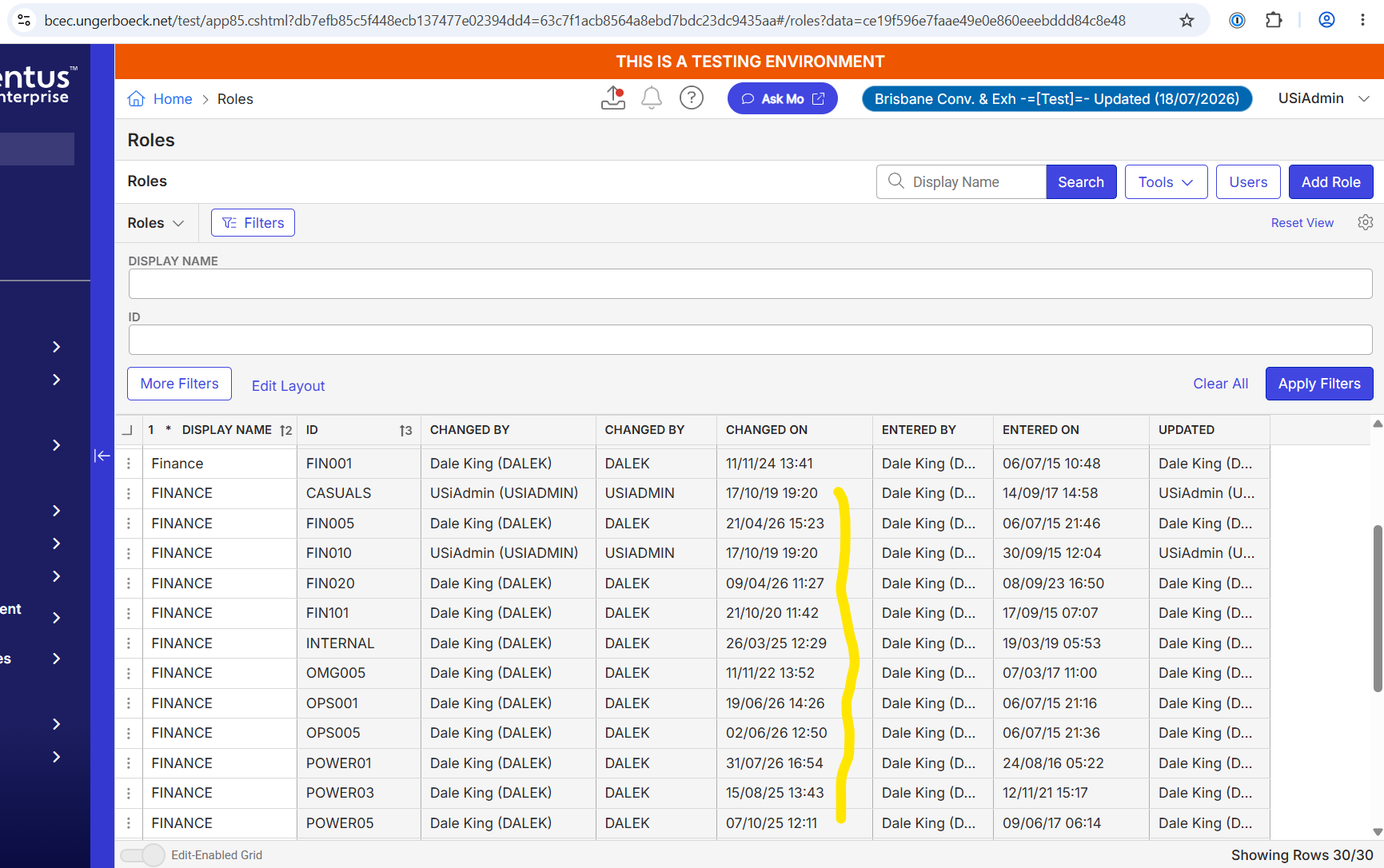
Prod details for reference;
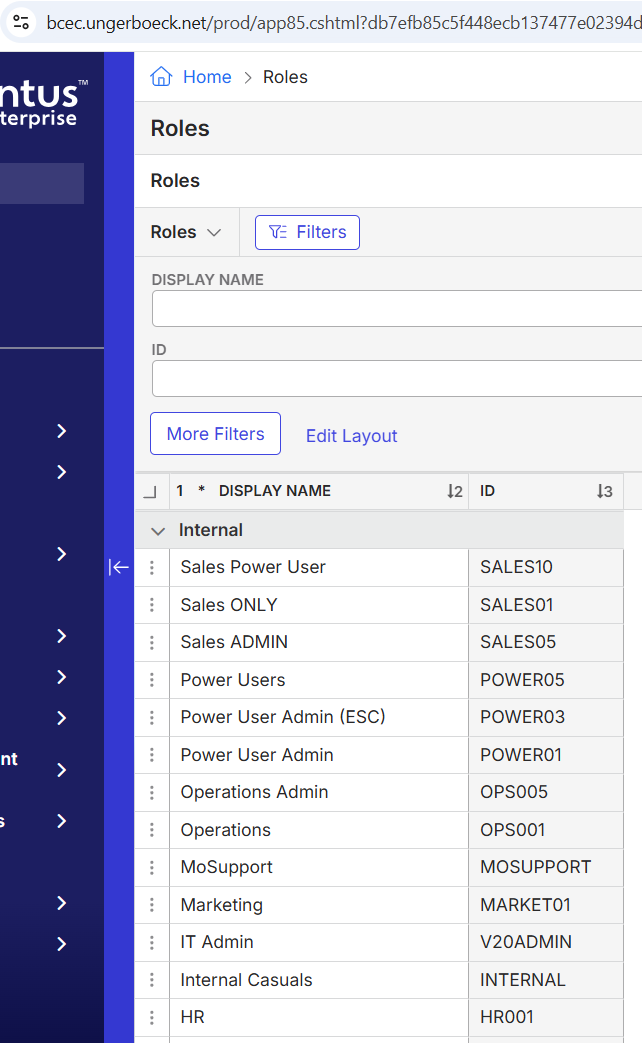
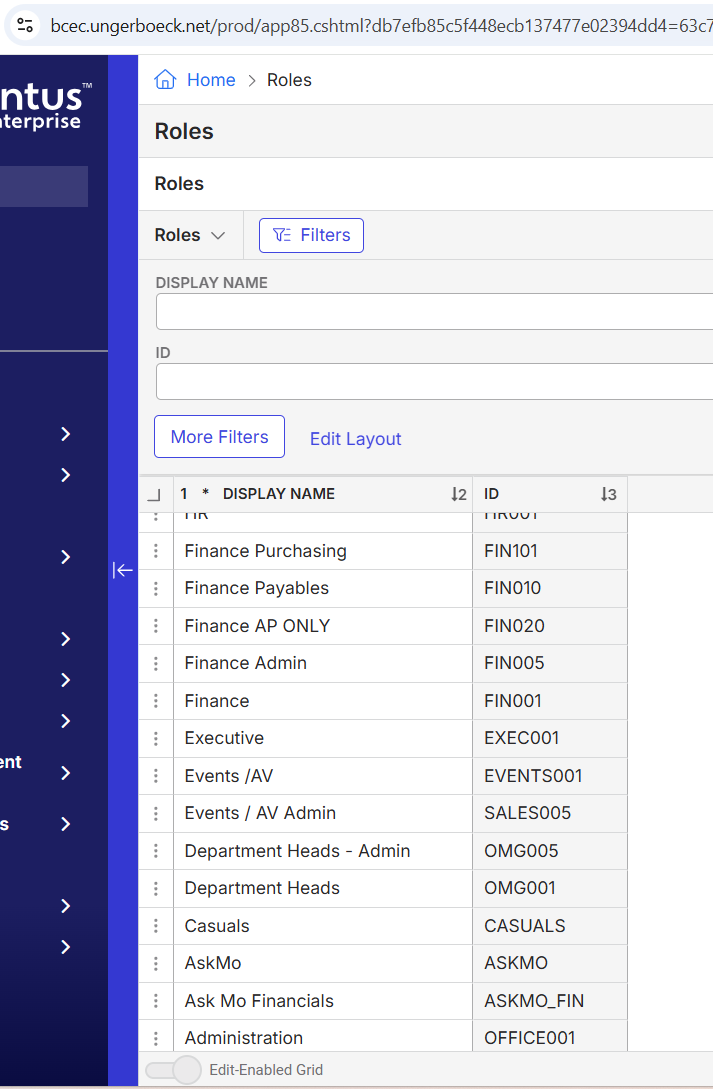
-
Nicole Loh Satya Ram Nukala please advice
-

Can you give a specific example of the changes in role names that they are seeing
-
Yes, have added prod details for reference
-
Can you check Window Usage to see if anyone has accessed the page
Please sign in to leave a comment.
Comments
4 comments
Date Votes