VAT wrongly displayed in OSB

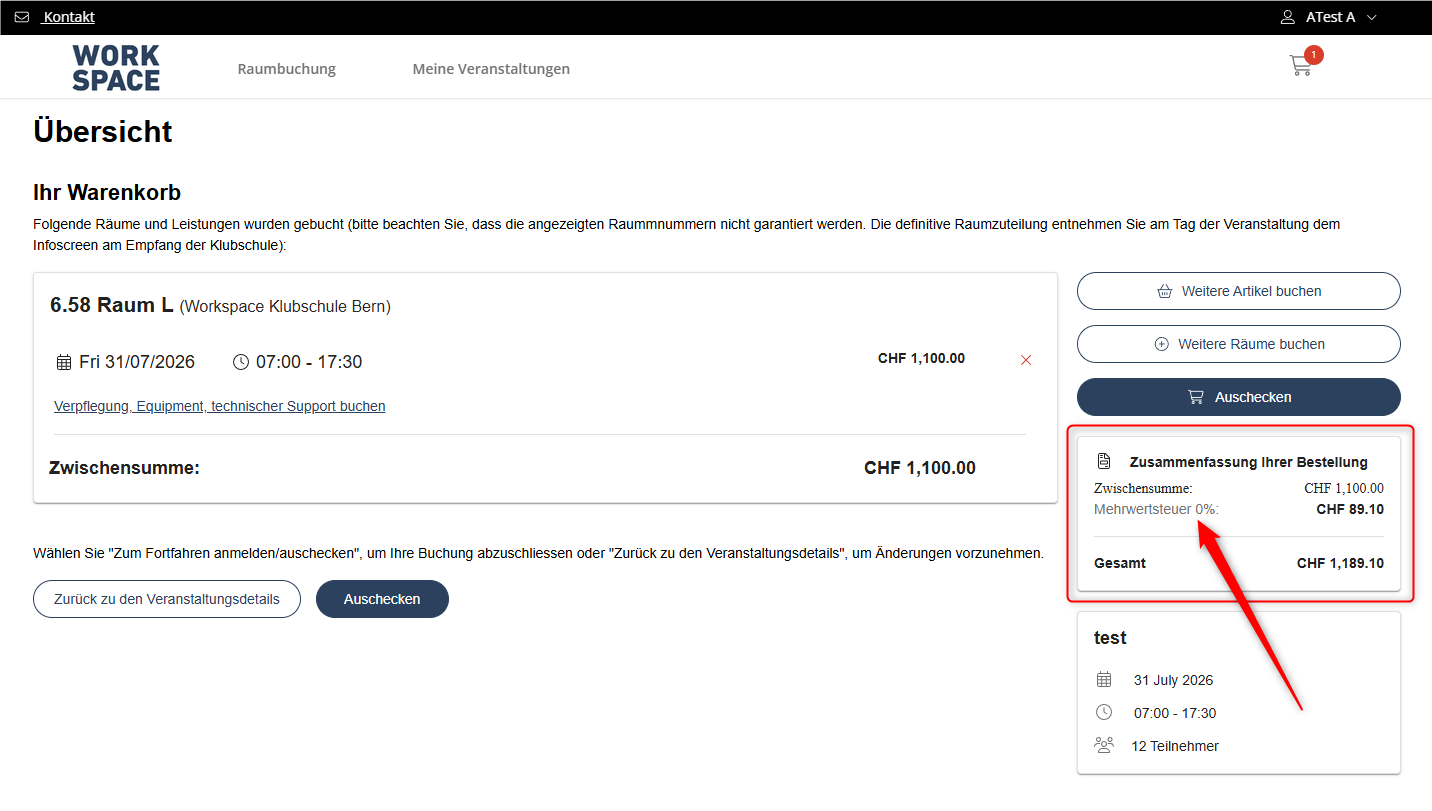
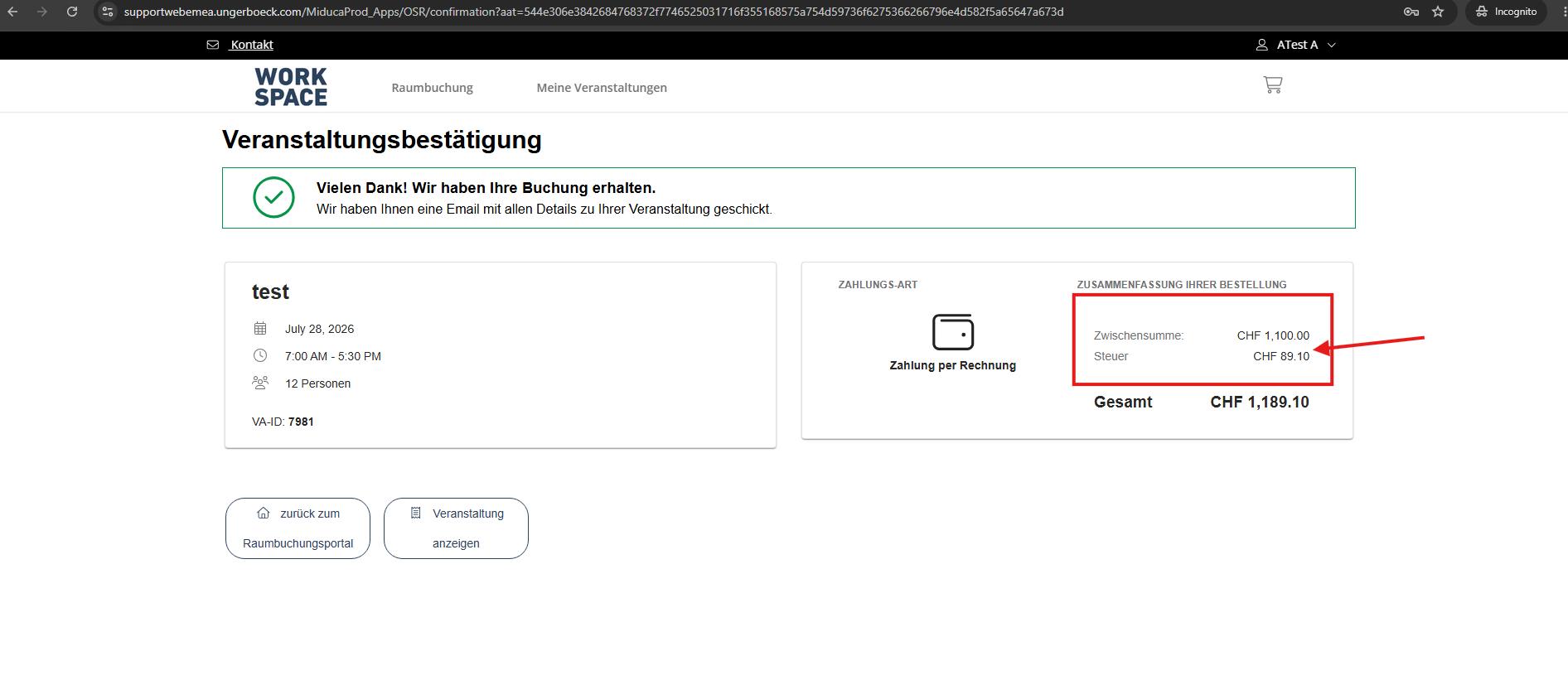
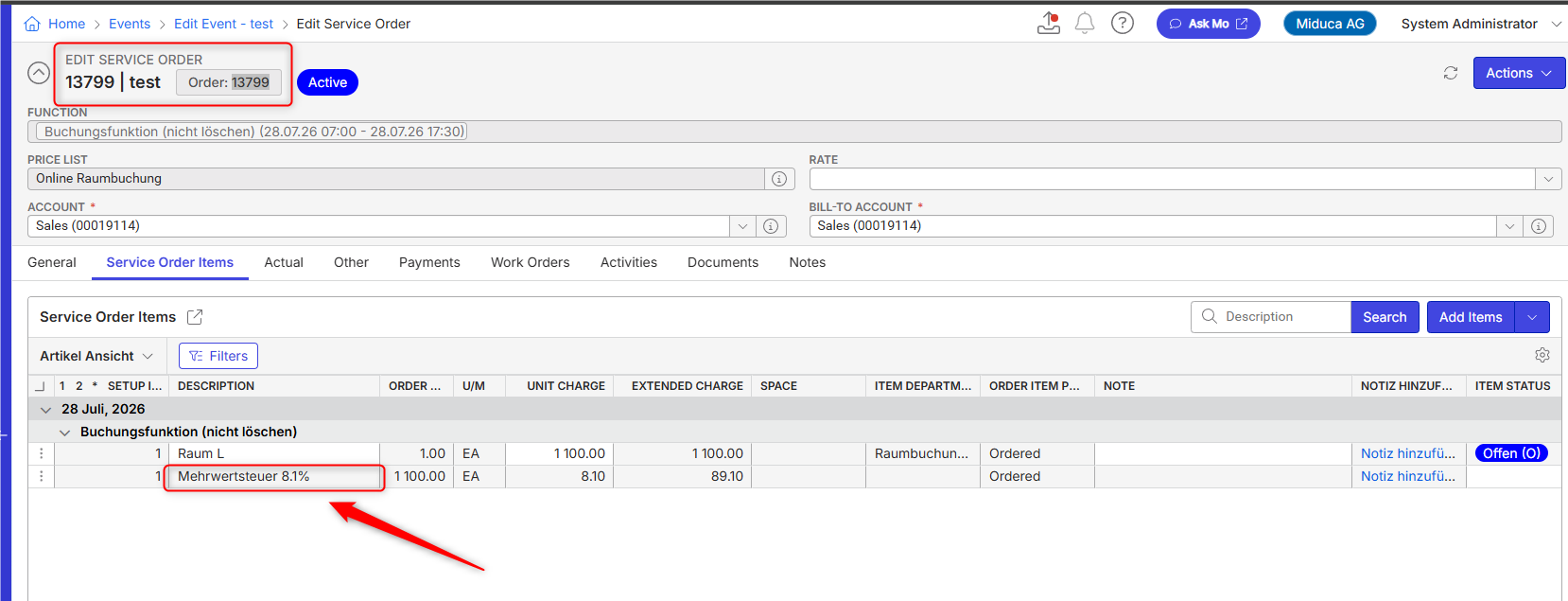
- Description of the issue: In the OSB storefront (cart, payment, and confirmation pages), the VAT line item is hard-labeled "0%" while the tax amount is correctly calculated at 8.1% (e.g., CHF 89.10 on a CHF 1,100.00 subtotal). The backend Service Order for the same booking (Order 13799 / Event ID 7981) correctly shows "Mehrwertsteuer 8.1%" on the tax line item. The calculation is correct, however the traced the displayed "0%" text.
- Account name: Miduca AG
- Region: EMEA
- Client version: 26.2
-
Steps to reproduce:
From Main Menu go to Online Space Booking Configurations
- Right click on MIDUCA Online Raumbuchung config → Copy Shortcut
- Paste the shortcut and log in with username: ab@gomomentus.com / password : 12345
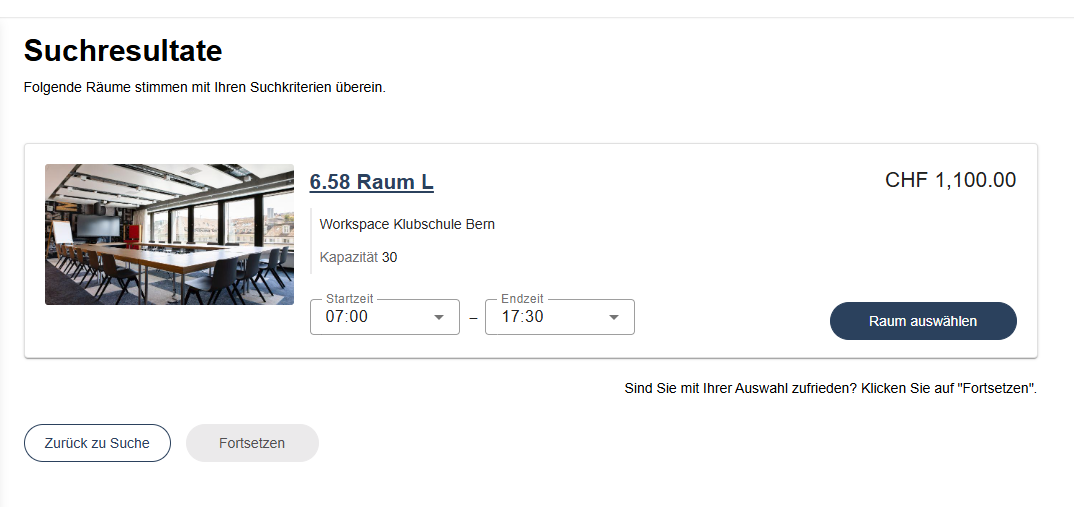
- Search for a space and select the first available result.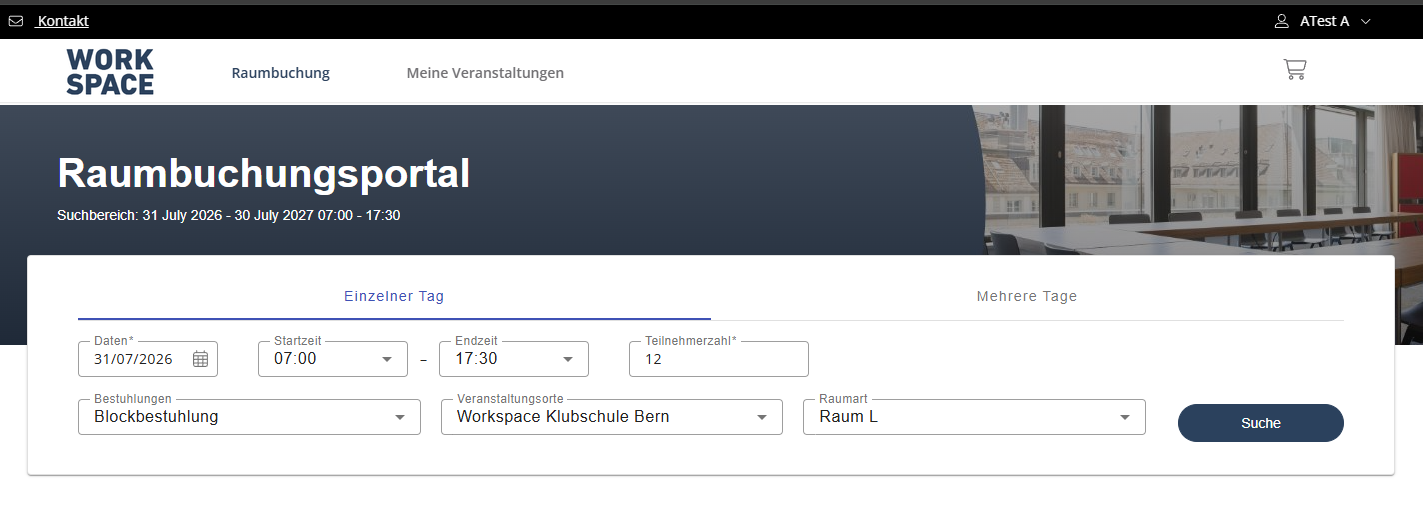
- Proceed to the shopping cart / order summary — note "Mehrwertsteuer 0%: CHF 89.10" is displayed against a CHF 1,100.00 subtotal.
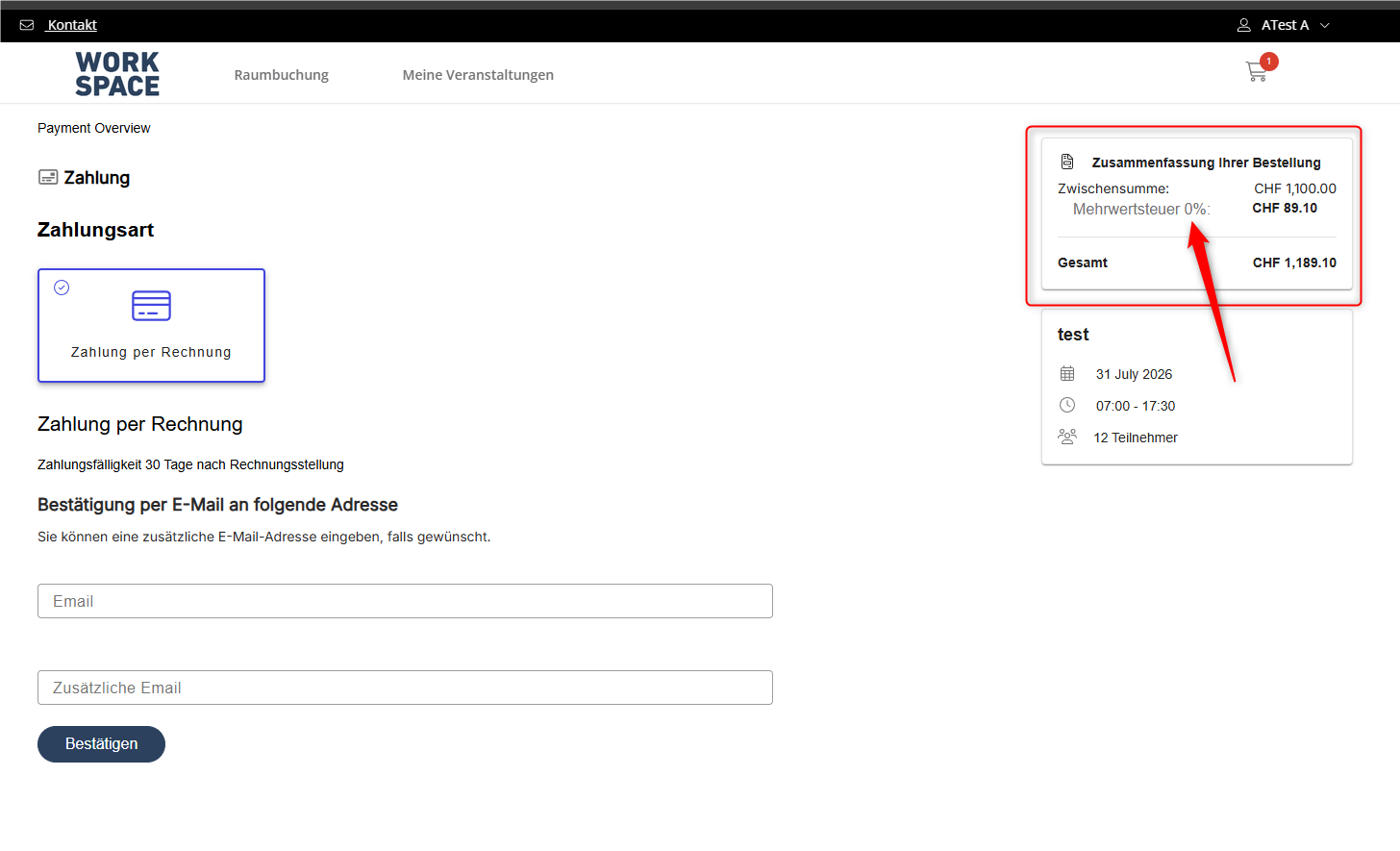
- Continue through Payment and Confirmation steps — the "0%" label persists on every page through booking completion (confirmed booking: VA-ID 7981, Order 13799).
- In backoffice, open the corresponding Service Order (Order 13799, Event "test") → Service Order Items tab, and compare the tax line item, which correctly reads “Mehrwertsteuer 8.1%.”
- Observed results vs Expected results: The OSB front-end tax label should reflect the actual tax rate/resource used in the calculation (8.1%), consistently across cart, payment, and confirmation pages, matching what is shown on the backend Service Order.
- What is the job the client is trying to accomplish: They want the correct VAT to be displayed during the booking process
- Business impact if not resolved: High. They cannot implement the OSB without this issue being solved
- Links to articles where you've looked for solutions and also other steps you've taken to research the issue:
The charges are correct, so this appears to be a UI/display defect in OSB rather than a configuration issue. - Link to Zendesk ticket: https://ungerboeck.zendesk.com/agent/tickets/393889
- Local v30 URL: https://supportwebemea.ungerboeck.com/Miduca_Prod/
Pieter Fourie Mike Schepker Nicole Loh Satya Ram Nukala
-
Pieter Fourie Mike Schepker Nicole Loh Satya Ram Nukala Any idea?
-

Can you check the dictionary phrase or which description the customer is using for the word tax? I feel like it is using alt description instead of the main description.
-
Hi Nicole Loh ,
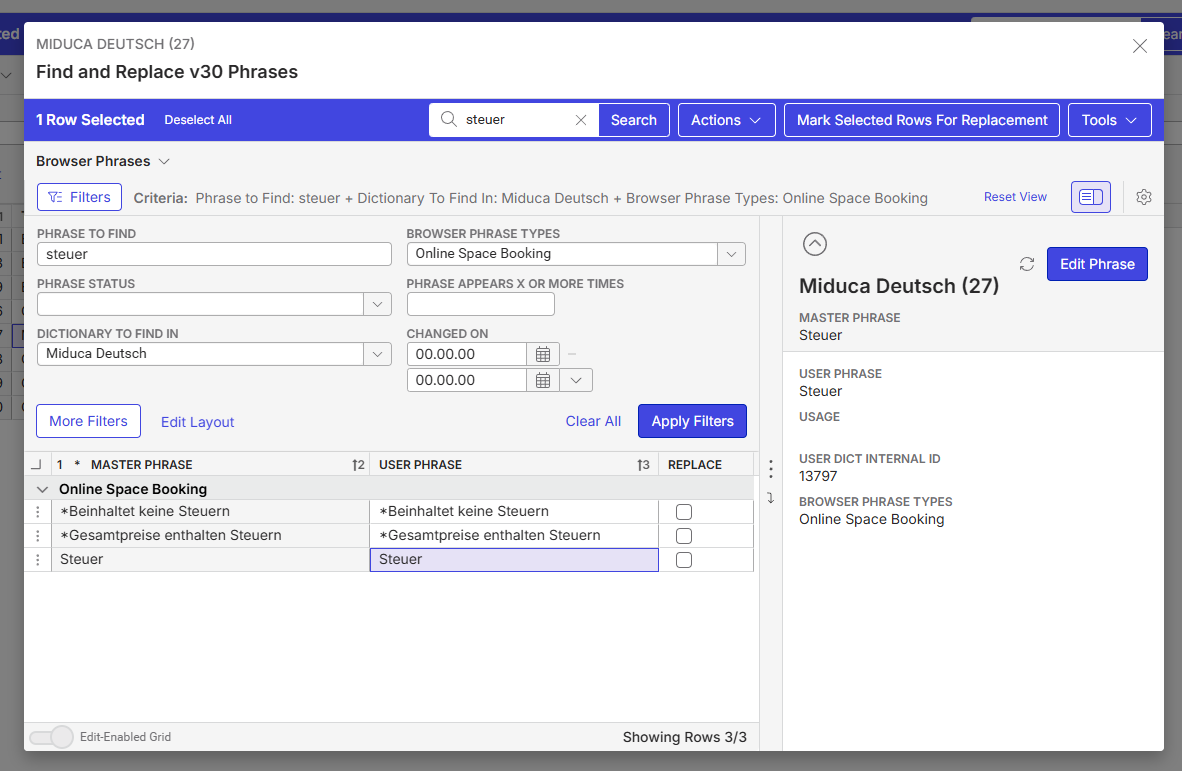
I searched “Mehrwertsteuer” in the dictionary used by the customer, and strangely haven't found anything.
When I just search “steuer”, I find this:
-

Hello,
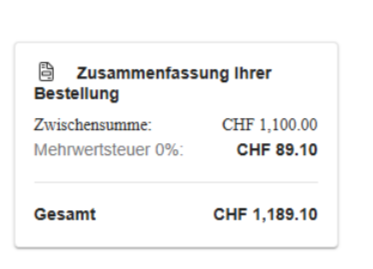
The tax resource description is correct and showing the correct description, the resource type description is correct as well.
There are no issues with the calculation, it is only in the description on the OSB page that is showing 0% while the service order is correct and displaying the 8.1% .
We need need assistance to see where this description is coming from on the first order page, because the second page after payment it is showing correctly the word Tax without any number afterJosiane
Please sign in to leave a comment.
Comments
4 comments
Date Votes