VAT wrongly displayed in OSB

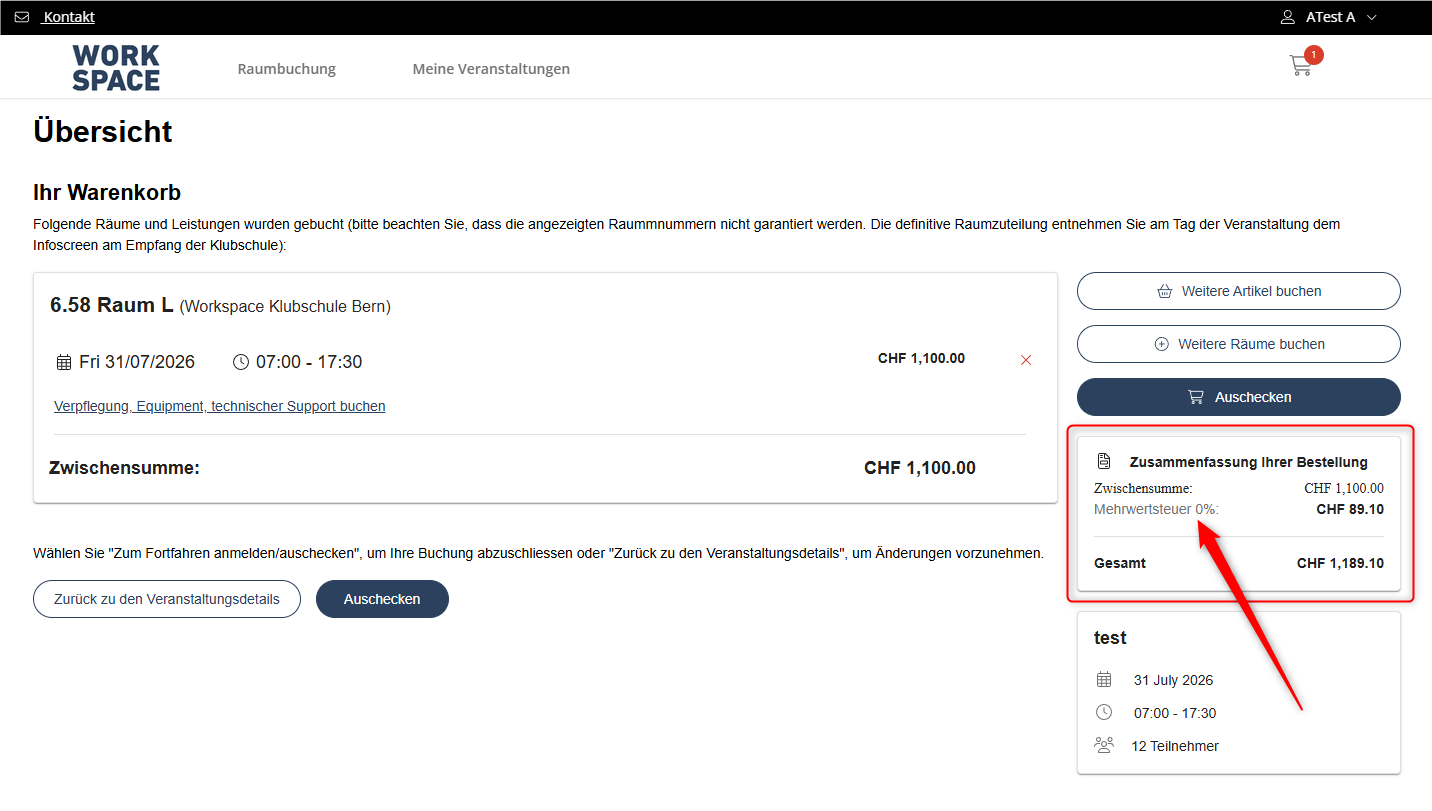
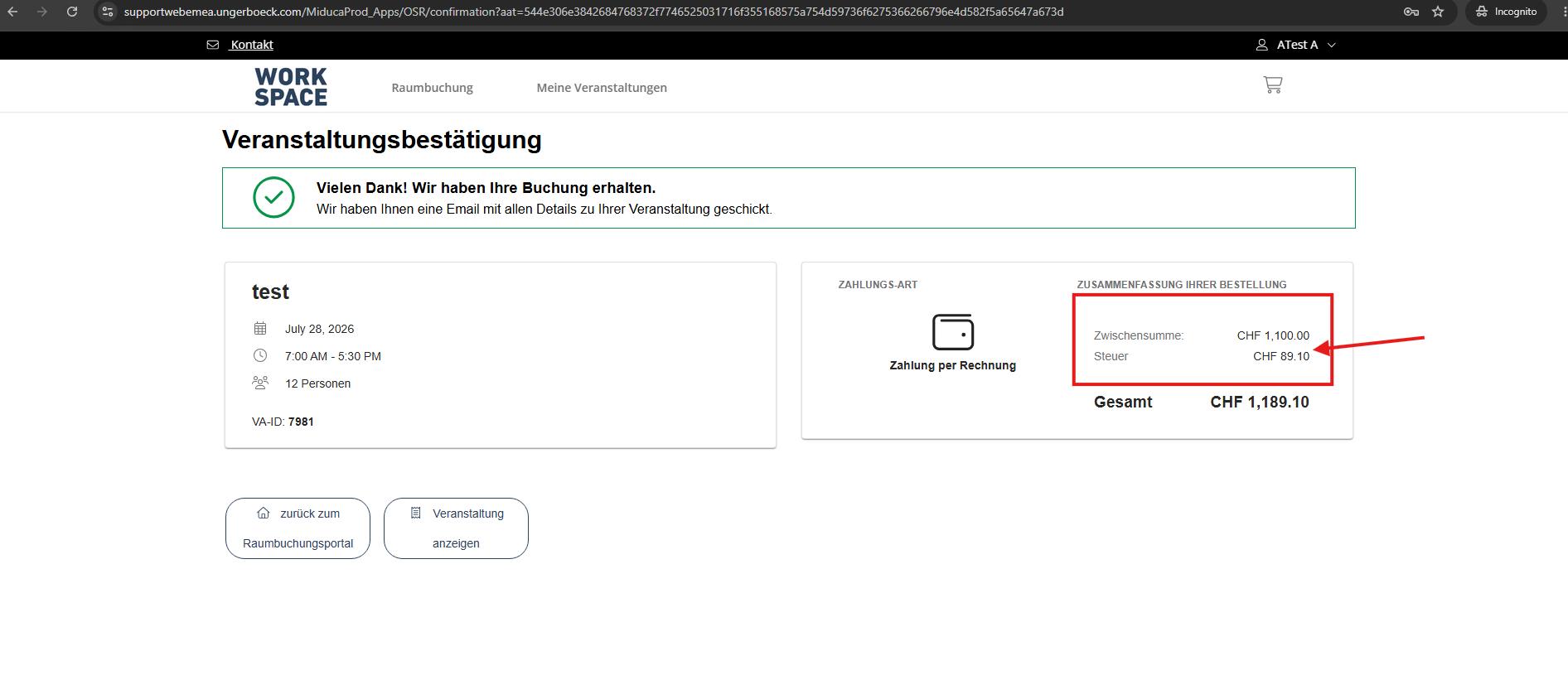
- Description of the issue: In the OSB storefront (cart, payment, and confirmation pages), the VAT line item is hard-labeled "0%" while the tax amount is correctly calculated at 8.1% (e.g., CHF 89.10 on a CHF 1,100.00 subtotal). The backend Service Order for the same booking (Order 13799 / Event ID 7981) correctly shows "Mehrwertsteuer 8.1%" on the tax line item. The calculation is correct, however the traced the displayed "0%" text.
- Account name: Miduca AG
- Region: EMEA
- Client version: 26.2
-
Steps to reproduce:
From Main Menu go to Online Space Booking Configurations
- Right click on MIDUCA Online Raumbuchung config → Copy Shortcut
- Paste the shortcut and log in with username: ab@gomomentus.com / password : 12345
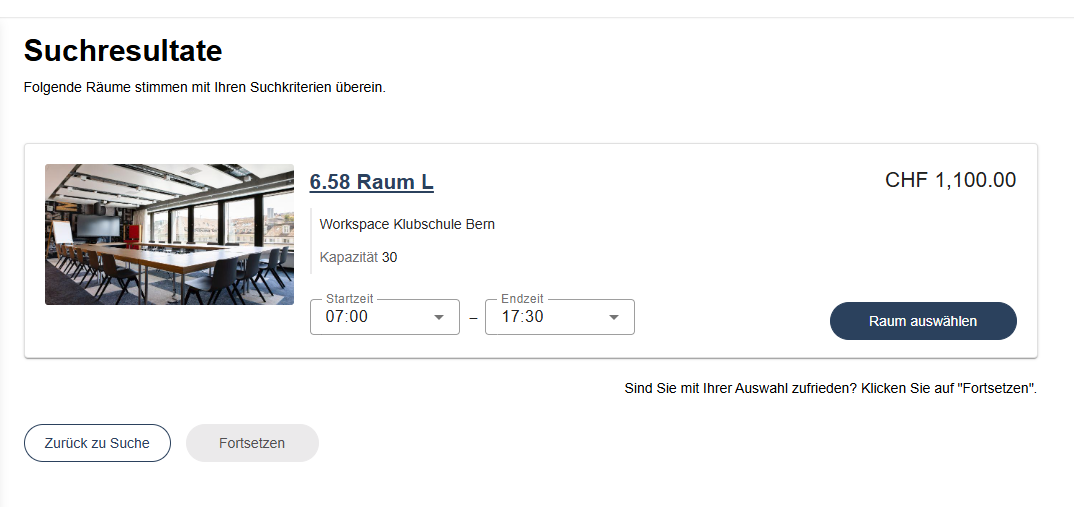
- Search for a space and select the first available result.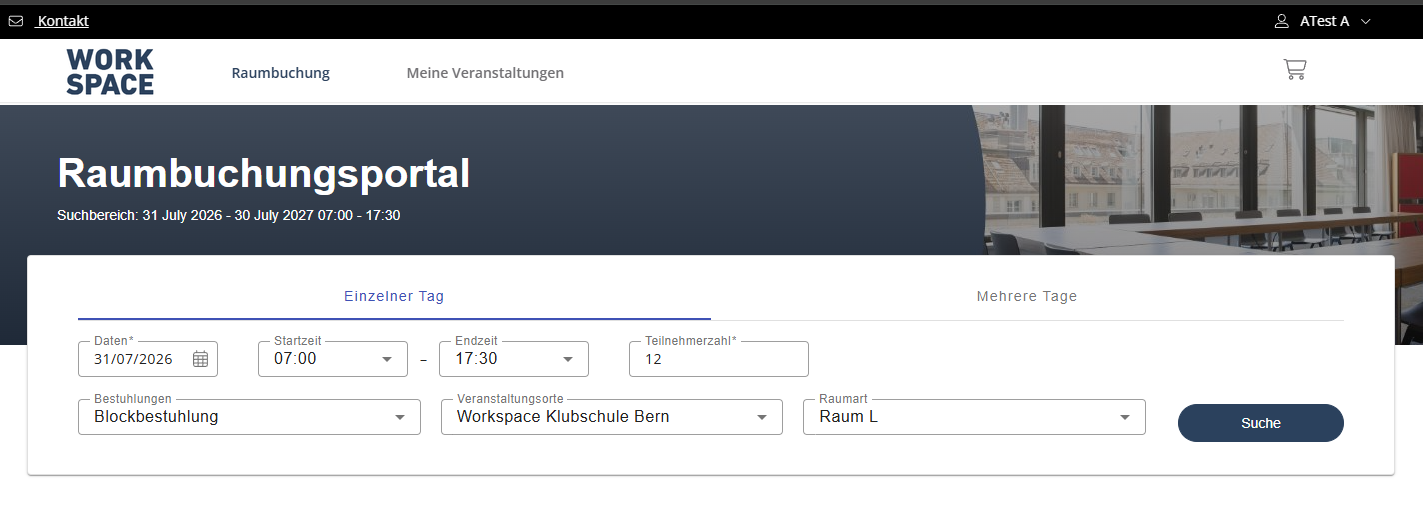
- Proceed to the shopping cart / order summary — note "Mehrwertsteuer 0%: CHF 89.10" is displayed against a CHF 1,100.00 subtotal.
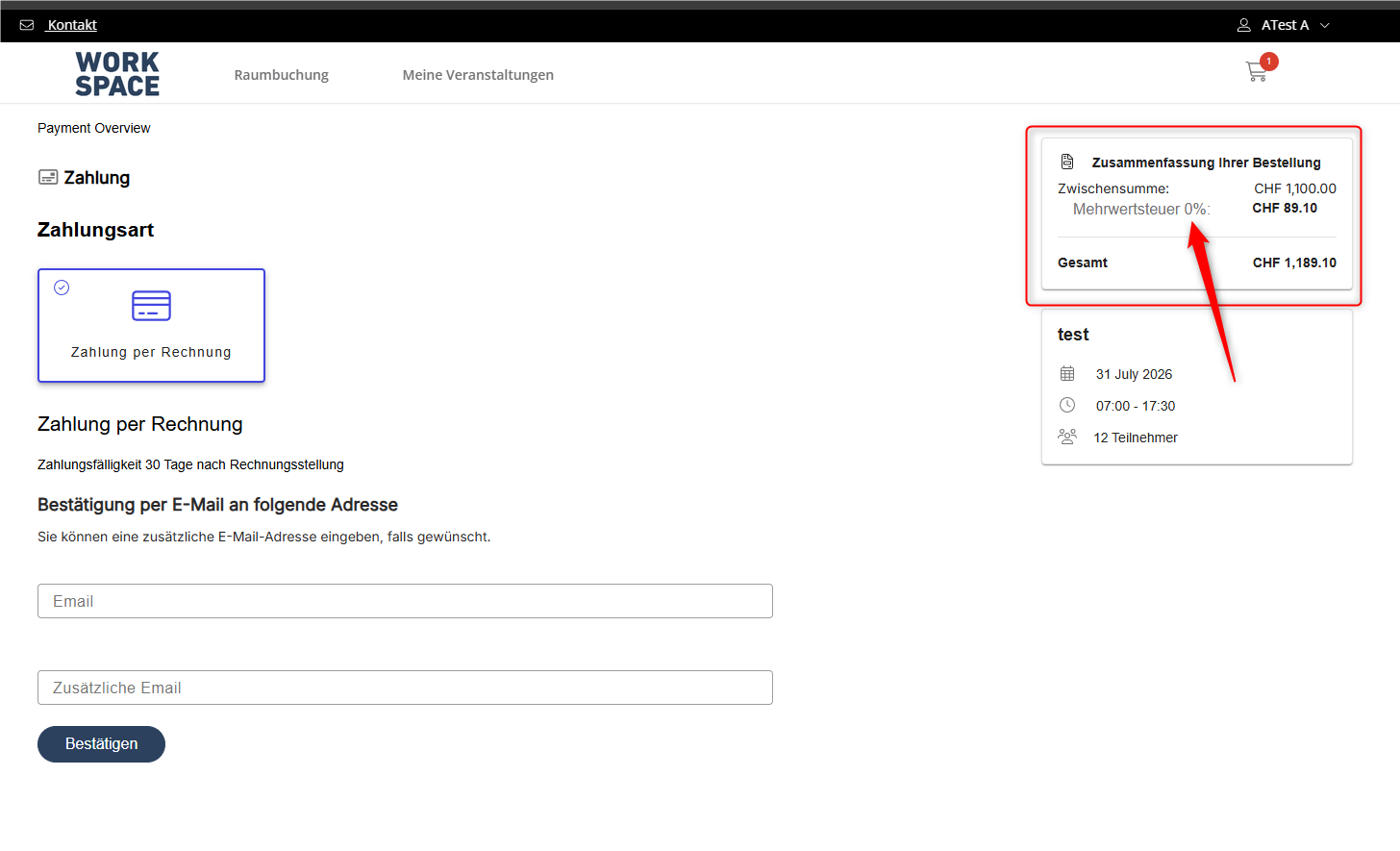
- Continue through Payment and Confirmation steps — the "0%" label persists on every page through booking completion (confirmed booking: VA-ID 7981, Order 13799).
- In backoffice, open the corresponding Service Order (Order 13799, Event "test") → Service Order Items tab, and compare the tax line item, which correctly reads “Mehrwertsteuer 8.1%.”
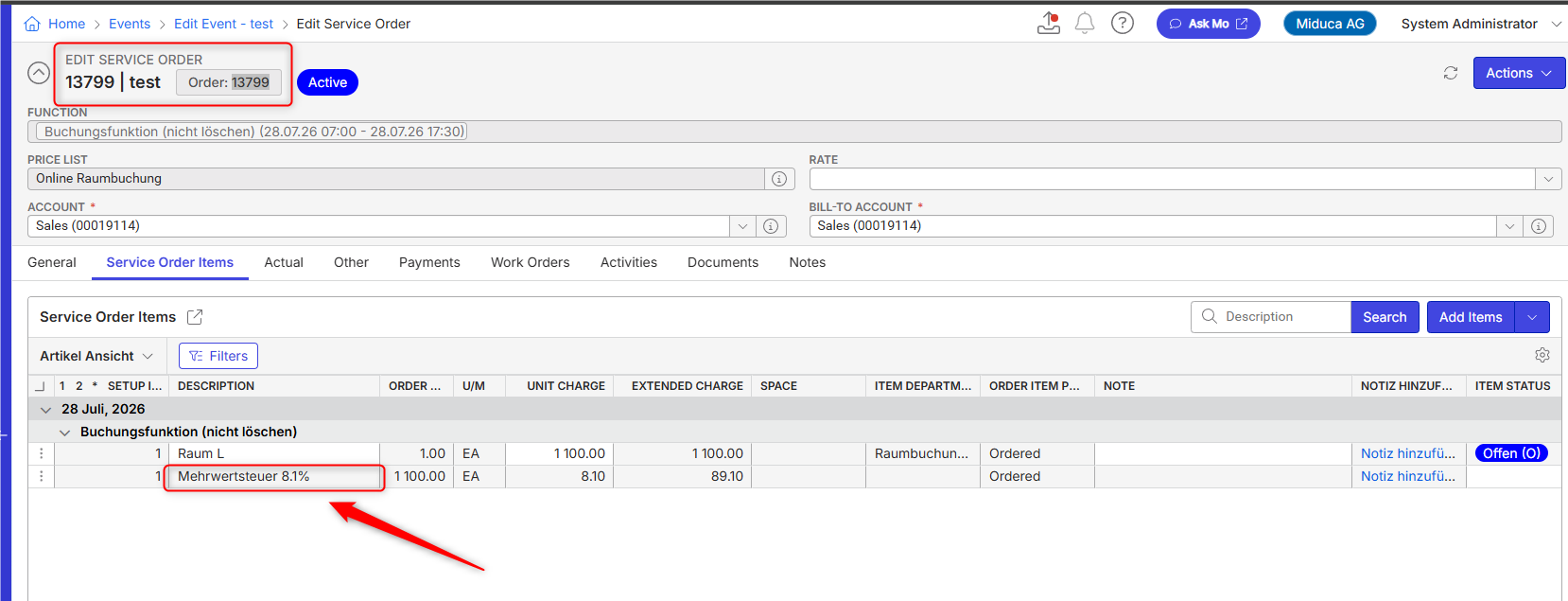
- Observed results vs Expected results: The OSB front-end tax label should reflect the actual tax rate/resource used in the calculation (8.1%), consistently across cart, payment, and confirmation pages, matching what is shown on the backend Service Order.
- What is the job the client is trying to accomplish: They want the correct VAT to be displayed during the booking process
- Business impact if not resolved: High. They cannot implement the OSB without this issue being solved
- Links to articles where you've looked for solutions and also other steps you've taken to research the issue:
The charges are correct, so this appears to be a UI/display defect in OSB rather than a configuration issue. - Link to Zendesk ticket: https://ungerboeck.zendesk.com/agent/tickets/393889
- Local v30 URL: https://supportwebemea.ungerboeck.com/Miduca_Prod/
Pieter Fourie Mike Schepker Nicole Loh Satya Ram Nukala
-
Pieter Fourie Mike Schepker Nicole Loh Satya Ram Nukala Any idea?
-

Can you check the dictionary phrase or which description the customer is using for the word tax? I feel like it is using alt description instead of the main description.
-
Hi Nicole Loh ,
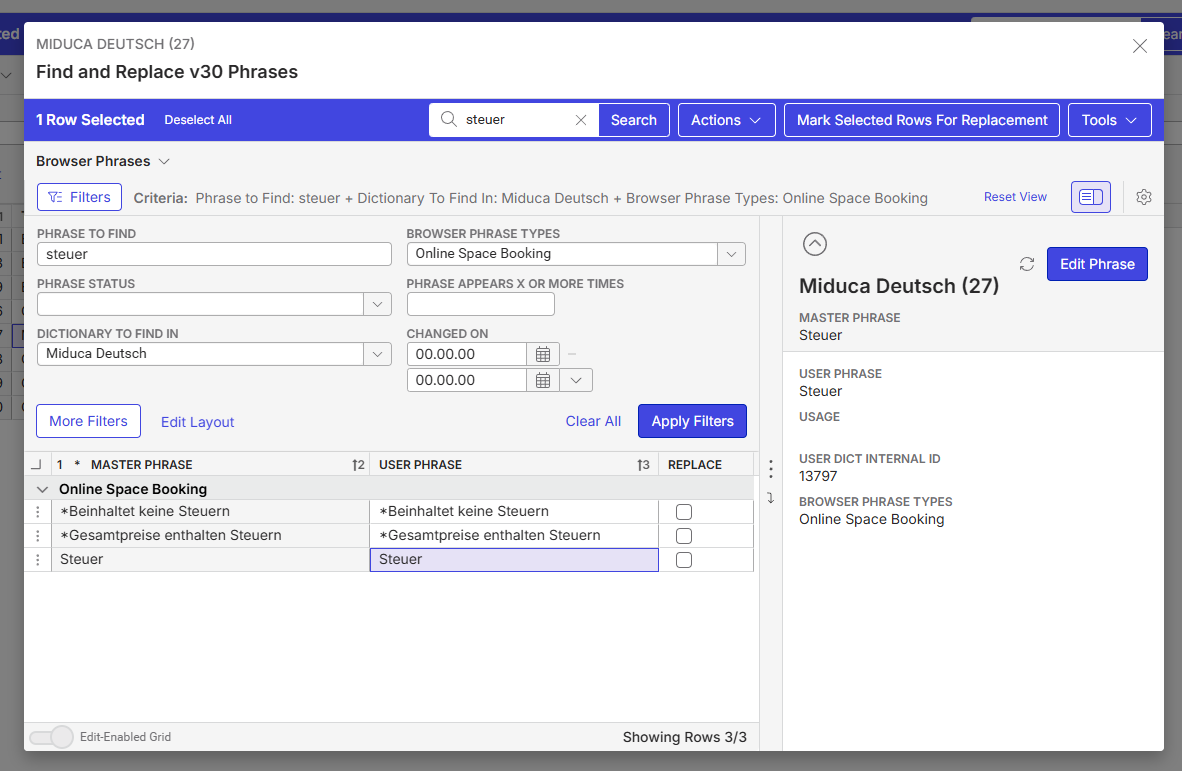
I searched “Mehrwertsteuer” in the dictionary used by the customer, and strangely haven't found anything.
When I just search “steuer”, I find this:
Please sign in to leave a comment.
Comments
3 comments
Date Votes