Service Order status does not automatically change

Zendesk Ticket: #393221
Account: DWTC
Region: EMEA
General
Business impact if not resolved: Since Service Orders remain in an incorrect status, manual investigation and intervention is needed.
Short Summary of issue (issue description): Service Orders are not automatically updated to "Completed" when all associated work orders have been completed.
Macro Vertical: Convention Centers
Debug Environment:
Customer DB Location: Hosted
Database: DWTC_Prod_1664787275_USI
Server: Debug-UAE,1433
Version: 26.1.9678.23709 (20260701)
V30 Link: https://supportwebuae.ungerboeck.com/DWTC_PROD
User Login: USIADMIN / ITRocks2014
Recreation Steps:
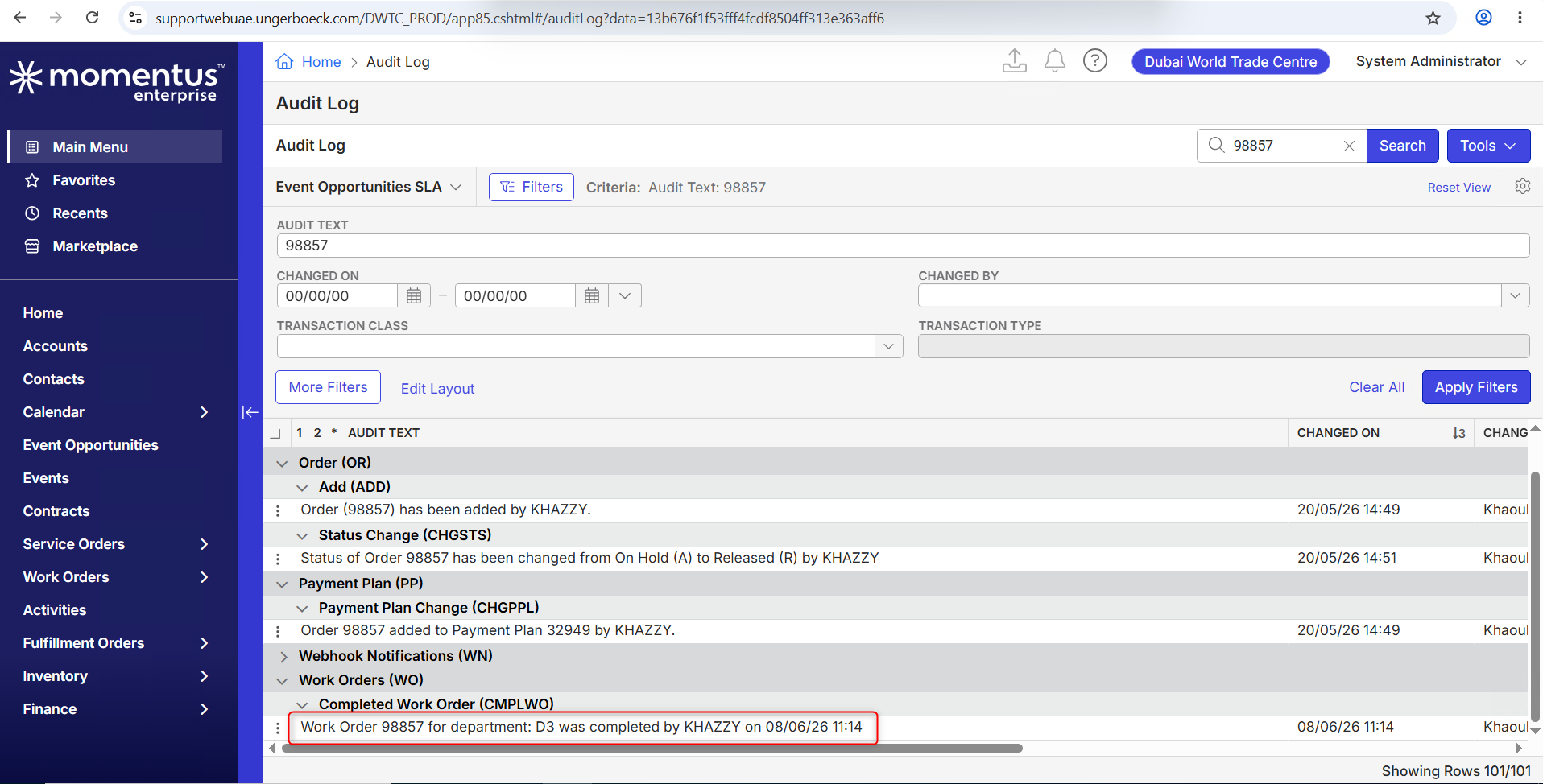
- In the Audit Log, search order 98857
- Notice that the Work Order was completed
- Edit event 9193 and open the Service Order tab
- Notice that the status of order 98857 is "Released"
What does the client want to accomplish: They expect Service Order status to be "Completed" once all work orders are in completed state.
Attachments:

-
Pieter Fourie, Mike Schepker, Satya Ram Nukala Thanks!
-

Pretty sure the service order needs to be manually completed. Completing all work order items will close work orders.
If customer wants it all to close, maybe the quick invoice action will be better where it completes work orders, close service orders and creates the invoice in one step.
Please sign in to leave a comment.
Comments
4 comments
Date Votes