Change Booth Number workflow changes?

The Venetian recently upgraded to 26.1 and have noticed a workflow change in the “Change Booth Number” process. Was this change intentional or does this need to be submitted as a bug? They are reporting more clicks and user frustration. Below is a link to their workflow in 26.1 and an explanation of how it differs from previous workflow.
Changing Booth Workflow.docx
Seth Halvaksz I've talked to @Allison Ridings already. Not sure who else to ask? Can you help?
-

Tagging Tragen Herrick on this question.
Here were the release notes for 2026.1
To my knowledge, there were no changes to changing booth number workflow in 26.1
-

No changes have been made.
-
Amy Durbin are you sure this started in 2026.1? We're not aware of any changes.
-
Amy Durbin what was their previous version (when this was last working as they expected)?
We're wondering if they just started using new UX. We made more changes to EFP to support new UX in 2025.2.
-
Seth Halvaksz Tragen Herrick - They are reporting this is new in 26.1. Their TEST database is still on 25.2 which is where they upgraded from so I tested the workflow there and had the same experience as what they are seeing in 26.1. I'm not sure if Prod was on an early 25.2 version or what happened there… any ideas? Is there a way we can double check the version they came from into 26.1? .
They aren't using EFP. Was this workflow intended as part of the EFP updates? If it's intended, that's fine, I just need to let them know. They may submit an enhancement request because they are not happy this changed…just an FYI. They have so many service orders, the extra clicks on these booth changes really add up.
-
Amy Durbin ok i see this has to do with changing booth number on the service order (not EFP).
The main issue seems to be this comment in the document:
“Previously that small change booth# pop-up window came up immediately after clicking on the booth# link in the service order.”
Checking with the team, it has never done that, so we think they may be mis-remembering. Is it possible to get a recording of the previous experience (in their TEST environment)?
-
Amy Durbin confirmed with the team you can make this one-click.
You'll add an “Action Custom Field”

Then you can click on it and it opens in a popup:
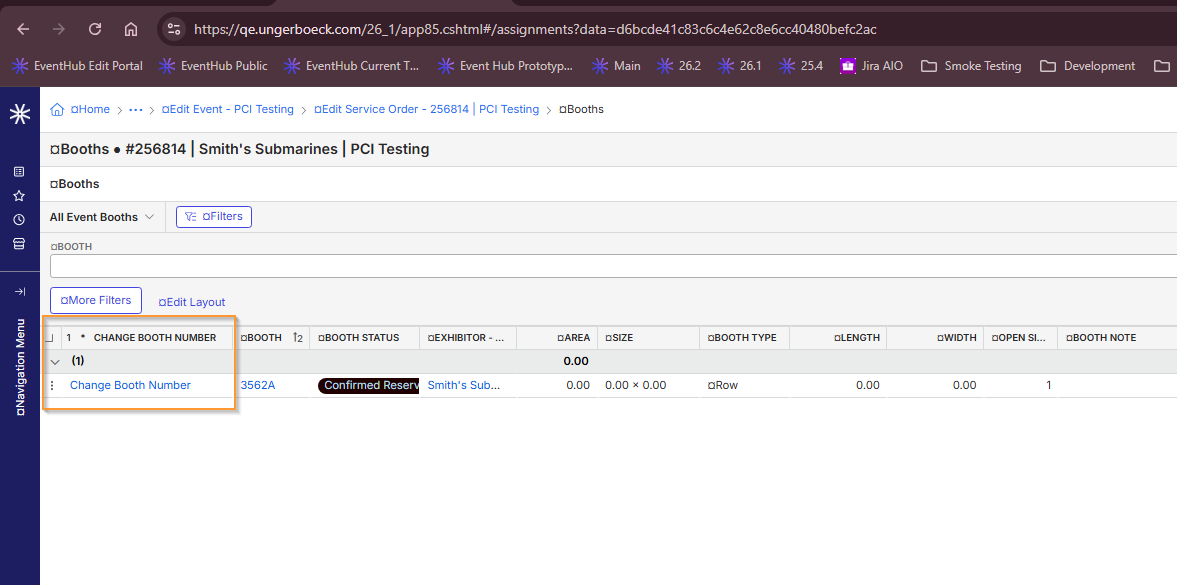
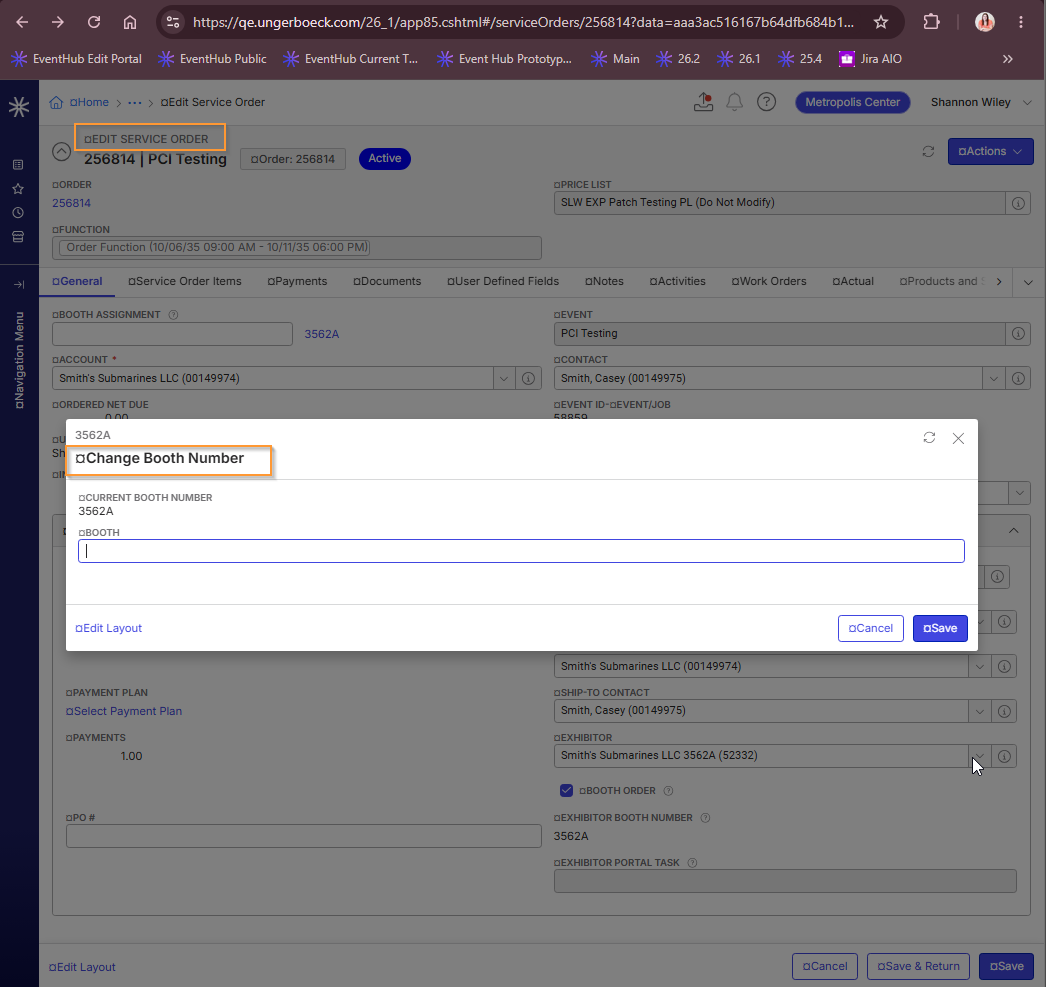
You can also put it here

-
Thanks Seth Halvaksz - I had already sent her the first Custom Action option in the Booth grid but I'll share the second option for adding it to the peek window! Thanks for the suggestion.
Please sign in to leave a comment.
Comments
8 comments
Date Votes