Copying multiple Mail Addresses

- Description of the issue: The customer claims that in previous versions it was possible to copy the email recipients list right after entering the email addresses rather than having to wait until email is sent and before saving it as in documents. Customer would like to copy entire email recipient list at once with CTRL+A instead of using mouse to copy those emails. Refer below screenshot where customer expects to copy all email address from TO and CC text box by hitting CTRL+A button
- Account name: Redbull
- Region: EMEA
- Client version: 26.1
-
Steps to reproduce: The customer reported two connected issues. Separate steps and screen recording have been added:
- Issue 1:
1. Open any event > documents tab > add document > select type as email and click save. An email popup screen should open.
2. Type "maildrop" in email recipient textbox "To" and multiple entries should be visible. Make sure you select multiple recipients.
3. Now click inside "TO" text box > From keyboard hit CTRL+A and verify if it copies those emails. And we can confirm emails recipient list do not copy.
- Issue 2:
1. Now open an event from main menu (e.g. Event ID 71707) and click on documents tab > right-click on the document > View Email.
2. Here you can observe that the emails are already sent and the "TO" and "CC" email recipient list is greyed out. So by selecting these emails with mouse you can copy it however the issue is that after pasting the copied email addresses, all the last names are displayed again separated by commas. Refer screenshot as below: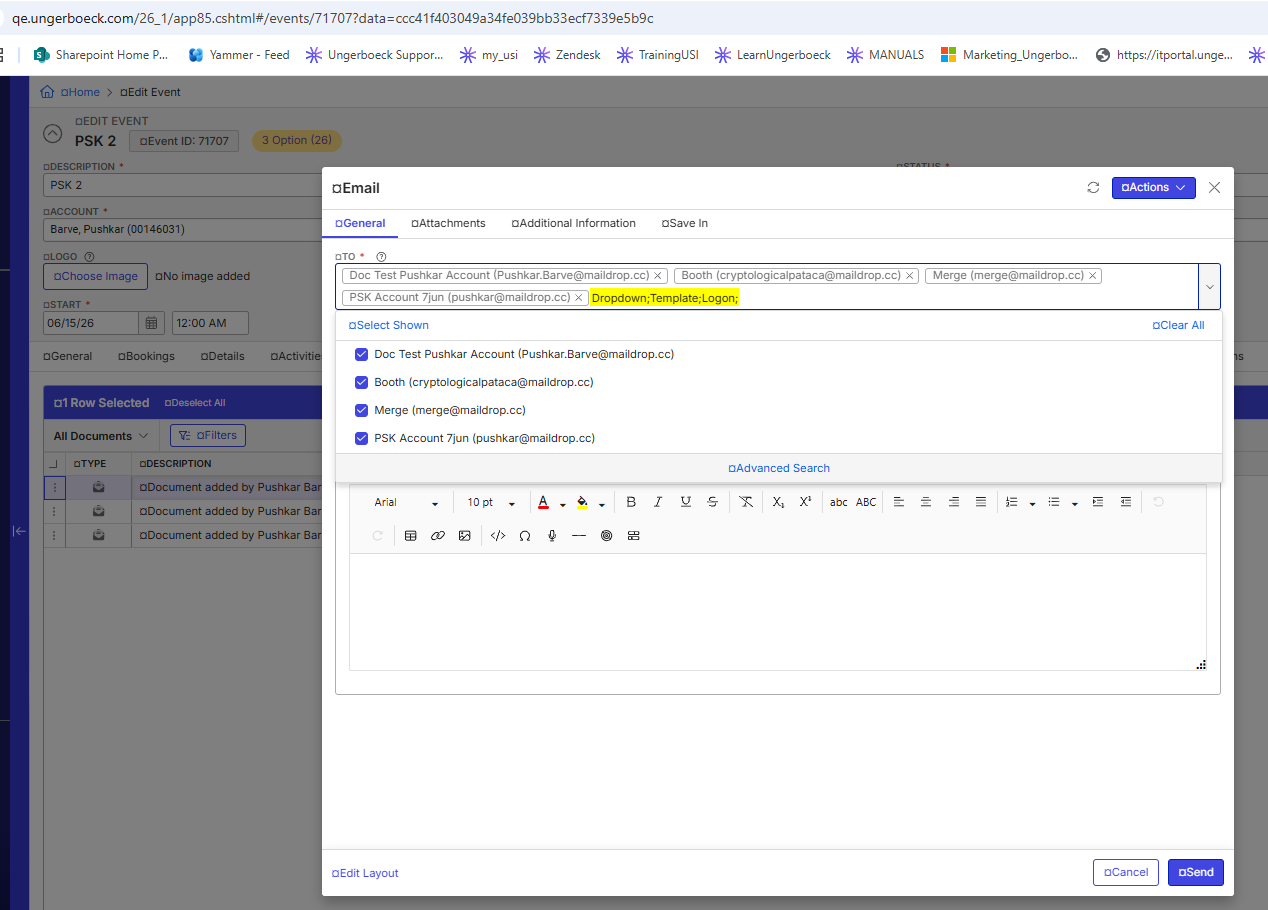
- Observed results vs Expected results:
a. Before sending an email from email window, user should be able to copy emails by hitting CTRL+A button from recipient email text "TO" and "CC"
b. In 26.1 for sent emails if we copy emails, then the name besides the email also gets copied however it disappears after we click outside the recipient email box. - What is the job the client is trying to accomplish:
Issue 1: The customer expects this functionality to be implemented as it used to work in previous versions, however we have tested this on 25.1, 24.4 and 24.1 as well and we were not able to find any version where this worked.
Business impact if not resolved: Additional manual work - Links to articles where you've looked for solutions and also other steps you've taken to research the issue:
This functionality has been tested on QE 26.2, QE 26.1, 25.1 and 24.4 versions, in all instances it is not possible to copy email address by hitting CTRL+C or by selecting with mouse cursor
- QE 26.2 testing video : https://share.birdie.so/o/Axrfk9G6 - results are same
- 24.1 : https://share.birdie.so/o/0mpsz4zP - in 24.1 also we cannot copy all email address using CTRL+A - Link to Zendesk ticket: https://ungerboeck.zendesk.com/agent/tickets/389746
- Local v30 URL: https://qe.ungerboeck.com/26_1/app85.cshtml#/about?data=1114b3abf0557f4b5cfb33ff52e3e8acd195
Pieter Fourie Mike Schepker Nicole Loh Satya Ram Nukala Should I report it as a feature request?
-
Pieter Fourie Mike Schepker Nicole Loh Satya Ram Nukala Any idea? Thanks!
-

Since this can be consistently recreated in new and old UX, spanning versions 24.1 up till 26.2, I am leaning towards this being a system behaviour. If they want to copy multiple email addresses this method, it would be an enhancement request in my opinion.
-
Thank you, Nicole Loh !
Please sign in to leave a comment.
Comments
3 comments
Date Votes