Edit Site Configuration - Payment Portal URL - capitalization bug
Answered
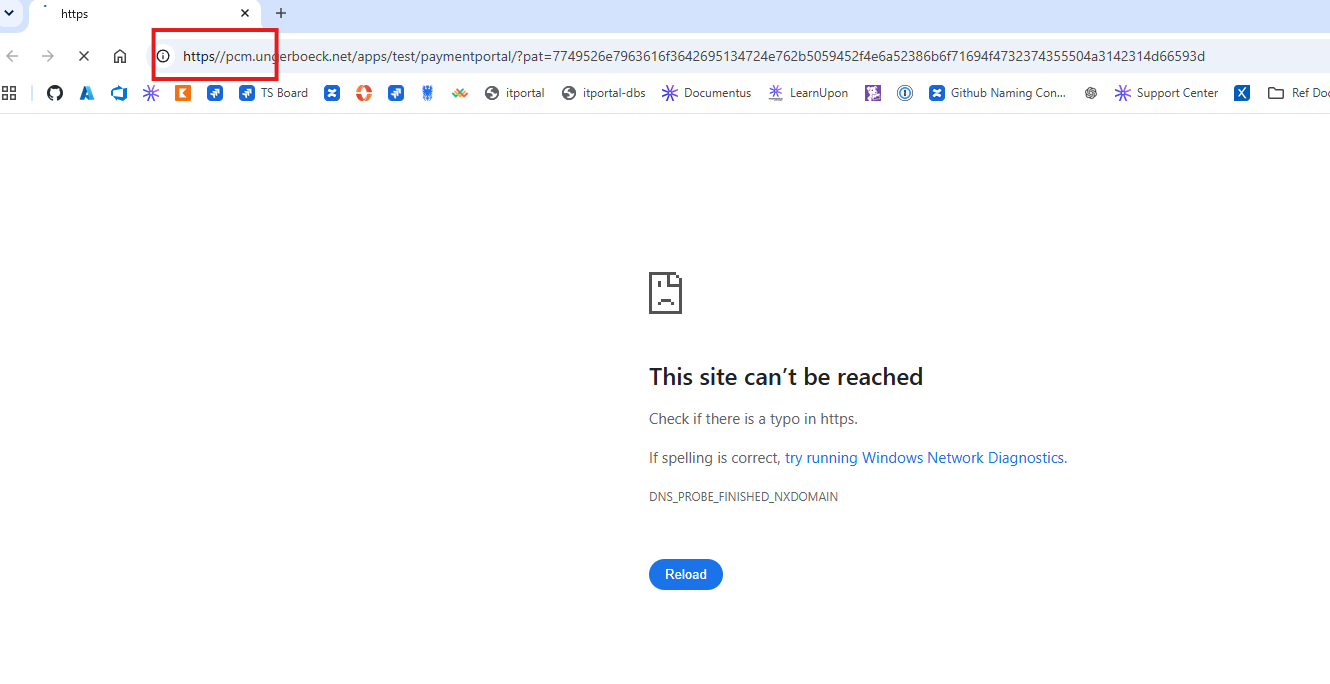
I found a bug where the capitalization of “HTTPS” within the “Payment Portal URL(Angular version)” field in “Edit Site Configuration” causes the colon following HTTPS to be missing when attempting to access the Payment Portal via “Add Web Payment”.
I've confirmed this behavior in the following environment:
- PCM_2123016657 (Palais des Congres Montreal)
- TEST - currently on 26.12026051301
- The URL value in this environment has been corrected to lowercase so that I can proceed Payment Portal testing. So, the value will need to be changed in order to reproduce the bug. Please don't leave the value in a bad state for an extended period of time as this customer is currently doing some Payment Portal testing in this Test environment.
To Reproduce:
1. Edit Site Configuration => Payment Portal URL(Angular version)
2. Update and Save this URL so that the HTTPS is capitalized (ex: HTTPS://PCM.ungerboeck.net/APPS/TEST/paymentportal )
3. Go to an Event Invoice => Add => Add Web Payment
4. Note that the colon is missing from the Payment Portal URL it attempts to redirect you to (ex: https//PCM.ungerboeck.net/APPS/TEST/paymentportal/?pat=644…). The Payment Portal will fail to load due to the bad URL.
-

-

Tagging customer support on this Mike Schepker Pieter Fourie Satya Ram Nukala Nicole Loh
I think the best thing to do is to create a case with support Aaron Krumsieg
-

I just tested this in QE and it worked without issue.
HTTPS://public.ungerboeck.com/QE/26_1/PaymentPortal?pat=4d654e654b6169374a697468704a7943684165504f356635534742434e585769656362644d61797972596b3d worked just fine.
DNS_PROBE_FINISHED_NXDOMAIN is a DNS issue and not related to the software at all. That's an SRE ticket.
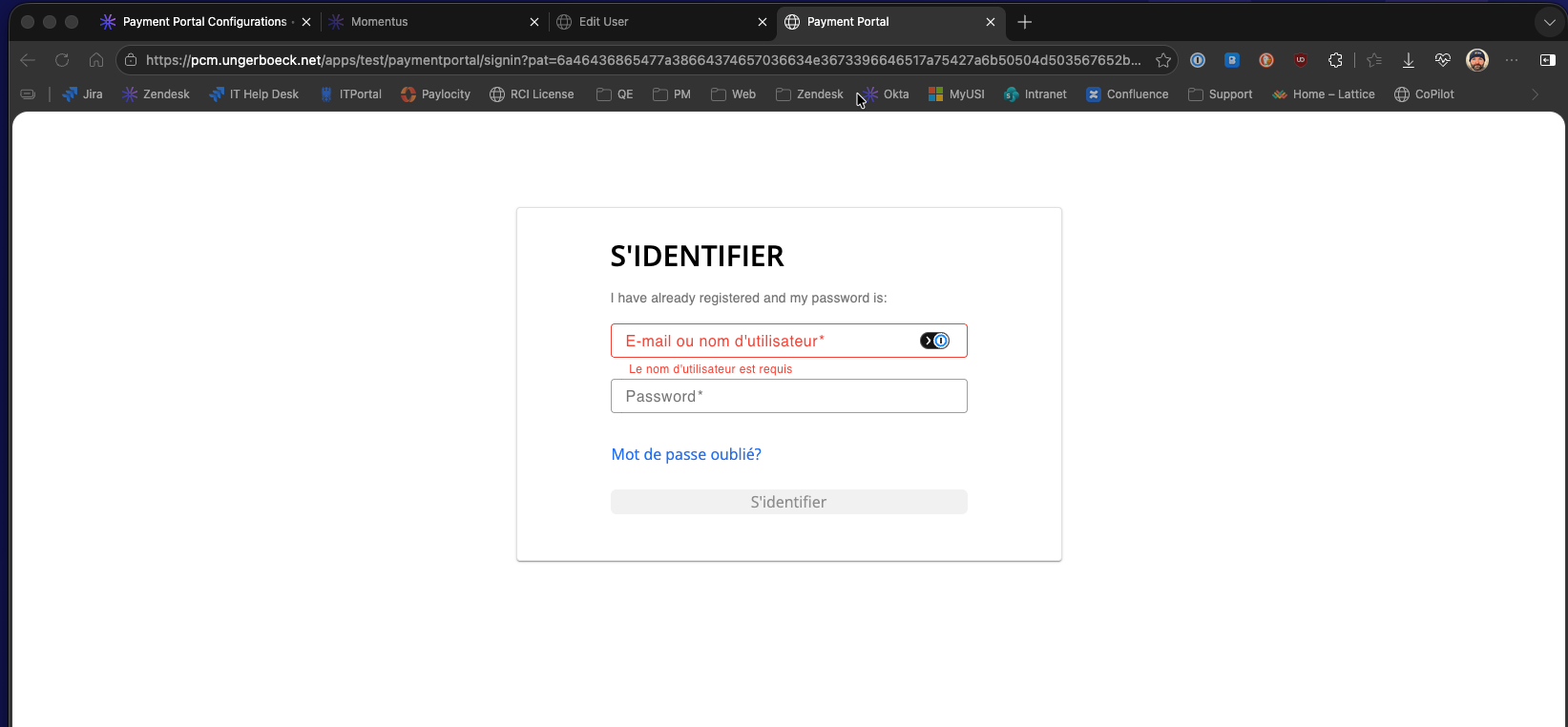
When I hit HTTPS://pcm.ungerboeck.net/apps/test/paymentportal?pat=6a46436865477a38664374657036634e3673396646517a75427a6b50504d503567652b644d4c62397755453d it loads just fine, so there seems to be a DNS issue with whatever you're connecting to.
-
Hi Mike, thanks for looking into this!
To make sure we are on the same page, I just wanted to clarify - Accessing the payment portal directly in the browser with a good URL is no problem regardless of the HTTPS capitalization. The disconnect seems to be happening in how Enterprise handles/stores/passes along the URL value in the Edit Site Configuration page. I would expect it to pass along the base URL when attempting to “Add Web Payment” but somehow the colon gets omitted in the process.
Does this still sound like an SRE issue to you?
-
Aaron Krumsieg Ah, I understand what you're saying now. I thought you were saying it would always fail with an HTTPS:// prefix. No, then that does not sound like an SRE issue. Support would need to investigate that for sure.
-
I appreciate it, thanks!
Please sign in to leave a comment.
Comments
6 comments
Date Votes