Work orders - Grouping has an inconsistent behaviour view

- Description of the issue: When you open a view, we have saved how it should be grouped at different levels. However, when you select an event or apply another filter, that grouping is lost and you have to reapply the filters/sorting
- Account name: Svenska Mässan
- Region: EMEA
- Client version: 25.4
-
Steps to reproduce:
- Go to Dashboards from main menu and search for PR - Dashboard Beredning
- Right click on → View dashboard
- Now go to the work order box and click on the arrow besides it to open the work order view
- In the Event field type 73258 and apply filter → The view was set to that the first two grouping levels are displayed as expanded and the other ones are collapsed: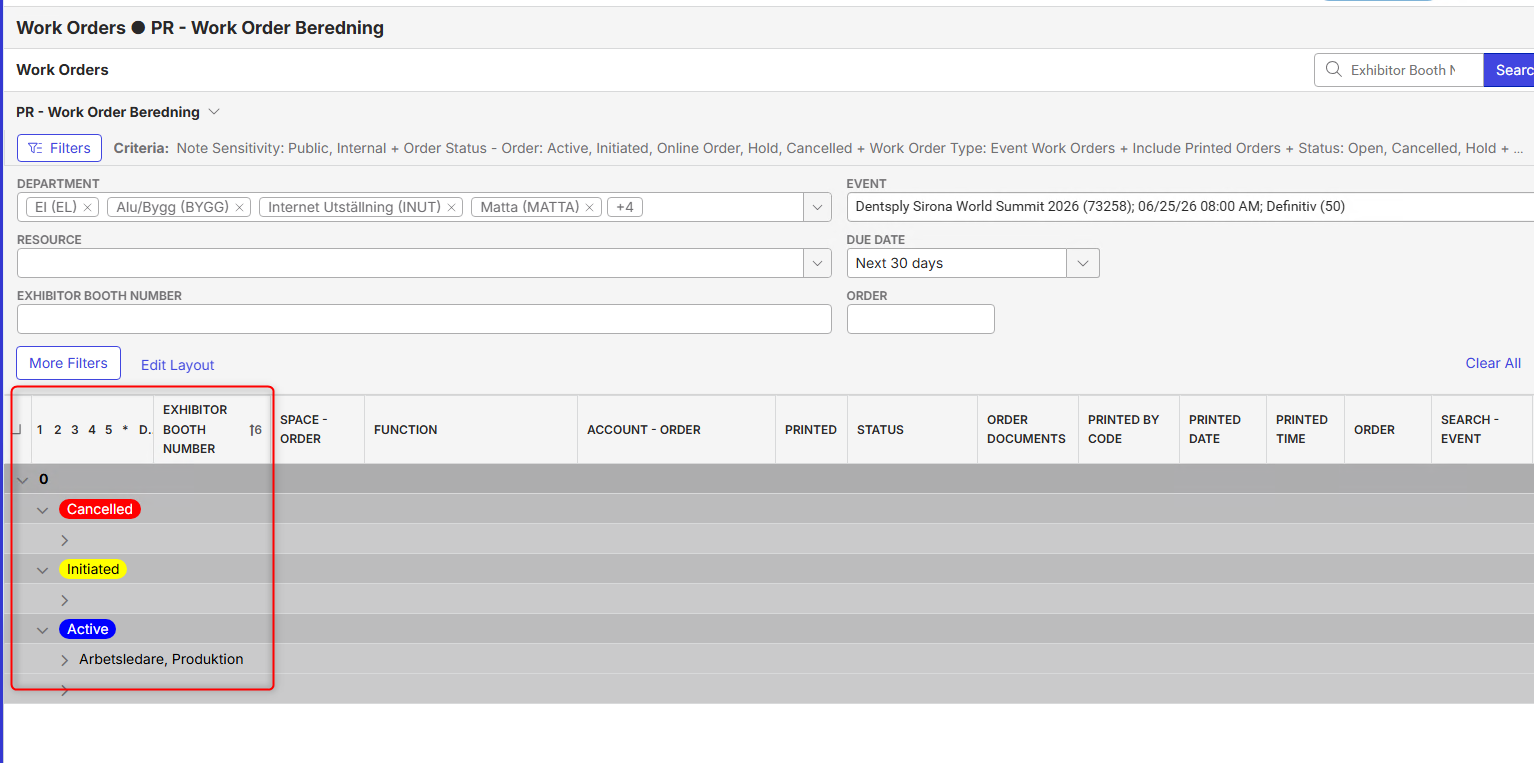
- Now in the Due Date dropdown select Clear
- In the Event field type 71276 and apply filter → All the grouping levels are displayed as expanded: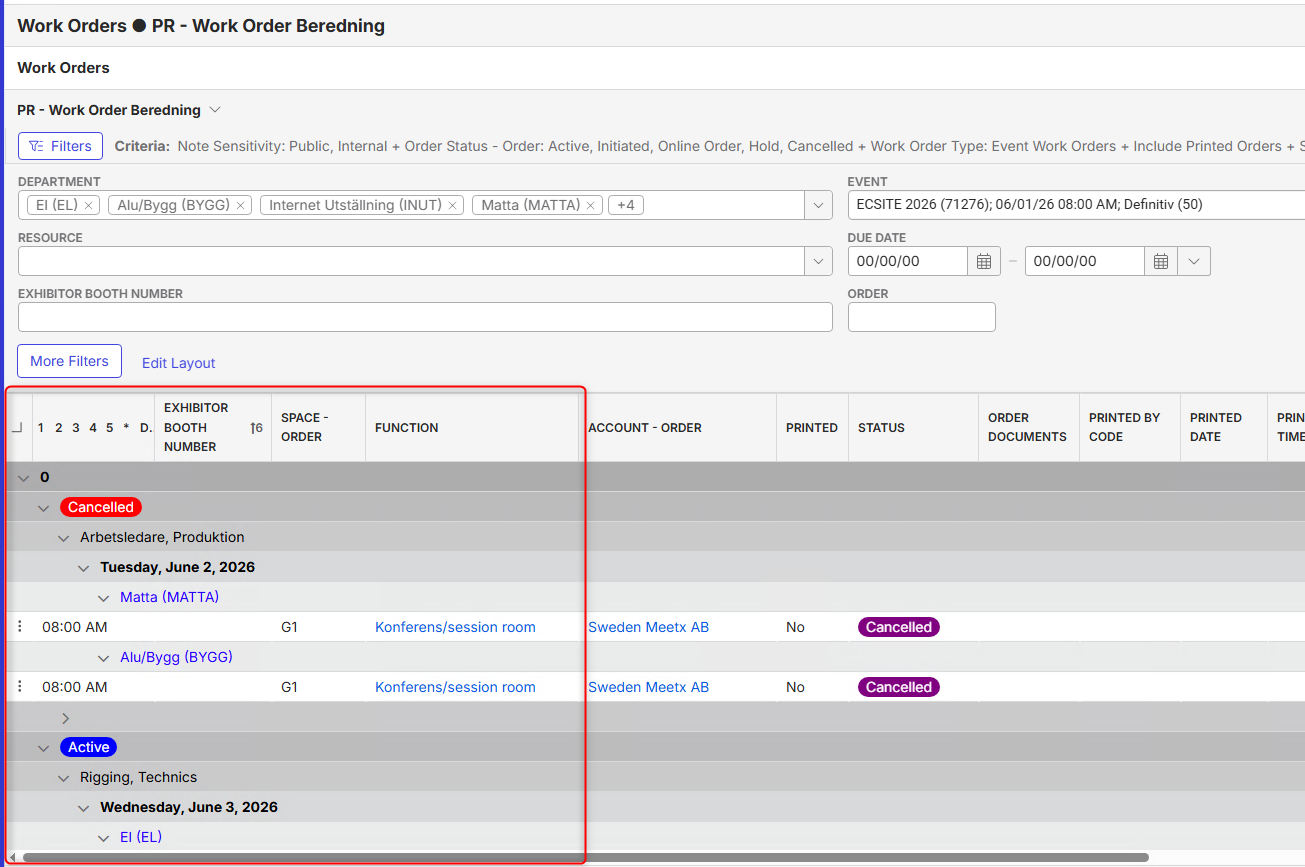
- Observed results vs Expected results: All the grouping levels are displayed as expanded, but when searching for the second event the view settings should be followed
- What is the job the client is trying to accomplish: The client wants the work orders to be displayed according to the settings saved for that specific view
- Business impact if not resolved: It takes a lot of time to regroup the information after each filtering for their users
- Links to articles where you've looked for solutions and also other steps you've taken to research the issue:
https://supportcenter.ungerboeck.com/hc/en-us/articles/214521157-Views
https://supportcenter.ungerboeck.com/hc/en-us/articles/211506677-Work-Orders-Overview - Link to Zendesk ticket: https://ungerboeck.zendesk.com/agent/tickets/386030
- Local v30 URL: https://supportwebemea.ungerboeck.com/Svenska_PROD
Pieter Fourie Mike Schepker Nicole Loh Satya Ram Nukala Should I report it as a bug?
-

Let me make sure I'm understanding this correctly. The view is working as expected until they perform a search, then the view no longer works as they are expecting it to? This seems like expected behavior to me. You're performing a new search so we're displaying the results of the new search.
-
Hi Mike Schepker ,
The view works fine with the first search, but not with the second one
-
Francesco Torchia This still seems like it is working as designed to me. Why would you not want to display the results of your search?
-
Mike Schepker It's not about displaying the result, but about how they are displayed
-
Francesco Torchia Right, but you're performing a new search, right? Why would you want the results of that new search to be collapsed? What is the business case for that? I guess I'm having a hard time understanding why this is an issue. Do you have a recording of this happening in action?
-
Mike Schepker Please find the recording in which I show the issue: https://share.birdie.so/o/zl3lUl7wX
-
Again, I think this is working as designed. You are performing a new search. The system is returning the results of your search. I think it should display them expanded.
Please sign in to leave a comment.
Comments
7 comments
Date Votes