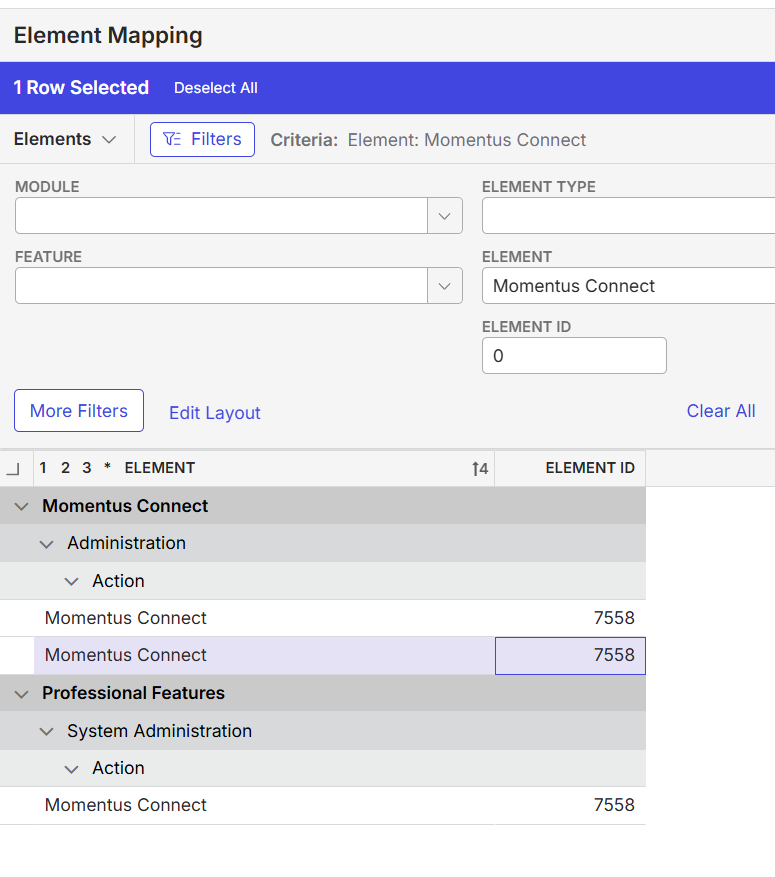
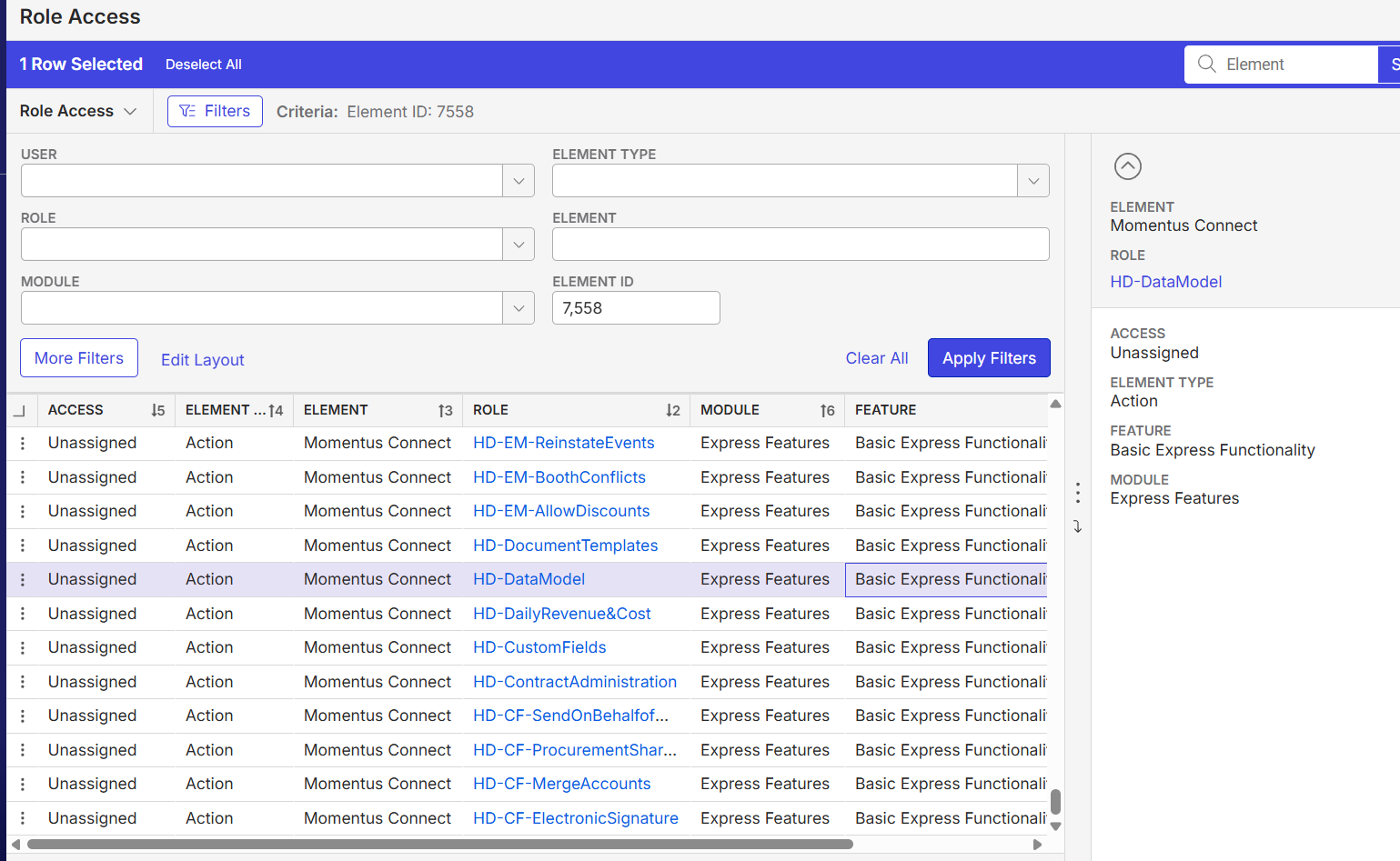
The Element Mapping screen should show Momentus Connect as an Express Feature under Basic Express Functionality but it does not.
Answered
- Description of the issue: Element Mapping does not show complete information on "Momentus Connect" access
- Account name: Victorian Convention and Event Trust
- Region: APAC
- Client version:25.3
-
Steps to reproduce:
- Main menu > Element mapping and search for Element "Momentus Connect"
- Note that only shows Momentus Connect as a Professional Feature
-
Observed results vs Expected results:
- The Element Mapping screen should show Momentus Connect as an Express Feature under Basic Express Functionality but it does not.
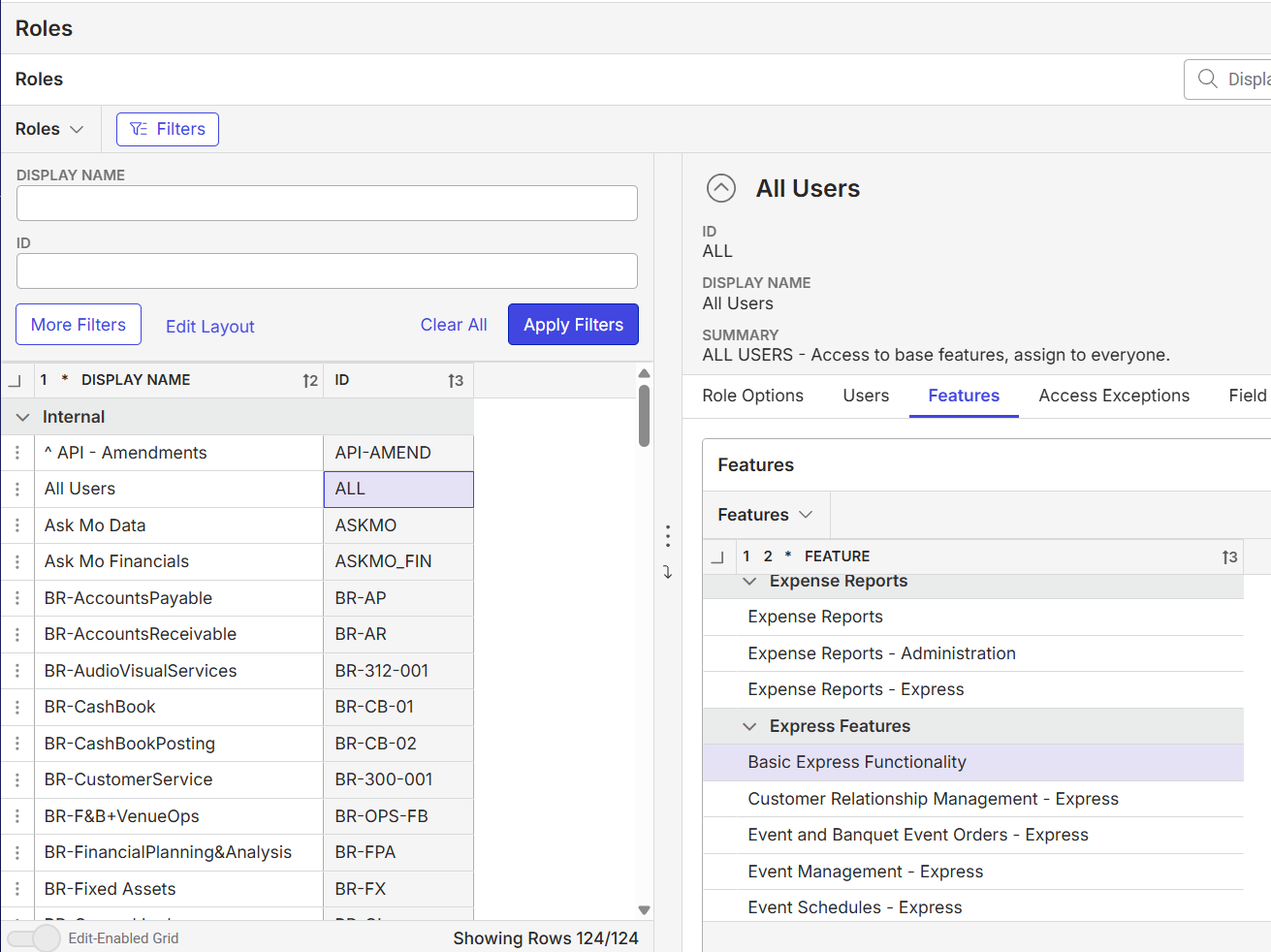
- All users have basic express functionality. Customer want to streamline ‘Momentus Connect’ access to limited users. Advice how can this be achieved.
- Momentus Analytics cannot be found under the system feature as it depends on access to Momentus Connect.
-
What is the job the client is trying to accomplish:
- To create a dedicated “Momentus Connect” role so only selected users (Financial Planning & Analytics and System Administrators) could access this feature
- Business impact if not resolved: Normal
- Links to articles where you've looked for solutions and also other steps you've taken to research the issue:
- https://connectsupportcenter.ungerboeck.com/hc/en-us/articles/37806053694743-About-Momentus-Analytics
- Link to Zendesk ticket: https://ungerboeck.zendesk.com/agent/tickets/387565
- Local v30 URL:
- https://supportwebap.ungerboeck.com/MCEC_Prod_1700100308_USI_V30/app85.cshtml?
-
Satya Ram Nukala Nicole Loh please advise
-

Tagging Victor Nogales Junior
I think that the most recent Momentus Connect release has role-based access for Momentus Connect.
-

Correct, this can be solved using our Custom Roles. See https://connectsupportcenter.ungerboeck.com/hc/en-us/articles/39315911503511-Users-and-Roles-in-Momentus-Connect.
Thanks,
Victor.
Please sign in to leave a comment.
Comments
3 comments
Date Votes