Wrong date format in ESC and Event List

- Description of the issue: ESC and Event List display dates in MM/DD/YYYY format. Customer requires DD/MM/YYYY. No configuration option found.
- Account name: ExCel London Hospitality
- Region: EMEA
- Client version: 26.1
- Steps to reproduce:
- Open ESC
- Select any event
- Open a catalog item (e.g. Tea/Coffee)
- Check Delivery / Pickup date fields - Observed results vs Expected results: Dates should respect customer locale and display as: DD/MM/YYYY (e.g. 31/01/2030, 17/05/2026)
- What is the job the client is trying to accomplish:
Having dates showed with the right format on ESC - Business impact if not resolved: This might lead to confused exhibitors and wrong orders
- Links to articles where you've looked for solutions and also other steps you've taken to research the issue:
https://supportcenter.ungerboeck.com/hc/en-us/articles/360052672814-Locales
Link to Zendesk ticket: https://ungerboeck.zendesk.com/agent/tickets/388647 - Local v30 URL: https://supportwebemea.ungerboeck.com/CompassLeith_PROD/app85.cshtml
-
I have checked the Locales configuration and it looks correct to me:
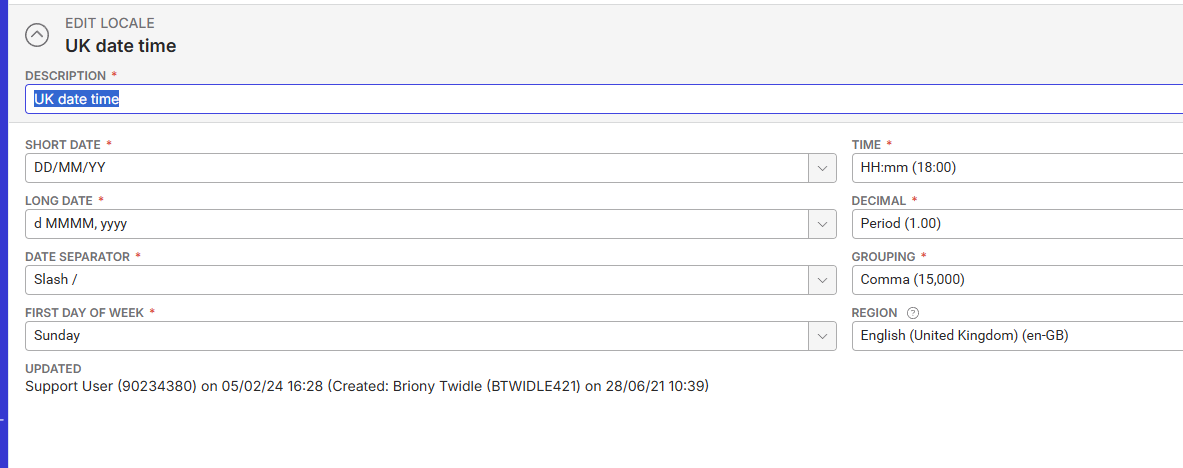
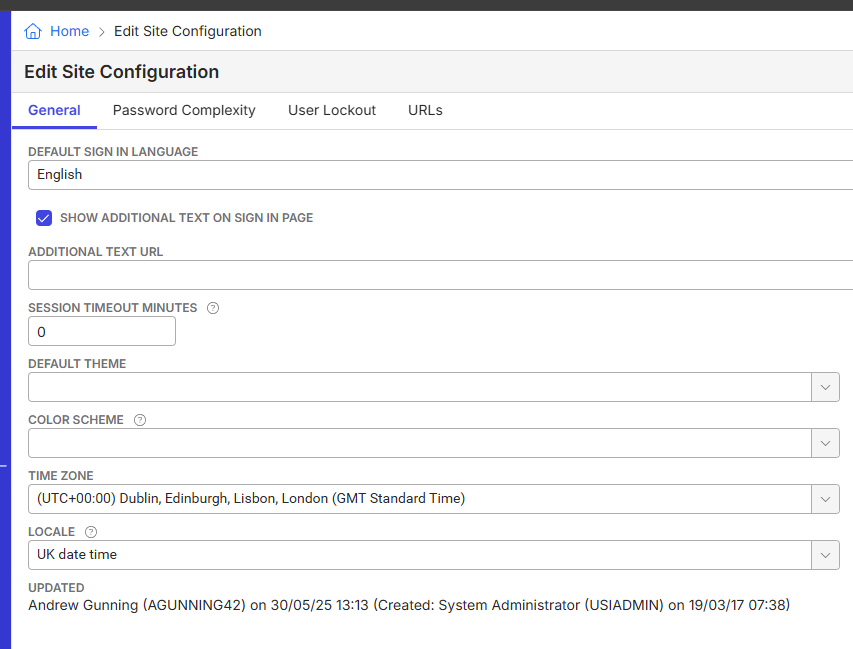

-

Since there have been no other replies, I'm going to take a stab at this - have you check the region setting on the language in the ESC Configuration? See Exhibitor Service Center in Multiple Languages.
-
@... Bingo! Thank you so much!
The Region setting was set to Use Default:
I changed it to English (United Kingdom) and the date format was changed accordingly:
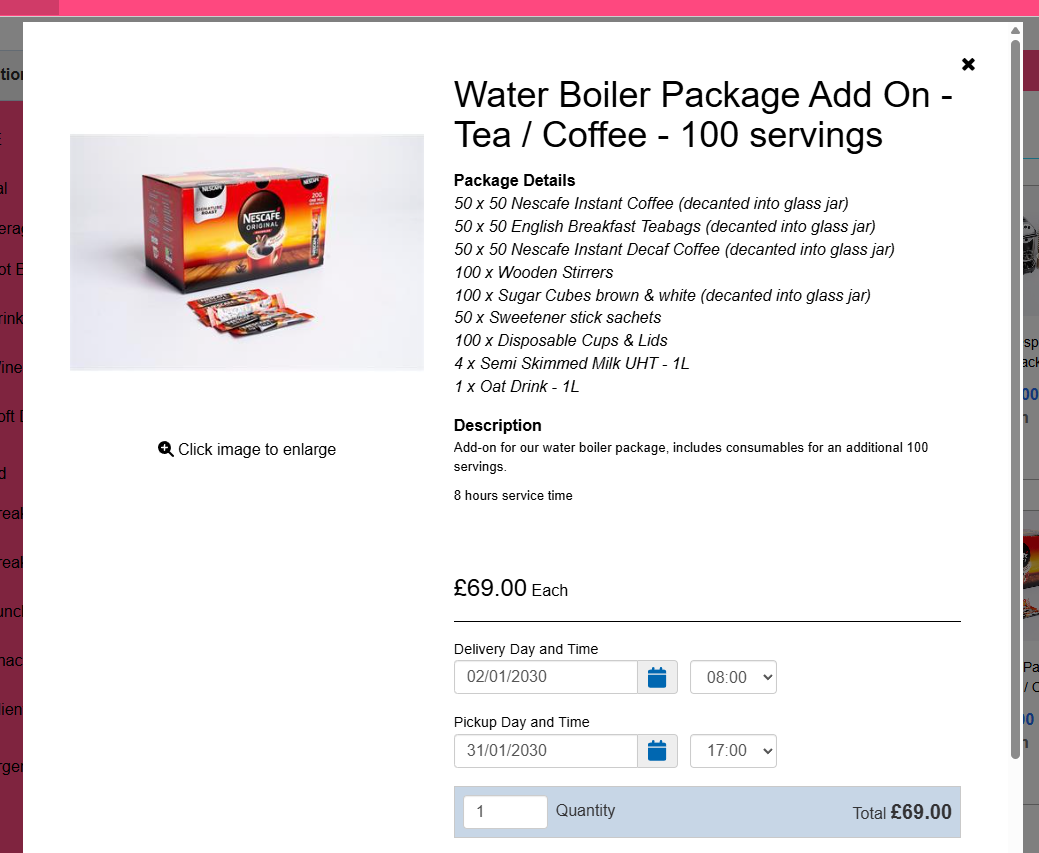
-
Excellent! I've updated the Languages tab in Exhibitor Service Center Configuration to note that this is where date/time format is controlled.
-

Linda for the win!
-

Mike Schepker @Linda (somehow cannot tag you properly) posting the following here as it is also about Date Format but not in the ESC but in a List (Event Header Field).
Everywhere in system the Date gets displayed correctly respecting the Locale Setting:
But seeing the Event Header Field. Here in Resource Requirements it will show it in the US Format there:

Any idea why this happens?
Client:
Cht1011_Prod_0029741714
Version:
26.12026042901
zendesk:
#390096 -
Dominik Obelöer What are you grouping by in your screen shot? Can you post a screen shot of that? My guess is it's a bug with the way the grouping handles dates, but I'd like to see how it's grouping first.
-
It is the Event Header Field itself. I tried without Grouping by it and only have it showing as a column and like this it will also show the Date in the US Format.
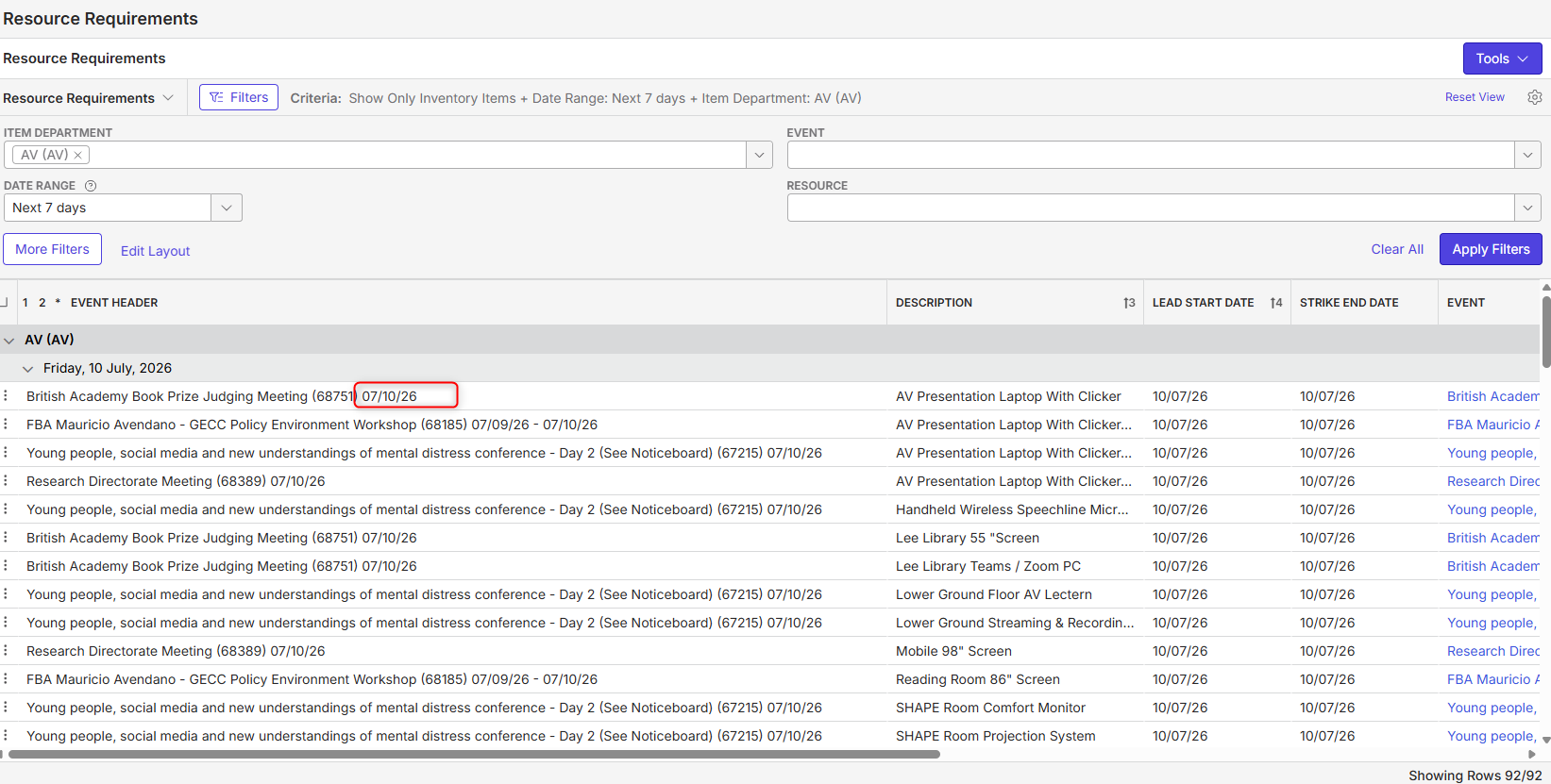
Please sign in to leave a comment.
Comments
9 comments
Date Votes