Sorting of Templates not consistent by Date

Description of the Issue:
The client has realized that there are gaps in the sorting of their Templates. They have thousands of Templates and need to filter them by Date/Entered On and have by that realized that the sorting is not consistent.
As you see in the Screenshot there is a series of 2025 appearing where it is only surrounded by 2026. There will be other parts in the list like this as well.
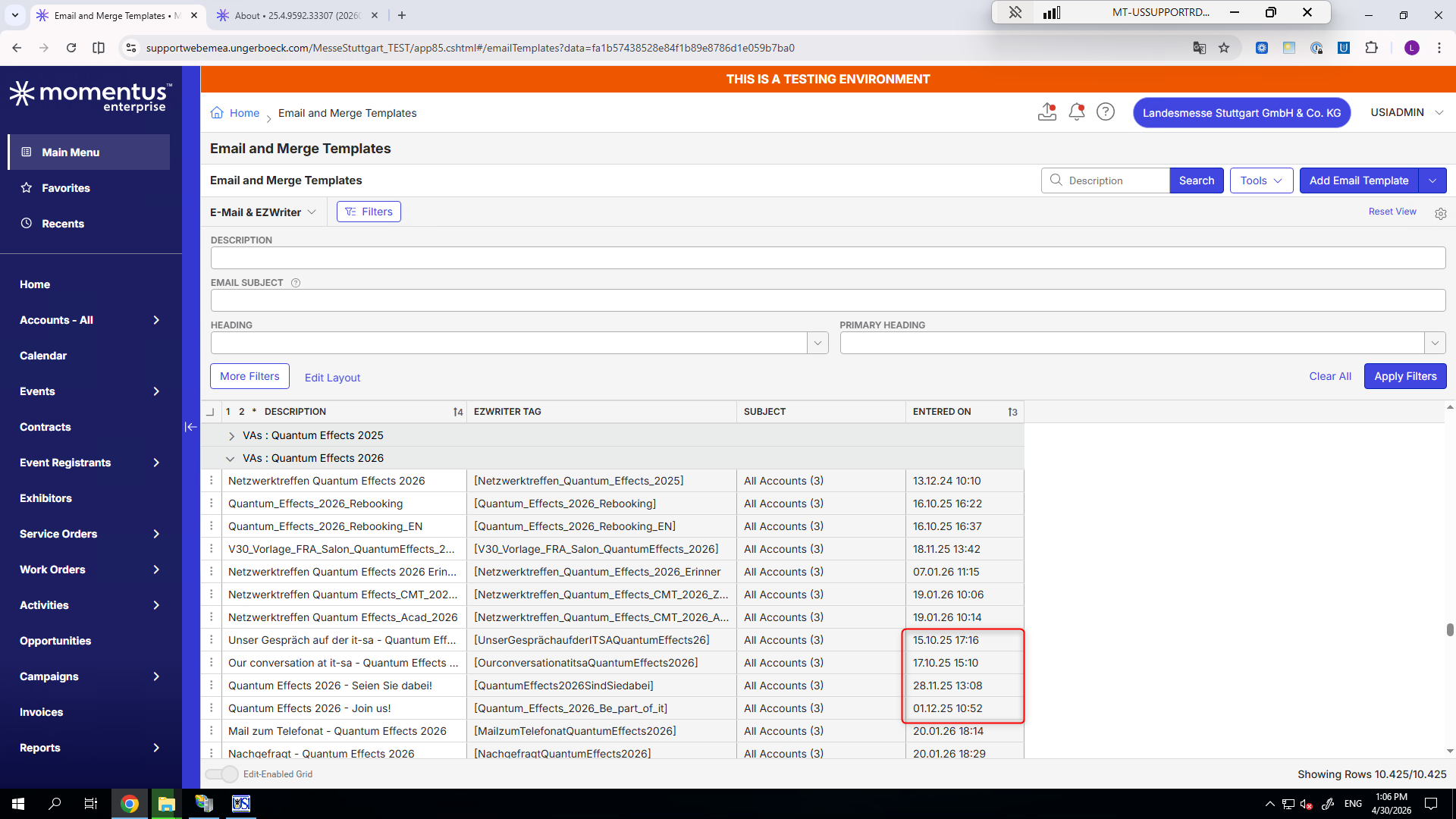
Though it can be stated that the overall sorting by Entered On is working there will be those Exceptions.
Client:
MesseStuttgart_TEST_0071404508
Version:
25.42026020501
Zendesk:
#385800
-

What is their sorting and grouping set to?
-
Mike Schepker here are the sorting/grouping which are in place for this view
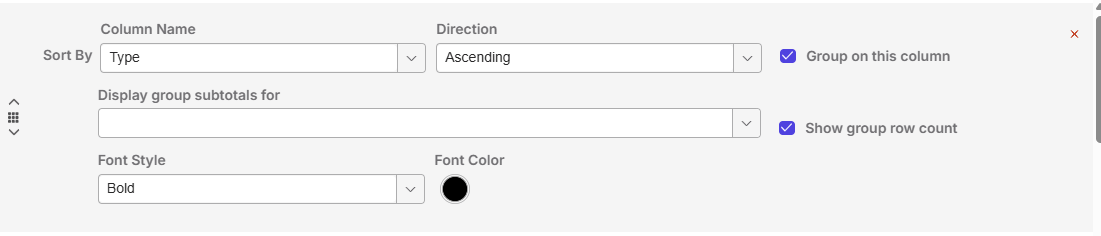
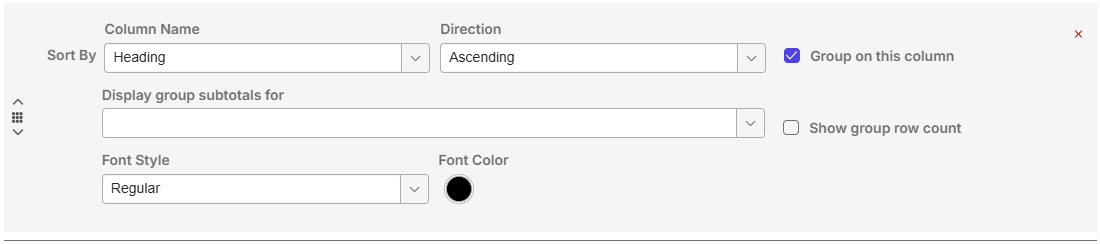
This is how it looks then:
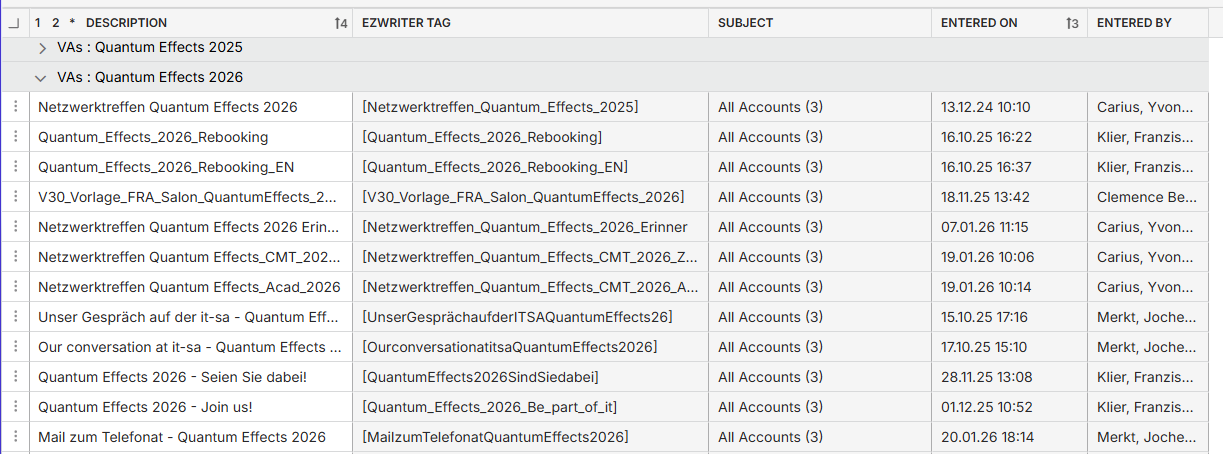
As you see from the first line it goes up from 24 till 26 and then out of a sudden it has a group of 25 in it.
-
This seems like a bug to me.
-
I tested this again on the latest 26.2 and the issue is still there. Those clusters of not correctly sorted Dates/Templates appears also on various other parts of this listing.
Seth Halvaksz would it be fine to issue a Jira for it? -

Dominik Obelöer i want to clarify what the issue is here.
Is the issue that the 4 items in your screenshot with “Entered On” dates of 2025 show up with a heading of “VAs : Quantum Effects 2026”?
If so, how was that heading created? Is there a formula?
-
No, the heading is not the issue. The problem is the sorting by “Entered on”. The Dates do not match.
As you see in the screenshot it goes 24, 25, 26 - then a little cluster from 25 again and after it, it continues with 26.
Those clusters are found in multiple places. System is not sorting correctly. -
What is the field that has the value “VAs : Quantum Effects 2026”?
Please sign in to leave a comment.
Comments
8 comments
Date Votes