Putting a cutt-off for editing orders on the OSB
Answered
hi !
I have been asked by a customer if it's possible to put a cutoff for existing new orders, on the OSB.
While in the order processing configuration, you can configure a cutoff date before an event for editing orders, in the OSB config > My Events, “allow Adding to Existing Events” apply to both adding new bookings and new orders.
Then, even if you configure a cutoff date, it is always possible to add orders to an existing event.
Do we have a way to configure a cutoff date for adding orders and bookings, in the OSB ?
I have checked out the support center and I asked Mo, but I haven't found a way and I am not sure it is possible to begin with.
Thanks for your help !
Léa
(also, I have checked in particular this article who gave me the confirmation that allow Adding to Existing Events controls both the adding of bookings and of orders)
https://supportcenter.ungerboeck.com/hc/en-us/articles/4408511074199-Online-Space-Booking-OSB-Configuration
-

Hi Lea,
I spent some time looking into this.
The Order processing configuration you found is *specifically* for editing an existing order.
You can see this in OSB down in the items grid below the summary:
Click Manage -→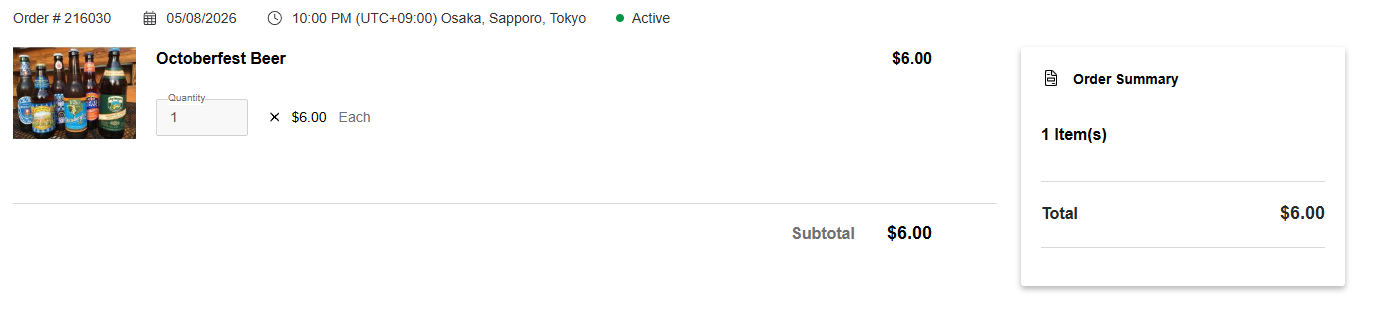
On this event and order, I have configured the order editing cut off so I cannot edit.
On this other event, I am within the range, and you will see the difference: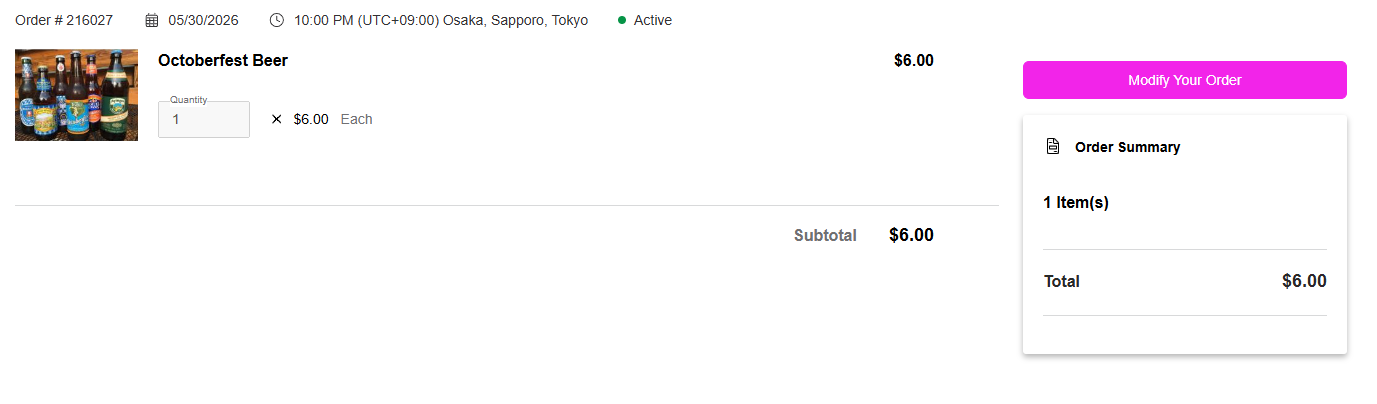
Note the purple “Modify your order” button.
As you note, this button here: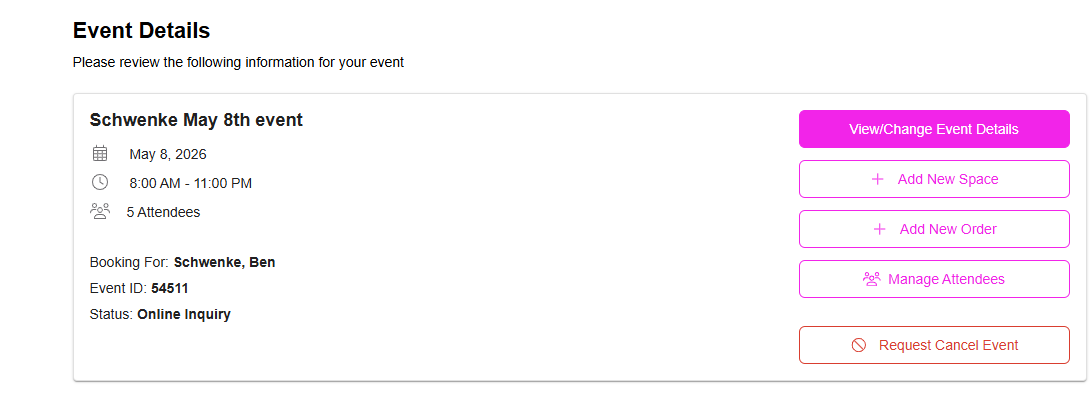
ADDS a new order or booking. This is not the same as editing.
If you want a way to disable the Add new order button based on a cutoff, that would be a new feature I think.
Regards,
Ben
Please sign in to leave a comment.
Comments
1 comment
Date Votes