Incorrect calculation when Service Order Report is generated in English

Dear Pieter Fourie Mike Schepker Satya Ram Nukala
This one is urgent, as the customer is losing time and revenue.
Zendesk Ticket: #384655
Account: ACV (Austria Center Vienna)
Region: EMEA
Articles used in your research: Configure Reports for Multiple Languages
General
Business impact if not resolved: Customers get incorrect totals.
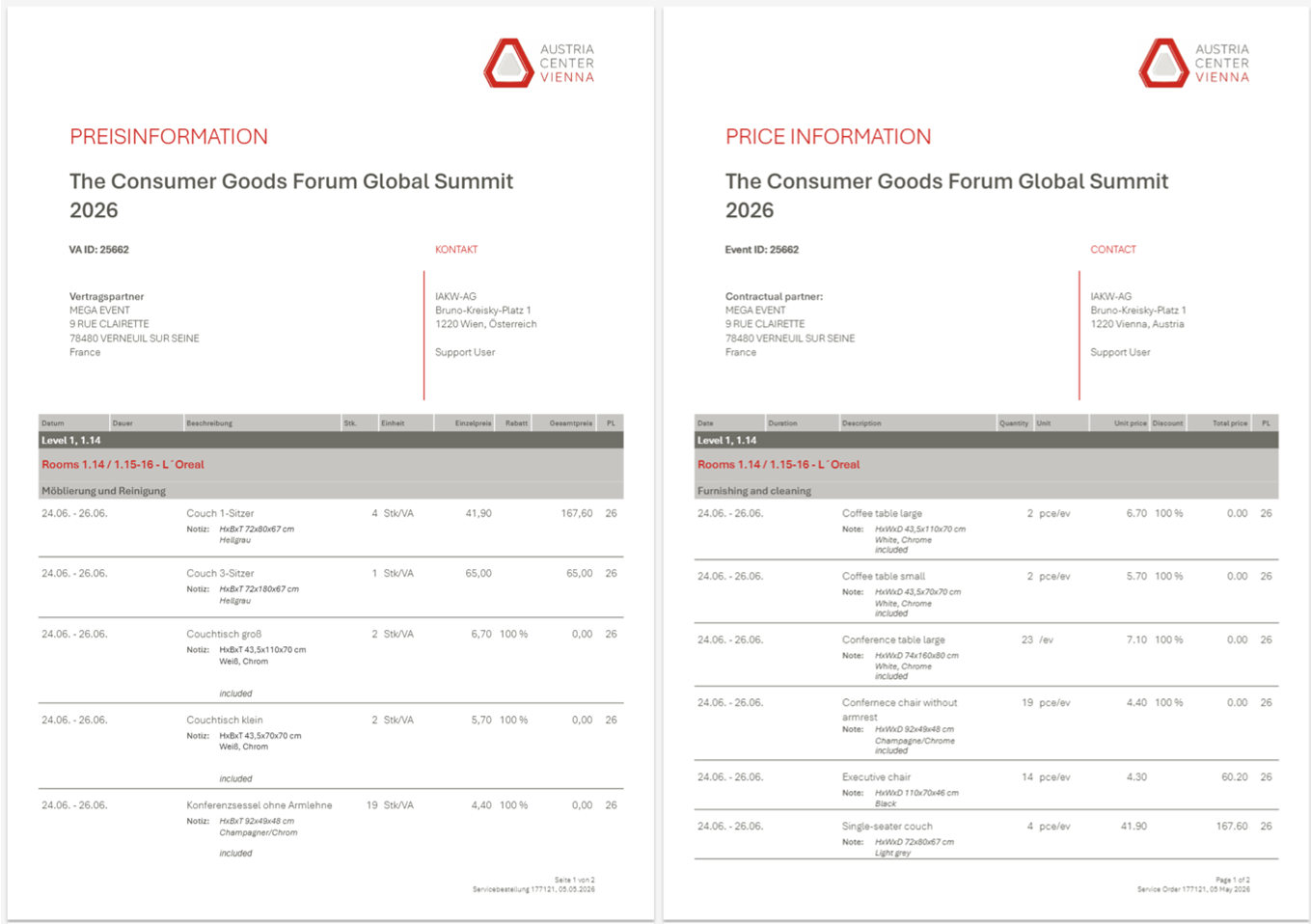
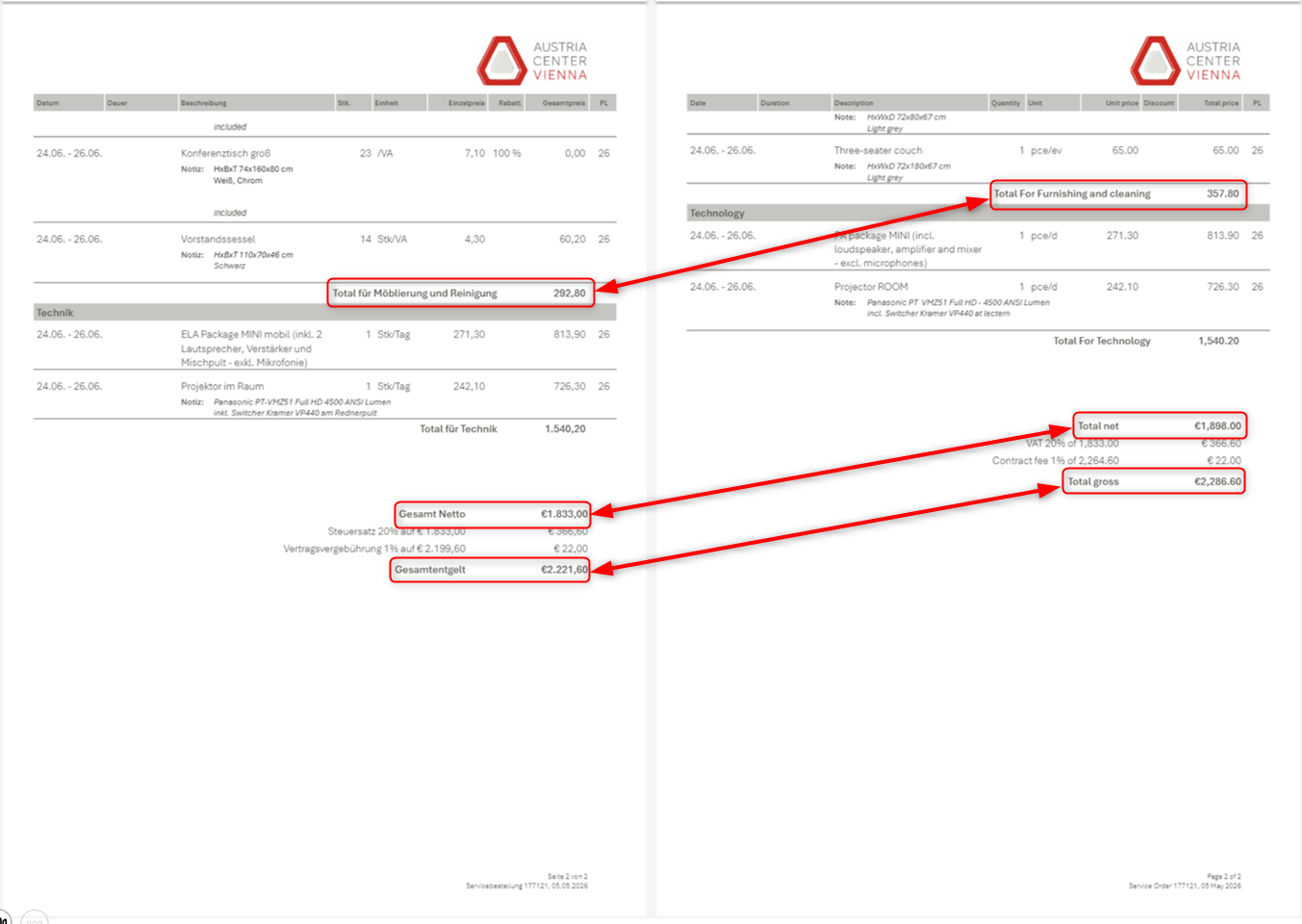
Short Summary of issue: Service Order Report "Preisinformation - Price Information" (ACV401V1) calculates correctly in German but incorrectly when generated in English.
Macro Vertical: Convention Centers
Debug Environment:
Customer DB Location: Hosted
Database: ACV_Prod_2044967681_USI
Server: Debug-EMEA,1433
Version: 26.1.9606.31447 (20260420)
V30 Link: https://supportwebemea.ungerboeck.com/ACV_Prod
User Login: USIADMIN / ITRocks2014
Recreation Steps:
- Edit Service Order 177121
- Click Actions > Reports > Service Order Reports
- Select "Preisinformation - Price Information"
- In Sprache (Language) field, select Deutsch
- Run the report
- Leave the tab open and go back
- Now, run the report again selecting English
- Notice that all separate items have the same price,
- but the Total for furnishing and cleaning (and thus net and gross totals) is not correct in English
Observed vs. Expected Results: Different calculations when different languages are selected.
What does the client want to accomplish: Customer would expect the same calculations on German and English version of the report.
Attachments:
Attachments or screenshots:
-

This looks like a custom report. Who wrote this report? I would check with them on the logic of the report. Is there a standard equivalent of the report you could test on and does the same thing happen with the standard report?
-
Thanks Mike Schepker. This is indeed a custom report. It was written by TS and not based on a standard report.
-

Ticket opened: https://ungerboeck.atlassian.net/browse/ME-8314
According to the ticket, the report was created by TS:
"Although this is a custom report, written by TS, the issue seems to be on the Enterprise side. Backoffice values are displayed incorrectly on the English preview of the report, but when exported to Crystal, the values are correct."
Please sign in to leave a comment.
Comments
3 comments
Date Votes