Edit-Enabled Grid Options in new UX

Hi team,
One of my customers (Jaarbeurs) would like to be able to edit the grid in Edit Price List to be able to quickly update Minumum Quantity, Maximum Quantity. Business Case: they create a Price List from start (they do not use the copy) and they would like to update these quantities from the screen below.
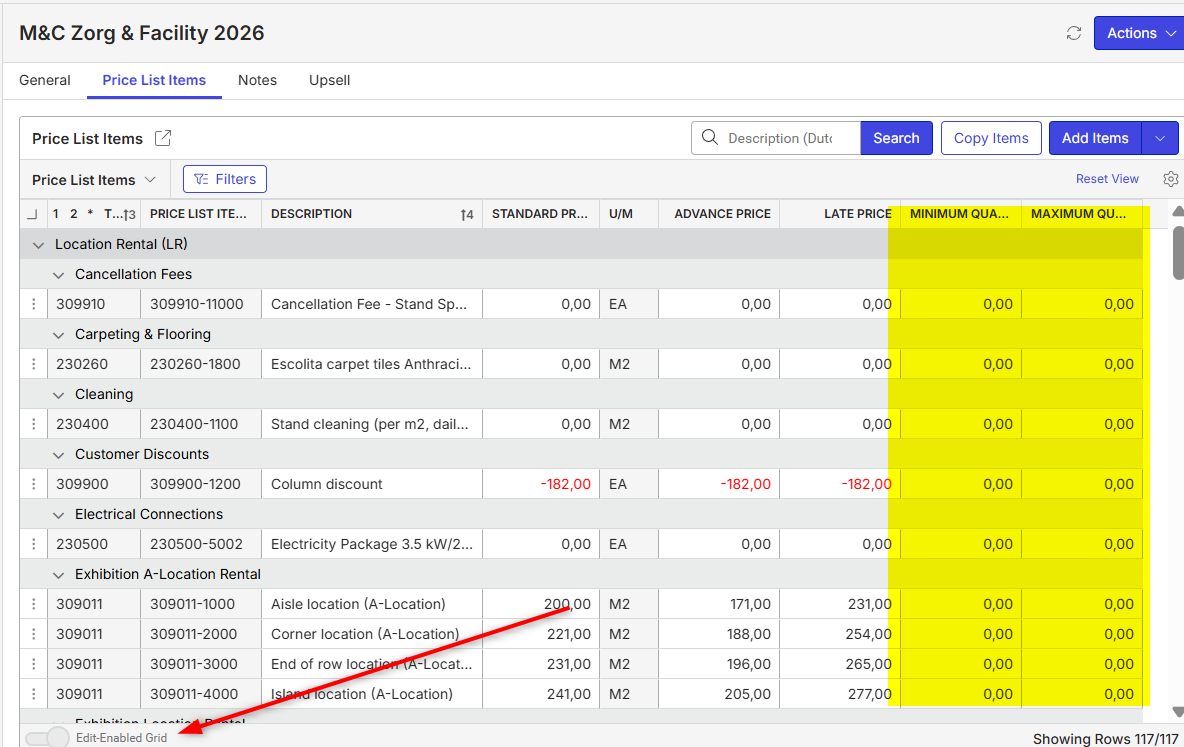
Before I ask them to submit an enhancement request, I recall that we previously had some communication about the Edit-Enable Grid throughout the system—specifically why it works in some areas and not in others. I have searched the Support Centre and Documentus, but without any results.
Do you have additional information about this Carissa Harrison?
Thanks
Minka
-

There's no defined logic behind if a grid is editable or not. It comes down to the use and/or needs of the grid. Grids like the List of Events which have a lot of field dependent fields are not suitable for editing purposes.
These 2 columns could easily be made editable on the Price List Items grid on the Price List reading pane or Edit pageCC716_MIN_QTY
CC716_MAX_QTY -
Hi Carissa Harrison thank you for your reply. I guess I am missing something, because I can not figure out a way to make these fields editable. They remain greyed out in both the reading pane and the full grid. What is the step I am missing to make these editable?
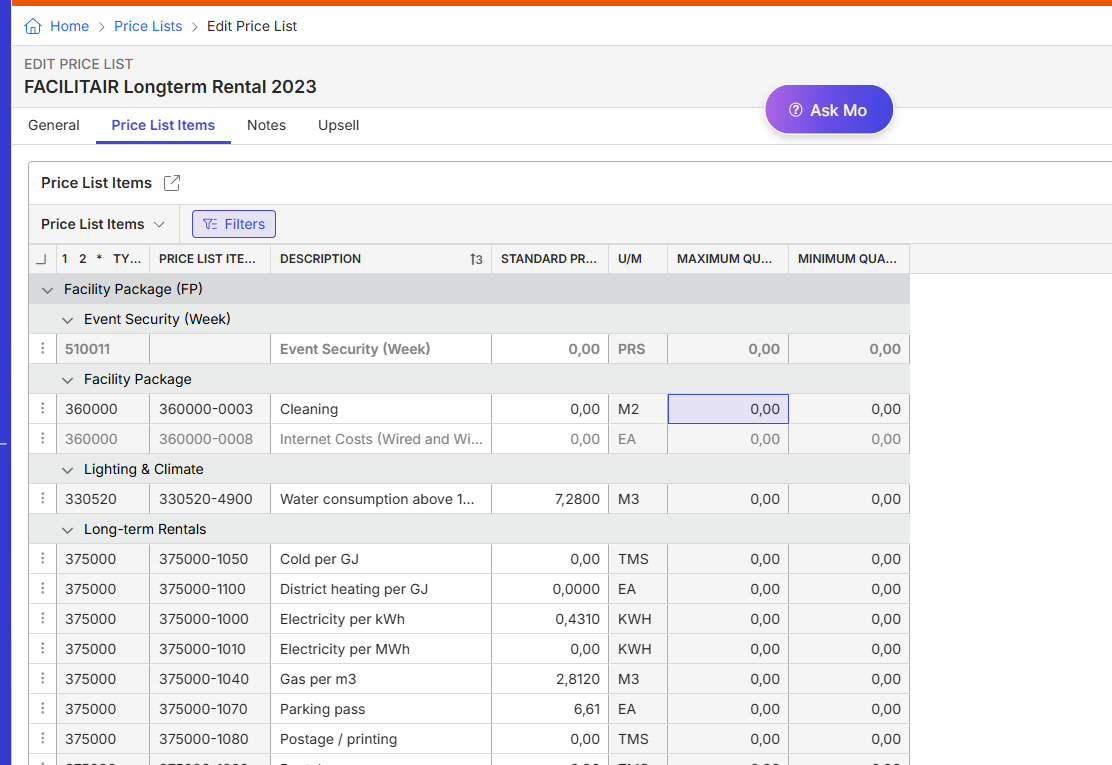
-
Minka Verkaar Engineering needs to make these rows editable, its a code change. Please submit as an enhancement request.
-

Ah, ok. Than it makes sense. I will ask the customer to submit a request. Thanks
Please sign in to leave a comment.
Comments
4 comments
Date Votes