Rerun Report in Report Master not working

Pieter Fourie Mike Schepker Satya Ram Nukala Nicole Loh
Zendesk Ticket: #352876
Account: The Queen Elizabeth II Conference Centre
Region: EMEA
General
Business impact if not resolved: Slows down testing of report changes.
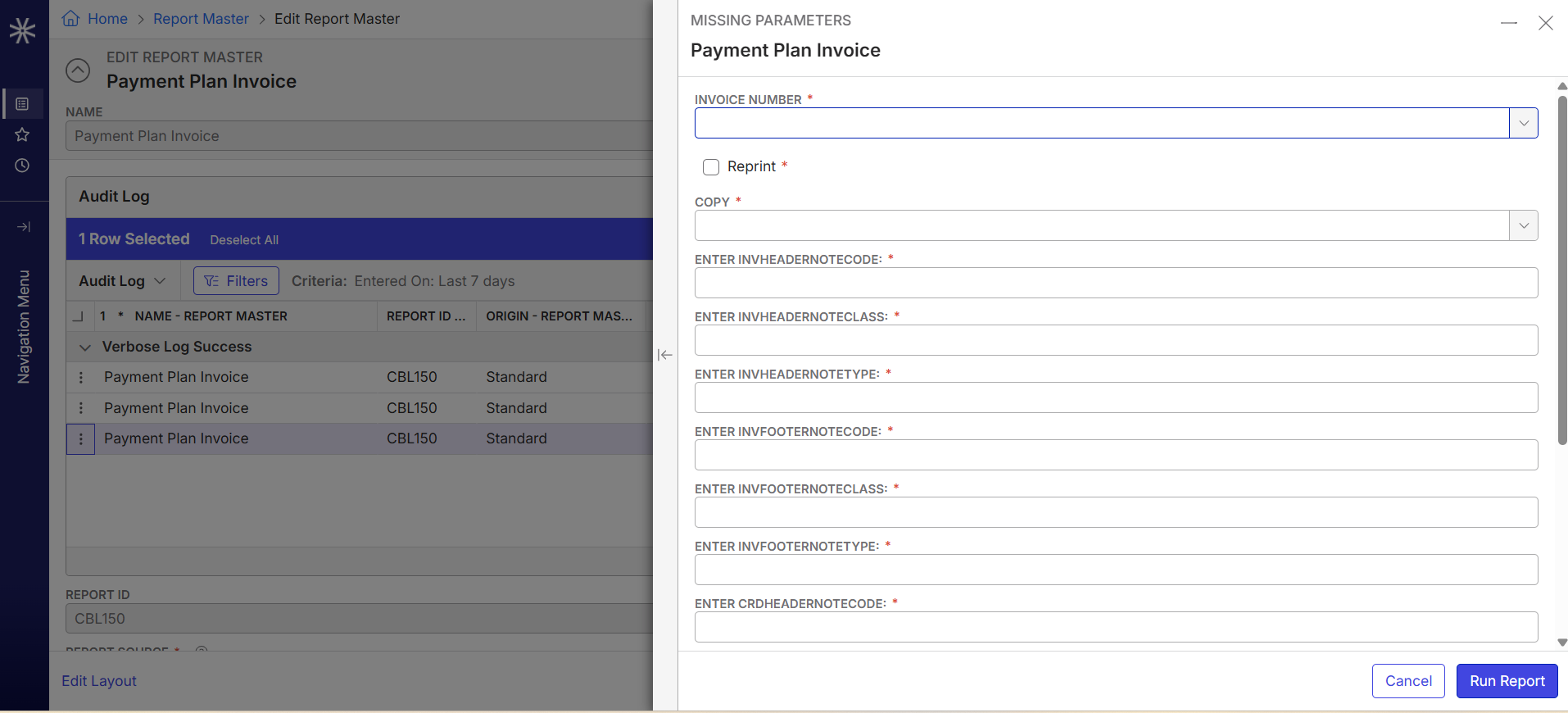
Short Summary of issue (issue description): The ability to re-run reports from the Report Master isn't functioning as before (24.2). Parameters are not saved and need to be reset. The point of the re-run report functionality is that any given report can be run again with the exact same parameters.
Macro Vertical: Convention Centers
Debug Environment:
Customer DB Location: Hosted
Database: QE
Server: 10.98.101.165\QE_ENVIRONMENT,1434
Version: 26.2.9595.31027 (20260409)
V30 Link: https://qe.ungerboeck.com/main/
User Login: SSO
New UI or Classic UI: New UI
Recreation Steps:
- In the Main Menu, go to Invoices
- Search and edit invoice 31070
- Click Actions > Reports
- Select Payment Plan Invoice
- Click Select
- Click Run Report
- In the Main Menu, go to Report Master
- Edit Payment Plan Invoice
- (add Audit Log to the Layout if it isn't there)
- Right-click one of the reports
- Select Rerun Report
- Notice that all the fields are empty
Observed vs. Expected Results: When rerunning the report from the Report Master, the customer would expect parameters to be set. This was the case in earlier versions.
What does the client want to accomplish: They want to test reports, but are now unable to rerun reports easily.
Attachments:
Attachments or screenshots:
-

Joppe Borsboom Can you confirm it is working in previous versions? For instance, in a QE database? If it is working there and it's no longer working, that sounds like a regression that dev would need to address.
-
Tested on a 24.2 db and found that this was indeed working. Raised ME-8334.
Please sign in to leave a comment.
Comments
2 comments
Date Votes