Field restrictions not working consistently
Answered
Zendesk Ticket: #346853
Account: Stockholmsmässan AB
Region: EMEA
Articles used in your research: Field Restrictions: Require, Protect, and Hide Fields
Tier 3s: Pieter Fourie Mike Schepker Satya Ram Nukala Nicole Loh
General
Business impact if not resolved: Contacts are erroneously being added without Source or Email, fields that are supposed to be required.
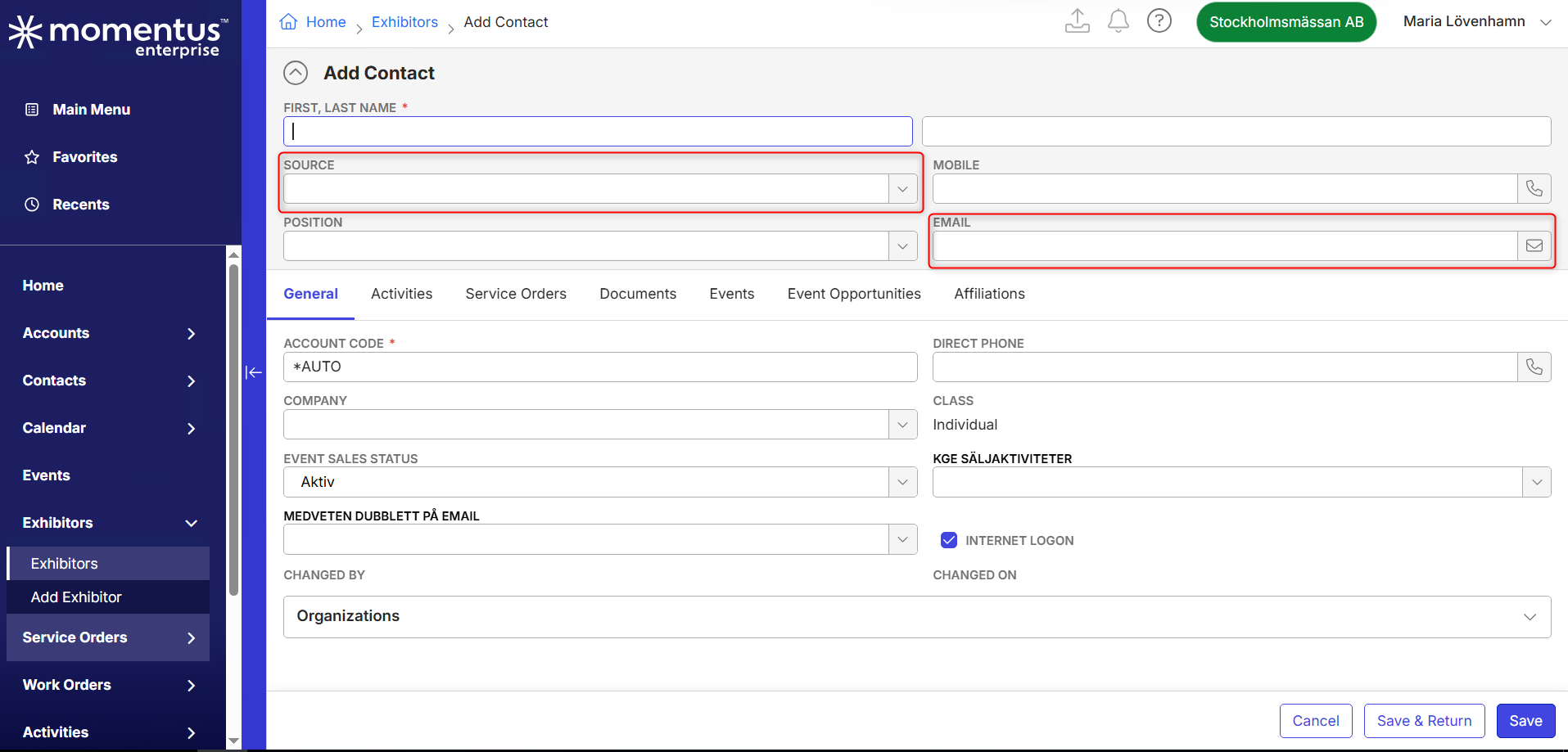
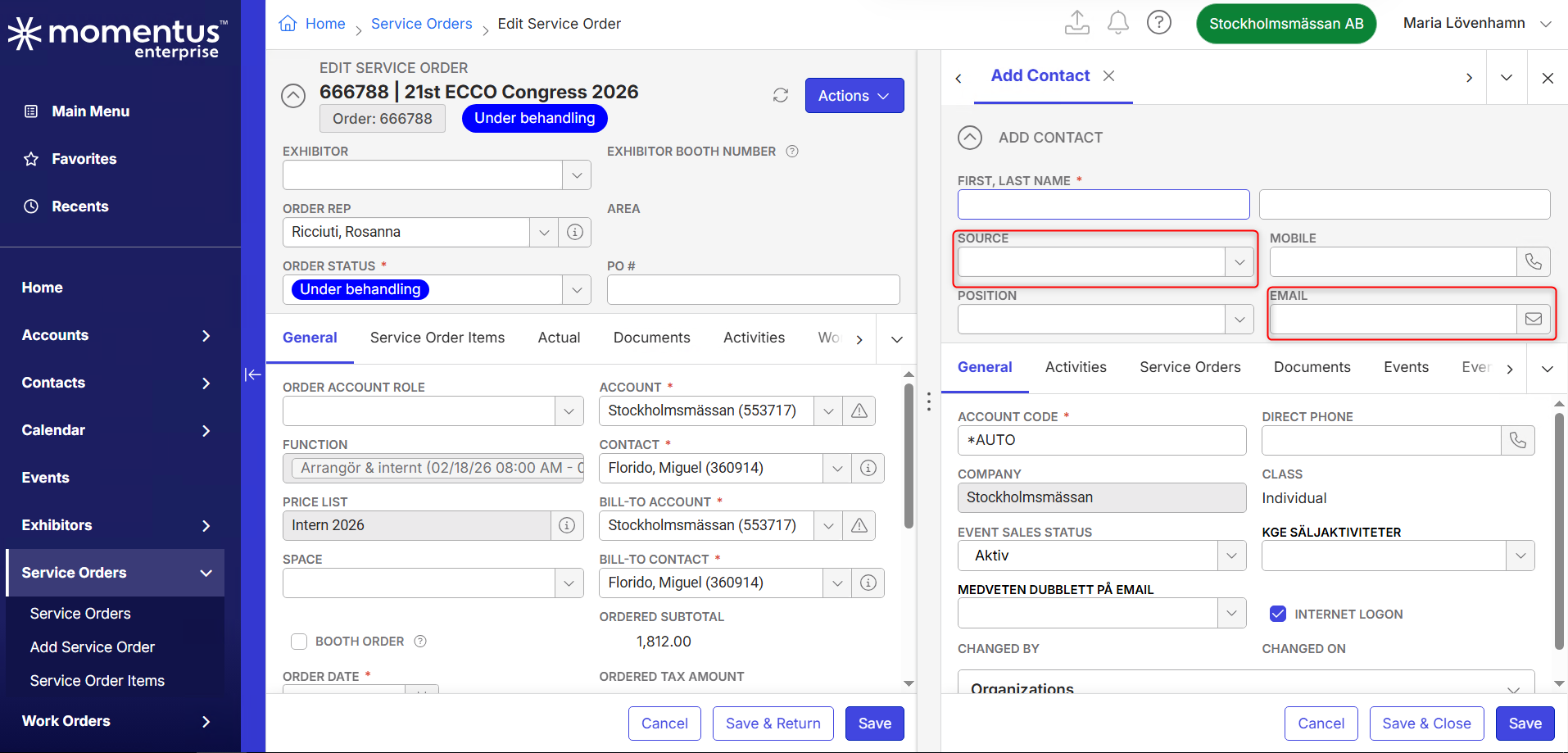
Short Summary of issue (issue description): For adding contacts, the Source and Email fields are set to be required for a number of roles. These field restrictions are respected when contacts are added from Contacts or Accounts, but not when they are added from Exhibitors or Service Orders.
Macro Vertical: Convention Centers
Debug Environment:
Customer DB Location: Hosted
Database: Stockholmsmassan_Prod_0224512434_USI
Server: Debug-EMEA,1433
Version: 25.4.9557.33599 (20260302) (patching to latest now)
V30 Link: https://supportwebemea.ungerboeck.com/Stockholm
User Login: USIADMIN / ITRocks2014 and Maria / 1234
New UI or Classic UI: New UI
Recreation Steps:
First sign in with USIADMIN / ITRocks2014
- In the Main Menu, go to Contacts
- Click Add Contact
- Click Edit Layout
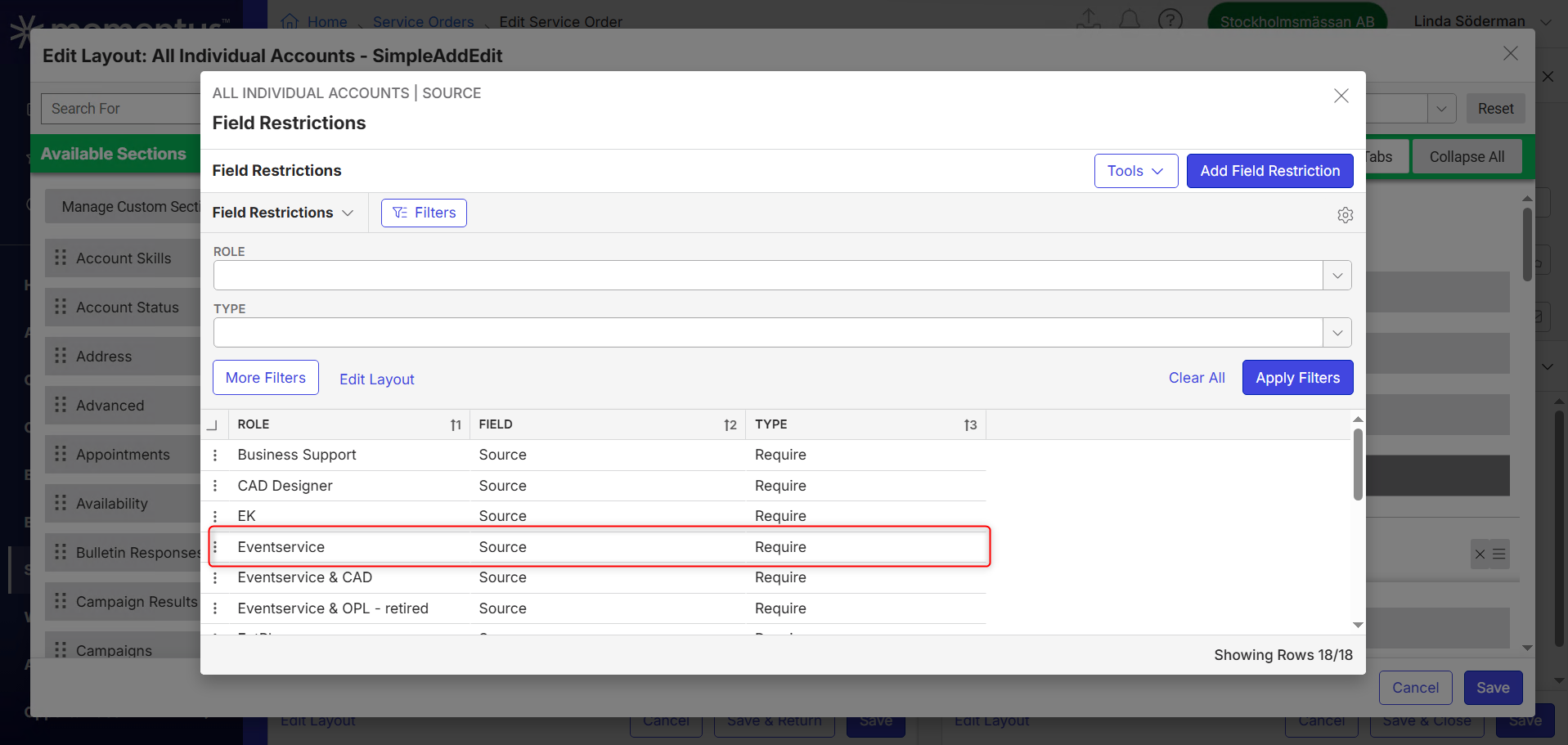
- Click the lock icon on Source to edit Field Restrictions
- Notice that the field is required for 18 roles, one of them is Eventservice
- Close the window
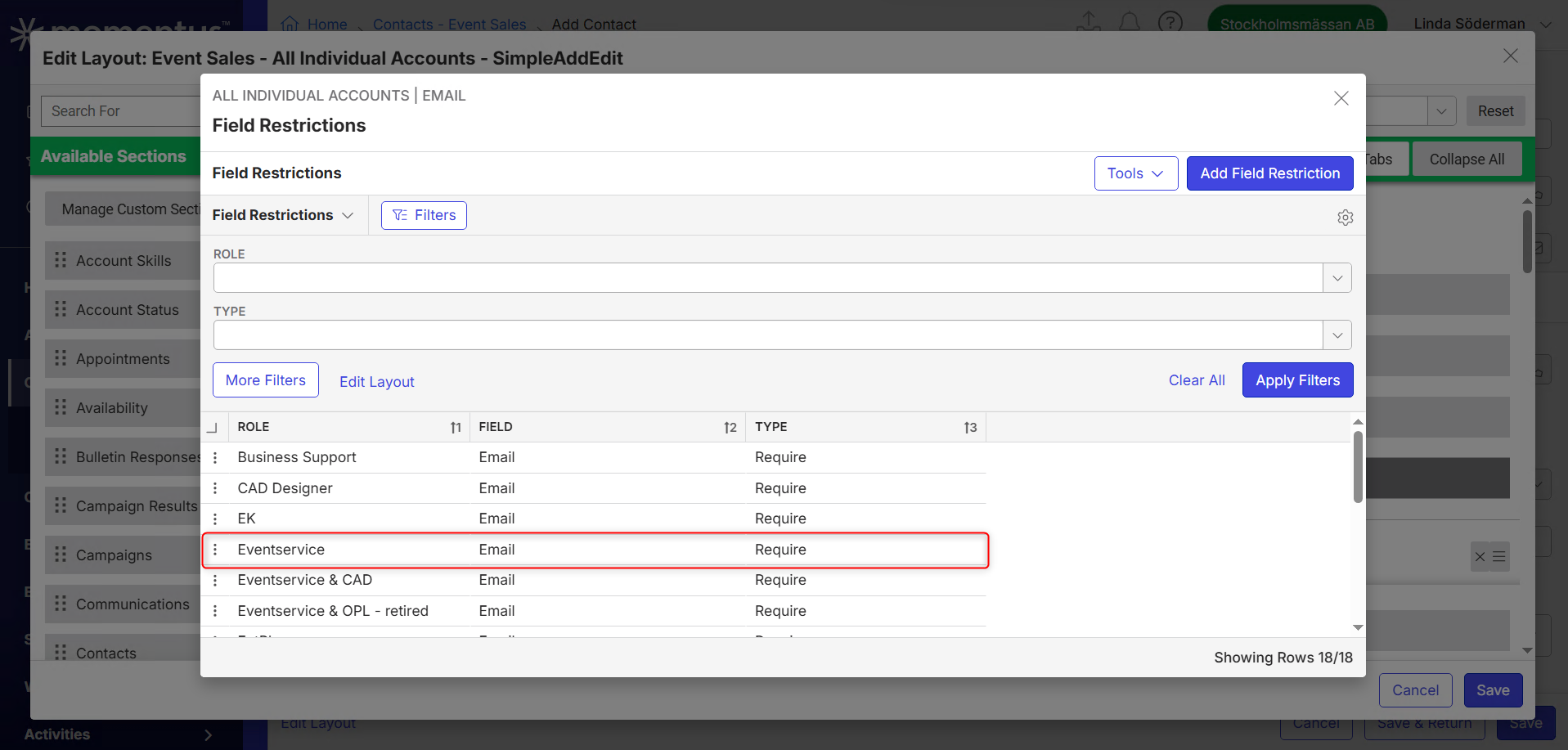
- Click the lock icon on Email to edit Field Restrictions
- Notice that the field is required for 18 roles, one of them is Eventservice
- Close the window
- Sign out
Now, sign in with Maria / 1234 (Eventservice role)
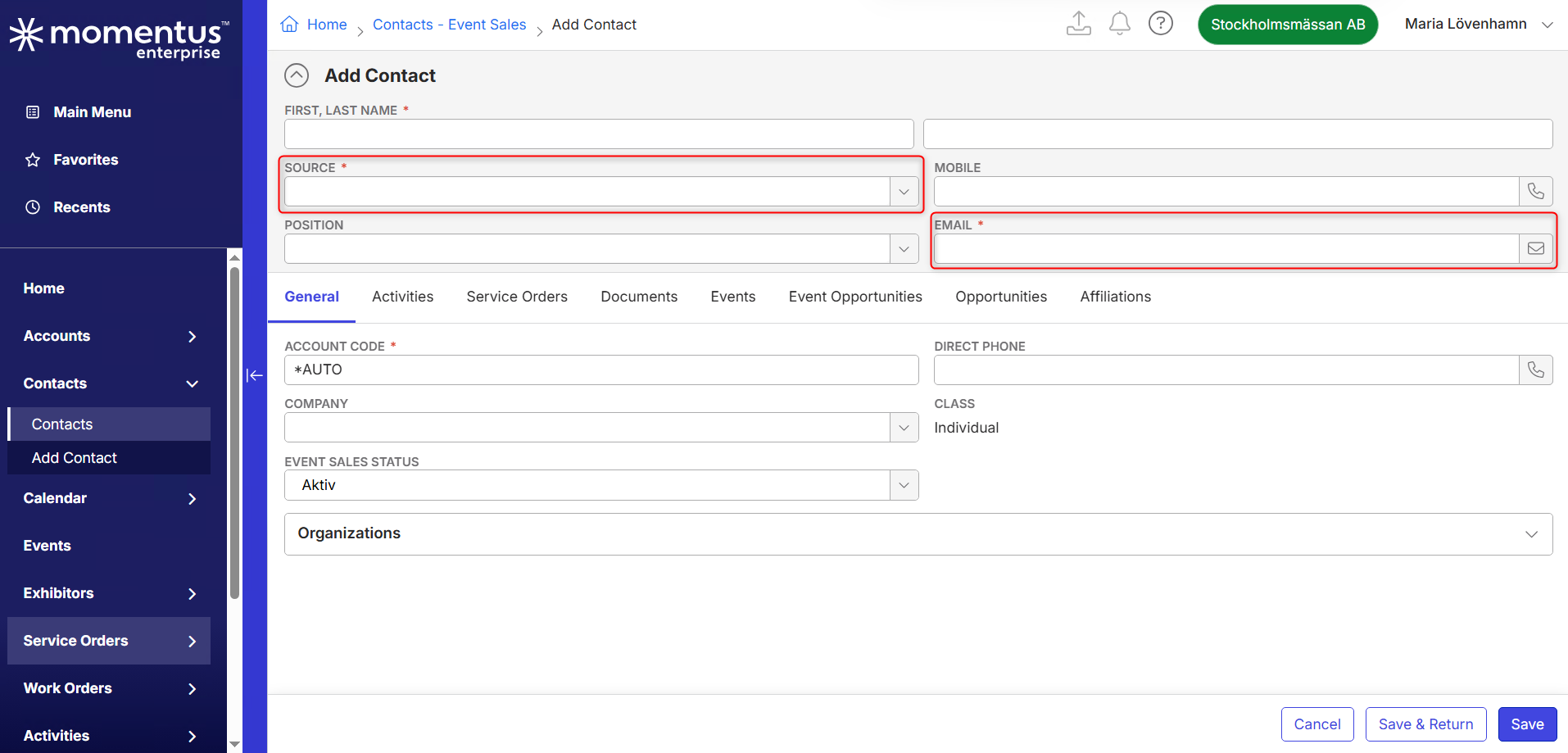
- In the Main Menu, go to Contacts
- Click Add Contact
- Notice that the fields Source and Email are indeed required
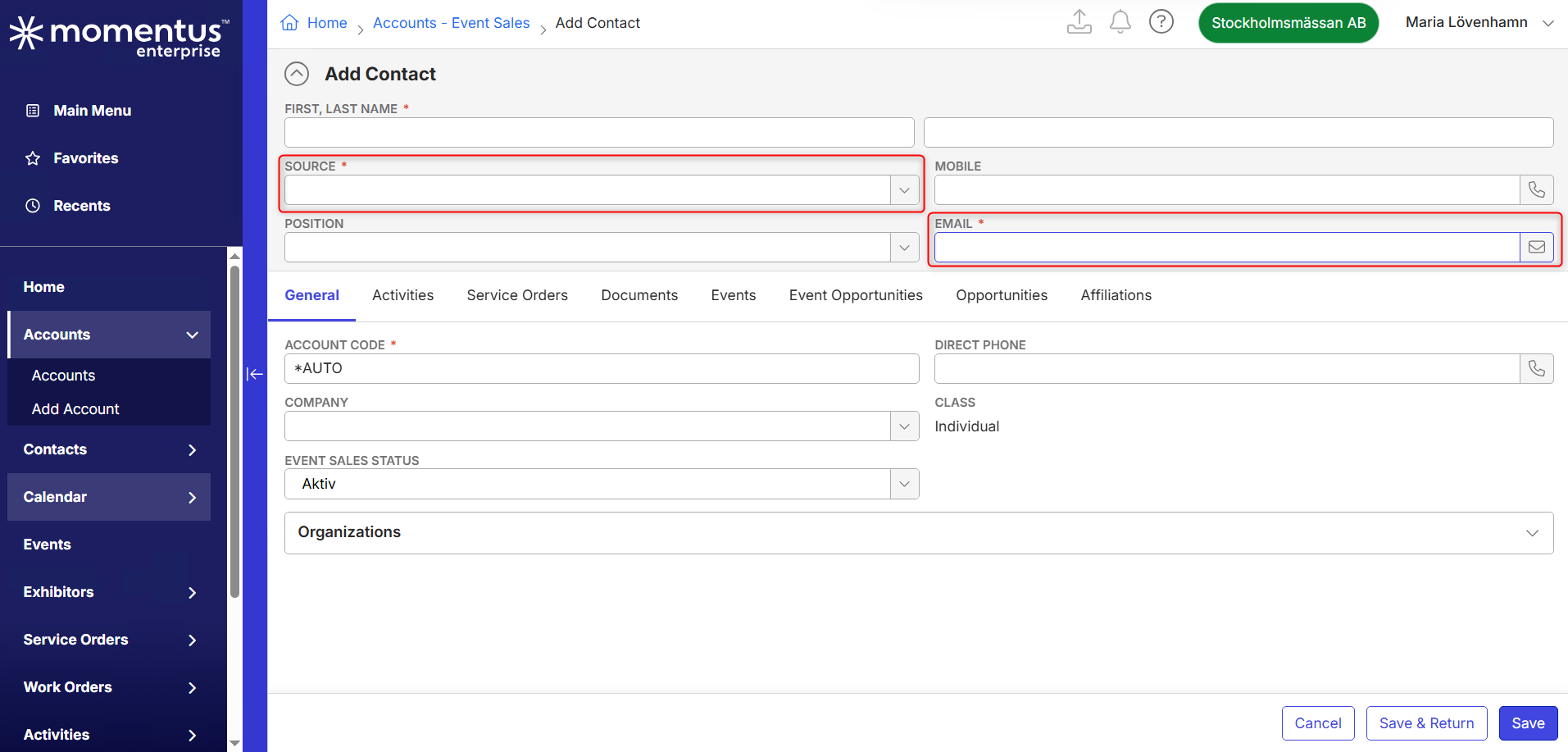
- In the Main Menu, go to Accounts
- Search for "test"
- Right-click "Örell, Jennie"
- Click Add > Add Contact
- Notice that the fields Source and Email are also required here
- In the Main Menu, go to Exhibitors
- Search for "test"
- Right-click "Comtest Wireless International"
- Click Add > Add Contact
- Notice that the fields Source and Email are not required here
- In the Main Menu, go to Service Orders
- Edit Service Order "633627 | Nordiska Trädgårdar 2026"
- In the General tab, click the Contact field
- Click Add Contact
- Notice that the fields Source and Email are also not required here
Expected behavior/outcome: As per the article Field Restrictions: Require, Protect, and Hide Fields field restrictions are used wherever the field is available. The customer would expect the Source and Email fields to be required consistently.
5. Attachments:
Field Restrictions Source field:
Field Restrictions Email field:
Adding Contact from Contacts:
Adding Contact from Account:
Add Contact from Exhibitor:
Adding Contact from Service Order:
-

I'm checking with engineering on this one
-
Thanks Seth Halvaksz, can I send a Jira?
-
Joppe Borsboom we investigated, and the issue is the “Context” on their field restrictions.
The context on the field restriction is Event Sales context only. It is not set for the Exhibitions Context.
It has the context for “Contacts - Event Sales” > Add Contact

But does not have the context for “Exhibitors” > Add Contact
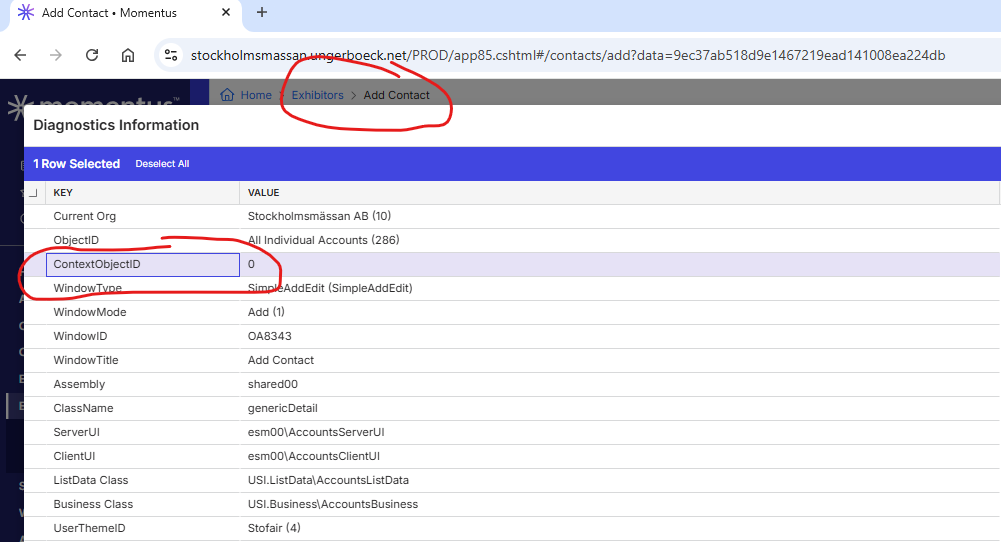
Go to the Role, and check what Field Restrictions you see for the “Eventservice” role.

Please sign in to leave a comment.
Comments
3 comments
Date Votes