OSB & OEO Customer Journey Tracking
Answered
Hi team, could you please assist me with the below enquiry related to tracking the user journey on OSB and OEO? I understand it's something we don't do today, but what would be some ways to solve this?
-----
We need booking portal information that shows the full customer journey — from entering the portal, selecting products, adding to cart, dropping off or completing purchase — so we can understand demand, cart abandonment and lost revenue, and accurately measure marketing performance.
Minimum reporting outputs would look something like;
- Funnel conversion rates (view → cart → checkout → purchase)
- Source
- Page views
- Time on page
-
Cart abandonment rate and value - Pinpoints technical or UX issues (Distinguishes between “lost interest” vs “system problem”)
- Being able to track where users abandon in the process
- Revenue by product, date and campaign (can we implement UTM tags?)
- Device type (mobile vs desktop)
-
Cross‑domain analytics linking:
- Website → booking portal → confirmation
- Without this, marketing performance looks broken — conversions appear to “disappear” once users leave the main site.
The intent being to better understand product and system performance. At the moment once a user is off the BGS web environment we are blind to their true experience on the booking portal.
Additionally, the question was asked if the “Book Now” button on our website link directly to the relevant venue page on Momentus? At the moment, a customer sifts and searches for a venue on our website, and then when they go to book it, they get taken back to the top of a new funnel on Momentus. If there is a way to simplify that process it would make it easier for customers to complete a booking, and we should be able to compare our “book now” clicks to the sales data for specific venues.
Eg instead of this:

Could it be more like this?
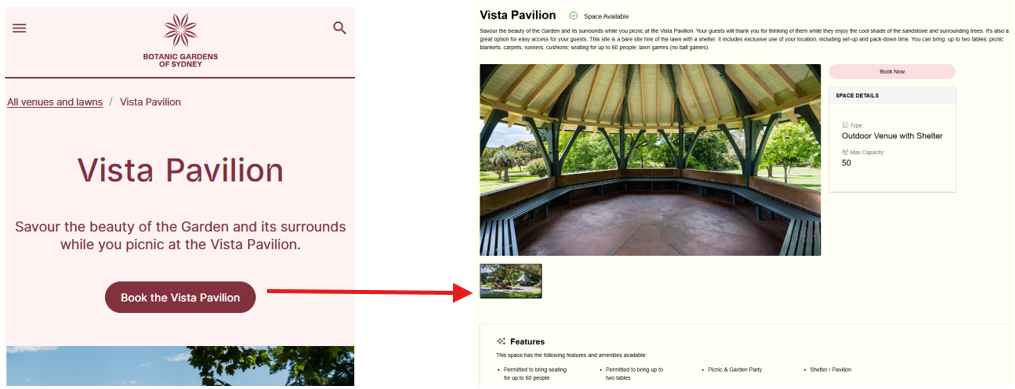
Thanks
Larissa
-

Although its not supported by Momentus, we have some customers using Google Tag Manager.
Here are instructions from another customer I spoke to.
"Since we have our Google Tag Manager script on OSB, we can trigger scripts on OSB through GTM with a Custom HTML Tag. This is the same as we would do for measuring sign_ups, or adding Facebook/LinkedIn pixels.
We can further specify when the tag fires, e.g. on page view, with the basic GTM functionality that is available.
Script on our OSB:

Clarity Tag in GTM:
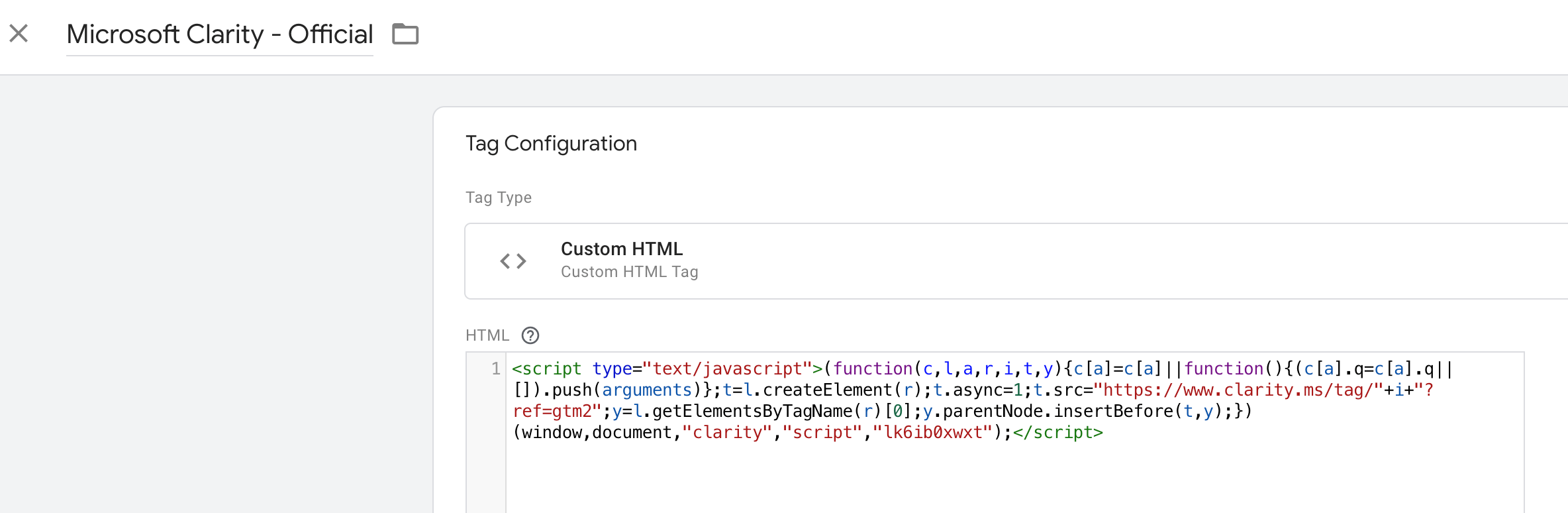
The GTM tag also inserts pageview and sign_up parameters and sends that to our Google Analytics Data Layer. We never add Google Analytics directly for our sites, but manage that through GTM so we can make adjustments in tracking when needed. All our tracking is server side instead of client side where we can as well for increased accuracy, but that is not the case for OSB."

-
Thank you lots Seth Halvaksz. Just checking - this is something we would do for them, right? They need to organize on their end.
-
Larissa - no this is not something we actually support. So they would need to do this with their Google Analytics & Google Tag Managr setup. I was just sharing what another customer sent to me, to help understand the steps.
-
Thanks Seth!
Please sign in to leave a comment.
Comments
4 comments
Date Votes