Tracking Revenue Targets by Project Codes
Answered
- Account name: Botanic Gardens of Sydney
- Region: APAC
- Client version (Enterprise): 2025.4
- Description of the issue:
- The customer categorises events using project codes (internally referred to as “WBS Codes”). In Enterprise, these project codes are configured as Event Classes, which are informational only and cannot store financial targets.
- The customer wants to track YTD revenue vs annual target for each project code, but the system has no native place to store a “target” value for a project/ event class
- What does the client want to do? Why do they want to do this?
- They want each project code to have its own annual revenue target, and they want reporting to show:
- YTD revenue
- the annual target
- variance/progress
- They currently rely on a workaround using KPI Gauges, where annual targets are manually entered into the report and filtered for project codes. This is manual and not scalable.
- Their goal is accurate, consistent financial visibility across their venue groups (RBG, ABG, BMBG).
- They want each project code to have its own annual revenue target, and they want reporting to show:
- Please give a descriptive user story. Often clients want to solve a problem by doing X. If we know the problem, sometimes it can be solved via Y.
- As a Venue or Revenue Manager, I want to compare YTD revenue for each project code against its annual target, so I can monitor financial performance, identify underperforming areas, and report progress to leadership without manual updates or Excel workarounds.
- What you've already tried or suggested. Why does this not work?
-
KPI Gauge Workaround (Current Process)
- Annual targets are entered manually in the KPI Gauge configuration.
- The gauge is then filtered by these project codes. This is not scalable for over 80 project codes and requires manual yearly updates.
- Sales Goals Functionality
- Advised customer to review
- Sales goals and goal types supported limited areas but project codes (event class) are not supported goal subjects.
- Setting up sales goal type and filtering for event classes would allow them to report on each project code type. However i am uncertain if this is the best path or should we look another avenue?
- Event Budgets/GL Budgets:
- This supports on event or GL account level, not project codes
-
KPI Gauge Workaround (Current Process)
- Business impact if not resolved
- Customer cannot measure revenue performance for key venue groups at the classification level.
- Reporting requires manual steps and external Excel tracking.
- Reduced accuracy and slower decision‑making for financial oversight.
- Perception that Enterprise does not support their financial reporting maturity.
- Limits adoption of dashboards for leadership visibility.
- Attach relevant files (such as screenshots)
-
KPI Gauge Report - Goal Target - Snapshot 1
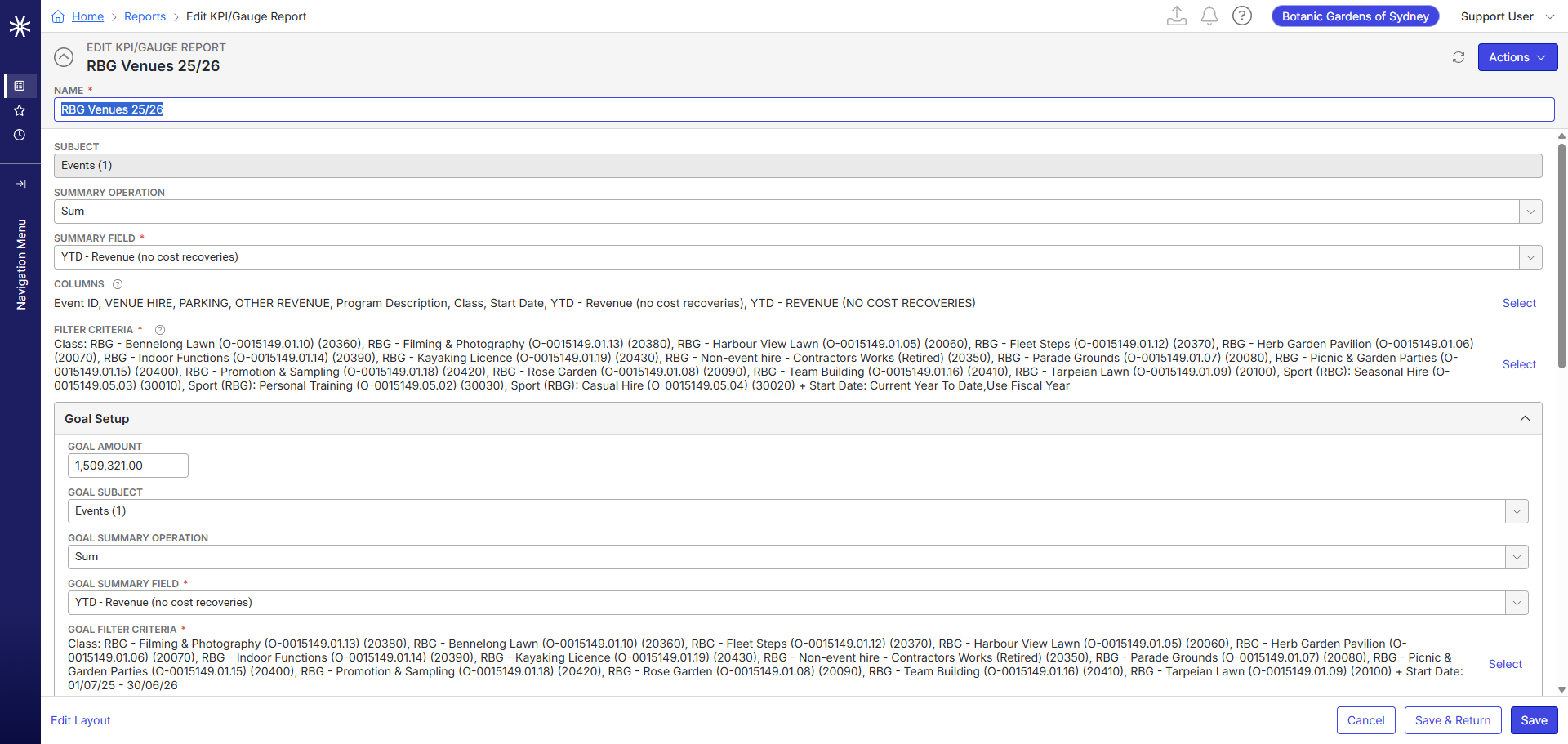
-
KPI Gauge Report - Goal Target - Snapshot 2

-
Event Classes (aka project codes/WBS codes)
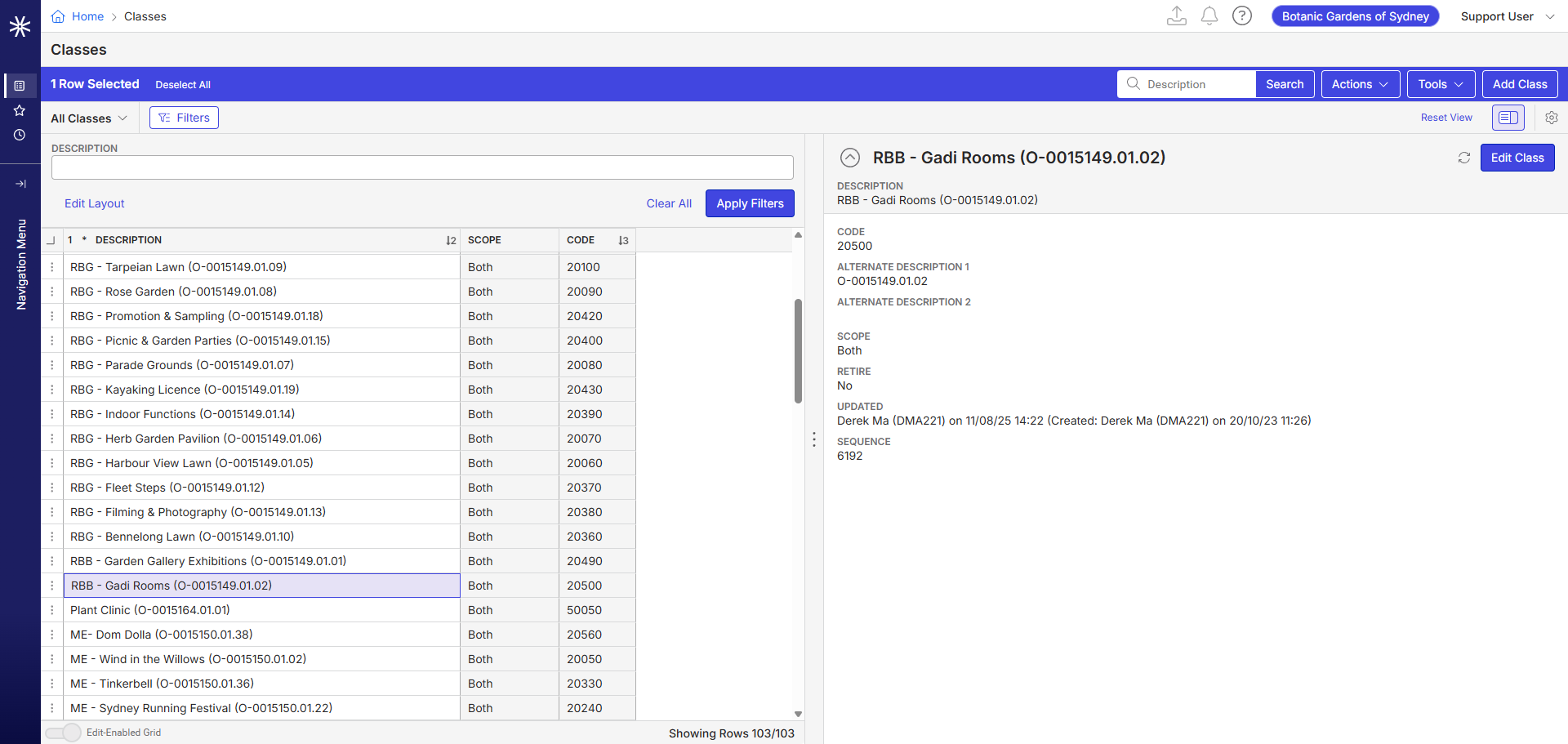
-
Add Event Screen - Event Class selection

-
- Links to articles where you've looked for solutions and also other steps you've taken to research the issue.
-
Chanh Huynh Pieter Du Plooy Would be keen to hear your insights on this? Would it be feasible effort to move to sales goals type for reporting since the target needs to be tracked against each code - well few for start.
Jas Flora - FYI
-

Please note Event Class(WBS) is used for exporting to SAP. We use that for all NSW government customers. So you cannot move away from that.
You could create Sales Goal Types and filter using Event Class.
Another not so elegant way, is to create 103 events then add a “budget” service or forecast order, to each one. Do not add bookings, use an internal account, category and type. Every year you copy these events to a new year and update the budgets. This is more or less what MOPT does(To a lessor extent).
-
Thanks Pieter, noted about Event Class field usage for SAP Export, would recommend Sales Goal type option first since we will be moving them to new package and i believe this would be added functionality in their license which they can think to use it.
I'll keep the non-elegant way off the table for now - doable but not efficient.
-

Tagging Martin Stephens in case he has suggestions
-

Hi Himanshu
I agree with Pieter that Sales Goals maybe a good option but would need the initial setup of 103 classes to track and would be an annual exercise. I created 2 below for the classes in USITrainAP.

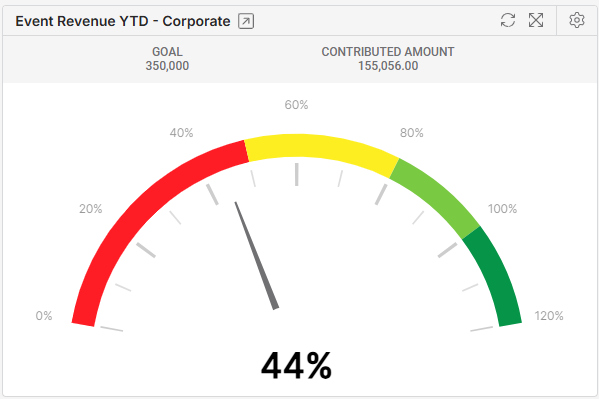
You can also create visuals on the dashboard but as it is separately defined, it may not be great and would be better if you could dynamically select each by a filter - possibly something in future with Analytics perhaps.
Other than Sales Goals, you could also create and run a report but would require them to select parameters or used saved report views. As you can now reference the URL for reports, they can also be added to dashboards as custom links. Just some alternatives to toss around.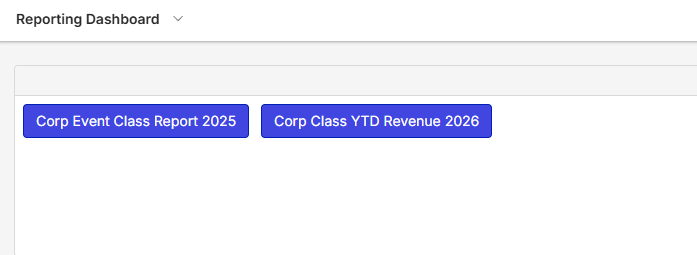
-
Thanks Chanh, that is great help.
Jas Flora - For their reporting objective.
-
Just noting that several of the new Analytics reports will use Sales Goals. So that is good to consider regardless.
Please sign in to leave a comment.
Comments
7 comments
Date Votes