Terms and Conditions not clickable in Registration

Description of the Issue:
In the Registrations the Terms and Conditions appear but cannot be clicked on.
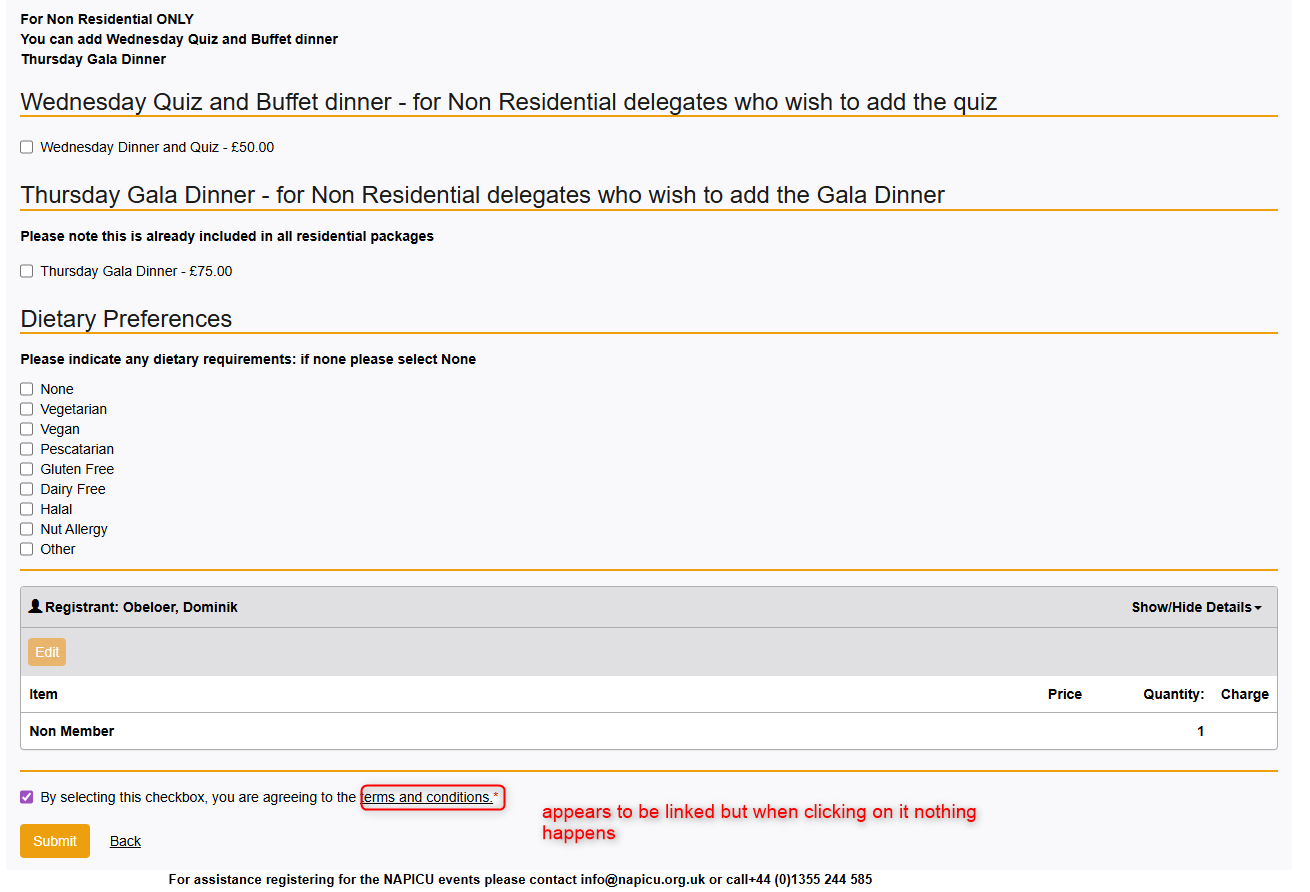
Setup seems to be correct:

Is there anywhere else to set things up? On Debug all was working fine. Did ask them to patch to latest Release but wanted to make sure I'm not missing any setting here.
You can check on that Link (Step 2).
https://northernnetworking.ungerboeck.com/PROD/emc00/register.aspx?aat=645976424735687672635336347344365846366b676352614c5271792f616355764b766b336d582f3069303d
Client:
Northern_Networking_PROD_0352109199
Version:
25.42026011201
zendesk:
#379207
-

Dominik Obelöer I think this is a problem with the upgrade/patch process. Check the console log in public reg, do you see this error?
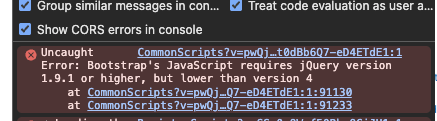
I have two tickets in the US that came in for this issue yesterday. I could only recreate locally when using the customer's actual v30 files from the Cloud. I believe the solution to this will be to recreate the v30 sites from scratch, but that hasn't been confirmed yet.
Sara Noonan Looks like this might be another customer running into javascript errors in reg after upgrading.
-

Thanks Mike - even if the file wipe fixes the issue, let's make sure we get a Jira back to dev at high priority with all applicable cases linked.
-
Patching the client to the latest version won't help then, or?
-
Getting the same result in the console log btw.
-
Dominik Obelöer No, because patching just patches over the existing files, so same result.
-
Dominik Obelöer You do not have to have the entire site rebuilt. We narrowed it down to a single file. Have SRE delete the jquery.min.js file from the /util00/scripts/ folder.
Please sign in to leave a comment.
Comments
8 comments
Date Votes