Field Settings in Reports
Answered
Hi team,
I am wondering if somebody can help me with the following case and questions. For one of my customers, I would like to set up a Report which shows the rates before Discount (=_Importe Base), Extended Charge and the Discounted Amount, like the Excel table below:
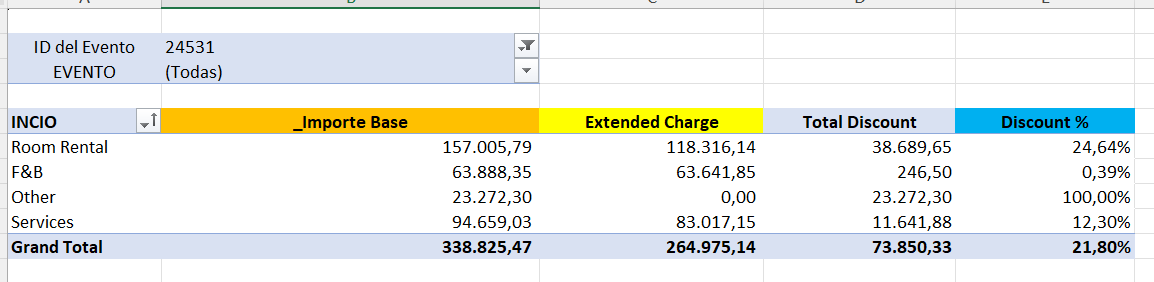
This can not be achieved in a view, because the current grouping in the view will give me a sum of the percentages (blue column) and not an average.
I tried to recreate this in a Chart/Pivot Report, but with the idea of using only the grid and not the visual. And this is my result so far (note; the numbers are different) based on just the

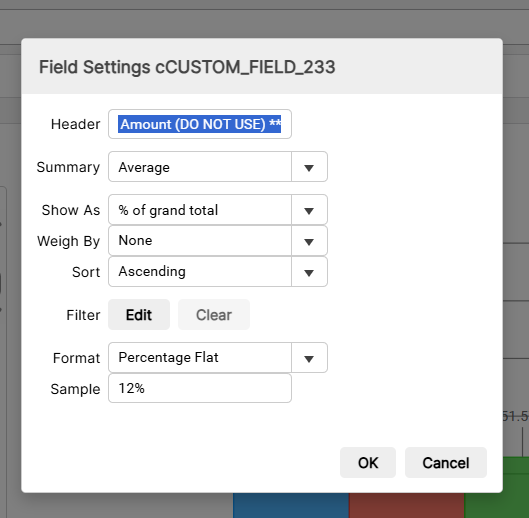
I managed to show the numbers like the table, but I am struggling with the % at the end. I do have a few options via Field Settings which I think is my best option, but for some reason I can’t get this to work.
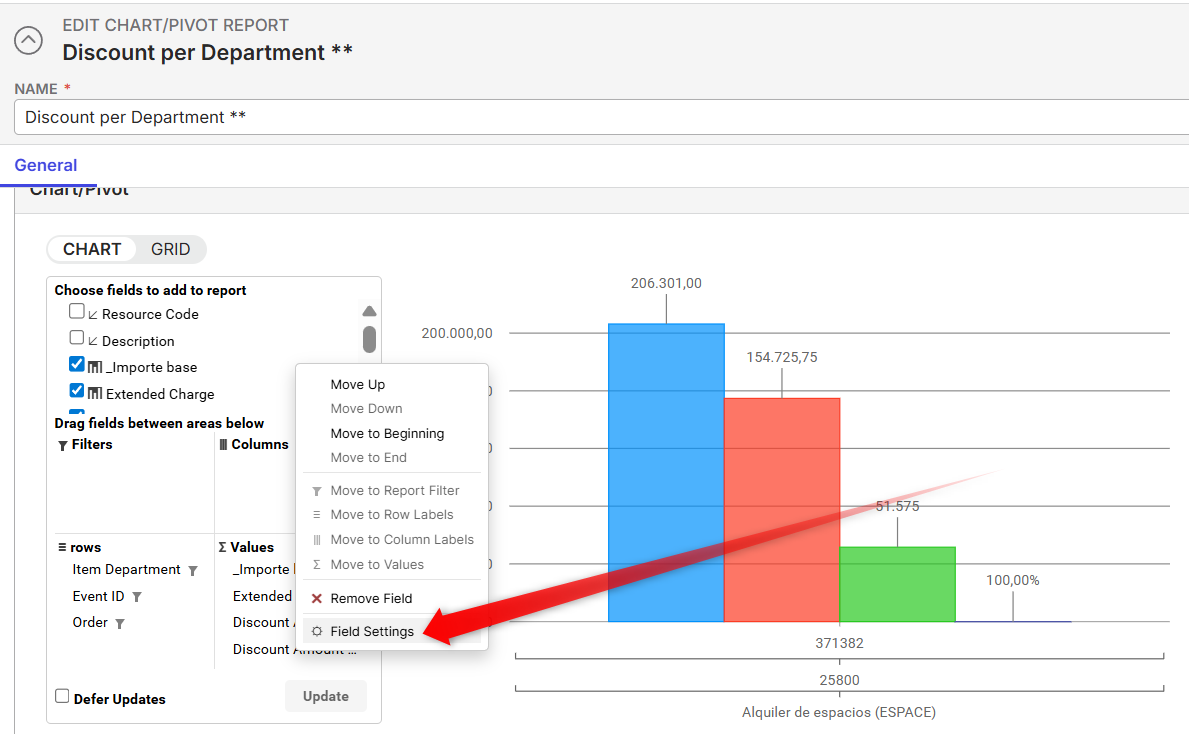
The Discount Amount Do Not Use is a Numeric Formula Field based on the following Formula: ={Discount Amount}/{_Importe base}
I have played with different options in the Field Settings, but most of the times I get 100%, while the outcoume I would like to see is 25%.
My questions;
- Is it achievable with Field Settings in the first place what I am trying to do?
- Does anybody has experience with this type of Reports (where a weighted average is used) and/or has somebody examples available?
Thanks,
Minka
-

Martin Stephens Anthony Costantino could you help here?
-

Hi Minka - it looks like you are trying to calculate the average of the to the Grand Total only. This is not possible at the moment.
The Field Setting allow you to calculate averages within the field groups, compared to row/column totals, for example:
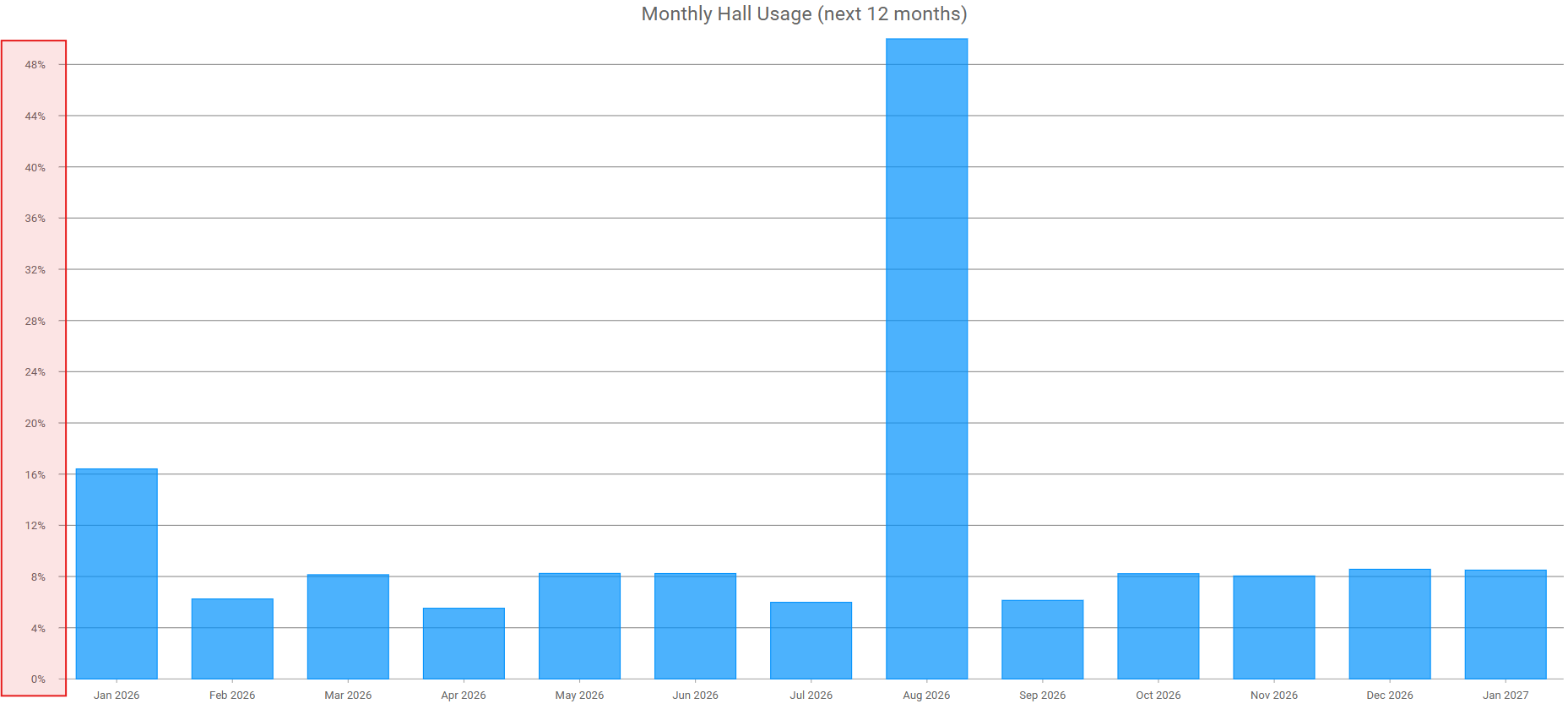
When you do this, the grand total field does calculate the overall average:
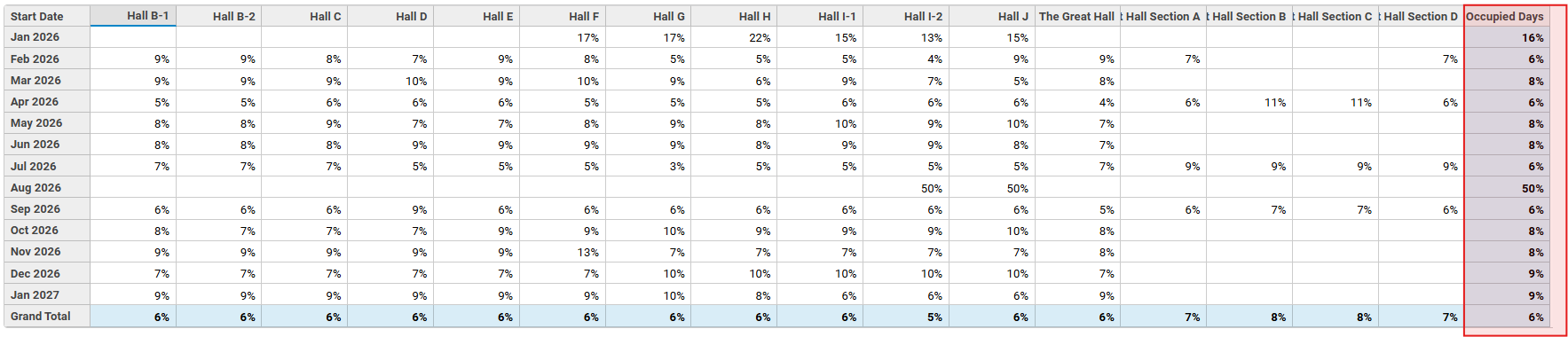
You would like to display the sum values in the field groups and the average value in the grand total - this would be an enhancement request.
For Views, this would be the enhancement we are looking for: subject: “Improve Operators on View Groups” Options to calculate, ex, Average, Max, Min, Count, Count Unique.
For Reports, this would be the enhancement we are looking for: subject: “Improve Operators on Report Grand Totals” Options to calculate, ex, Average, Max, Min, ...
As a workaround, it might be possible to present two reports on a dashboard. One report would display the sum of all discount groups and the grand total (this is the easy part). The other would provide the average discount of each report group and the grand total average (no promises - this would require a deeper dive).
-
Thanks Martin!
Please sign in to leave a comment.
Comments
3 comments
Date Votes