Docusign Dicarded Documents
Answered
- Account name
ACCL - Arena and Convention Centre Liverpool
- Region
EMEA
- Client version (Enterprise)
25.12025050701
- Description of the issue
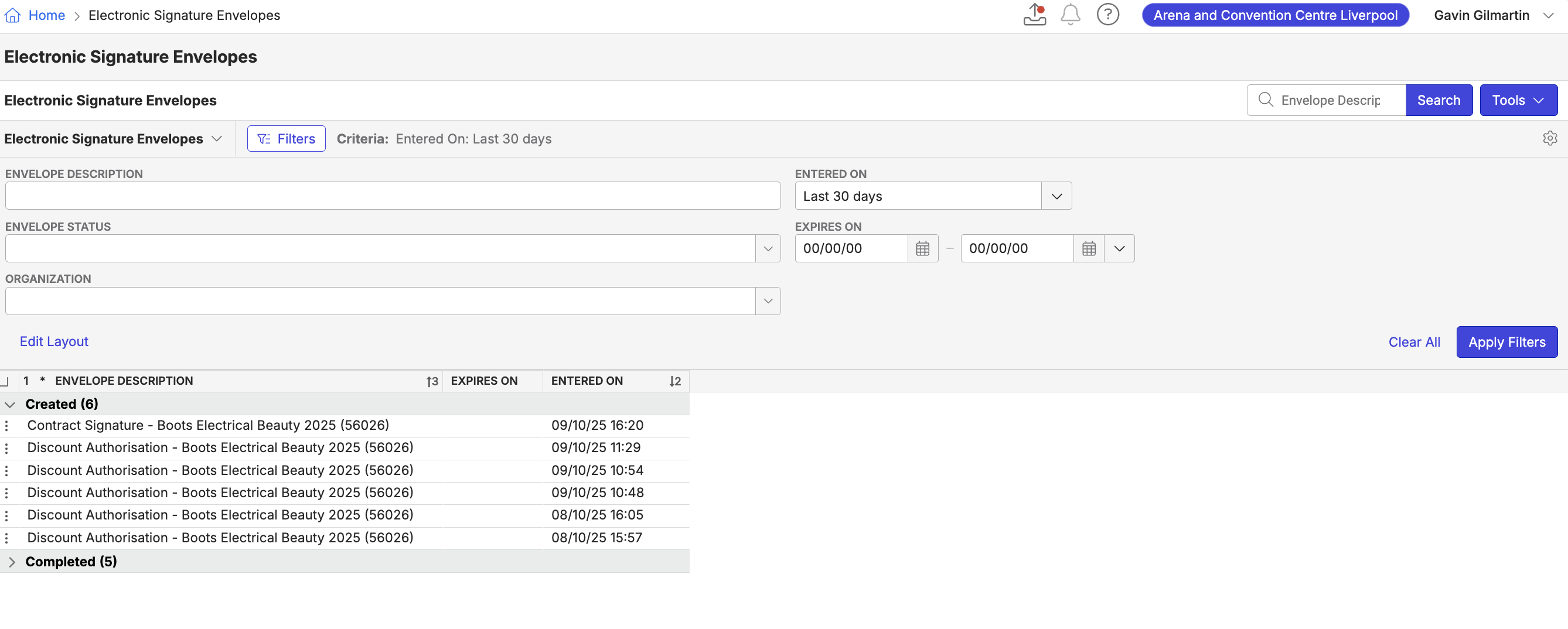
Customer raised documents and then discarded them in Docusign. Now, they can no longer find them on the Documents tab of Momentus Enterprise, but they appear still in the Electronic Signature Envelopes window.
- Business impact if not resolved
They would like to know how to remove the documents, as they have used this view for a gadget on the Sales Dashboard and don't want the documents to confuse the team.
-
Attach relevant files (such as screenshots)
-
Tagging Pieter Fourie
-

Following
-

The envelopes window is a list of all DocuSign envelopes sent through the system. They cannot be deleted.
-

If they don't want these to show, they would need to change their Dashboard to exclude Docusign Envolopes / Documents. The list of docs are working as designed, but them them including the list in their Dashboard is custom.
Please sign in to leave a comment.
Comments
5 comments
Date Votes