Multiple booth editing not working on Floorplan

- 1. General
- Business impact if not resolved: Additional effort required due to individual editing, as bulk editing does not apply changes
- Short Summary of issue: Booth dimensions not changing accordingly when editing more than 1 booth per time
-
Macro Vertical: Convention Centers
- 2. Debug Environment:
- Customer DB Location: Hosted
- Database: FWTM_Test2_1997618870_USI
- Server: Debug-EMEA,1433
- Version: 25.3.9459.18191 (20251124)
- V30 Link: https://supportwebemea.ungerboeck.com/FWTM_TEST2/app85.cshtml?
- User Login: usiadmin / ITRocks2014
-
New UI or Classic UI: New
- 4. Recreation Steps:
- Preconditions/assumptions:
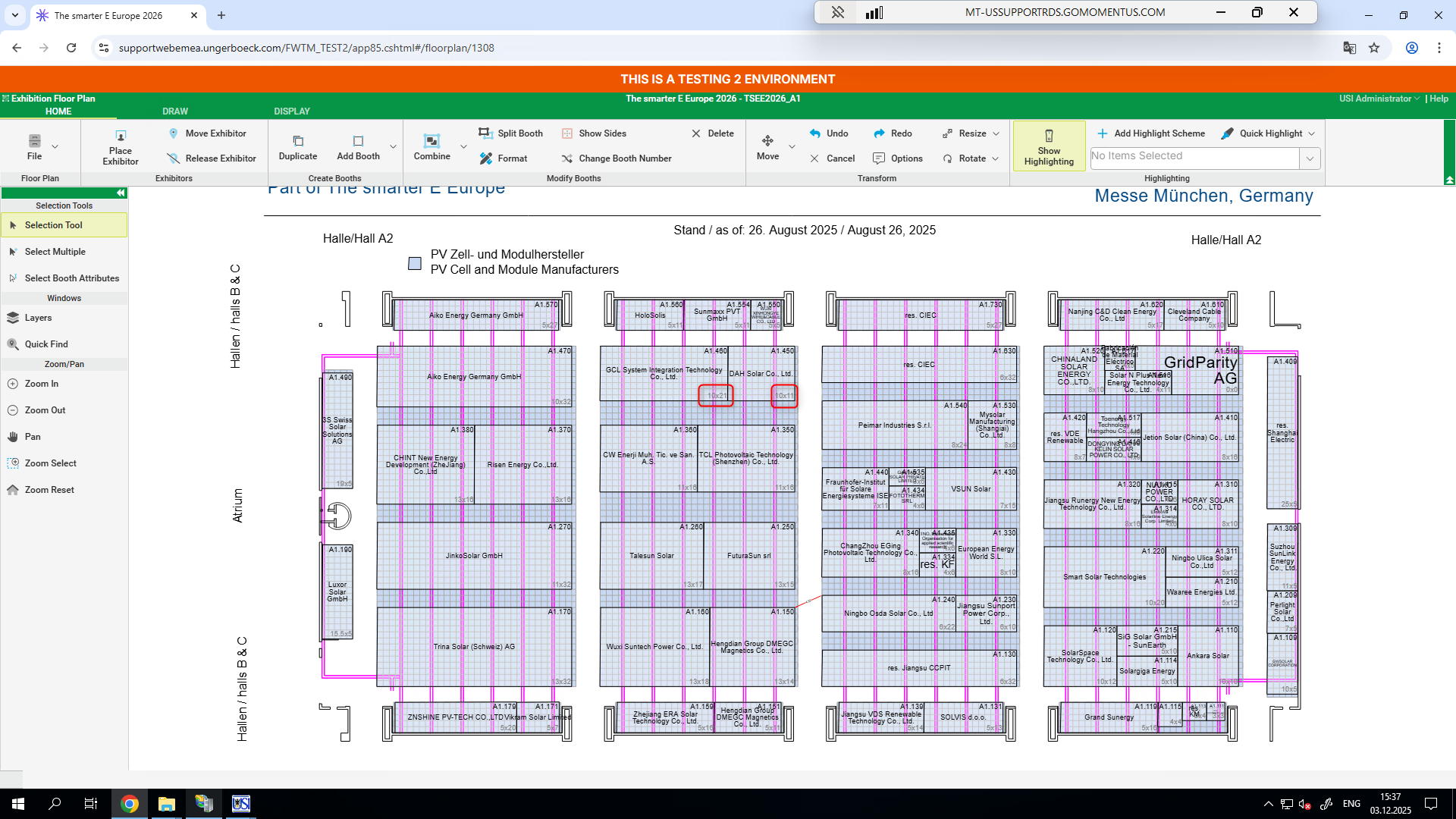
- 1. Go to https://supportwebemea.ungerboeck.com/FWTM_TEST2/app85.cshtml#/floorplan/1308
-
2. Select any two booths and try readjusting the size. Notice that the specified dimentions won't update:
-
3. Select one booth only and do the same. Notice that now the dimensions will update correctly:

- ...
- Expected behavior/outcome: Being able to edit multiple booths the same way you can edit single booths
-
Pieter Fourie Mike Schepker Nicole Loh can someone please verify.
-

Tried the same on 1 other DB - same results - However, I wonder if this is by design. If the customer states that it used to work this way, then I'll have to try the same on an older version to compare results.
-

Dominik Obelöer How are you doing this? I just tried by selecting them and resizing them both by dragging and it worked without issue.
-
Mike Schepker when you resize it will change but when you hit enter to save the change it will jump back to the previous dimensions.
The client is reporting this since a long time. Last time beginning of this year. At this time it was working fine for me and I closed the case but now they reported it again and the issue appears for me as well.
Try with one of the Floorplan of the Event “The smarter E-Europe 2026” as the Floorplans there are setup with the Dimensions like this. Some do not have that.
The Dimensions will change when you work on them and then jump back once you save.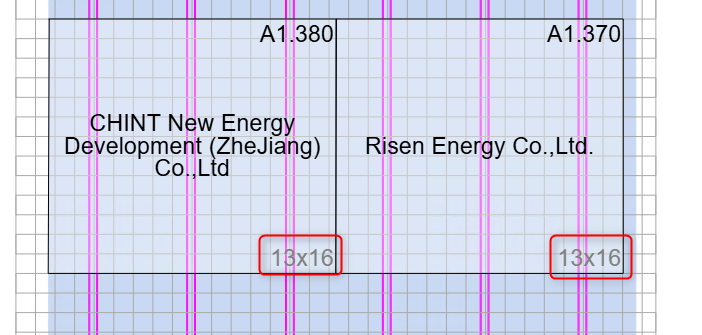
-
Are you changing the dimensions by right clicking and Editing Multiple? When you edit multiple and change the length and width under Charging Details, you're not changing the actual dimensions of the booth. You are changing what the person will be charged for, regardless of what the actual size of the booth is. So if this was manually changed to 13x16, it will remain reading 13x16, no matter how big the actual size is. The Gross Length and Gross Width is what the actual both size is.

If they actually want to resize the dimensions of the booth, they need to drag and drop the booth grippers to make it bigger or use the Resize option in the ribbon. They should not be using the Charging Details unless they are really wanting to change what dimensions they are being charged for without resizing the booth.
To get the fields back in sync, you need to set the charging details back to the same exact values that are in the Gross fields (length, area, and width) and then save. The next time you resize, the gross and charging fields should update in sync.
-
The only thing I'm doing is to select “Edit Multiple” on the left Menu in the Floor Plan. Then I select the booths, via left click, and drag them to be a different size. I did nothing to charging details or else.
-
Dominik Obelöer Someone must have at some point because they were out of sync which is why the dimensions shown on the floor plan remained the same despite resizing the booth.
Please sign in to leave a comment.
Comments
7 comments
Date Votes