How to Set Default Relationship Type
Answered
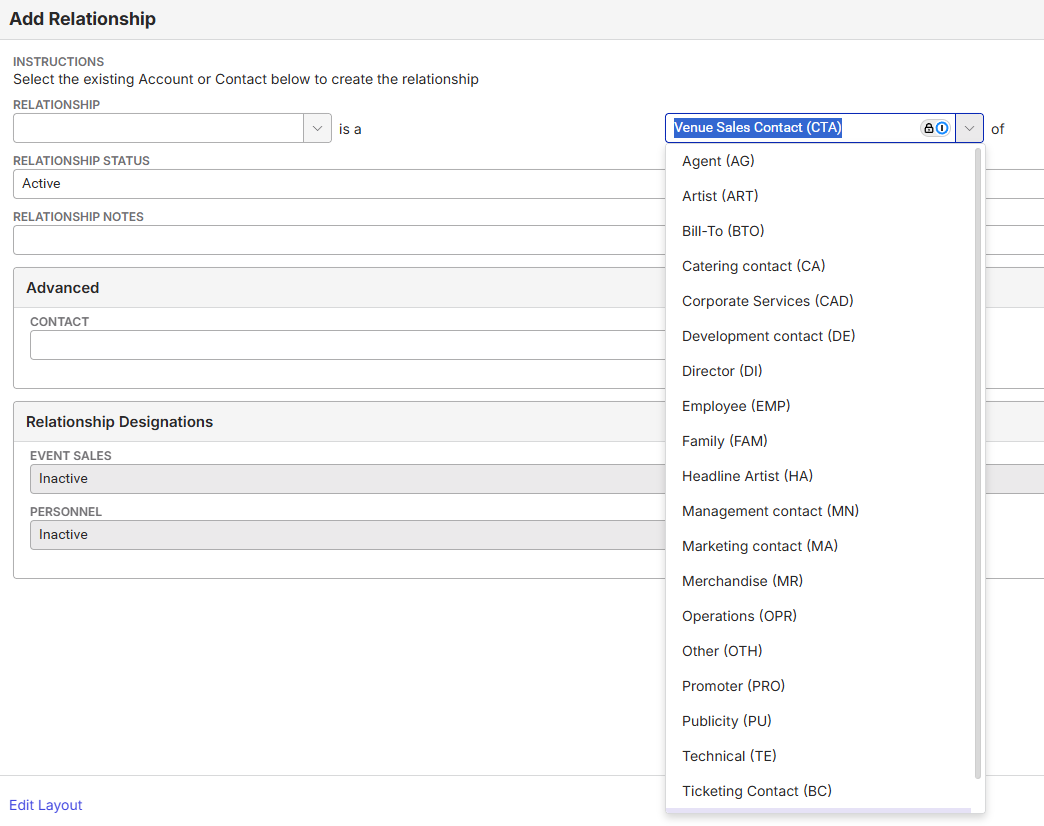
Is there a way to change the default Relationship Type when creating a relationship between an Account and a Contact?
I followed the steps in this article: Configure Relationship Types, which notes that the Order field determines how relationship types display in the drop-down. However, the list still seems to sort alphabetically, and the same default value continues to appear.
Is there another setting, such as an org parameter or other configuration, that controls which Relationship Type is selected by default?
Thanks for any insight!
-
Anthony Costantino - hoping you might have any insight here! Thanks in advance!
-

CC @...
-

Nope, mystery to me, sorry!
-
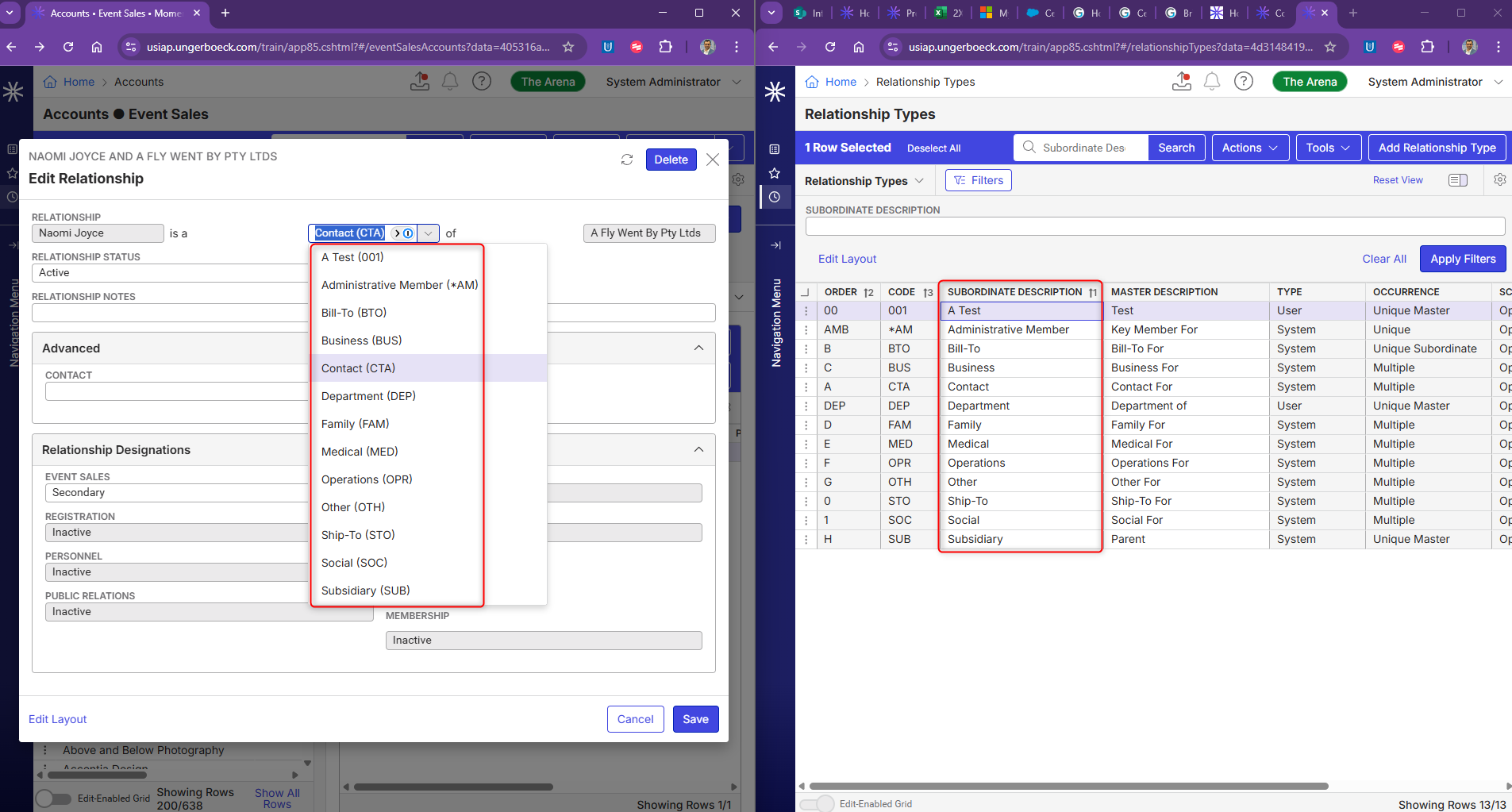
I'm looking in our QA environment and the “Contact” relationship type is default when adding a relationship to a contact. It has “A” as the Order. However when i change it to “Z” its still the default. So - not sure yet.

-

I don't think its sorting by “Order” but the subordinate description after a quick test. See below. Regardless of the code or order, i think its using subordinate description to set the default value on top alphabetically.
-
Thanks Himashu. I think the question is how to set the default, not the order.
Were you able to change the default relationship type?
-
Hi Seth, No i wasn't, it defaults to Contact (CTA)
-
Reading the article, it looks like scope should control the default, but i tried and that doesn't seem to work. I'll ask engineering.
https://supportcenter.ungerboeck.com/hc/en-us/articles/218913088-Configure-Relationship-Types
Scope: Select if the relationship type is required. Optional is almost always selected.
- Mandatory: The relationship must exist between a parent account/contact and child account/contact. When adding a new account, a relationship is automatically created linking the account to itself.
-
I confirmed with engineering that the default is hard coded to “Contact (CTA)”
Please sign in to leave a comment.
Comments
9 comments
Date Votes