Unable to add the "Add Items" button for specific role

Zendesk Ticket: Ticket #367377
Account: Boston College Auxiliary Services
Region: US
Articles used in your research: Access Management Overview – Momentus Support Center
General
Business impact if not resolved: High, users in this Role are unable to add service items.
Short Summary of issue (issue description): Reviewed this issue with Cathy. The role OBC/Catering WO Fulfillment is missing the "Add Items (2343)" button on the Service Order Items screen. We believed this was due to a privileges issue, but after looking that role was Granted access to add items.
Macro Vertical: Education
Debug Environment:
Customer DB Location: Hosted
Database: BostonCollege_Prod_0982916839_USI
Server: Debug-US,1433
Version: 25.22025080401
V30 Link: https://supportwebus.ungerboeck.com/BostonCollegeProd/app85.cshtml
User Login:
USIADMIN
ITRocks2014
Login for user with OBC/Catering WO Fulfillment role:
MPELKEY127
ITRocks2014
Recreation Steps:
1. From Main Menu select Service Orders
2. In the Events dropdown search for an event. (I used event #426648 for testing)
3. A few options will appear, click the Order number link on the top one
4. You will be directed to the Service Order Items screen.
Observed vs. Expected Results: When you reach the Service Order Items screen there would normally be an "Add Items" button next to the search bar, this does not appear for those in role OBC/Catering WO Fulfillment.
What does the client want to accomplish: Client wants those in that role to have that button to add service items.
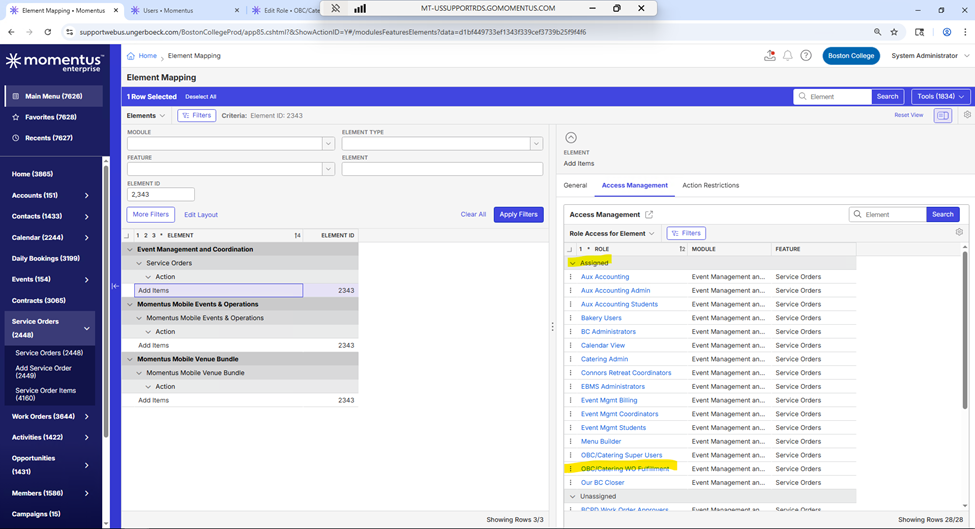

This is what the screen looks like for those in the role OBC/Catering WO Fulfillment:

This is how the button appears for other users in different roles:
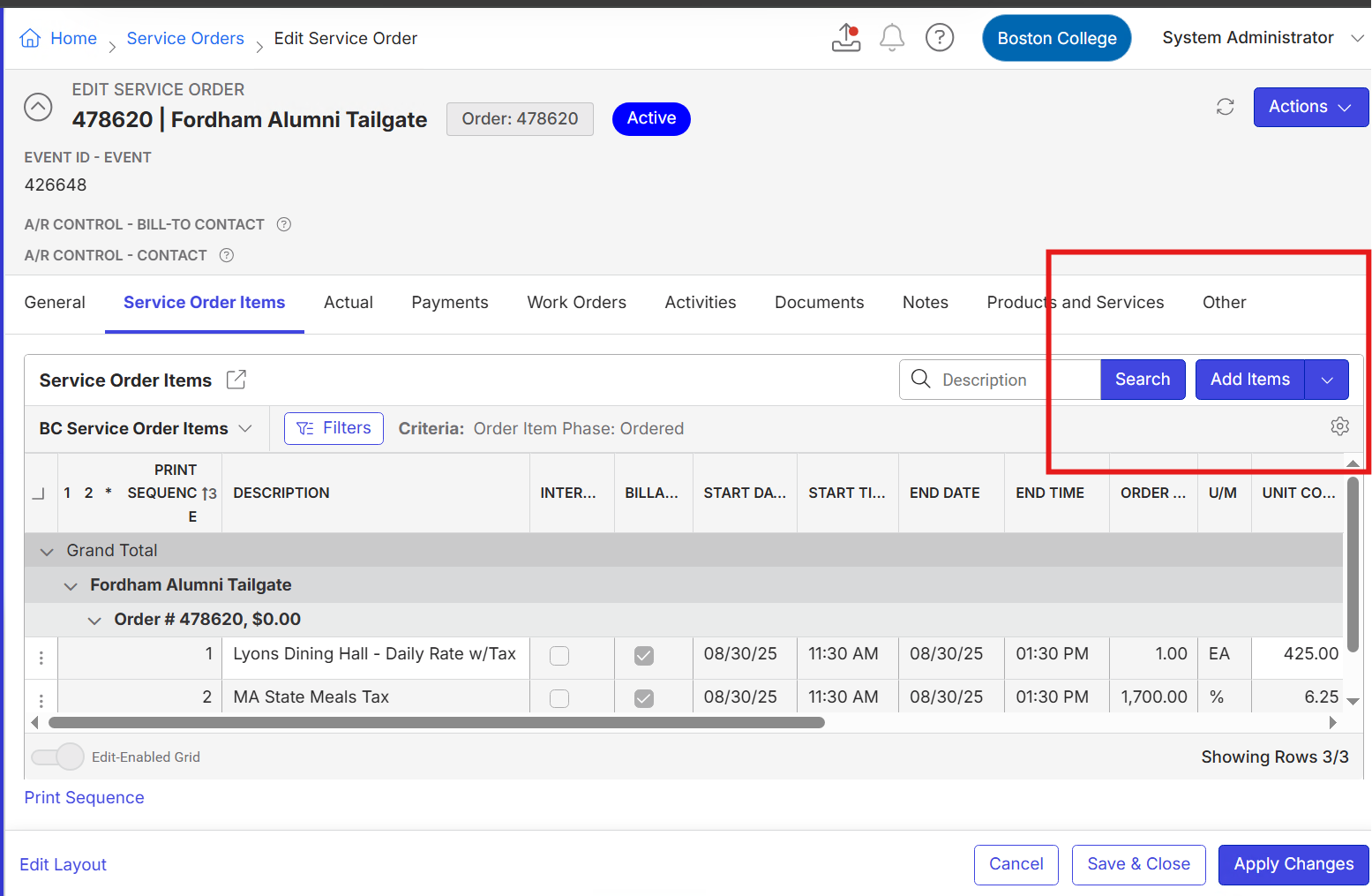
-

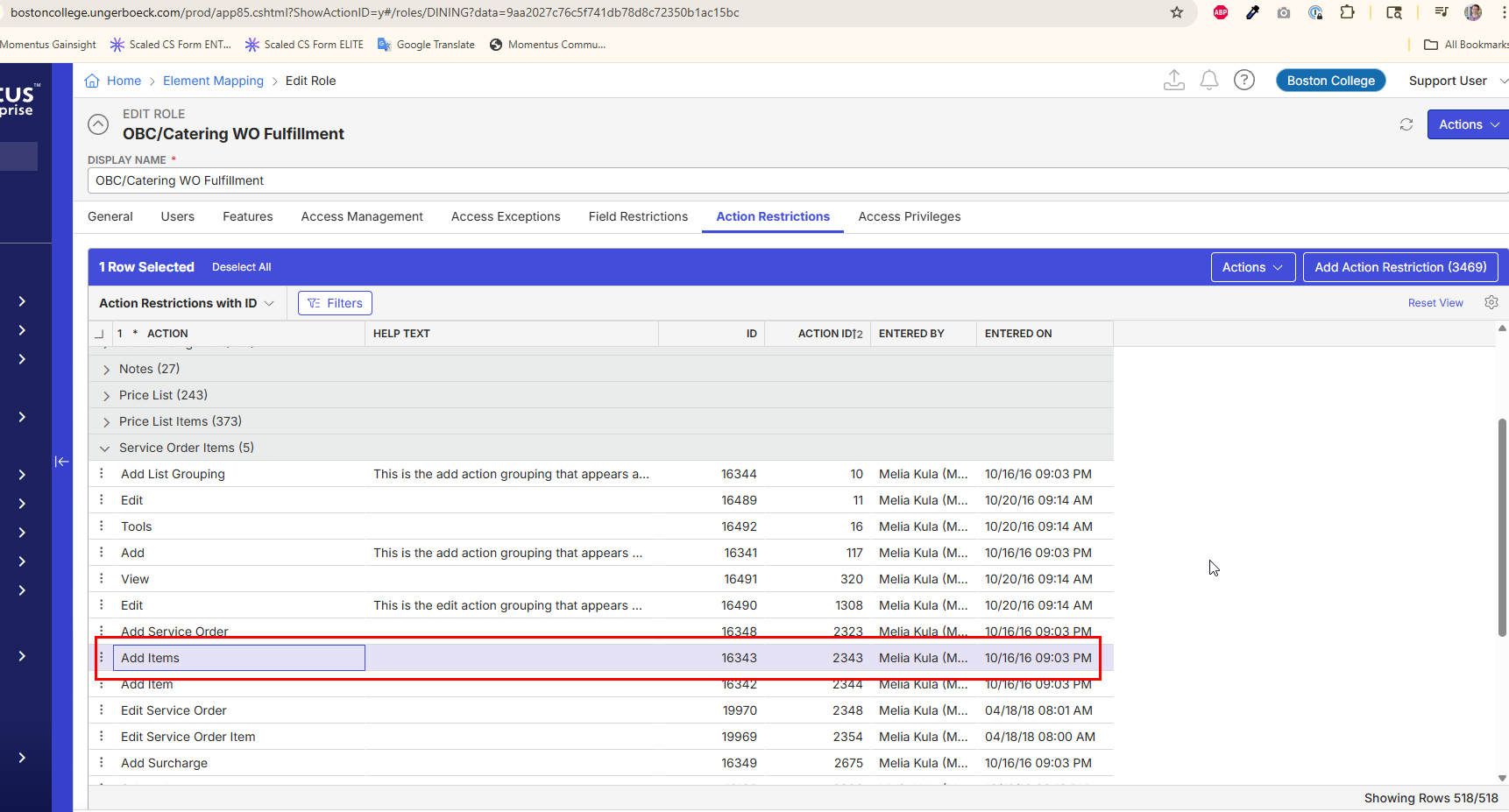
Corrin Nolasco - On the Role, go to the Action Restrictions tab. This role has 518 Action Restrictions, including Add Items (2343). Not really sure why they have all of that in there, and it makes it hard to chase access issues like this, so probably a good idea for their system admin to audit all of this, but that's a big project so… In the meantime, if they delete that action restriction (right click > Mark for Delete > Save) it will likely resolve this one specific issue.
-
Hi Joel Nisbett ,
Hope you are having a nice day!
I followed the provided instruction, unfortunately the “Add Items” button still did not appear.
I tried removing some other Action Restrictions in hopes that maybe one was restricting the other but that also did not work. Just for reference on what I tried:
After I removed Add Items (2343) from the restrictions tab I got error saying the user did not have access due to not having the "edit service order 2348" privilege. Switched from deny to grant. Did not receive the error again but the button still did not appear.
Under Service Order Items
Removed "Add Item 2344"- No button
Removed "Add Service Order"- No button
Removed "Add 117"- No button appeared
Under Service Order
Removed "Add Items 2343"- No button
Removed "Add Item 2344"- No button
Removed "Add 117"-An Add button did appear but did not one requested, and does not add the items needed.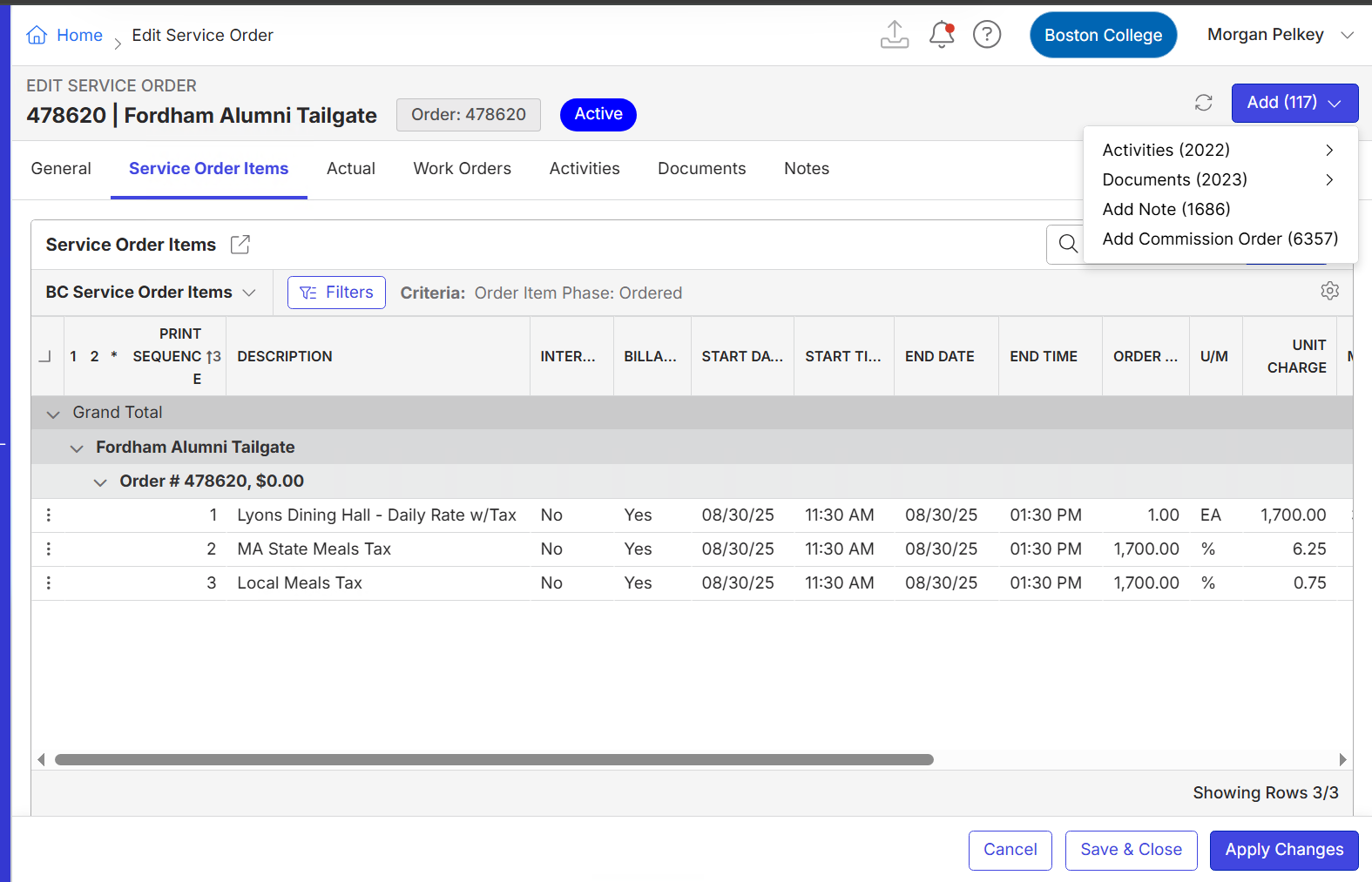
Let me know if you have any other ideas! Thanks so much for the help.
-
Hello Joel Nisbett
Just following up!
Thanks :)
Corrin
Please sign in to leave a comment.
Comments
3 comments
Date Votes