Report Scheduling
Answered
- Account name - City of Sydney
- Region - APAC
- Client version (Enterprise) - 25.12025062301
- Description of the issue
- What does the client want to do? Why do they want to do this?
- Customer has an existing report titled “VMI Customer House Forward Event Schedule”, which is scheduled weekly and used to inform internal and external stakeholders of upcoming events at a specific venue.
- They’ve now acquired a new venue and requested a quote for a similar report using the same workflow. The request is straightforward, but as the CSM, I’m exploring whether this can be achieved more efficiently—without duplicating reports.
- Do we need a separate report, or can Scheduled Tasks support dynamic parameters (e.g., space or venue) to accommodate multiple venues within a single report? (I understand the report itself can be configured to show all spaces or accept parameters. The question is specifically whether Scheduled Tasks can dynamically pass those parameters per venue, allowing one report to serve multiple scheduled runs.)
- User Story: Customer has not flagged this as a problem—they’ve simply requested a quote for a new report. However, from a strategic enablement lens, I’m exploring whether we can reduce duplication and improve scalability.
-
The opportunity:
- Use one report with configurable parameters (e.g., venue or space)
- Schedule multiple tasks that pass different parameters to serve different venues
- Avoid creating and maintaining multiple reports that serve the same purpose
This would improve manageability, reduce operational overhead, and be more cost-efficient long term.
If Scheduled Tasks cannot support this dynamic logic, could this be a candidate for Task Automation or Workflow Builder?
- What does the client want to do? Why do they want to do this?
- What you've already tried or suggested. Why does this not work?
- No suggestions have been made to the client yet, as they’ve requested a quote. Initial investigation shows that in the Edit Task window, parameters are saved but not editable, which may limit the ability to dynamically configure tasks based on the parameters set.
- Business impact if not resolved
- Operational inefficiency
- Increased cost to maintain and create ad-hoc reports per venue/space
- Reduced scalability of reporting workflows
- Attach relevant files (such as screenshots) - Attached
- Links to articles where you've looked for solutions and also other steps you've taken to research the issue.
- Snapshots:
-
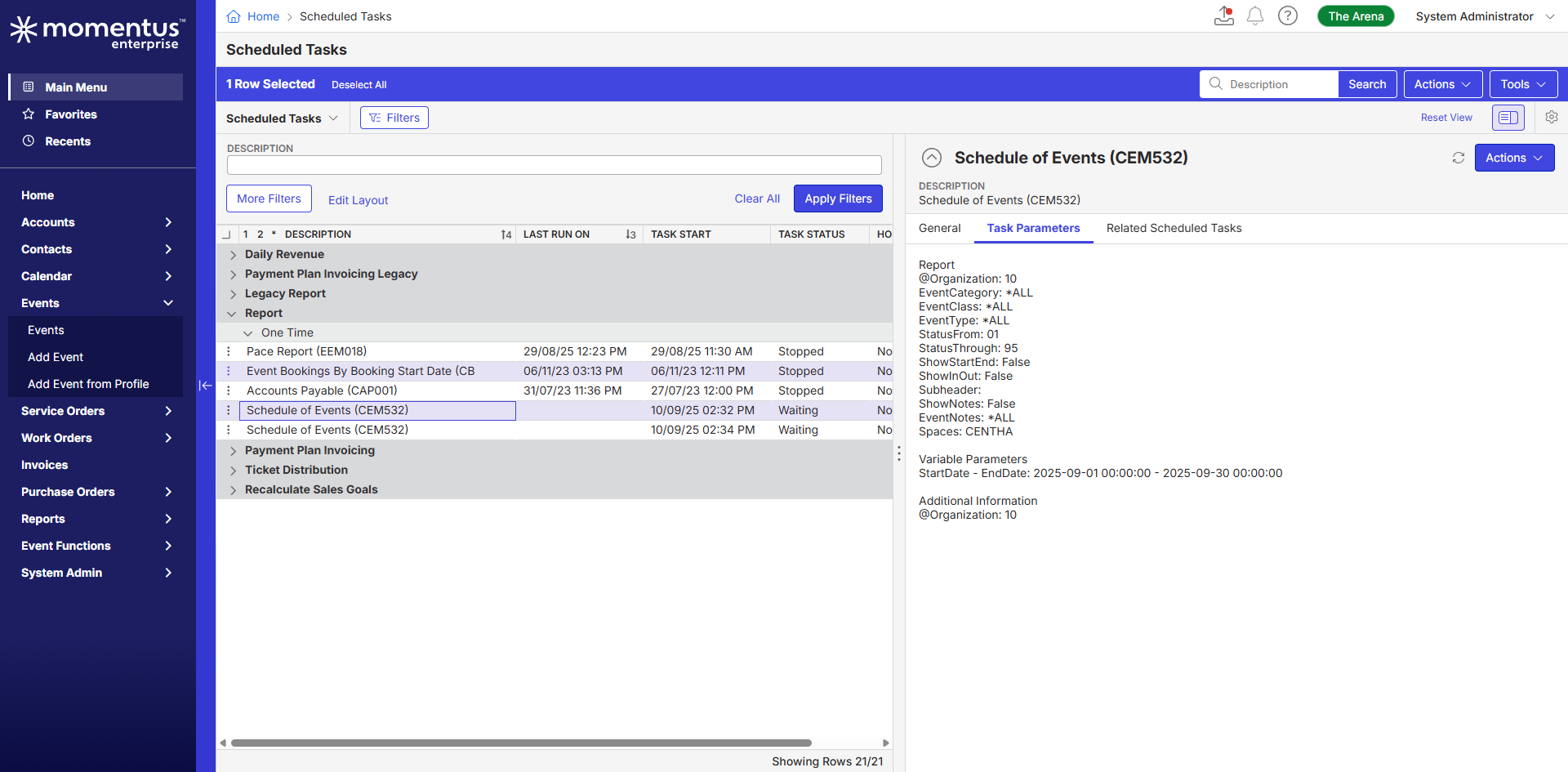
Scheduled Tasks

-
Task Config & Parameters
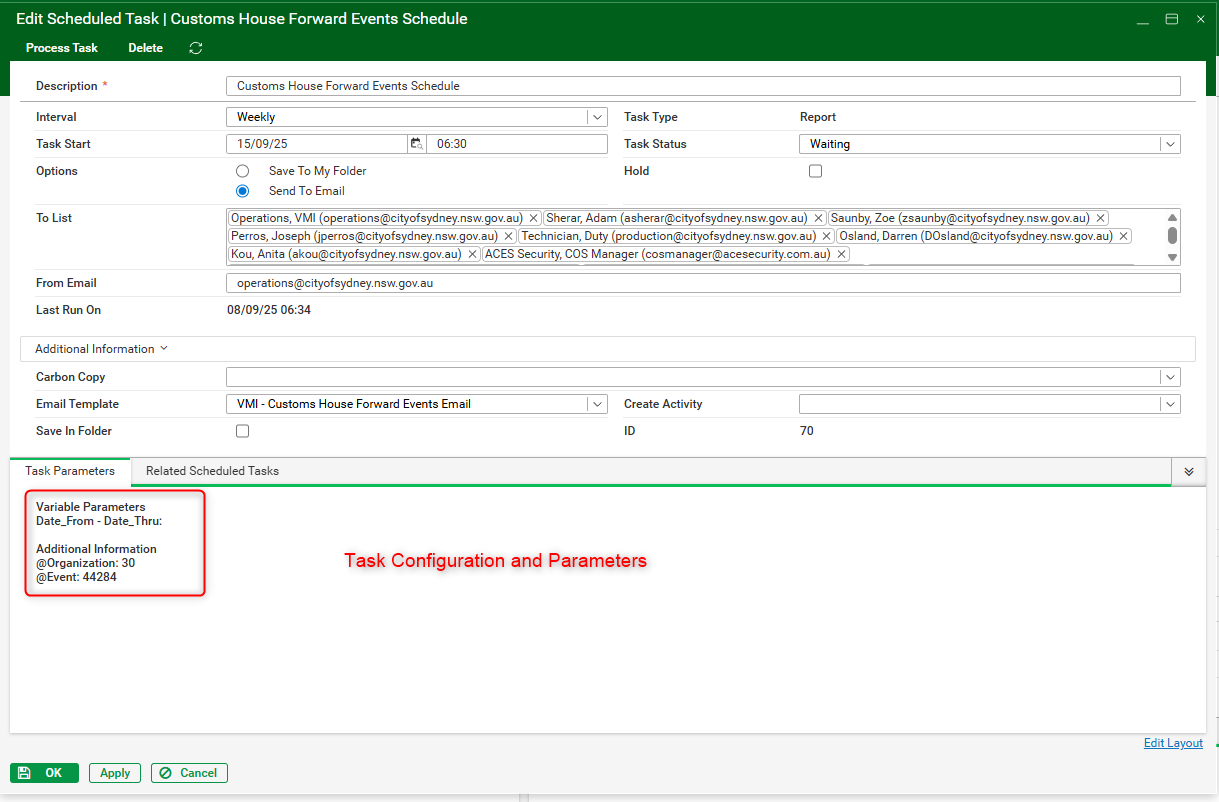
- Report Sample
-

Chanh Huynh Pieter Du Plooy - Any thoughts where you might have heard similar request?
-

Following. This sounds like a good question for consulting/support.
-

Himanshu - Is your scenario similar to Schedule of Events report? If so, I'd assume this would be possible to update the current report to create a filter by anchor venue or space (which ever one is being used) and run save a task for each venue.
-
Thanks Seth, from product standpoint, are we able to confirm if task scheduler would be able to handle multiple-report prompts if one report is used.
-
Thanks Chanh Huynh for quick catchup. For context, we reviewed “Schedule of Events” standard report in the system and used different parameters, space was one of them and created a scheduled task per space for different range. As an outcome, i was able to use same report with different report prompt saved.
-
Richard Marmura Can you respond to this question: “from product standpoint, are we able to confirm if task scheduler would be able to handle multiple-report prompts if one report is used.”
-

Seth Halvaksz When scheduling a report (aka creating a scheduled task), the task captures the selected report prompt options (parameters) at the time of creation. So what you would do in this scenario is schedule the report multiple times, each time using different parameters to meet your needs, thus having multiple ‘tasks’ for the same report, each with different parameters.
What the task scheduler lacks is the ability to CHANGE those parameter values after the task has been scheduled. So, if Task A runs with Space = Metropolis Venue every morning at 2am, but now you want that 2am task to run with Space = Metropolis Venue AND Luthor Corp Venue, you have to cancel the original task and reschedule a new task with the new parameter (AND ALL THE OTHER PARAMETERS) which is an administrative headache if you're scheduling reports with lots of parameters in the prompt.
-
Thanks Anthony Costantino
Himanshu see previous comment from Tony.
-
Thanks Anthony Costantino , i'll recommend using the approach. Long term benefit would be to be able to edit parameters within scheduled tasks or use modern mechanisms such as in Change Log to adjust things as required.
Please sign in to leave a comment.
Comments
8 comments
Date Votes