SSO bypass

I have a client where the users can still auto sign in, without assigned the SSO Auth config and their email is not in the Login ID. Auto Redirect is enabled.
Is SSO looking at the user email too, not just Login ID?
Is this potentially a serious bug?
-

Hi my SSO gurus - Satya Ram Nukala and Jonathan Schmidt
Are you able to help with this question. Customer is Marina Bay Sands, Singapore. Most of their users have AD Auth Config set up, but they can log in regardless because of the SSO bypass. They are set up for DPU in their web config.
Zendesk case: https://ungerboeck.zendesk.com/agent/tickets/366749Image 1: User Faahisa was added, but had her auth config set to AD initially, similar to Jocelyn. However Jocelyn could login with her SSO, while Faahisa wasn't able to log in to the system at all.
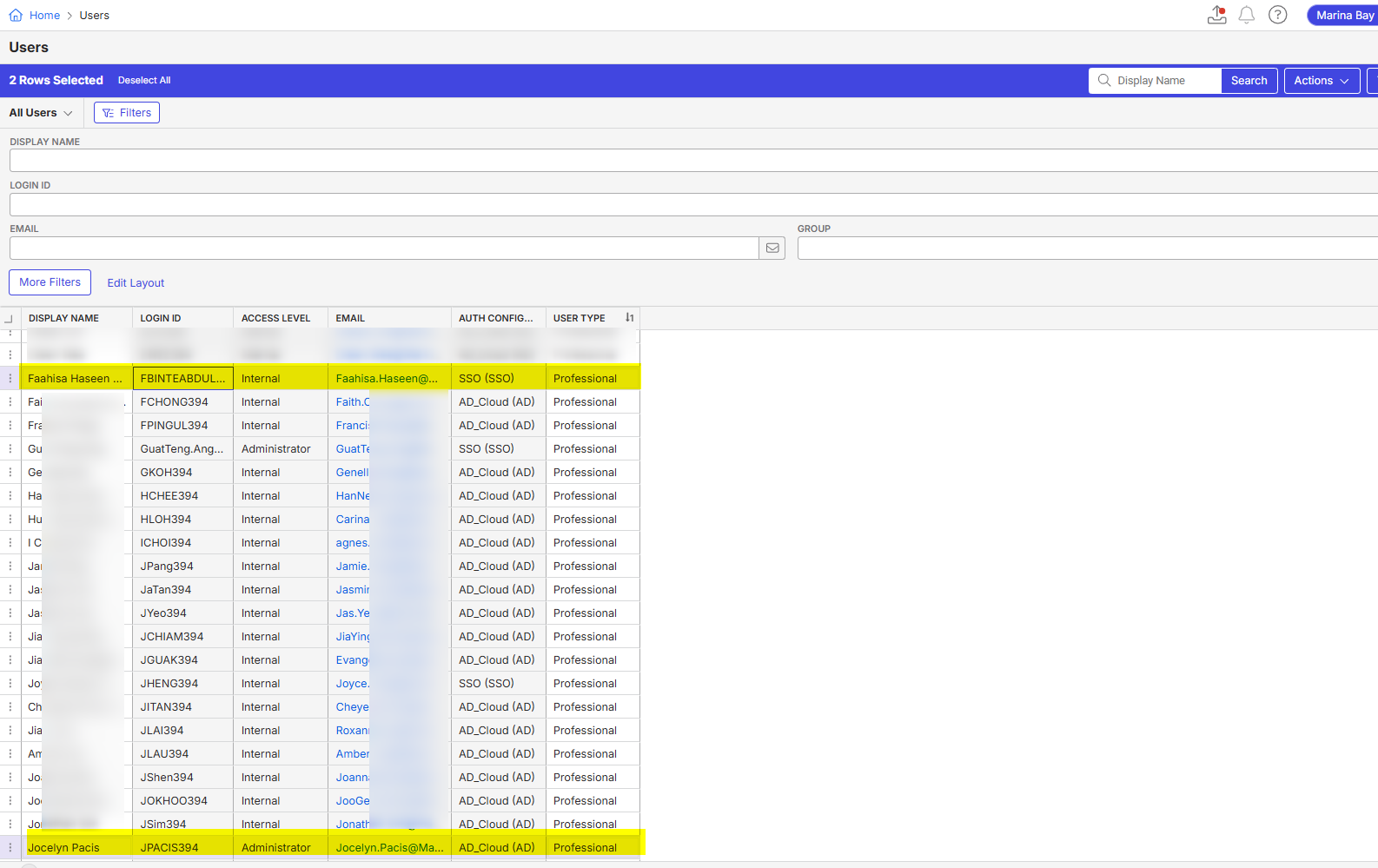
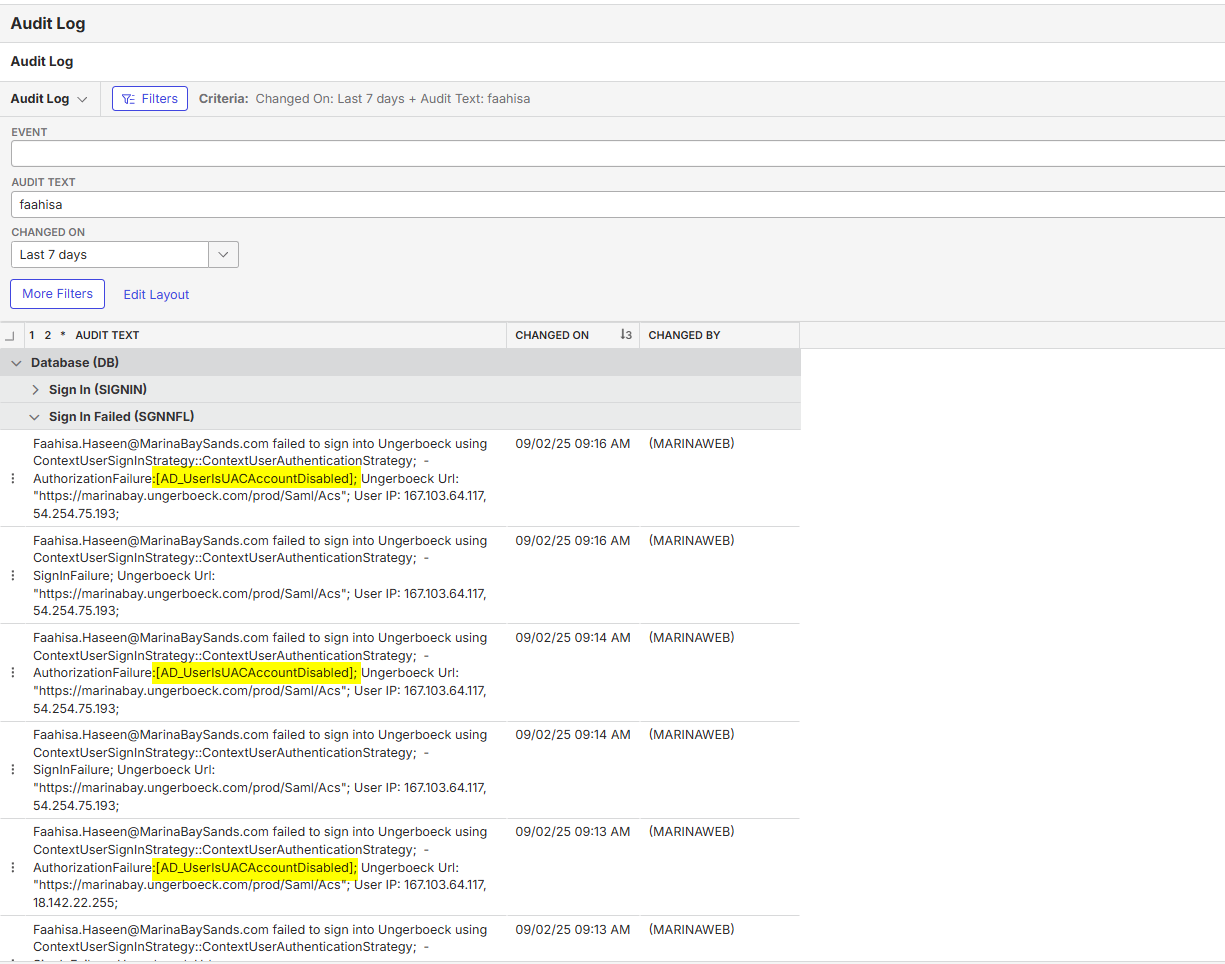
Image 2: Audit log for when Faahisa tried logging in using SSO when Auth Config was still in AD. Why does this show up on for user Faahisa and not anyone else with AD auth set on their profile?
We eventually managed to convince them to change it to SSO for Faahisa just so that she can log in and continue working in the system, but they would like to understand further why is it different for this user and how best to manage it moving forward? Is there anything we need to check on our end or could it be an issue on their end?
-

Jonathan Schmidt you got any ideas on this? I vaguely remember this being a bug in way older versions, but I thought it was fixed?
-

Hi all!
I'm confused a bit as to what is happening as there is a lot going on in this ticket.
- If the client needs to have some users utilize AD and some users utilize SSO, then the redirect cannot be turned on unless the client is given the redirect bypass URL.
- Side note: The client shared a screenshot of their user being in the correct AD group, which is confusing because they shouldn't be managing their AD users, we should.
- If the client is trying to move completely to SSO, but are still showing as AD after it was changed, then that is new to me.
-
If you're saying that the client is set to SSO, but can still login using AD credentials, I would imagine that both passwords are the same and if they switch their AD password to not match the SSO password, then it won't work.
- Regardless, this is something that has been reported (but with Momentus auth) and this should be fixed with the new SSO changes that are coming in future versions. Eric Edgar had given a SQL statement to erase any lingering Momentus auth passwords in their database, so he might need to do the same for AD (assuming that is what is being asked here.)
Hope this helps!
- If the client needs to have some users utilize AD and some users utilize SSO, then the redirect cannot be turned on unless the client is given the redirect bypass URL.
Please sign in to leave a comment.
Comments
3 comments
Date Votes