List Primary Contact for Accounts
Answered
- Description of the issue: Customer is seeking a way to generate/show a list of the Primary Contact (First + Last Name) for each Account. Currently there does not appear to be a standard report that pulls this info or an easy way to summarise this for export.
Customer has been advised to create a Custom View from Contacts Page which shows the contact name + company columns. However, this pulls ALL contacts from the Account not just primary.
Is there a better way to get a summary of the Primary Contact info?
- Zendesk ticket number: https://ungerboeck.zendesk.com/agent/tickets/359048
- Account name: Expertise Events Pty Ltd (EE)
- Region AP
- Enterprise - Client version 25.12025050701
- URL of local site on supportweb https://supportwebap.ungerboeck.com/ExpertEvents_Prod_1557833371_USI_V30/app85.cshtml?ReturnUrl=%2fExpertEvents_Prod_1557833371_USI_V30
- Reproduction steps
- Login to https://supportwebap.ungerboeck.com/ExpertEvents_Prod_1557833371_USI_V30/app85.cshtml?ReturnUrl=%2fExpertEvents_Prod_1557833371_USI_V30
- USIADMIN / ITRocks2014
- Go to Accounts page and note that the default view does not provide column showing primary contact.
-
Go to Contacts page and note the same. However, a custom view can be created as below to include the name + company columns to show this info:
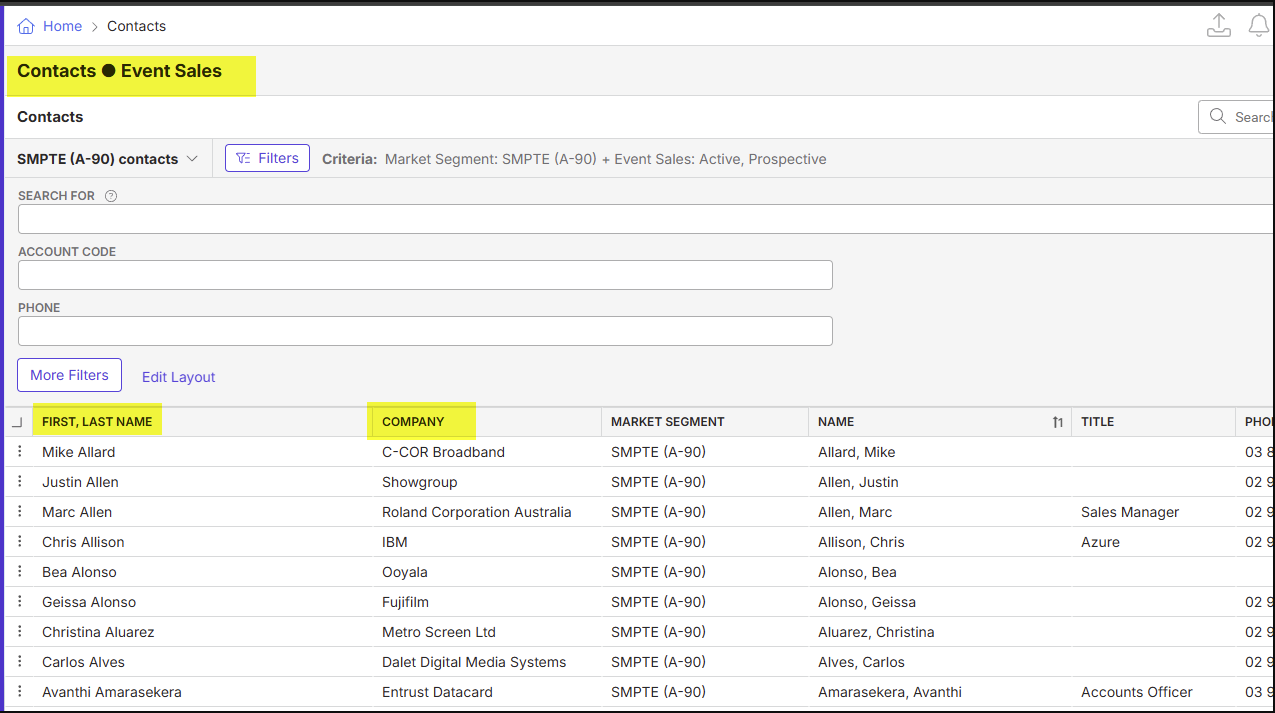
- Note the above workaround will show all contacts listed under the account + customer may experience issues reading data due to the large amount of results returned. Filters are necessary.
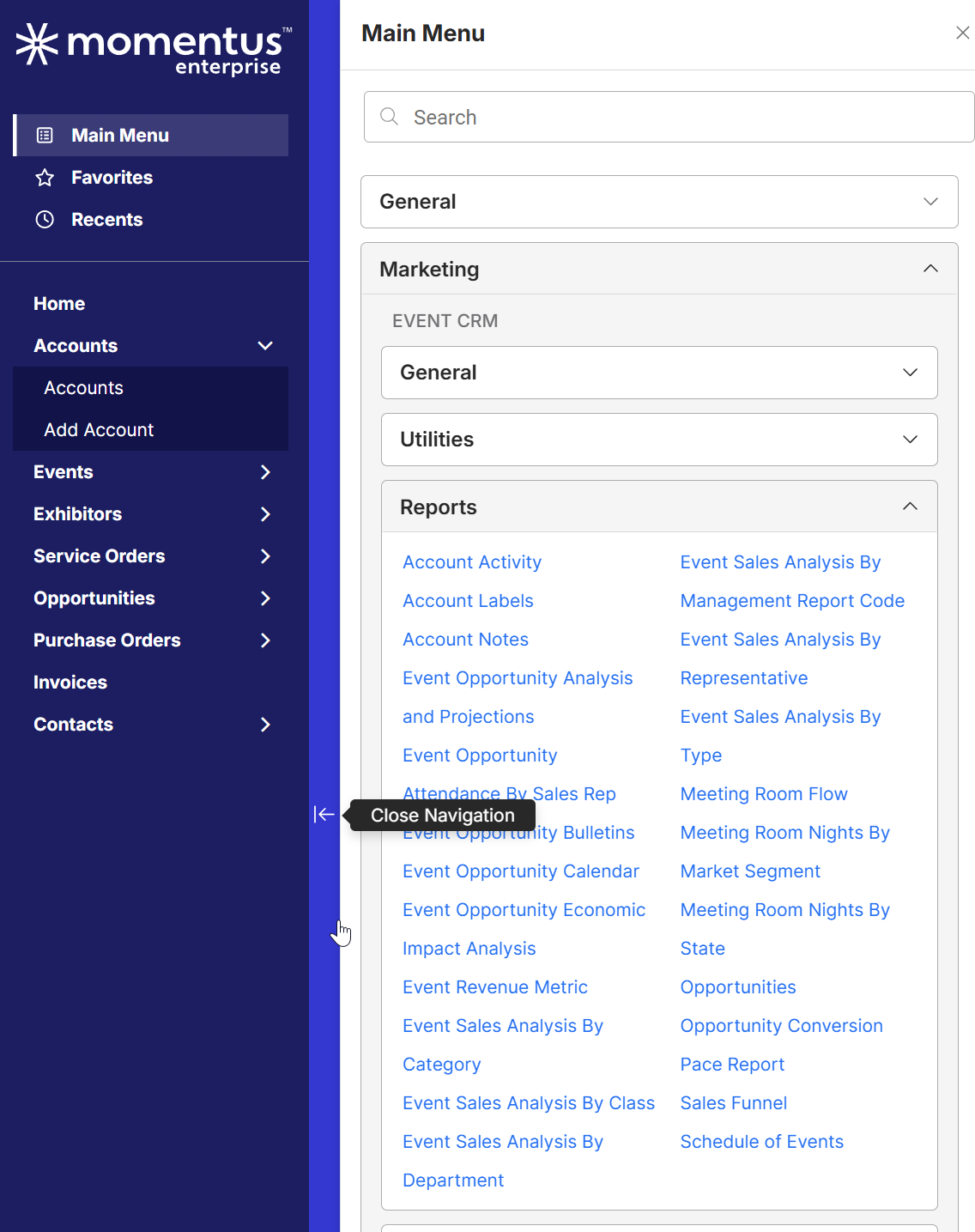
- Go to Main Menu > Marketing > Reports
-
Review listed standard reports. None of these appear to include the information required (Primary Contact info)
-
Link to any articles referenced in your investigation https://supportcenter.ungerboeck.com/hc/en-us/articles/214521157-Views#h_1f1e9d2f-000a-471b-8c52-0ea853555003
https://supportcenter.ungerboeck.com/hc/en-us/sections/200710078-Accounts-Contacts
- Expected Results vs. Observed Results – essentially, what is the client attempting to accomplish vs. what is happening? Customer is seeking a way to easily identify the Primary Contact for each Account. They wish to export this information to PDF/excel.
Currently there is not a simple way to achieve this.
-
Business impact if not resolved Impacts customers ability to anaylise data and reporting in relation to existing accounts.
*Please can you also advise on how to identify the Primary Contact in the New UI? Previously primary contact was listed in bold under Account tab. Is this still the recommended way for New UI?
-

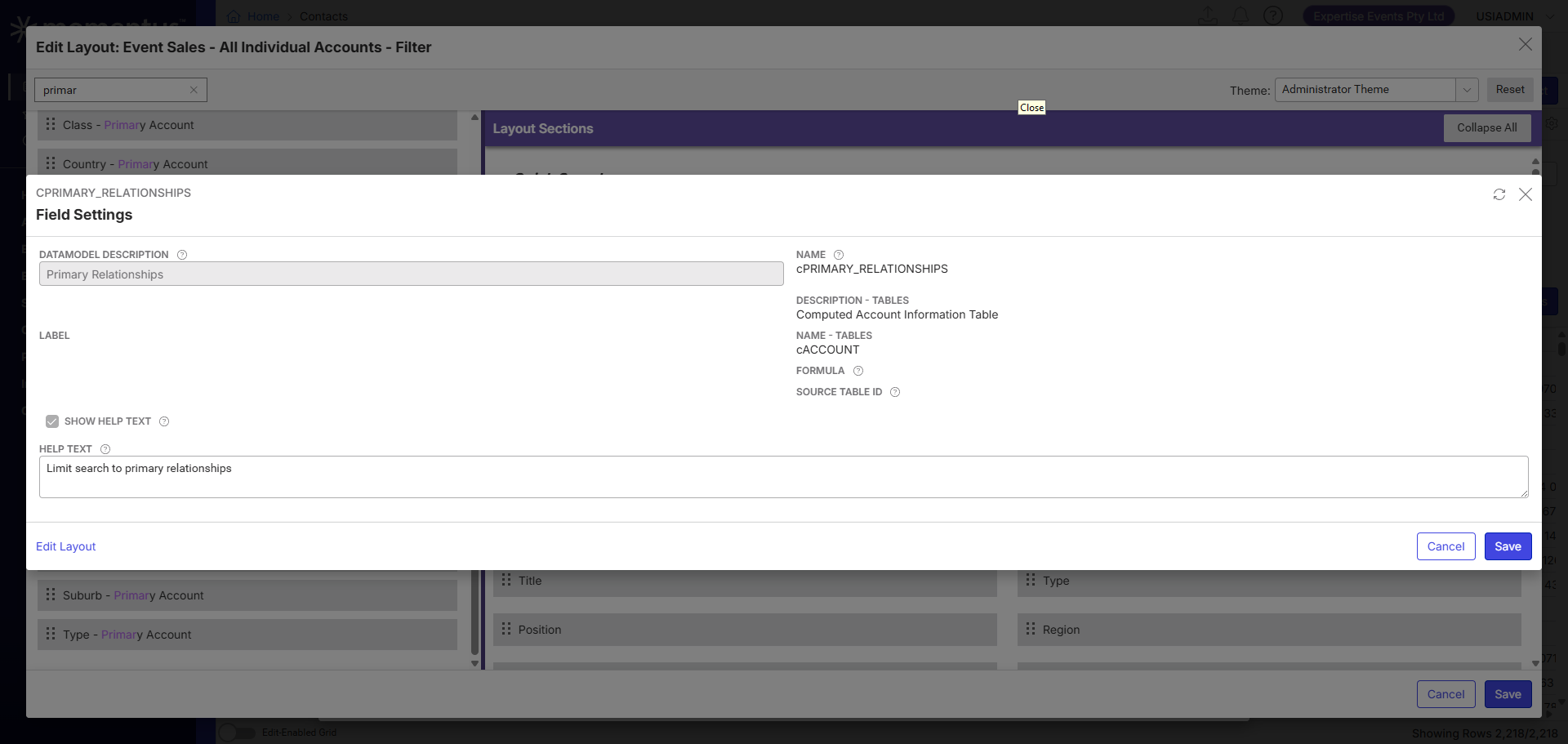
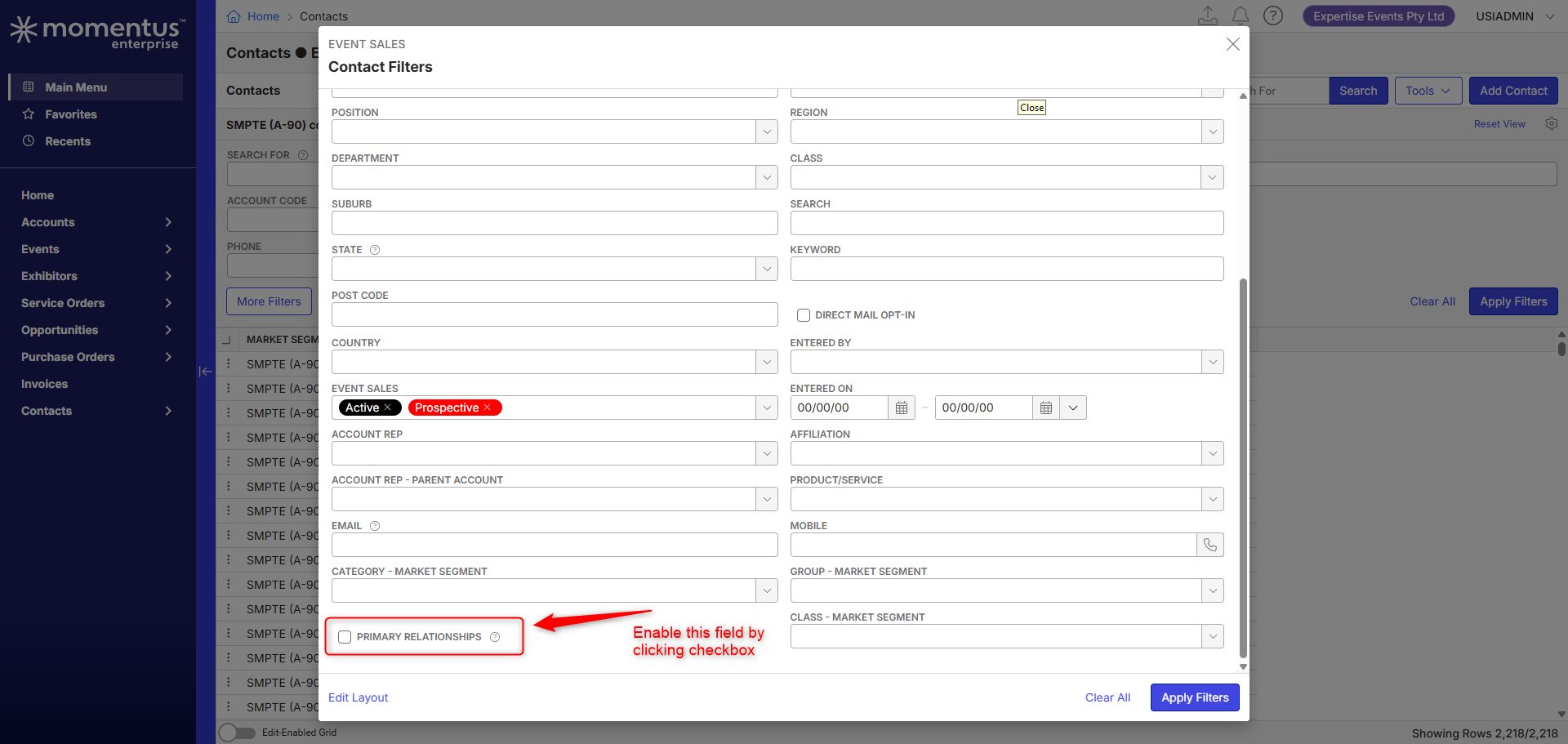
Joe Luckett - This can be achieved by creating a view on “Contacts - Event Sales" Page. To do this, create a new view on this page. You'll need to enable a filter called “ Primary Relationships” under “More Filters” and have this enabled.
When you search for primary contacts, simply enable this and search. The system should display active primary contacts.
Note: For this report to work, all contacts should have a relationship type = Primary (Having secondary won't work)

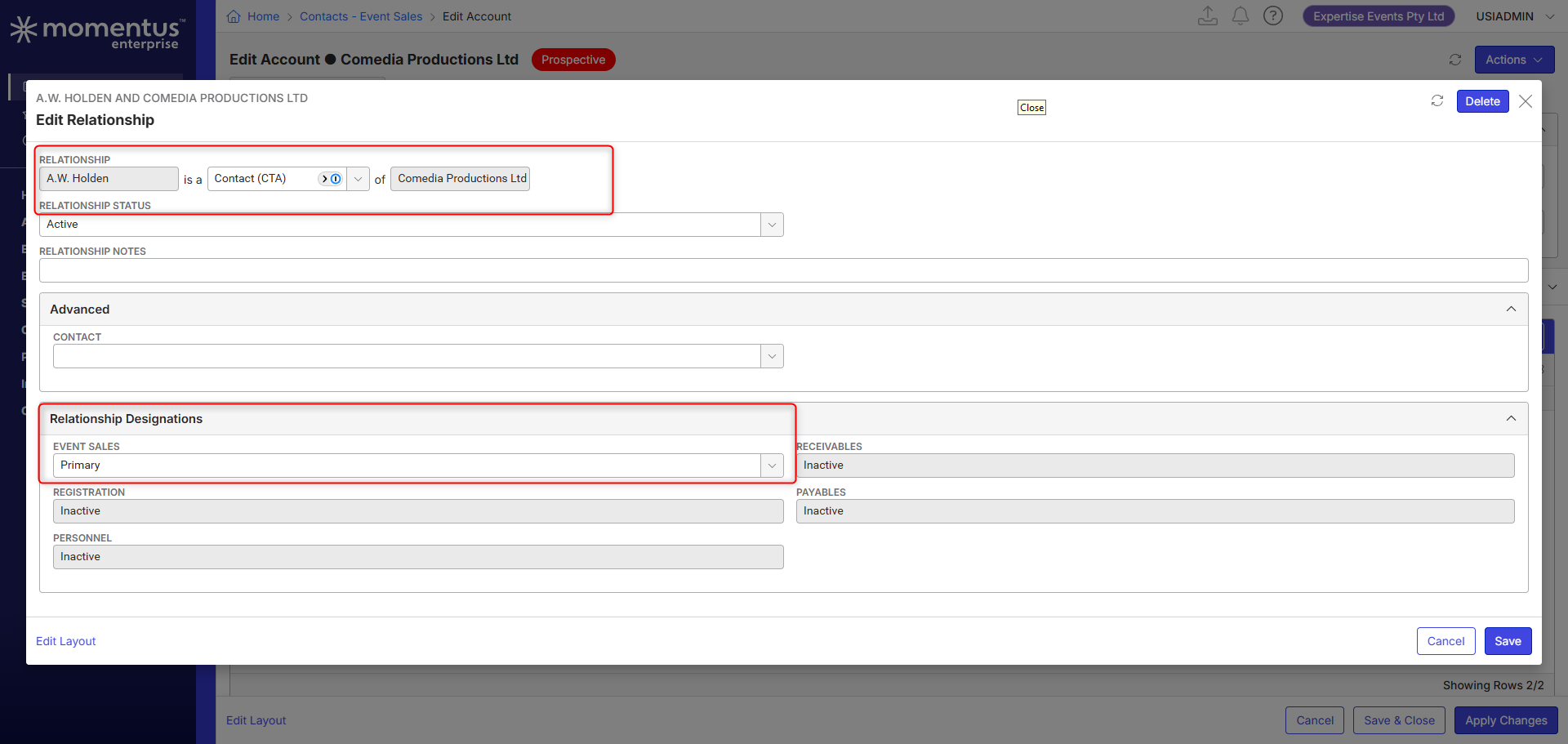

-
Thanks Himanshu - have advised Customer.
They do appear to have a few Accounts with a single contact that is set as the Secondary. I have advised them how to update the relationship though if required.
Please sign in to leave a comment.
Comments
2 comments
Date Votes