Confirmed Bookings can be changed / should not be possible
Refer to Support
Description of the Issue:
The times of bookings can be changed, even if the contract and the booking is already locked due to status.
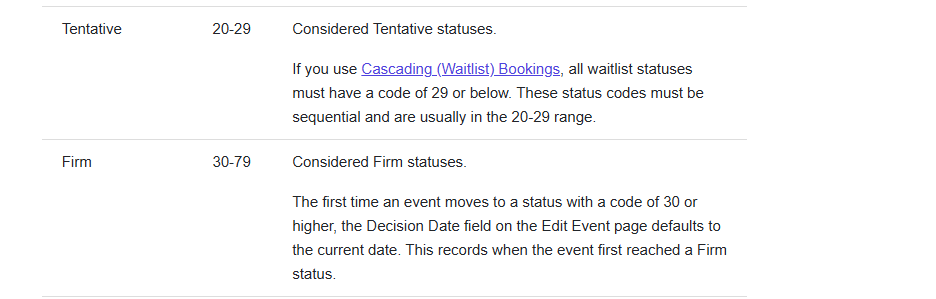
In this case the status is “confirmed” and has the Code 30 which is correct to be in the proper range of being “firm”.
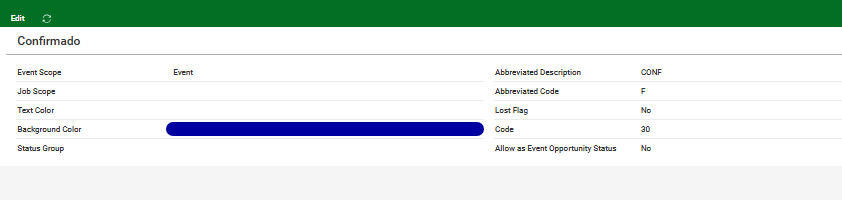
This is very inconvenient to the client because it can change an already invoiced contract.
As I was also was able to make changes on a booking with this status on a copy of their DB my guess would be that there might be an Access Privilege to set here?
If so, could you tell which one that would be?
I checked this article but could not get clear information out of it:
https://supportcenter.ungerboeck.com/hc/en-us/articles/204552078-Configure-Event-Statuses
Client:
FiraBarcelonaCCIB_0162803611
Version:
25.12025052101
Region:
EMEA
zendesk:
#355210
-

Dominick, Documentus posts need to first be reviewed be a Senior member of customer support before review by the product team.
-
Josiane Mikhael Pieter Fourie can you confirm please?
-

Hi Dominik
I checked through ZD & Documentus & couldn't find similar cases - I think this might be a good case for Product to review.
-
Tagging Mike Schepker to review
-

Dominik Obelöer - Can you confirm what the booking's contract status is set to and whether that is above or below what is set on the Booking Configuration window? Articles for this: https://supportcenter.ungerboeck.com/hc/en-us/articles/204562668-Add-and-Manage-Bookings (got to Manage Bookings > Edit a Booking) and https://supportcenter.ungerboeck.com/hc/en-us/articles/212566517-Configure-Facility-Booking-Booking-Configuration
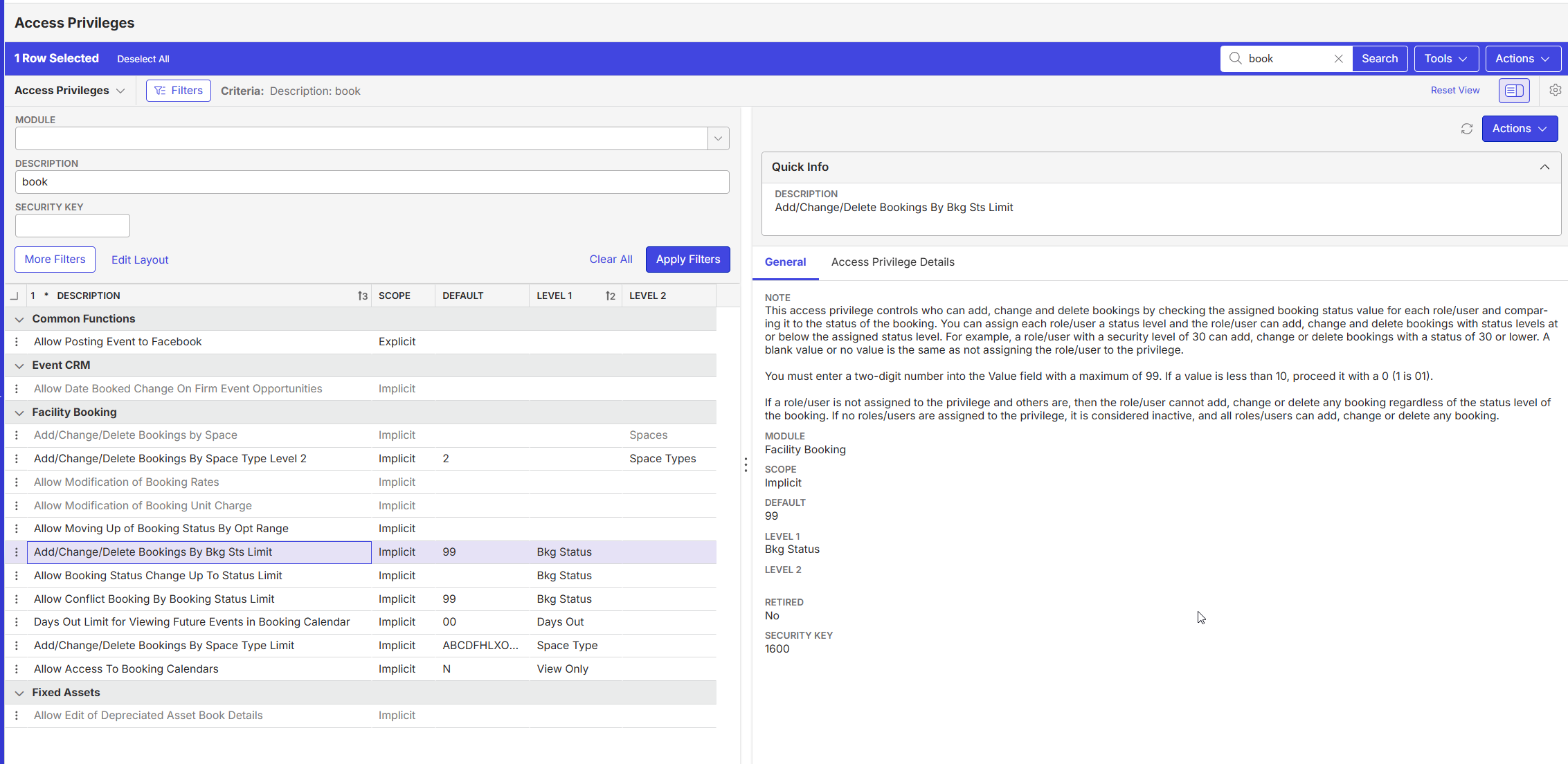
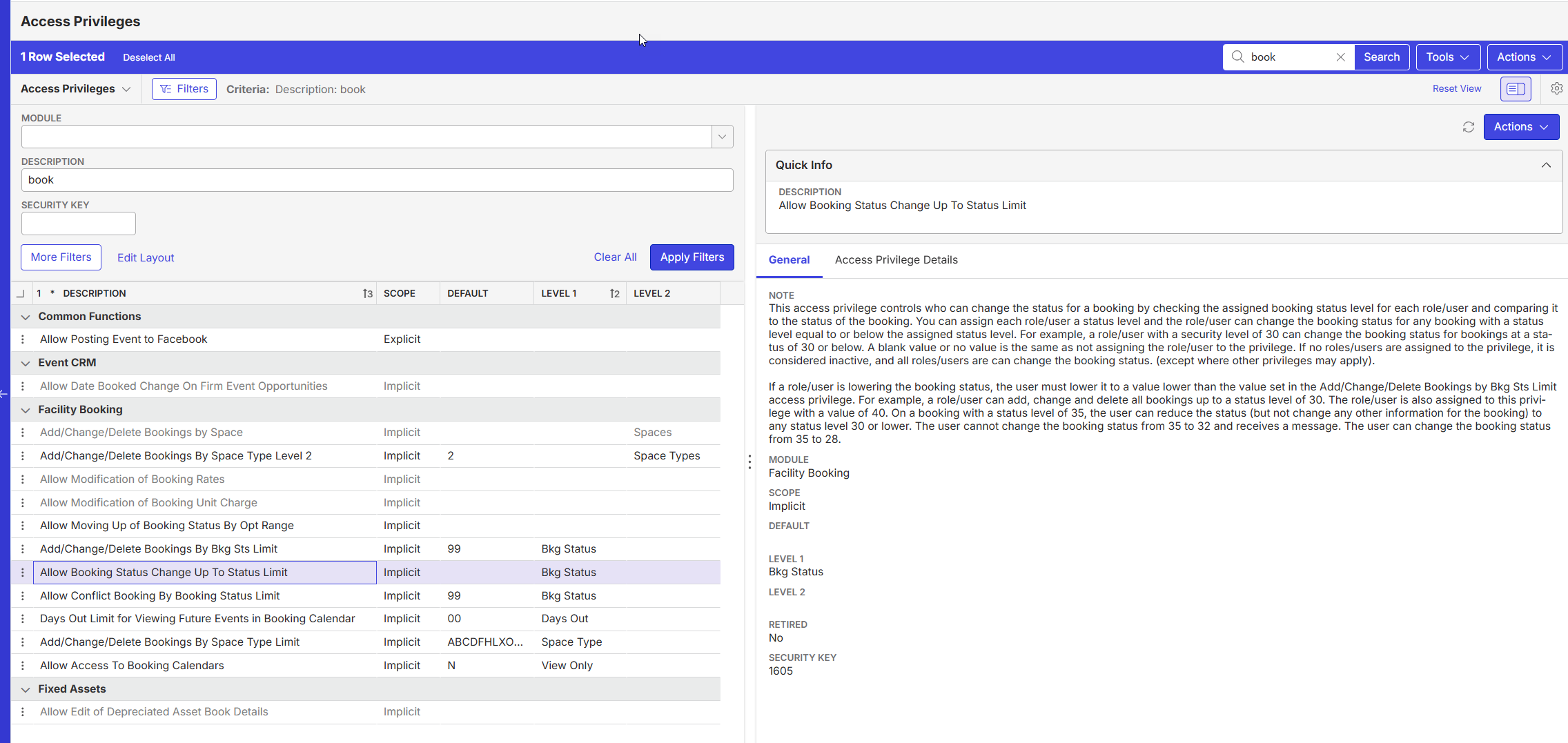
Regarding accesses - I think those would be the ‘Add/Change/Delete Bookings By Bkg Sts Limit’ and ‘Allow Booking Status Change Up To Status Limit’ - see screenshots from QE 25.1, what is set for the users/roles who are able to make changes for this customer?
If everything looks configured correctly can you include the link to your local site for this customer?
-
Cathy Herrick the booking status is value 30 = confirmed
The connected contract has the status “invoiced” but with value 24.
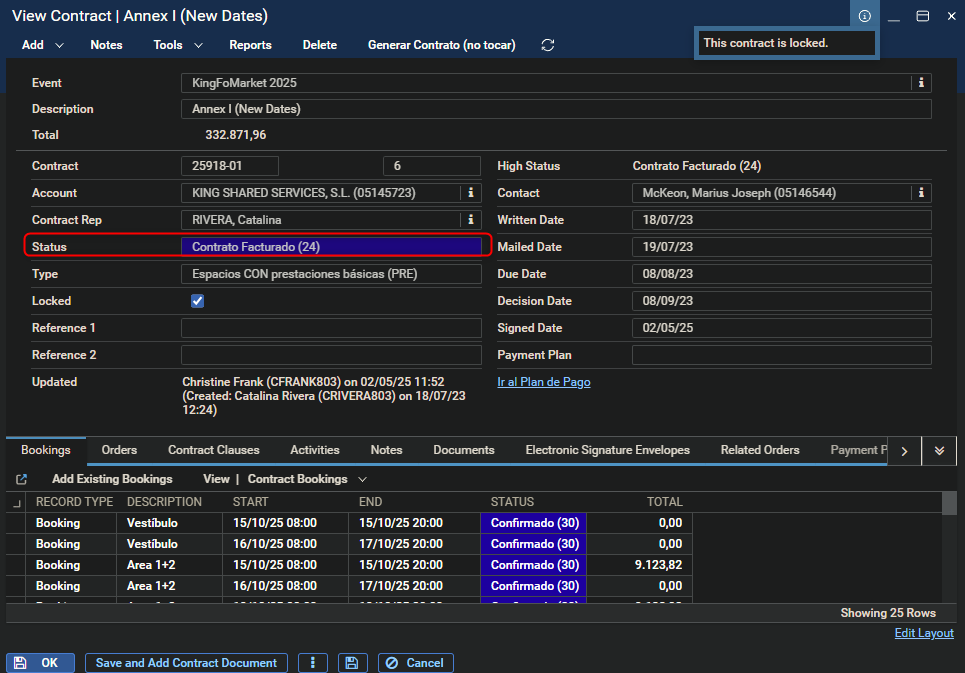
As 24 is considered tentative they probably need to change the contract status logic, or?
-
Dominik Obelöer - Yes I think you're on the right track there!
I would suggest testing out putting the contract status on a Firm status weight (above 30) and then see if the same behavior occurs. -
Cathy Herrick I tested both status and access privilege changes with them.
The two rights are not active for them, meaning that since they are implicit, everyone is allowed to use them. They tested it and set a status with limits of 29 and 30, resulting in their inability to place a contract on confirmed, as they have set it up so that as soon as a contract is finalized, the status of the event and the booking also changes to the finalized status. So that cannot be the issue. Even if they set the finalized contract status to over 30 (35), they can easily change the booking date.
They still suspect this to be a bug. Should we issue this to Engineering? -
Yes - I can't think of anything else to try here, and no one else has been able to weigh into answer either - so I think it needs Dev review.
-
Anthony Costantino can you weigh in here
-

When you were changing booking times, were you expanding the times to use MORE time or were you shrinking the times to use LESS time?
In any of this did the contract enter a state of requiring revision?
-
Anthony Costantino it is changeable in both directions. More and Less Time. The contract never required revision. It always stayed in the “contract invoiced” state that they have in place. Also the bookings stay in “confirmed” status.
-
Anthony Costantino would you have anything to add or shall I proceed and create a Jira?
-
I would like to hear from Anthony Costantino before creating a jira
-
The behavior reported by users isn't expected. I say get this in so a Dev can look at code and confirm.
-
Dominik Obelöer go ahead and open a ticket and post the link here for reference

Please sign in to leave a comment.
Comments
19 comments
Date Votes