Event Order Confirmation (New) Report - not respecting order department
Refer to Support
- Description of the issue: The new/updated Event Order confirmation report does not group by item department
- Account name: Tauranga City Council
- Region: APAC
- Client version: 25.1.9237.24555 (20250416)
- Steps to reproduce:
- Go to Event ID 53814
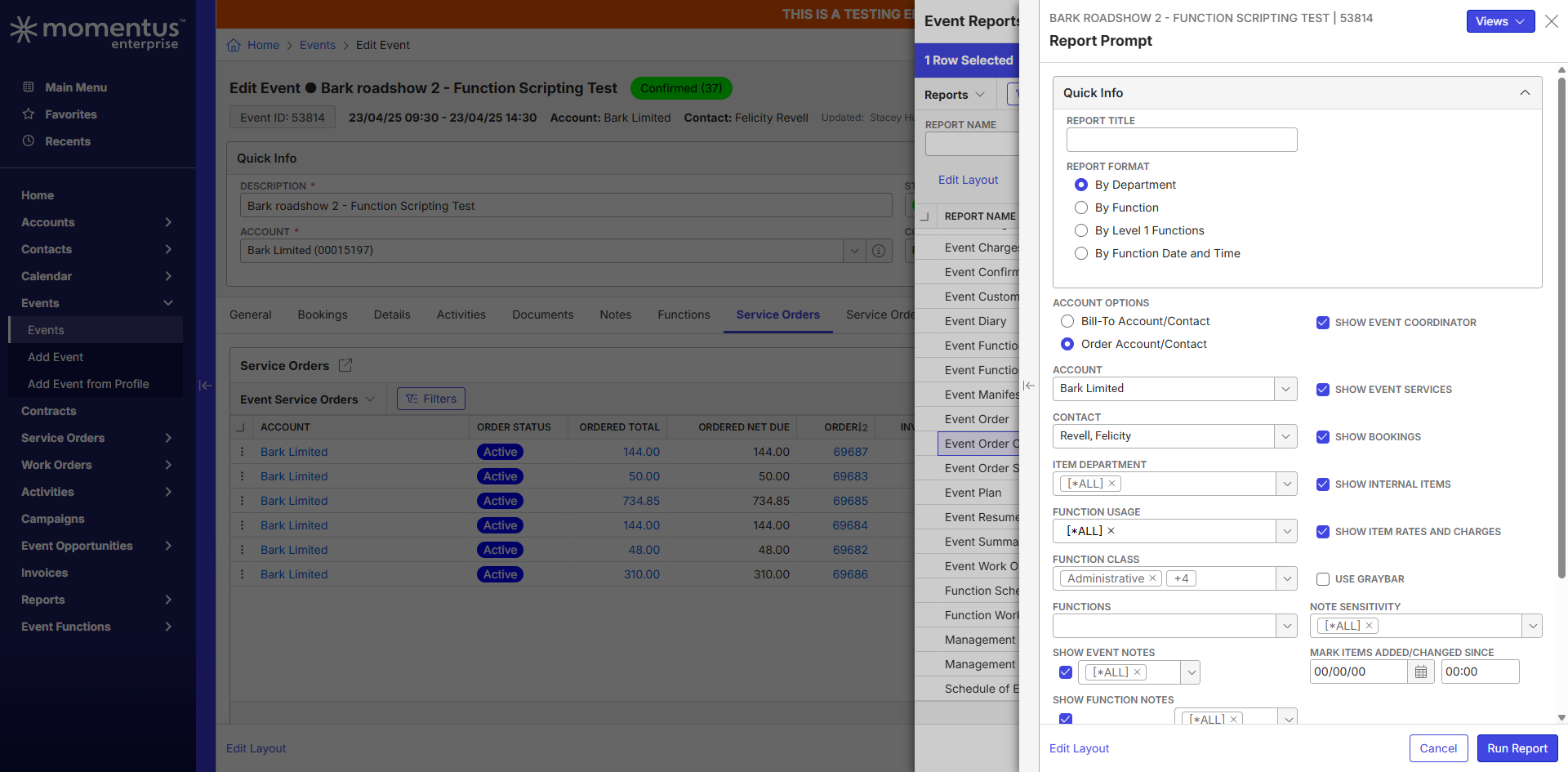
- Edit Event>Actions>Reports>Run Reports>Select Event Order Confirmation
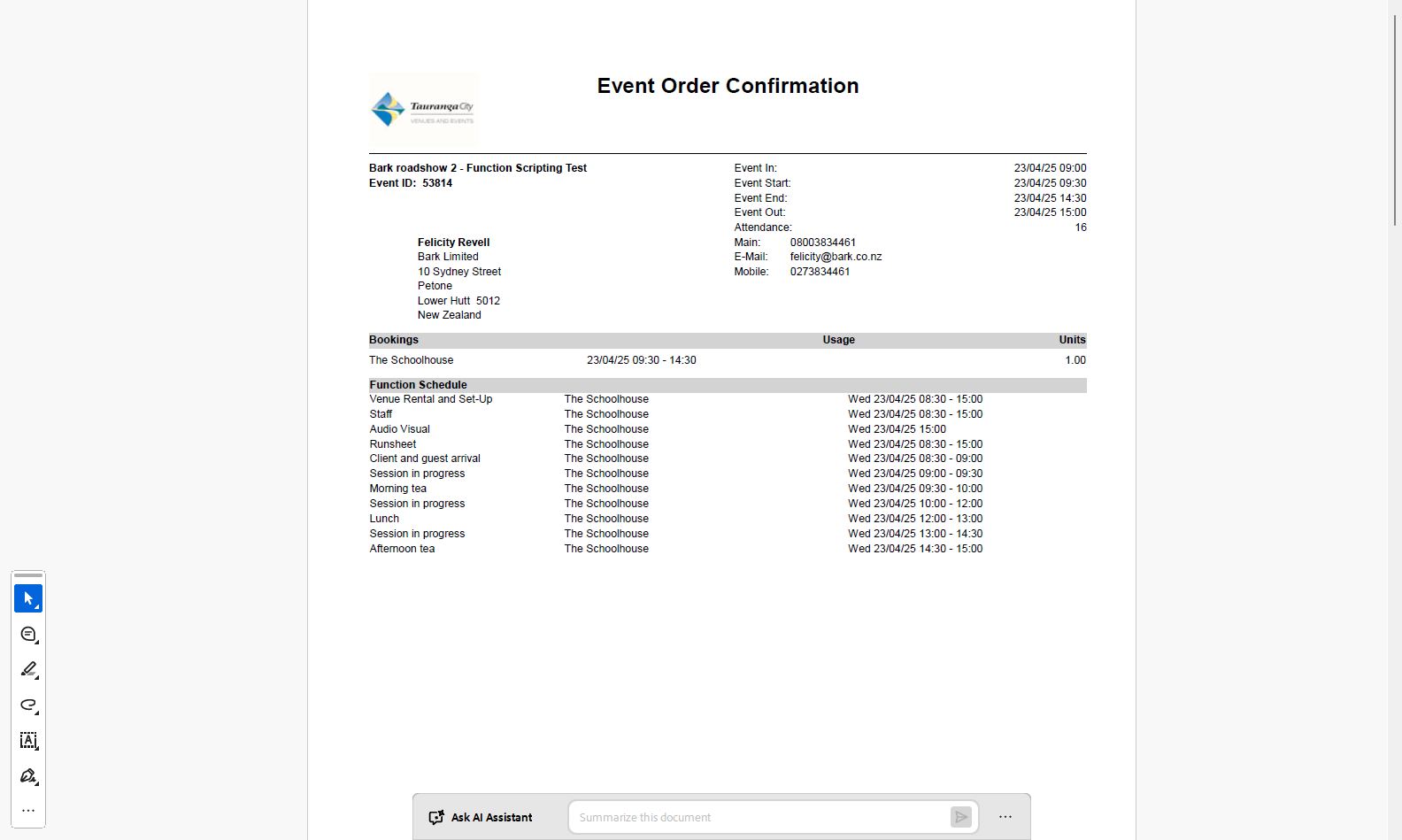
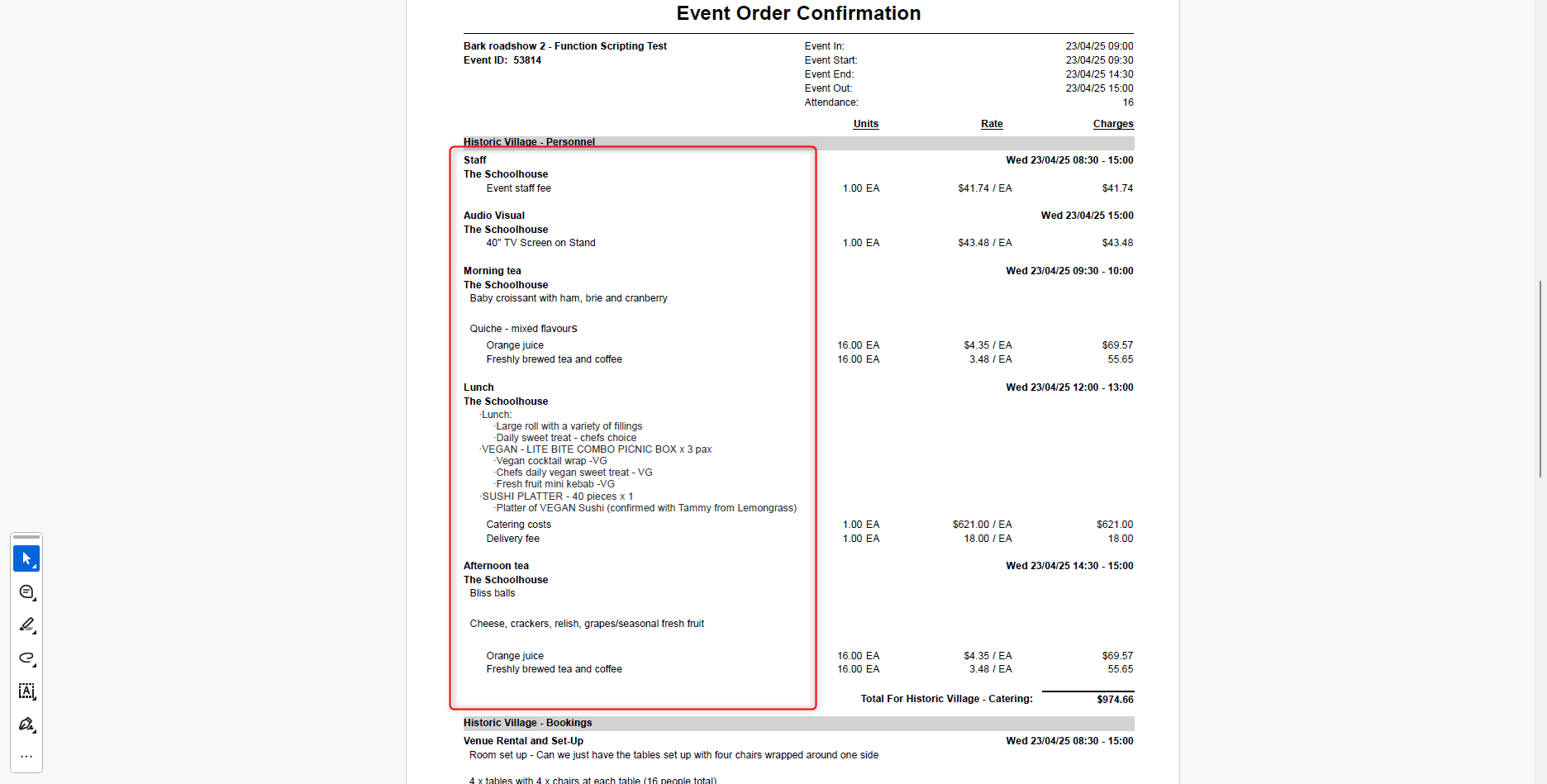
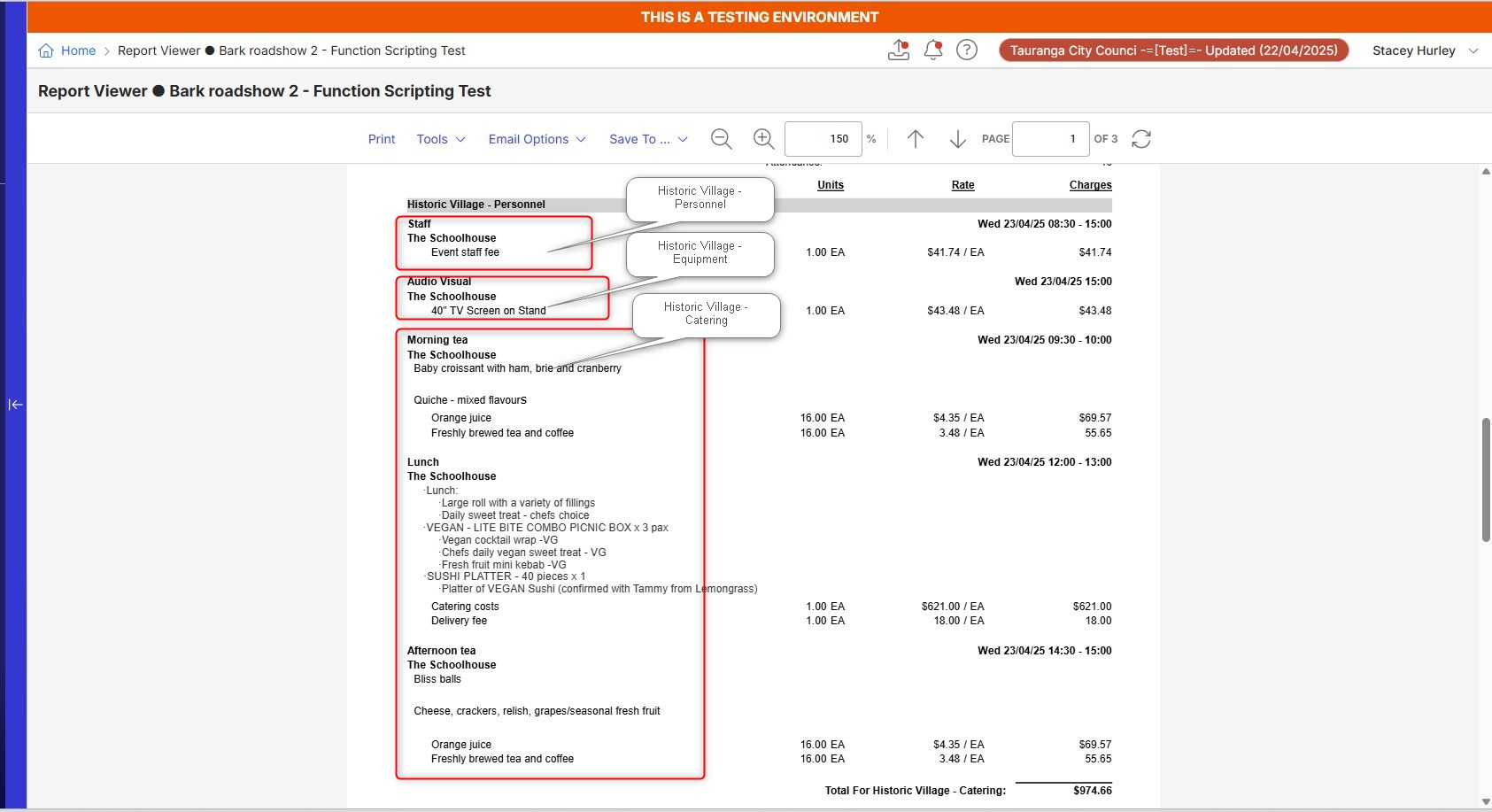
- Run the Report. Once a report is run, you'll notice the items are grouped by function rather than department.
- Observed results vs Expected results:
- Observed - The items are grouped by function even when department is selected
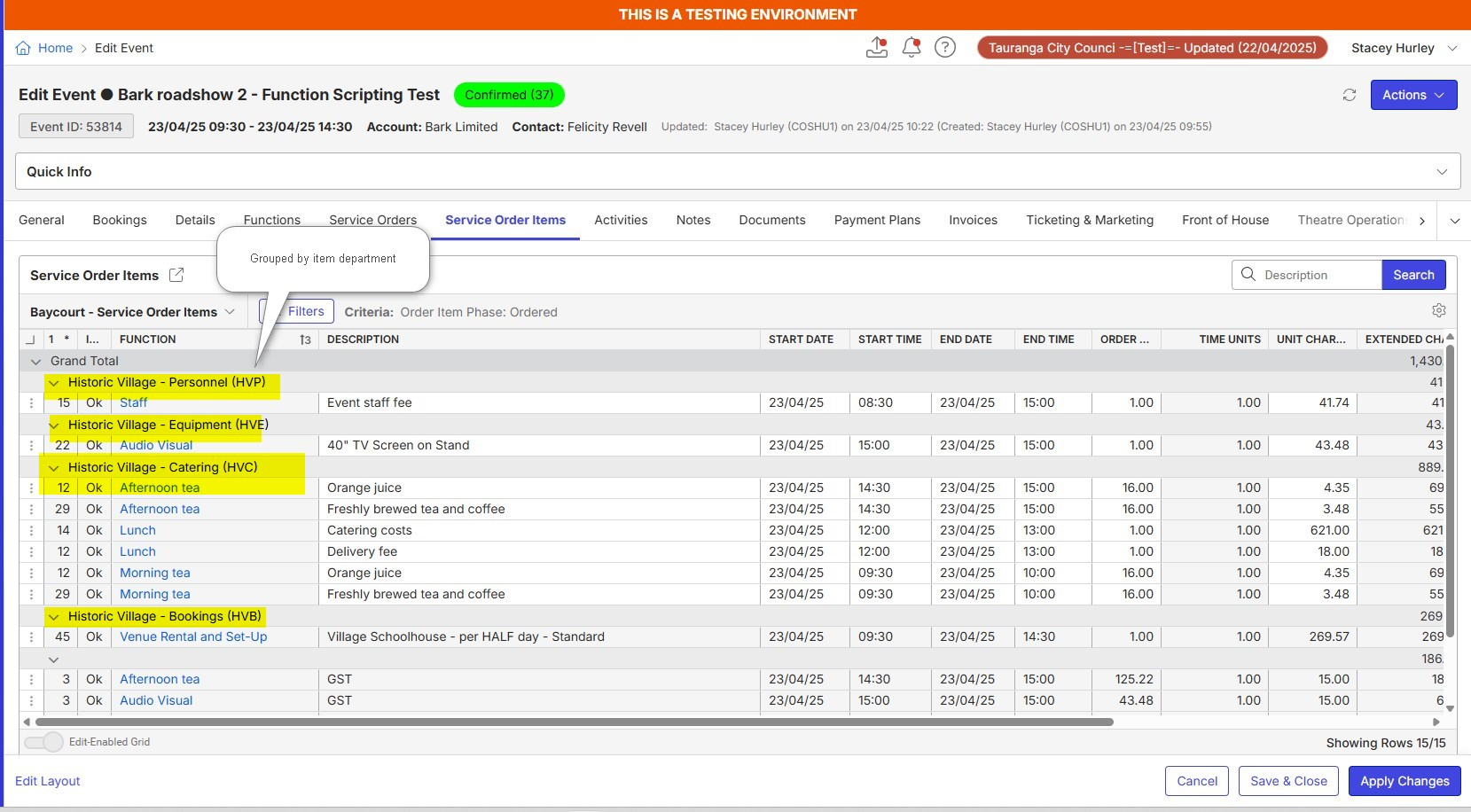
- Expected - The items are expected to be grouped by departments when department is selected on the report prompt.
- What is the job the client is trying to accomplish: Customer would like to
- Business impact if not resolved: Users unable to see items by departments.
- Links to articles where you've looked for solutions and also other steps you've taken to research the issue:
- I have tested this myself in one of our train environments and i have ran into the same issue.
- I have checked the “Departments” configuration and resources are correctly tagged against booked items.
- https://supportcenter.ungerboeck.com/hc/en-us/articles/30399764267415-Release-Notes-What-s-New-in-2025-1#h_01JE9N32XW3G8S8EKKR5TRBK1V
- Link to Zendesk ticket: NA
- Local v30 URL: NA - Yet
- Snapshots:
-
Report Prompt - Select by Department
Page 1 of Report
Page 2 of Report
- As per customer testing, the items are grouped by department under Service Order Items
-
Expected Outcome - The customer is expecting that these items should be grouped as per resource departments.
-
-
Hi Richard Marmura - Any updates on this one? We could send the ticket across if this is looking like an issue. Thanks
Here is the copy of the report if snapshots aren't clear - Event Order Confirmation 53814
-

Hi Himanshu, we were at product team meetings this past week.
-
This is a bug. Please contact support to open a jira, and paste the jira number here for reference.
More background:
“Crystal has a weird grouping/sorting. Per the design, we change it to use the department sequence. We need to update the rpt file to group on the department code and sort sequence. ”
-
Thanks Seth, will send it through.
-

JIRA case ME-5797 created for this issue, Zendesk case 355158
-
Hi Seth Halvaksz Richard Marmura - A customer has chased up today on status of this ticket since its been logged for quite some time. Could you kindly advise if we are missing anything to get this addressed?
-
Himanshu this is bug. The documentus post isn't the right place to follow-up. Please reach out to customer support for an update. I see it is prioritized as a medium, so that is likely when it has not been picked up yet. The team is consumed with higher-priority bugs.
-
There is a workaround until the bug is fixed.
Customer support can provide a report file that can be imported as a customized version of the standard report. Reach out to customer support for the file, because i don't see a way to attach it to this post.
-
Thanks Seth, closing this out. Raised through ticket.
Please sign in to leave a comment.
Comments
10 comments
Date Votes