Gender Disappearing from Order Registrant
Refer to Support
Zendesk Ticket: https://ungerboeck.zendesk.com/agent/tickets/339811
Account: Usdan Summer Camp for the Arts
Region: America
Articles used in your research:
General
Business impact if not resolved: It's currently not impacting our daily work but does impact our reporting and as we approach the start of summer will impact our daily work with reports and printables we use.
Short Summary of issue (issue description):
Macro Vertical: Other
Debug Environment:
Customer DB Location: Hosted
Database: Usdan_Prod_0982138719_USI
Server: Debug-US,1433
Version: 24.42024120601
V30 Link: https://supportwebus.ungerboeck.com/usdan/app85.cshtml?ReturnUrl=%2fusdan
User Login: usiadmin/ITRocks2014
Recreation Steps:
Login to V30 with the above credentials
Go to the Events tab on the global navigation bar and search for Event 5190
Go to tools>Registration> Registration Setup
Select the Single Registration form template right click copy the shortcut which gives you this link: https://supportwebus.ungerboeck.com/usdan/emc00/register.aspx?aat=613230674c5343446e4a665635754b45302f65697436454f64397a327a7a593853716e4c30594b794436773d
Fill in everything on the first screen and for gender select that you would prefer not to say
Fill in the rest of the form
On the payment section select pay by check and submit
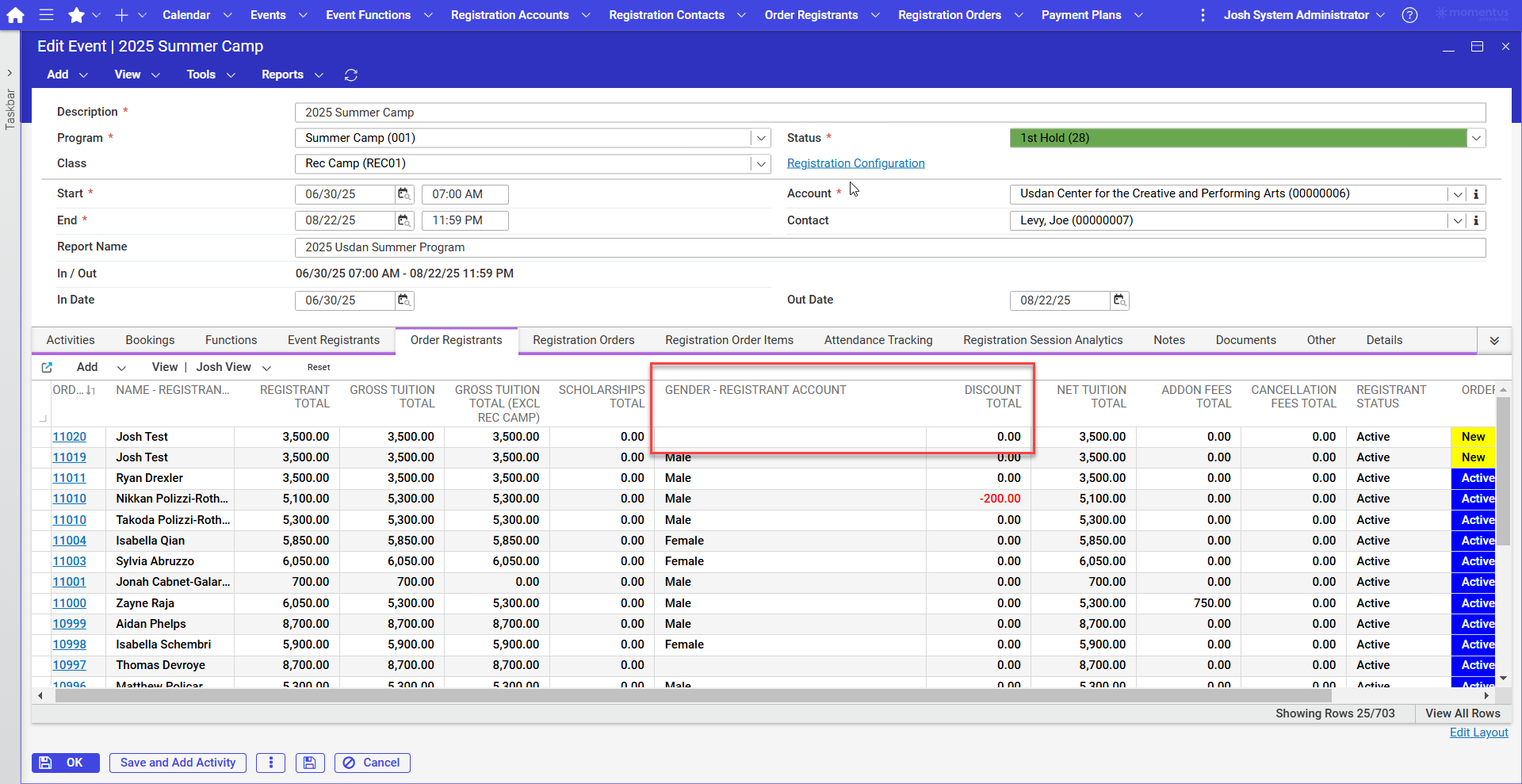
Go back to your Momentus site and look at what you just submitted, notice on my view "Josh View" there is a column titled "Gender Registration account" and that field is blank.
Observed vs. Expected Results: Observed results is when someone does not what to specify their gender it does not show up in backoffice however when you select a gender no matter what you select it should show up.
What does the client want to accomplish: For the gender to show up in backoffice.
-

Mike Schepker can you weigh in on whether this is a bug or working as designed:
“gender does not show up in backoffice”
-

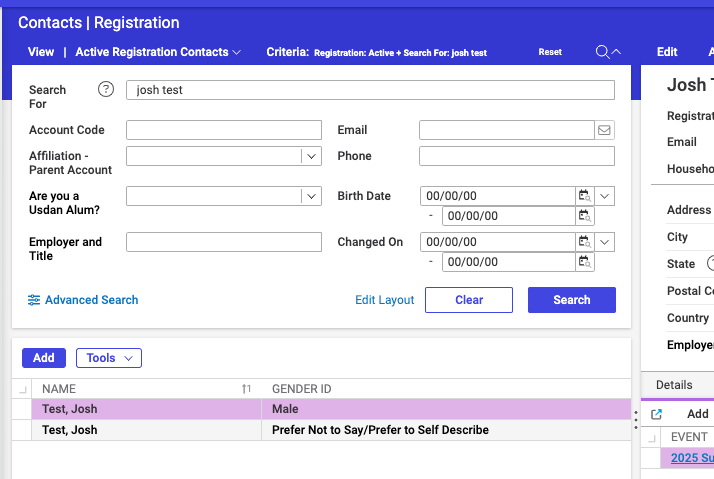
That is a bug. The column should be populating with the data that is held in it. It looks like the bug is specific to the Order Registrants grid. It does show in other areas of the software.
-
Thanks Mike.
Joshua Nelson please open a ticket.
-

Mike Schepker The client just sent me an example where the Gender ID value is actually empty, suggesting there may be another issue in addition to the Order Registrants display issue. Can you take another look?

-
Joel Nisbett This was Josh's ticket. You'll need to reach out to him. They may need to enter an additional ticket if there is an issue with the software saving the value. The original issue mentioned was a legitimate issue with the Order Registrants grid.
Please sign in to leave a comment.
Comments
5 comments
Date Votes