Account Management Configuration - Bypass login process
Refer to Support
- Account name - Brisbane City Council (Lord Mayor's Office) - BCC LMO
- Region - APAC
- Client version - 24.3
- Description of the issue - Account Management Configuration - Bypass the login process to manage account information
- What does the client want to do? Why do they want to do this?
- BCC LMO uses CRM very largely. They use custom Account User defined fields to manage some of the information on the account. Few of them being around to capture consents. The current process is quite manual for users to manage this information on behalf of the customer, as customers would email and then backoffice users will update this.
- Problem - Is there a way to bypass the Account Management Configuration login process, which will allow customer to manage their details online.
- In this scenario, user accounts are not created with a password because they are imported in the system and Campaigns is used for Invitations.
- Customer would not like to prompt users to reset their password in order to enter into ACM and is looking to embed ACM link in the footer of the email invitations which will be managed through Campaigns.
- What does the client want to do? Why do they want to do this?
- What you've already tried or suggested. Why does this not work?
- I have suggested to move away from UDF's and use Preferences to capture current info stored under account UDF's. (This part is ok)
- This process to use Account Management Configuration so that users can update their details online. The current mechanism does not allow to bypass the login process through campaigns.
- I have reviewed the option of “Insert Link” in email templates and using “custom” as an option, but unable to configure as no further details available on what value to use correctly to use bypass function. (expecting a similar workflow like we have for registration login bypass process)
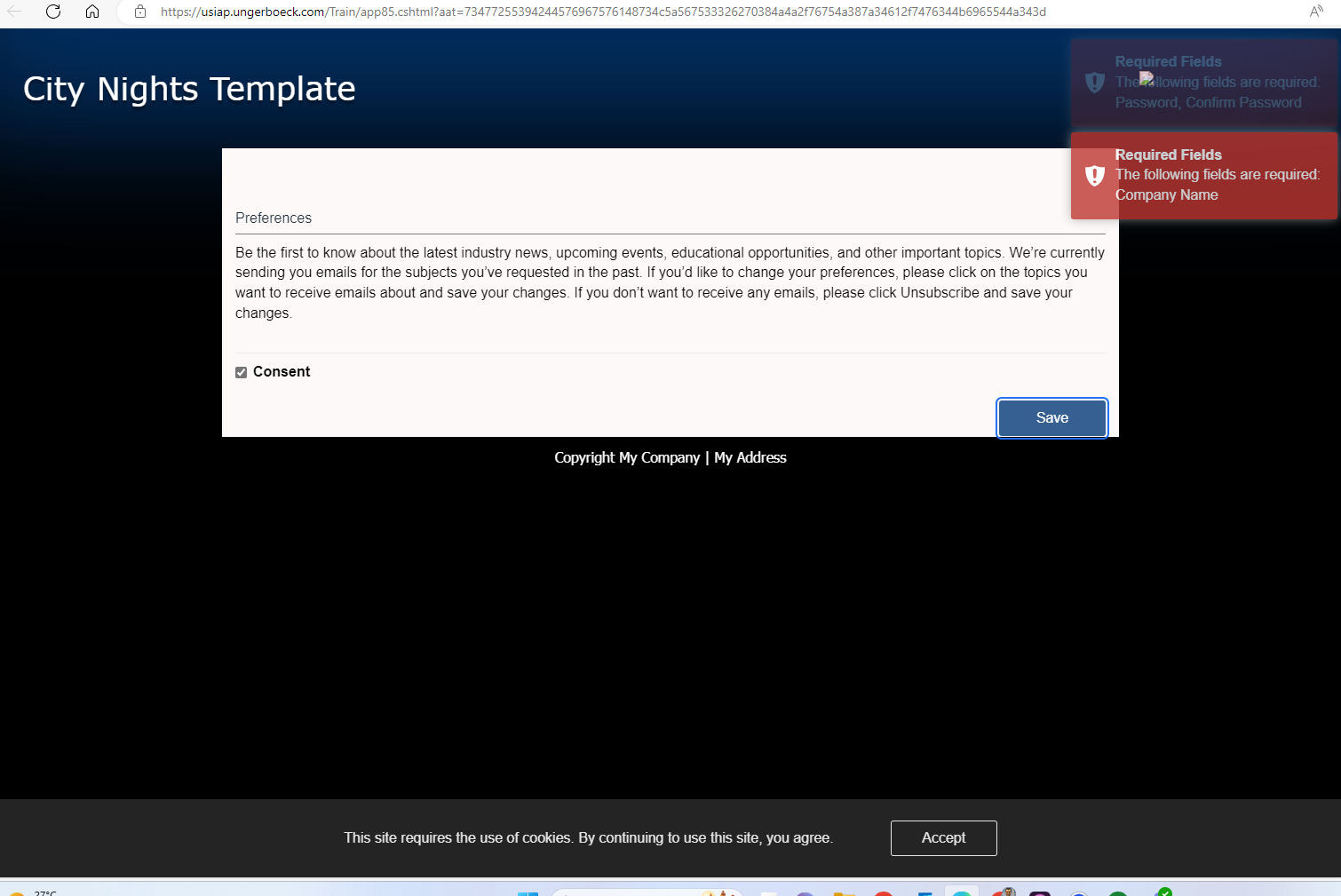
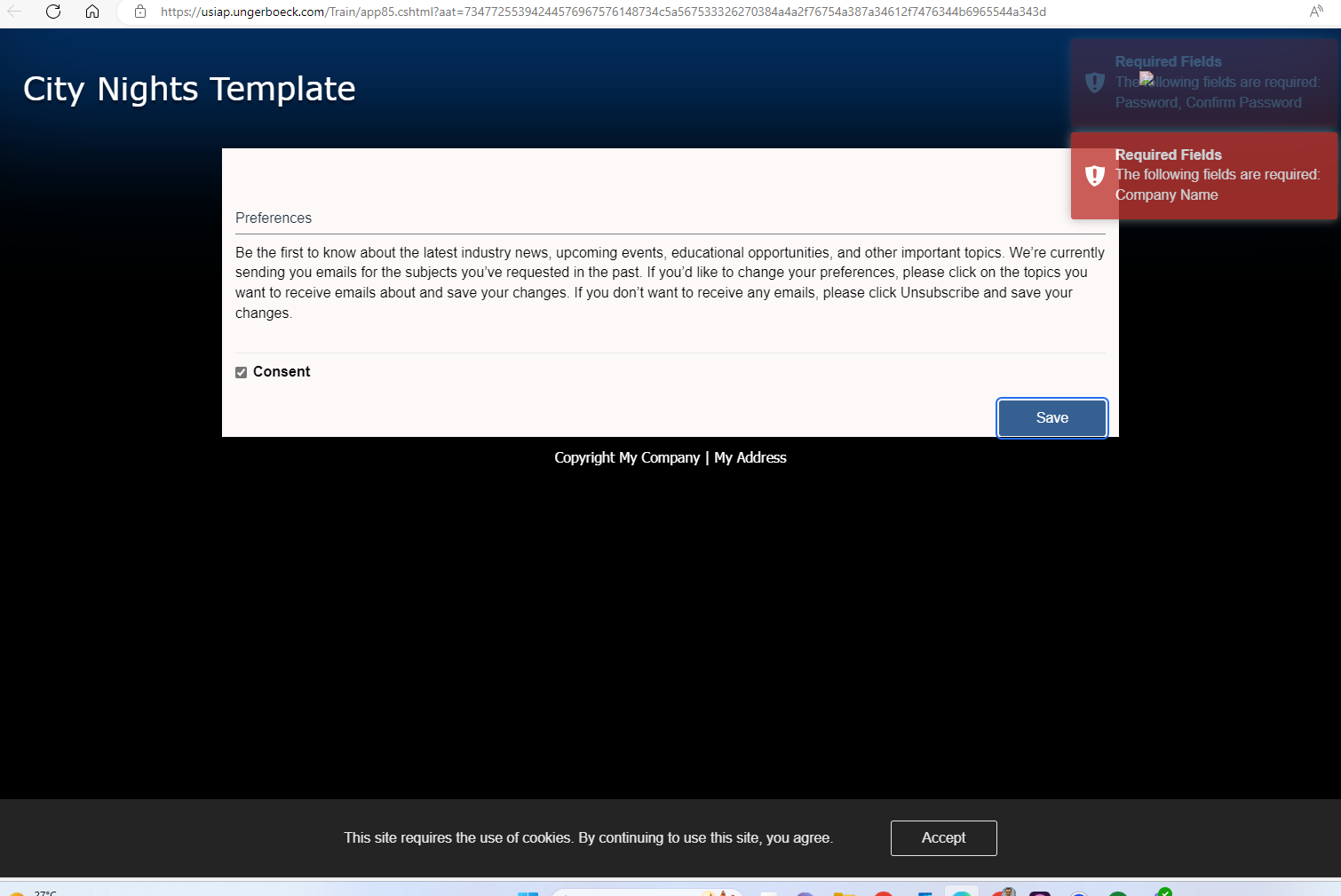
- I have tested using the “preference mode” as an option and it works partially when the contact does not require a login but the validation prevents to save the selection.
- Business impact if not resolved - Labour intensive process resulting in inefficient operations to manage customer data.
- Attach relevant files (such as screenshots)
- Email Template -

- When using a preference mode, this is the error being received once preference is checked. The system displays 2 warnings “Password, Confirm Password” required and “Company name”
- Links to articles where you've looked for solutions and also other steps you've taken to research the issue.
Thanks
-

Would the customer be open to adding those fields to ACM to get around this?
-
Hi Mike, Do you mean adding the UDF's to ACM? If so, i think it would help as anything to bypass the login step would be a step closer to getting user to login.
-
I was referring to adding the first name, last name, and company name to the the page. Not sure if that will get you around the problem.
-
Thanks Mike, if i'm using preference mode, i think that should be bare minimum that should be available. Otherwise preference mode does not work simply. If we can make this available, we can present this as a solution to the process at least.
If we consider global audience, i think people will uptake this process more as we want the user experience to be
- Click on the link in email
- Update your preferences
- Submit
-
I think we will need a defect ticket to take a look at why it is requiring those fields in this mode.
-
ZD Ticket Submitted - #334951
Please sign in to leave a comment.
Comments
6 comments
Date Votes