Lead User Defined fields
Answered
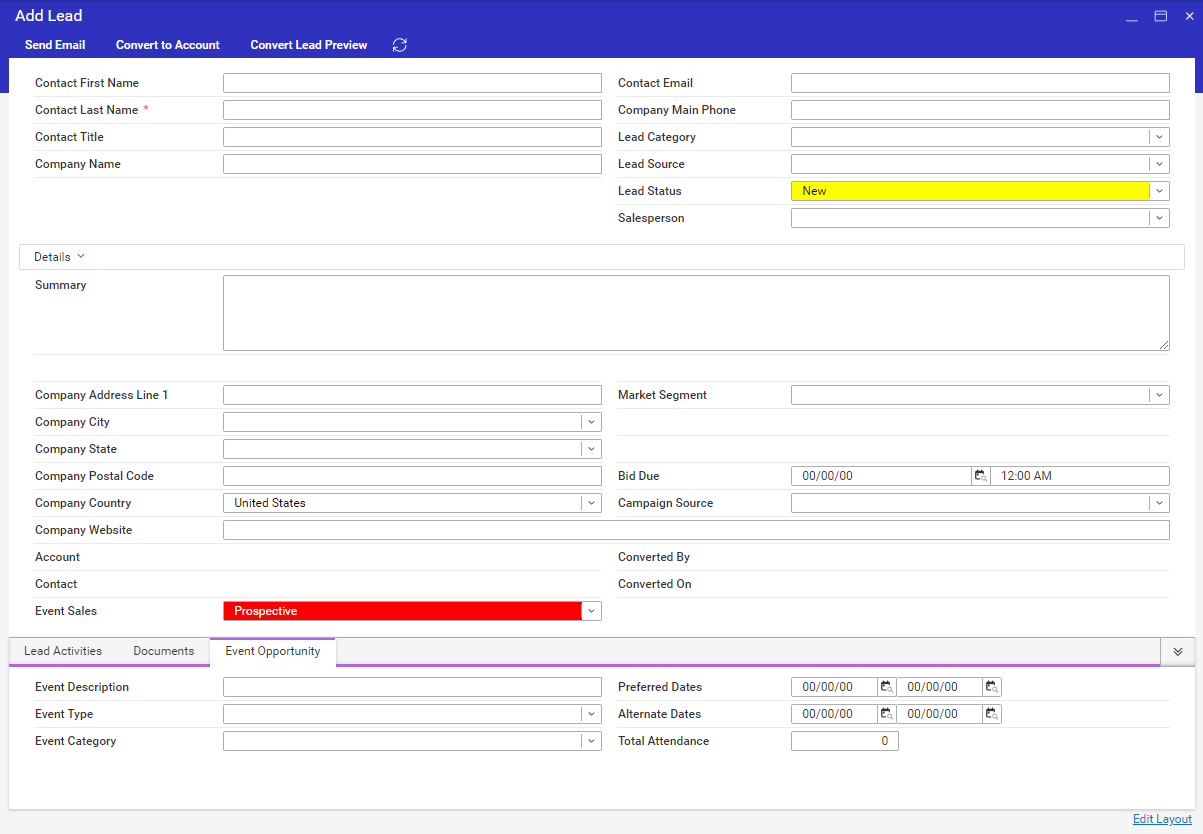
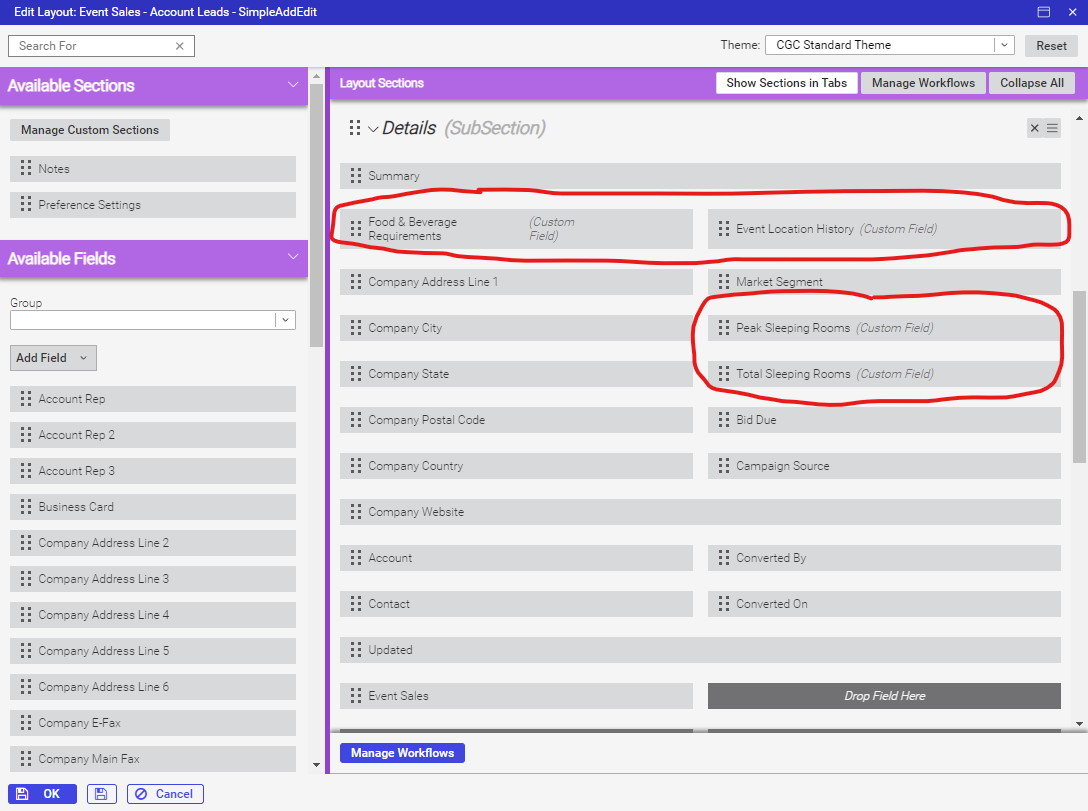
Description of the issue: Lead UDFs not appearing on edit lead window, but appear in “edit layout”
Account name: Cobb Galleria
Region: AMER
Client version: 2024.1
Steps to reproduce: Leads window > Edit Lead window (no UDFs shown) Edit Layout > UDFs are shown
Observed results vs Expected results: I would expect the UDFS to appear on edit lead's screen
What is the job the client is trying to accomplish: They are planning to use the API to collect leads and would like to capture additional details that are not present in the leads window.
Business impact if not resolved: High - lead collection process will need to be revised
-

Caty Pomeroy - Leads do not have user defined fields. What you are seeing are Custom Fields (example - Summary, Formula, etc…).
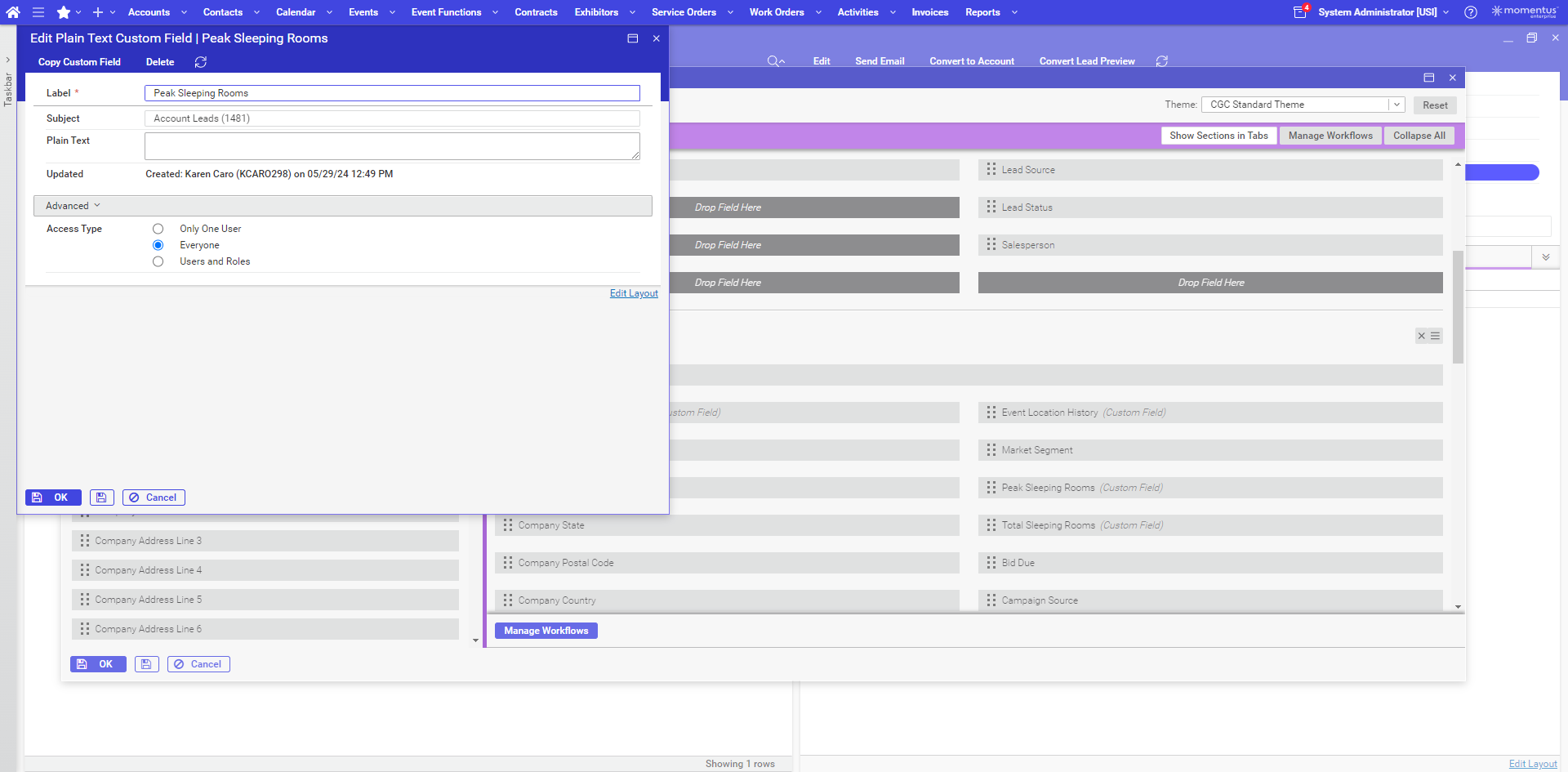
To figure out why they are showing in Edit Layout but not Add/Edit, I would edit the field and see what the Access Type is set to. I'm guessing it is set to a certain user or role that is preventing it from showing for the user.
Adding UDF's to Leads would be an enhancement request but we would want to first look at if there are standard field we are missing. We have suggested to some customers to put the values into notes as a possible work around.
-
Thanks @...! I looked at their field details and it should be accessible to everyone.
Would your suggestion be to have the field mapped using the API into a note? With this thought, they ideally identify a note class to designate? There isn't an option for a custom note field to be created so would it just appear in the notes tab on the lead? Thanks again for your help!
-
1 - The custom field is showing in the layout (at least from what I'm seeing in the screen shots). Plain Text custom fields only show what is in the Plain Text field. As this is blank, there is nothing to show. If you look at the add/edit page, you will see a blank line under Summary. Once you enter something in the Plain Text field, it will start showing. This feature is typically used to display static information on the page (instructions, FAQs, etc…).
2 - I don't know off the top of my head if our API supports Lead Notes so we would want to confirm that first. Have they looked at using the Web Lead Form to capture the lead or are they just pulling the lead from another system? The Web Lead Form does allow you to collect notes during the submission process. A specific note class makes sense but without a full picture of what they are gathering and what happens with it during the qualification and/or conversion process, can't give full guidance.
-
1. That makes perfect sense. I was confusing plain text and note fields, so I appreciate the clarification.
2. Ok, good deal. Since they are in the process of creating a new website and own the API, they wanted to capture leads on their site rather than adding the expense of the Web Lead Form.
Who would be best to discuss if the API supports Lead Notes?
-
I went to the API Help page off the main menu and looked at the Notes endpoints. In the data examples, I don't see any reference to Leads. This leads me to believe that Lead Notes are not currently supported but I would double check with Tech Services to confirm if this is an accurate way to confirm support.
FYI - My understanding is that Web Lead Form is included in the base in the new packaging.
-
Thank you - I will follow up with TS.
I don't believe they were contracted to new packaging, but this will be helpful moving forward.
Thanks again!
Please sign in to leave a comment.
Comments
6 comments
Date Votes